API Keys and CLI
MobileHub API keys authenticate Appium, CLI, and automation workflows against the connected Device Farm environment.
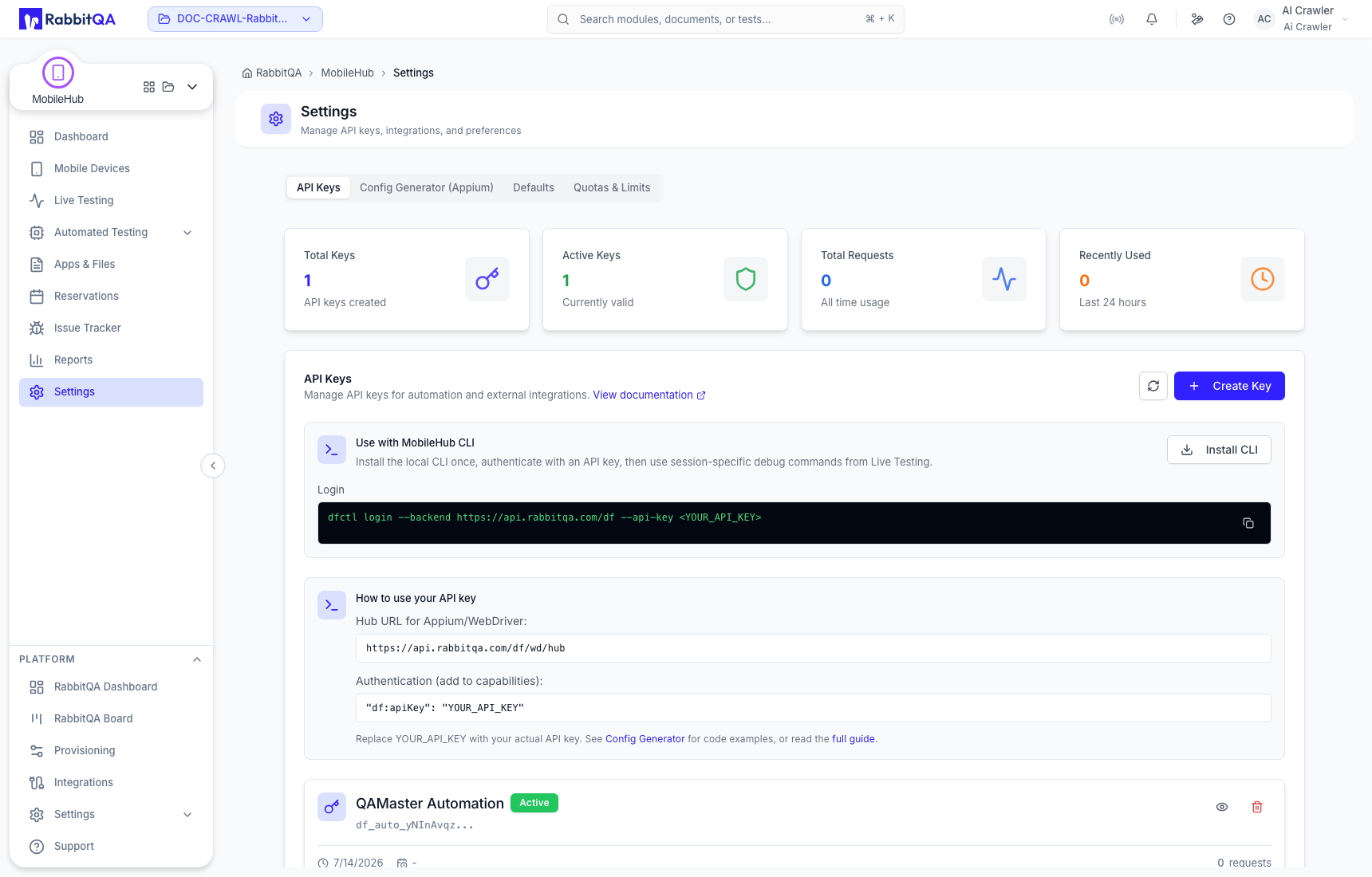
Create a key
- Open Settings → API Keys.
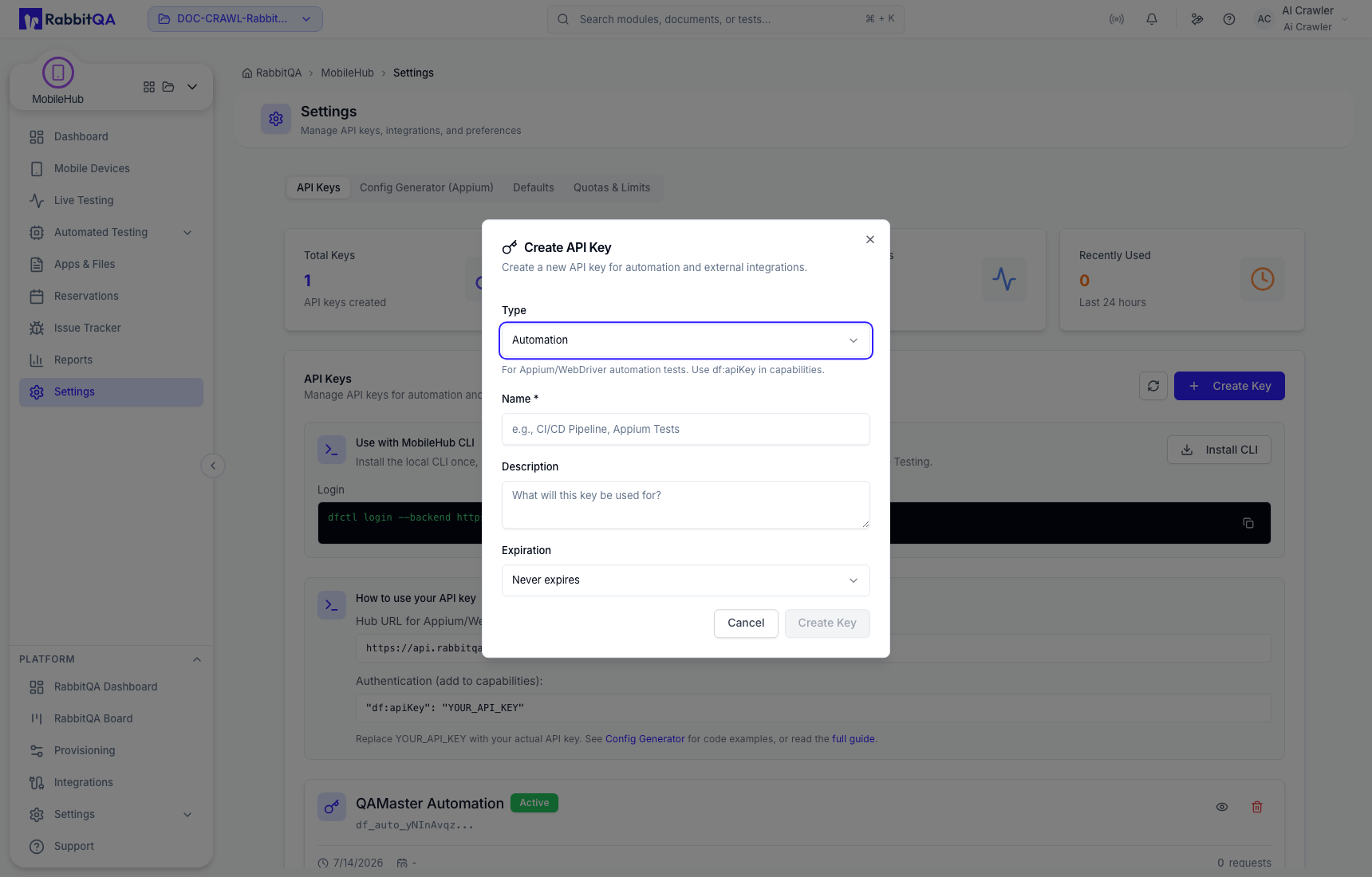
- Create a key and give it a recognizable name.
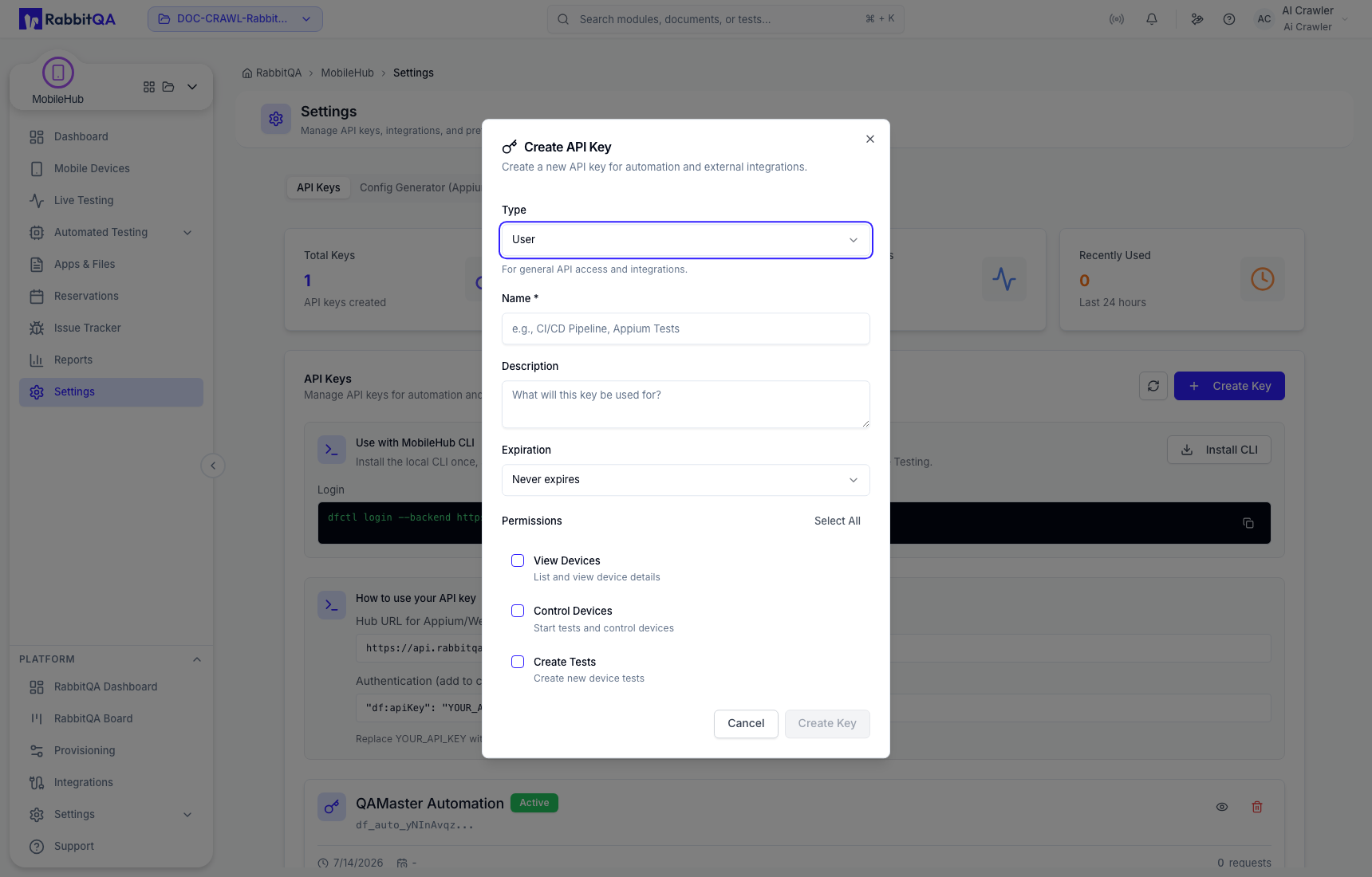
- Choose an identity and expiration appropriate to the integration.
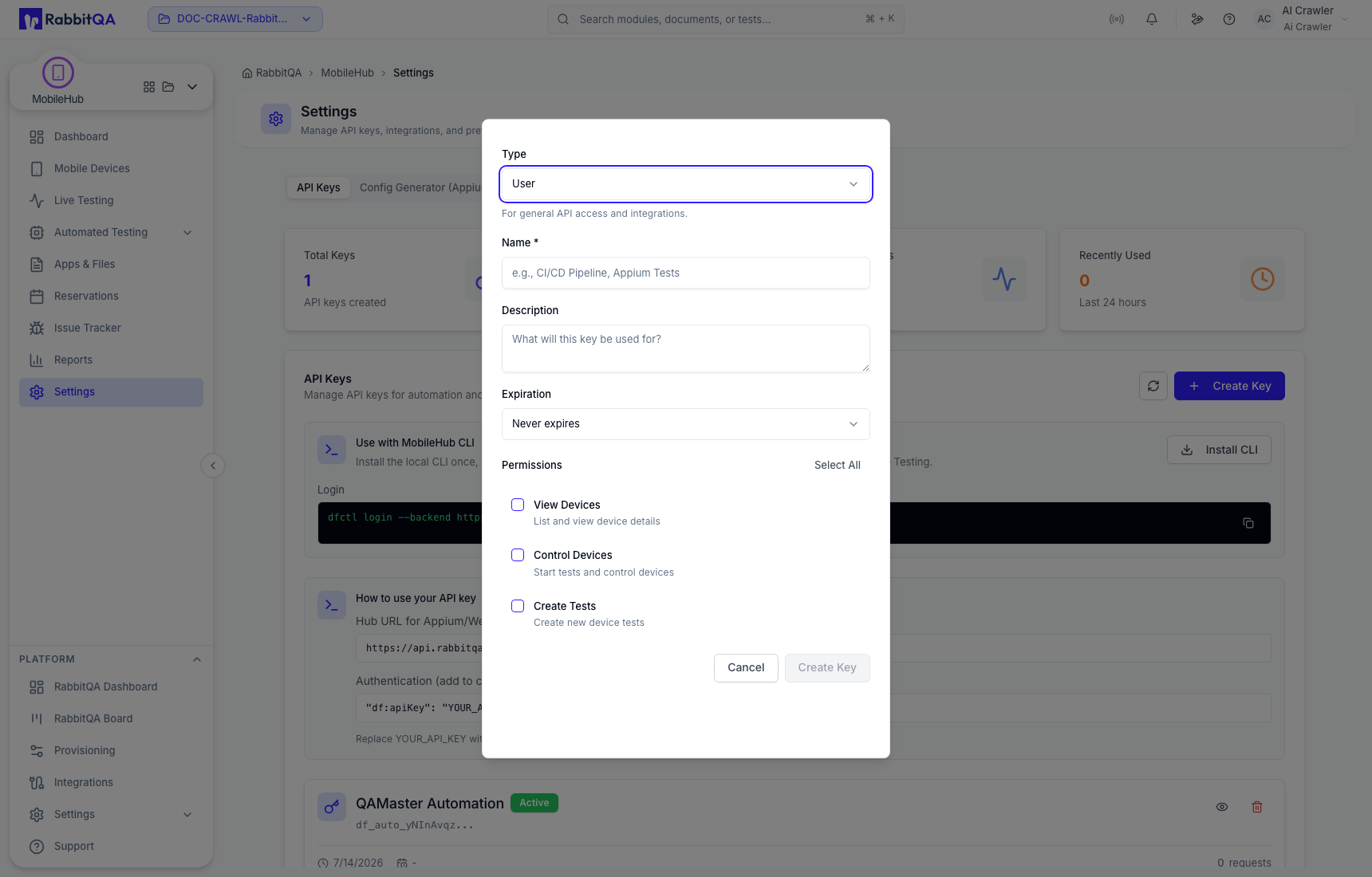
- Grant only the required permissions.
- Review the form, create the key, and copy the secret when it is displayed.
Store the value in a secret manager. Never put a real key in documentation, source control, screenshots, logs, or a shared chat. Revoke keys that are no longer needed or may have been exposed.
Install the CLI
The page provides environment-specific installation instructions for macOS and Windows. Use the command shown in your current MobileHub UI so the package and endpoint match the deployment.
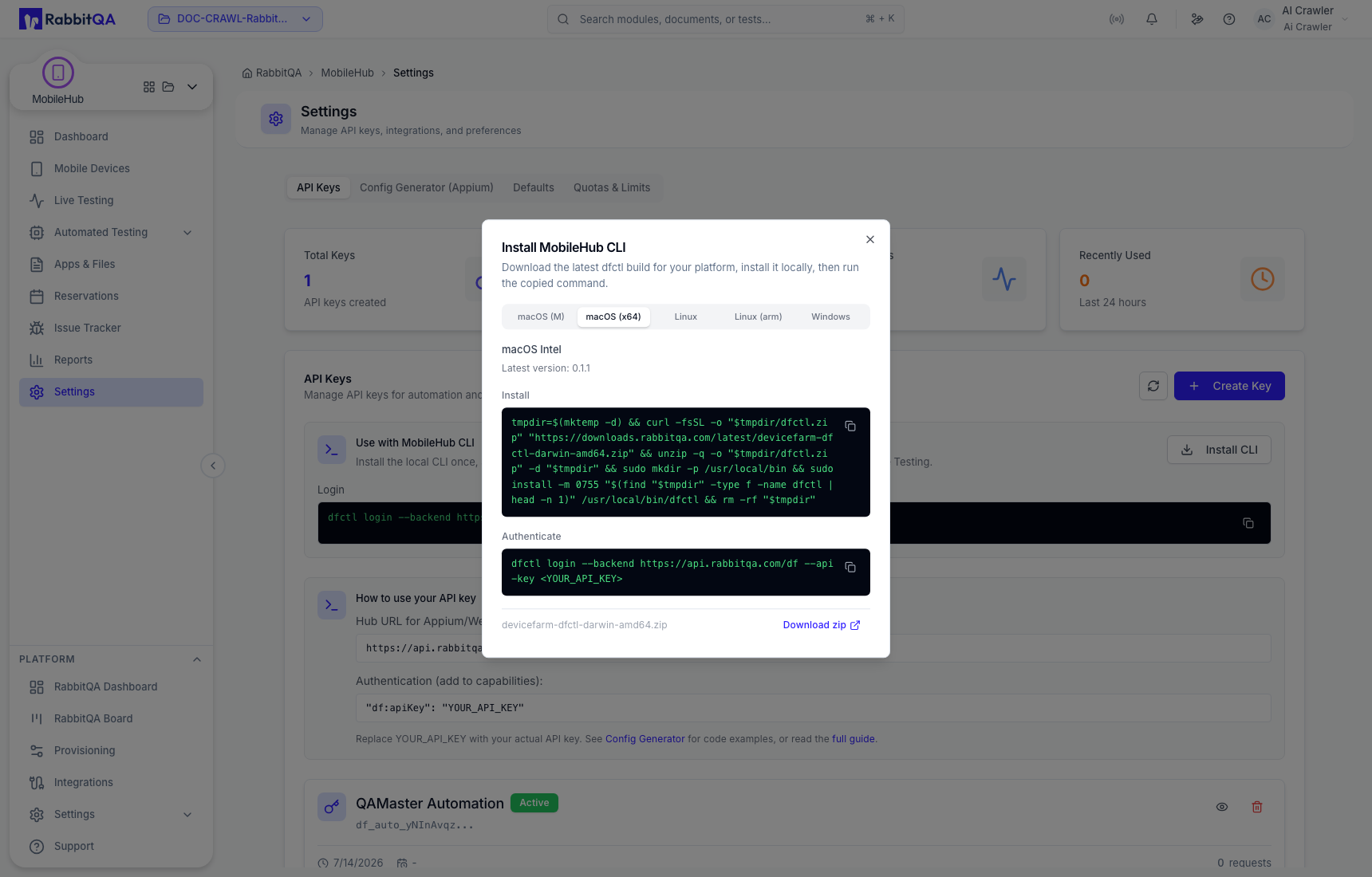
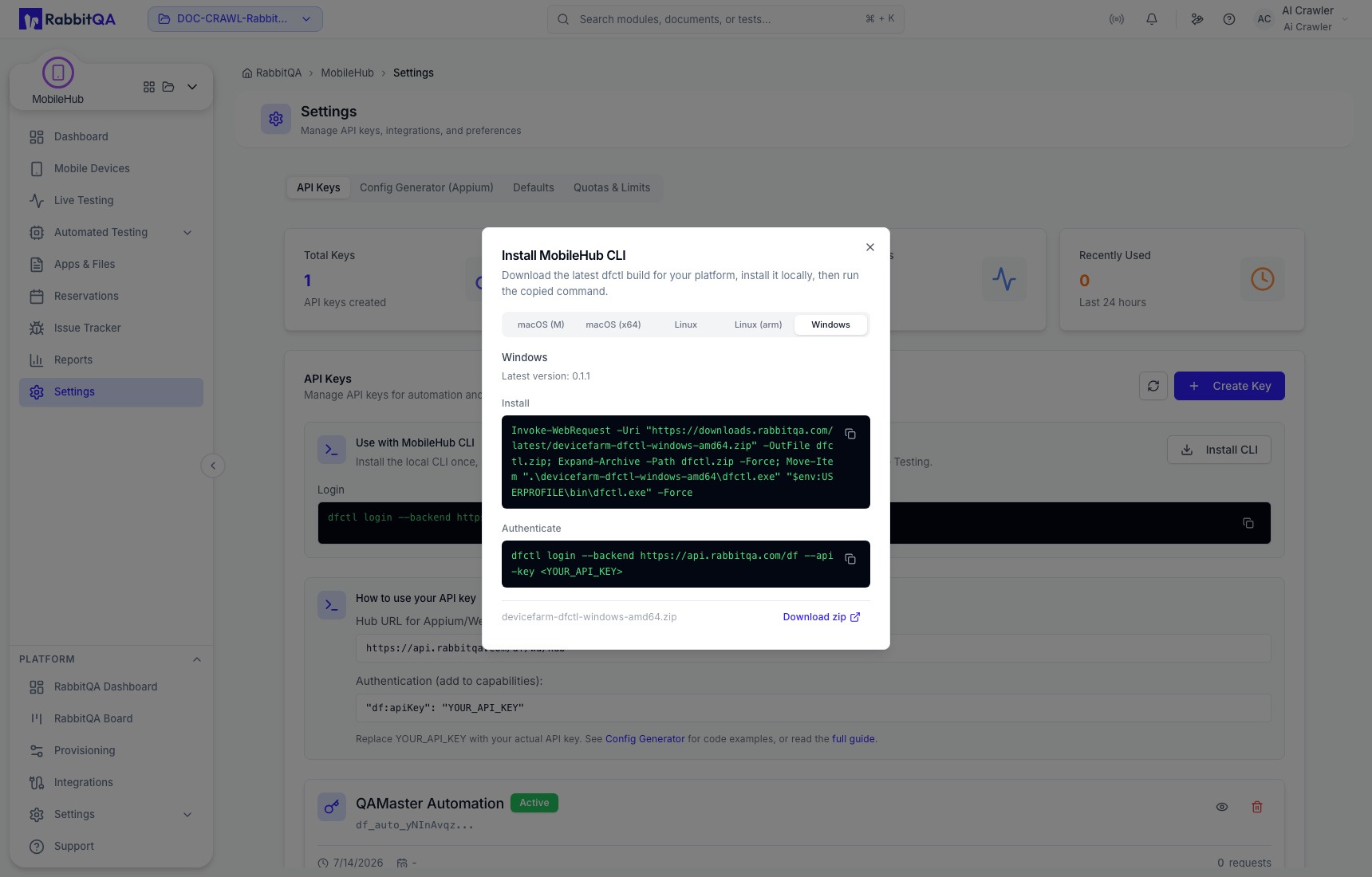
After installation, keep credentials in environment variables or your CI platform's protected secret store. Use separate keys for unrelated services or pipelines so access can be rotated independently.
