SmartAPI
SmartAPI turns API descriptions and requests into reviewed automation assets. It can import a managed API file or cURL request, discover services and endpoints, design positive and negative tests, maintain requests and flows, and prepare generated assets for transfer to AutoRunner.
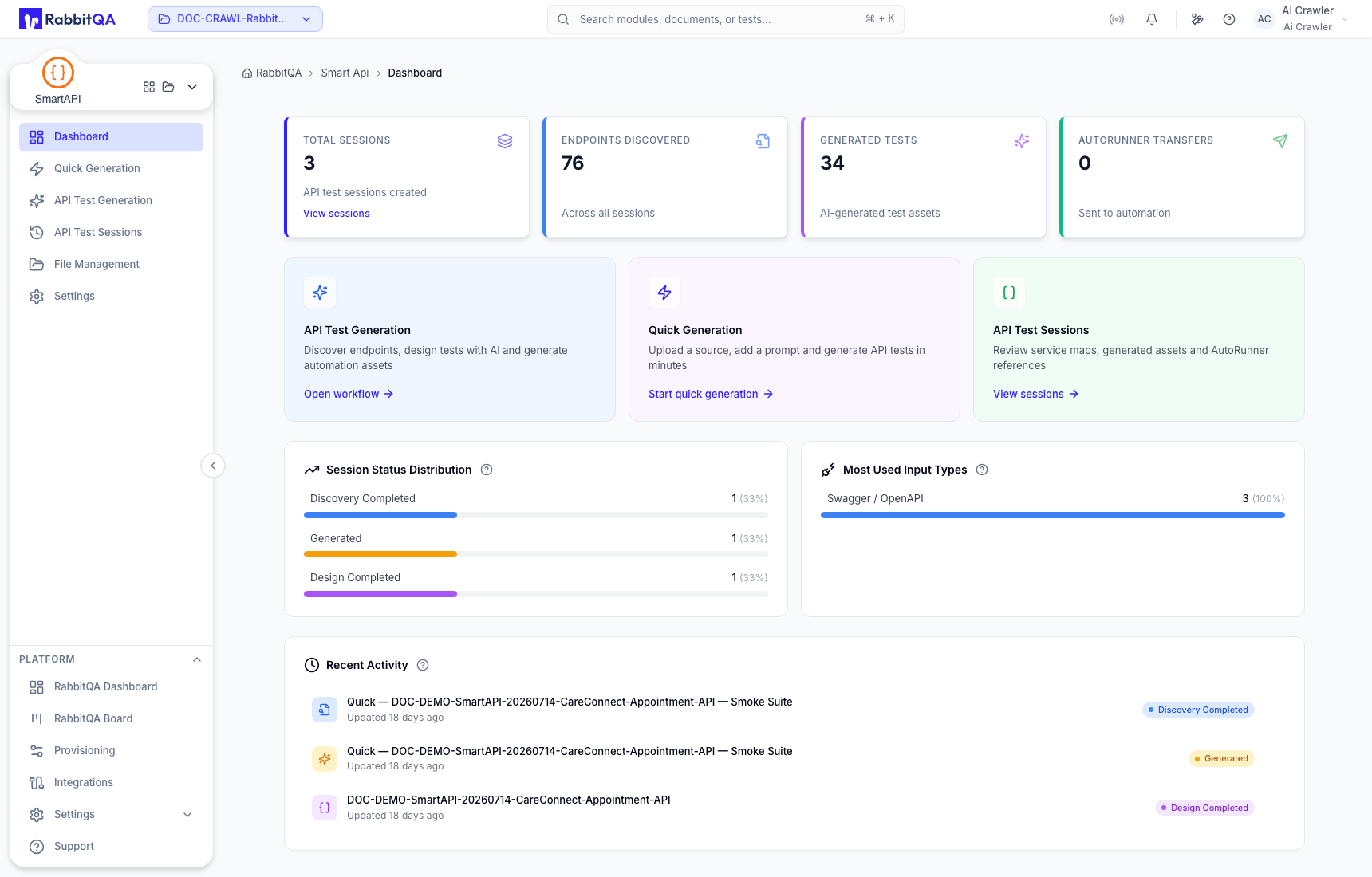
SmartAPI areas
| Area | Use it to |
|---|---|
| Dashboard | Review project-level session, endpoint, test, and transfer totals and open common workflows. |
| Quick Generation | Generate a Sanity, Smoke, or Regression suite from a file or one or more cURL requests with minimal setup. |
| API Test Generation | Use a staged source, discovery, design, and results workflow when you need more review control. |
| API Test Sessions | Find saved runs by name, source, ID, or lifecycle status and open generated assets. |
| File Management | Upload, version, filter, and reuse API sources. |
| Generated Tests and Flows | Review test cases, request sequences, asset totals, and generated flows. |
| Requests, Assertions, and Captures | Maintain request input, expected response checks, captured values, and scripts. |
| Variables and Environment Input | Work with static and response-derived variables and import Postman environment sources. |
| AutoRunner Transfer | Select an AutoRunner Postman project and hand generated assets to the execution workflow. |
| Settings | Configure AI strategy, naming standards, and AutoRunner or TestPilot mappings. |
Supported source formats
SmartAPI accepts sources represented as:
- OpenAPI or Swagger;
- Postman Collection or Postman Environment;
- HAR, including HAR-like exports from Charles or Fiddler;
- WSDL or XSD; and
- cURL requests entered directly in a generation workspace.
File availability and parsing still depend on a valid source and the permissions of the active project.
End-to-end workflow
- Confirm the active RabbitQA project.
- Upload a source in File Management, select an existing managed file, or paste cURL.
- Choose Quick Generation for a compact workflow or API Test Generation for staged review.
- Add source context and select a test template or design method.
- Verify that the discovered service names, paths, endpoint counts, and session ID belong to your source before continuing.
- Review generated tests, requests, assertions, captures, variables, and flows.
- Correct source-dependent values and remove unsuitable generated coverage.
- Transfer reviewed assets to a compatible AutoRunner Postman project.
Generated assertions and flows must be reviewed against the intended API contract. SmartAPI creates automation assets; execution results and environment readiness are verified in AutoRunner.
Some staged discovery, result, or session-detail views may display reference data while integrations are being completed. Confirm the source identity, session ID, paths, services, and counts before any edit, archive, delete, regenerate, or transfer action.
Start with SmartAPI Quick Start, then use Correct Use and Best Practices for the review gates that protect shared projects.
