Smart PBI
Smart PBI turns requirement context into a reviewable hierarchy of Epics, Features, User Stories, and Acceptance Criteria. A generation session can combine an analyzed document version, a direct upload, written scope, images, SmartRequest data, selected PBIs from an earlier session, Confluence content, and Figma design context when the required integrations are available.
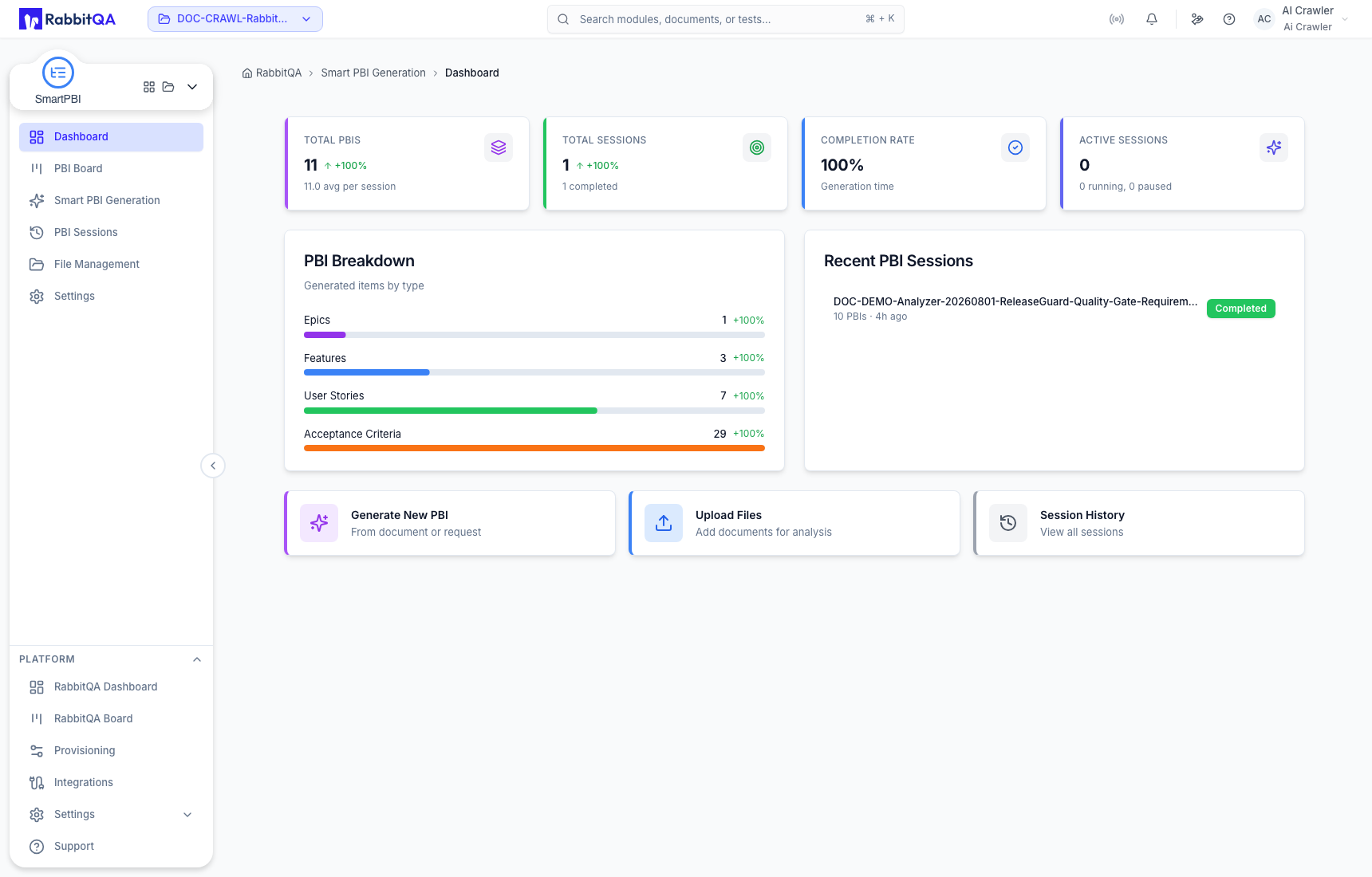
Main areas
| Area | Use it to |
|---|---|
| Dashboard | Read project totals, hierarchy distribution, recent sessions, and quick actions. |
| Smart PBI Generation | Select sources, configure generation, review results, regenerate an item, export to Excel, or move a hierarchy to the board. |
| PBI Board | Search, filter, create, maintain, archive, and integrate durable backlog items. |
| PBI Sessions | Find saved generation records, inspect results, share a direct link, or reuse a configuration. |
| File Management | Manage analyzed requirement documents and their versions, scores, and generation actions. |
| Settings | Set project generation defaults and understand the centrally managed AI-model boundary. |
| Handoffs and integrations | Continue a board item into Smart PBI or pass one item or an entire session to CaseWriter. |
The lifecycle
- Select a source or combine several sources.
- Set the output language, quality profile, platforms, requested item count, and hierarchy levels.
- Generate a session and review every resulting item and parent-child relationship.
- Edit or regenerate individual items until the hierarchy is usable.
- Export selected items to Excel or transfer the hierarchy to the PBI Board.
- Maintain workflow state and delivery fields on the board.
- Continue a reviewed item into another Smart PBI generation or into CaseWriter.
Generation is a proposal, not approval
AI-generated PBIs must be reviewed before they become delivery commitments. Check scope coverage, hierarchy, Acceptance Criteria, priority, risk, story points, tags, and parent relationships. A successful generation does not prove that the requirements are complete or technically feasible.
Records that should not be confused
| Record | Meaning |
|---|---|
| Analyzed file version | A scored requirement source managed in File Management and originally analyzed by Analyzer. |
| Generation configuration | The model, language, quality, platforms, item count, hierarchy types, and selected sources used to start work. |
| PBI Session | The persisted generation record, including configuration, status, source information, and generated hierarchy. |
| Generated item | An Epic, Feature, User Story, or Acceptance Criteria inside the session result. |
| Board item | A durable Epic, Feature, or User Story maintained through workflow state and delivery fields. |
| Preset | A named reusable generation configuration; it is separate from project defaults and saved sessions. |
Current boundaries
- Direct upload accepts PDF, DOC, DOCX, TXT, JPEG, JPG, PNG, or Markdown up to 10 MB.
- Confluence and Figma selection require their respective project integrations.
- Jira create, link, and export actions require a configured and tested Jira integration.
- Excel is the confirmed generation export target. Jira and Azure DevOps appear as integration-dependent targets; Smart PBI does not treat an integration warning as a completed export.
- The PBI Board provides Board view. A Table control may appear unavailable and should not be documented as an active workflow.
For an end-to-end first run, continue with Smart PBI Generation.
