Analyzer
Analyzer is RabbitQA's project-scoped document quality module. It scores a selected document version—or a related set of documents—against weighted quality metrics and explains the result with evidence, suggestions, coverage findings, and planning estimates.
Use Analyzer before backlog or test design to find unclear, incomplete, or weakly testable requirements. The result supports human review; it does not approve a requirement or prove that it is ready for delivery.
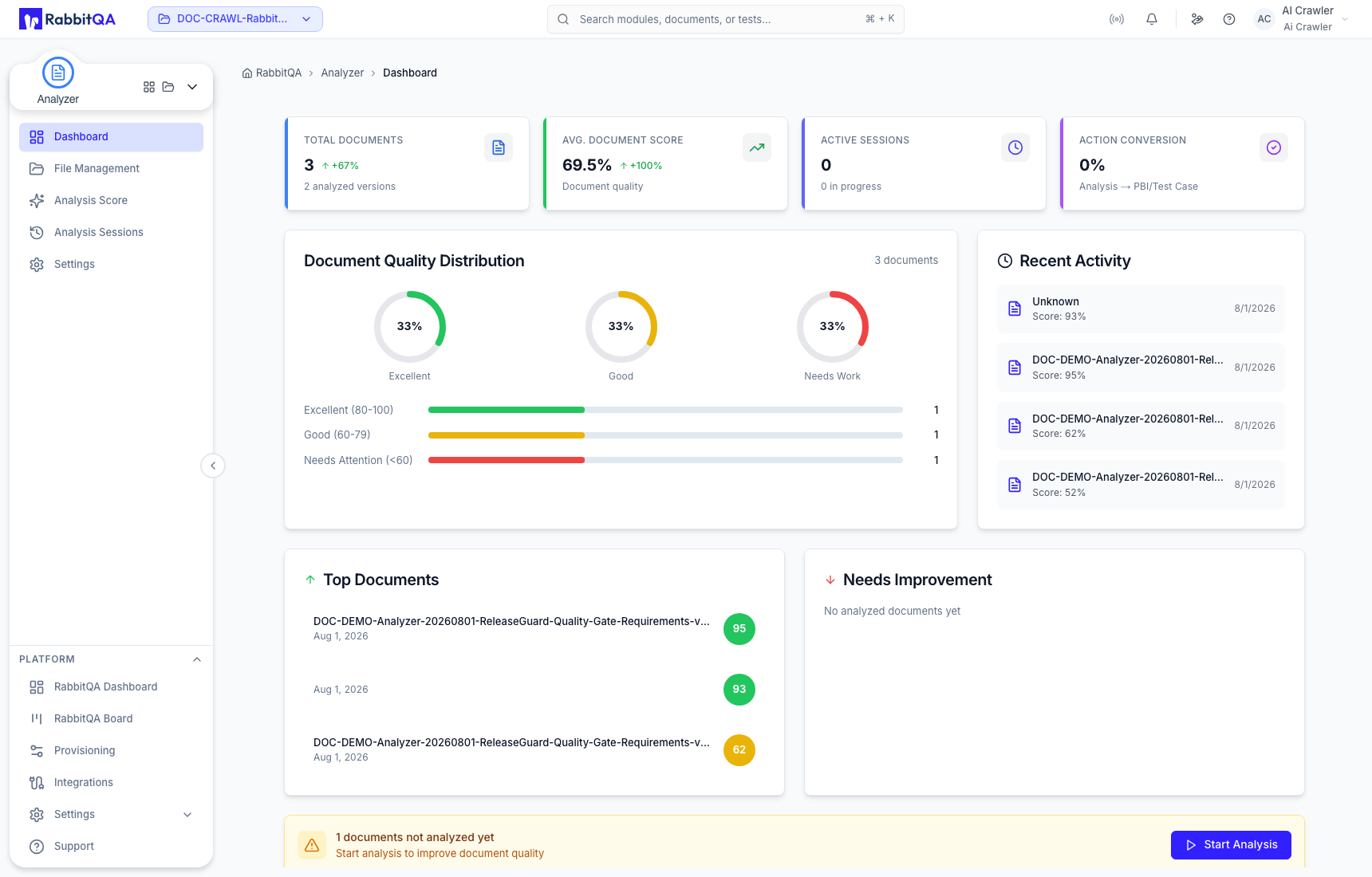
Dashboard
The Dashboard reflects the RabbitQA project selected in the header. It summarizes:
- total documents and analyzed versions;
- average document score and active sessions;
- downstream action conversion;
- document quality distribution;
- recent activity, top documents, and documents that need improvement.
Use these indicators to choose the next action: score an unscored document, review a completed result, revise a weak document, or continue an analyzed version into another module.
Analyzer areas
| Area | Use it to |
|---|---|
| File Management | Upload and organize files, maintain revisions, and reopen saved results. |
| Analysis Score | Configure and run a single-document or combined analysis. |
| Analysis Sessions | Find, filter, reopen, share, download, or remove saved file-version results. |
| Settings | Maintain reusable scoring templates and optional custom metrics. |
Typical workflow
- Confirm the active RabbitQA project.
- Upload a new document, or select the correct version of an existing file.
- Choose a scoring template and report language explicitly.
- Review the metric weights and optional result sections, then start the analysis.
- Read the metric evidence and findings—not only the overall score.
- Revise and upload a new version when needed, keeping the scoring configuration consistent for a meaningful comparison.
- Share or download the reviewed report, or continue to SmartPBI or CaseWriter.
Analyzer evaluates source-document quality and estimates possible backlog and test volume. It does not create PBIs or test cases. Those actions open SmartPBI or CaseWriter with the analyzed file version preselected.
Correct use
- Treat scores, coverage percentages, and estimates as review and planning indicators.
- Use Upload New Version for a revision of the same requirement scope; create a new file record for unrelated content.
- Use combined analysis only when the selected documents form one shared review scope.
- Verify generated findings against the maintained source before changing requirements.
