DataCrate Module
DataCrate is RabbitQA's test-data generation and mock-service workspace. It combines uploaded datasets, reusable generation inputs, synthetic-data workflows, session tracking, mock APIs, dynamic forms, and a repository for generated artifacts.
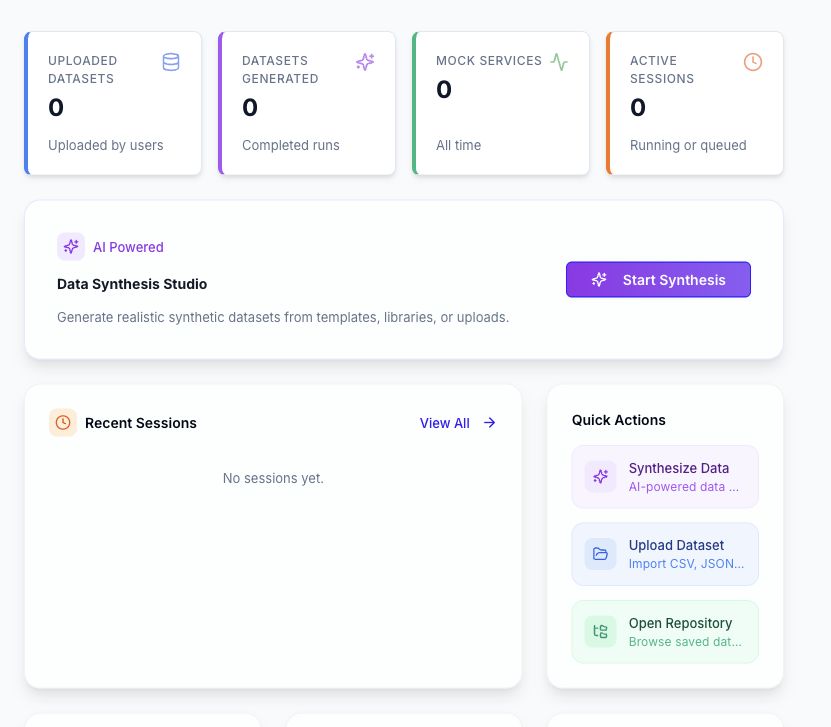
What You Can Do
| Area | Purpose |
|---|---|
| Uploaded Files | Upload and version CSV, Excel, or JSON datasets; preview, download, transform, or reuse them. |
| Smart Data Generation | Generate a single value, build a dataset, enlarge an uploaded dataset, or collect service responses into a table. |
| Mock Services | Create mock APIs from a dataset or AI prompt, or import an OpenAPI, WSDL, or gRPC definition. |
| Dynamic Forms | Build forms from mock or service definitions and submit values manually or from a dataset. |
| Data Sessions | Track generation runs, inspect configuration and progress, and preview or download available outputs. |
| Data Repository | Browse folders, templates, uploaded datasets, and generated artifacts in one tree. |
| Provisioning | Create and maintain reusable column schemas for dataset generation. |
Typical Workflow
- Open Uploaded Files and add a supported dataset, or start with an existing template.
- Open Smart Data Generation and choose single-value generation, dataset generation, or dataset enlargement.
- Configure the source, columns, generation methods, target row count, output format, and target folder supported by that workflow.
- Submit the run and follow it from Data Sessions.
- Preview or download the output when the run exposes an artifact.
- Use Data Repository to find saved inputs, templates, and generated files.
DataCrate does not currently provide database connections, schema introspection, relational graphs, or direct database synchronization. Use uploaded files, configured generation sources, and the supported service-to-table workflow.
Availability and Access
DataCrate features depend on the active workspace, DataCrate policy, enabled AI provider, runtime availability, and the permissions assigned to your account. Counts, templates, rules, libraries, services, and sessions therefore differ between environments.
Some actions create runs, services, forms, folders, or templates, while delete actions permanently remove selected records after confirmation. Check the target workspace before submitting a change.
Start Here
- To reuse an existing file, continue with Uploaded Files and Datasets.
- To create data, continue with Smart Data Generation.
- To simulate an API, continue with Mock Services.
