AutoRunner
AutoRunner is RabbitQA's automation workspace. It brings source projects, AI-assisted scenarios, structured automation scripts, test data, test plans, runners, schedules, execution evidence, reports, and issue follow-up into one module.
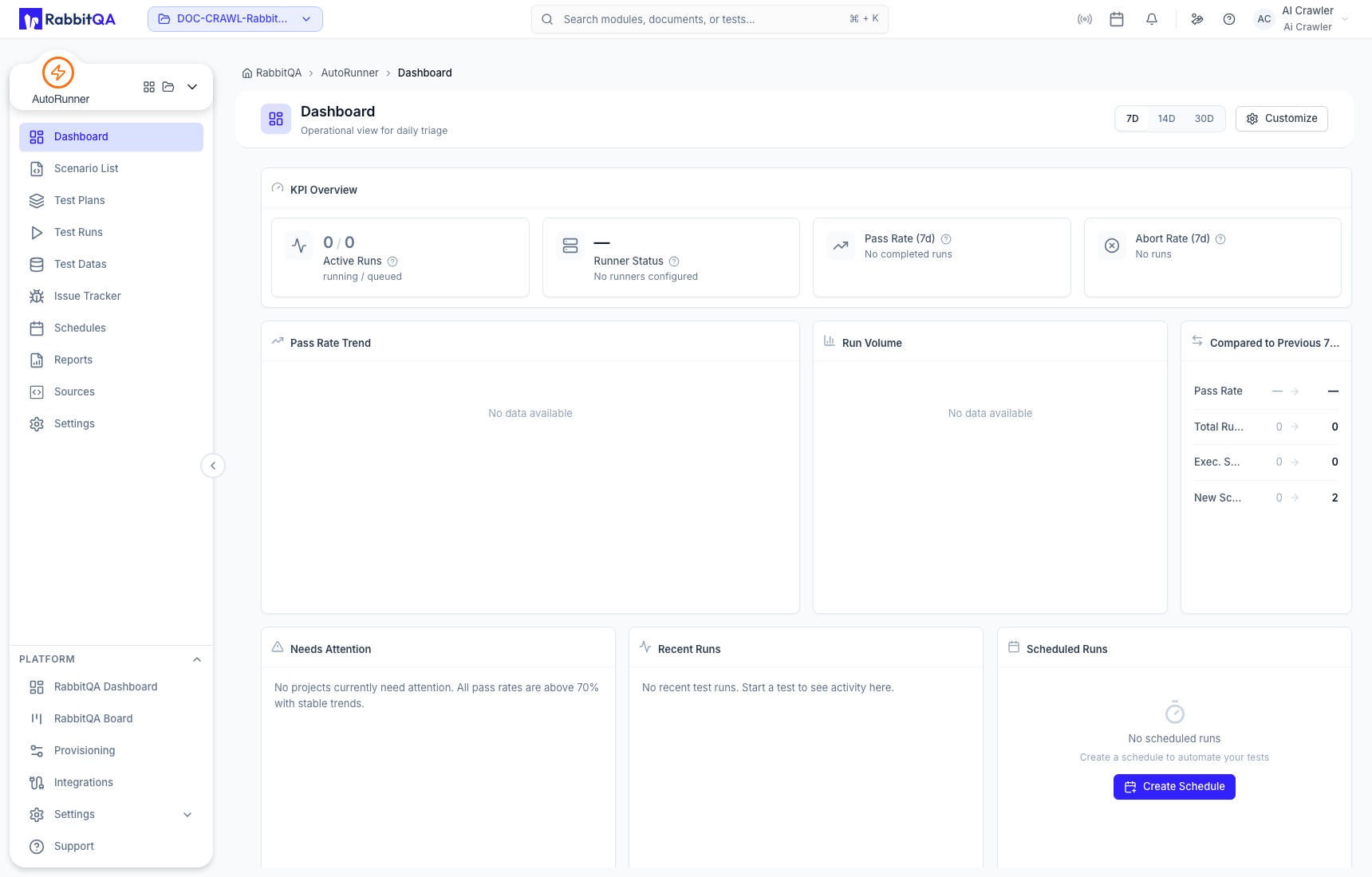
Main areas
| Area | Use it to |
|---|---|
| Dashboard | Triage active work, runner readiness, pass rate, run volume, attention items, recent runs, and schedules. |
| Scenario List | Browse scenarios from every connected source in the active workspace. |
| AI Studio | Create and review AI-assisted web or mobile scenarios and their generation history. |
| Automation Script | Edit the versioned structured steps that execution uses. |
| Application Knowledge | Review observed screens, elements, locators, visuals, and navigation flows. |
| Sources | Connect Web, Mobile, Service, Desktop, or RoboClick projects and their repositories. |
| Test Plans | Order scenarios from one or more sources and define reusable execution selections. |
| Test Data | Manage environments, variable precedence, files, and DataCrate imports. |
| Test Runs | Search, filter, re-run, stop, and inspect plan executions. |
| Schedules | Run one or more plans on a configured time rule. |
| Reports | Analyze plan results, trends, and side-by-side run comparisons. |
| Issue Tracker | Link execution context to RabbitQA, Jira, or Azure DevOps issue workflows. |
| Settings | Configure run profiles, execution defaults, runners, quality-gate values, access, and notifications. |
The AutoRunner object model
These records have different lifecycles and should not be treated as interchangeable:
| Record | Meaning |
|---|---|
| Source | A connected automation project and its type, framework, and repository configuration. |
| Scenario | A test intent and its editable automation content. |
| Generation run | The AI-agent activity used to propose, validate, and save automation. |
| Automation version | An immutable script revision. Only the active version is used by normal execution. |
| Activation event | A publish, restore, or deactivate action recorded separately from versions. |
| Test plan | An ordered selection of scenarios prepared for execution. |
| Test run | A plan execution with statuses, results, logs, screenshots, and other evidence. |
A successful AI generation can create and activate an automation version, but it does not create a plan-based Test Run or prove the behavior in your target execution environment. Add the scenario to a Test Plan and run it to obtain execution evidence.
Current navigation
AutoRunner currently exposes Dashboard, Scenario List, Test Plans, Test Runs, Test Datas, Issue Tracker, Schedules, Reports, Sources, and Settings. AI Studio opens from Scenario List and maintains its own Scenarios, Element Repository, Screens, Custom Steps, and Settings workspace.
Start with Quick Start. For shared or production-facing work, also read Correct Use and Best Practices.
