Settings and Run Profiles
The main AutoRunner Settings area covers execution configuration and administration. It is separate from AI Studio Settings, which controls AI generation behavior.
Run Profiles
A Run Profile groups reusable execution selections such as environment profile, variables, runner or engine choices, and project defaults exposed by the active source type. Permitted users can create, edit, clone, delete, set a default, or start a run from a profile.
Verify the profile snapshot on every Test Run. Updating a profile does not rewrite the configuration recorded by an older run.
Source
The Source settings tab appears for applicable connected projects. Its contents depend on source type, such as repository or Postman configuration. AI-agent projects manage source behavior behind AI Studio and do not show the same Source tab.
Access and Notifications
Use Access & Notifications for the permissions and notification controls available to the current deployment. Email notification policy can include global template settings, Test Plan execution events, and project events.
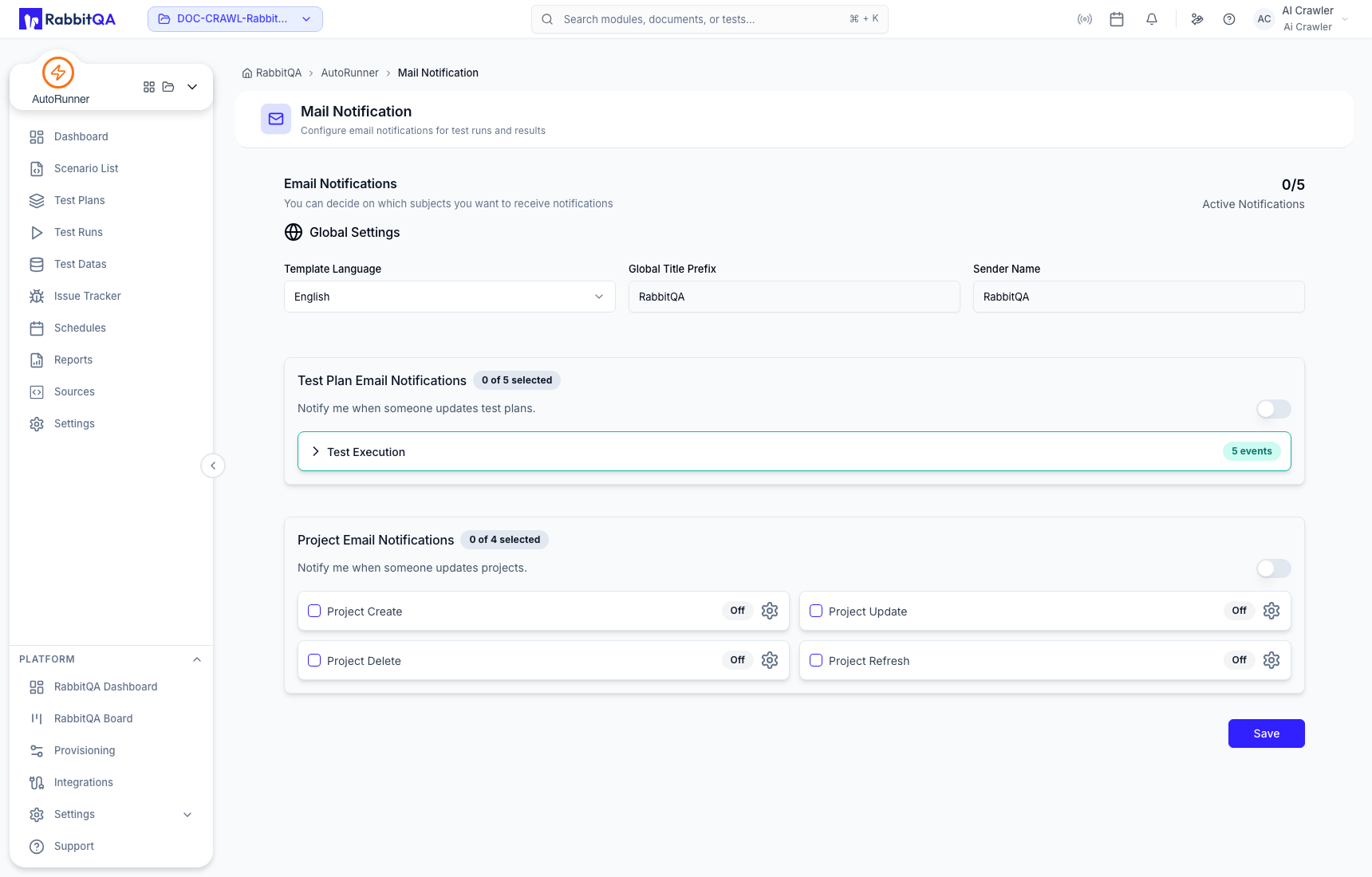
Execution events include started, passed, failed, error, and aborted.
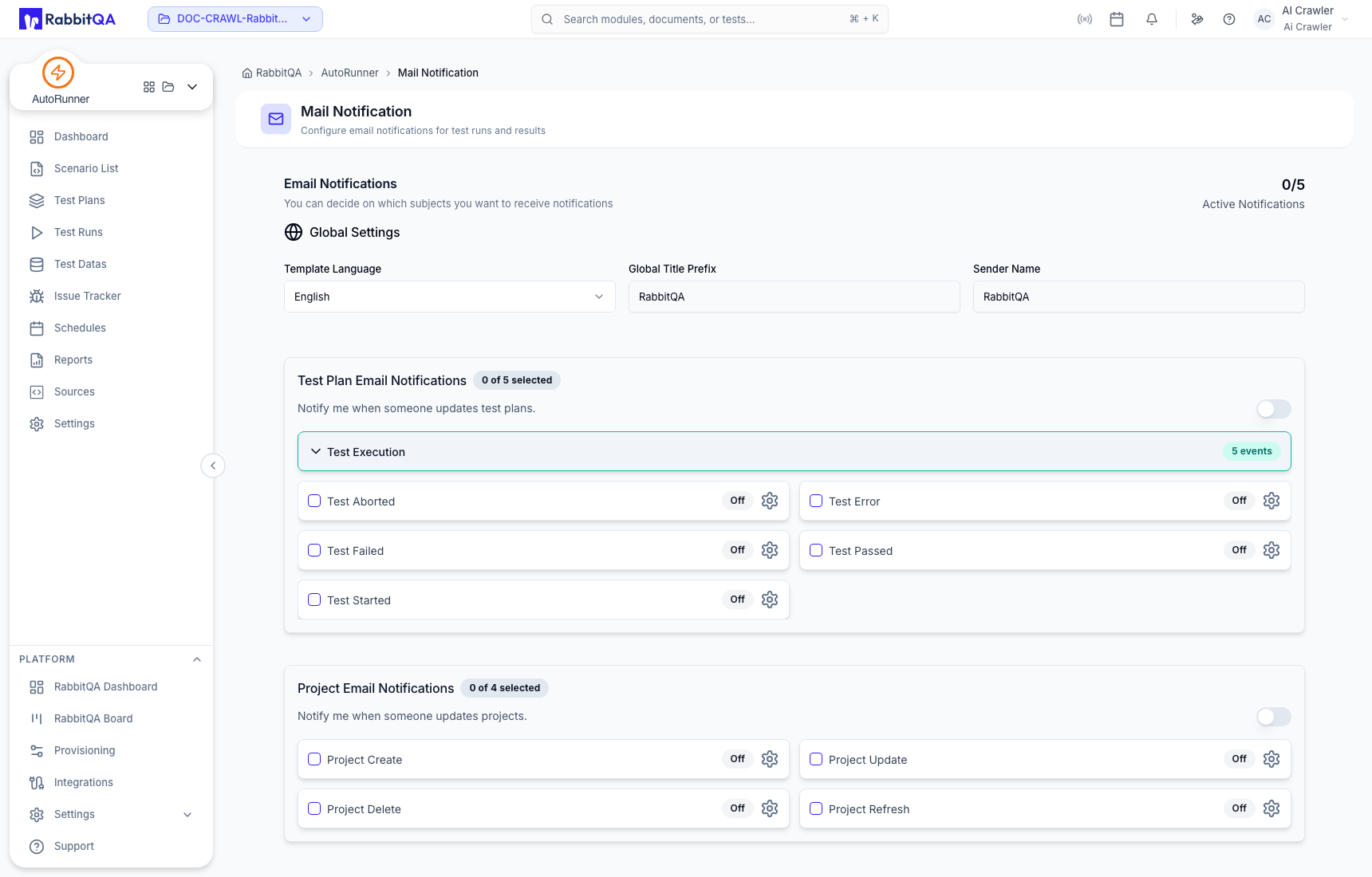
Review recipients and event volume before enabling notifications on shared or frequently scheduled plans.
Project Execution Defaults
Defaults reduce repetitive selection but do not override an explicit plan, schedule, or runtime choice. Check the resulting Test Run to see what was actually used.
Runners
The Settings area exposes organization-wide runner registration and project-level runner or engine selection where supported. See Test Runners.
Quality Gate
Quality Gate stores the configured pass criteria and can expose an evaluation result. In the current verified implementation it should be treated as a reported signal. It blocks a pipeline only when that external pipeline explicitly reads and enforces the value.
Changing defaults, runners, source configuration, notifications, access, or quality values can affect other plans and schedules. Record the previous value and verify the target workspace and project before saving.
