AI Studio
AI Studio turns bounded Web or Mobile test intent into reviewable automation. It also keeps the generation conversation, application knowledge, custom steps, and generation-specific settings in one workspace.
Workspace areas
The AI Studio rail provides:
- Scenarios;
- Test Files for Mobile projects;
- Element Repository;
- Screens;
- Custom Steps; and
- Settings.
AI Studio manages its AI-agent source internally. Open it from Scenario List > AI Studio instead of creating an AI-agent source in Sources.
Generate a scenario
- Create a scenario from an AI prompt or step-by-step description.
- For Web, verify the target URL. For Mobile, verify the device and application inputs.
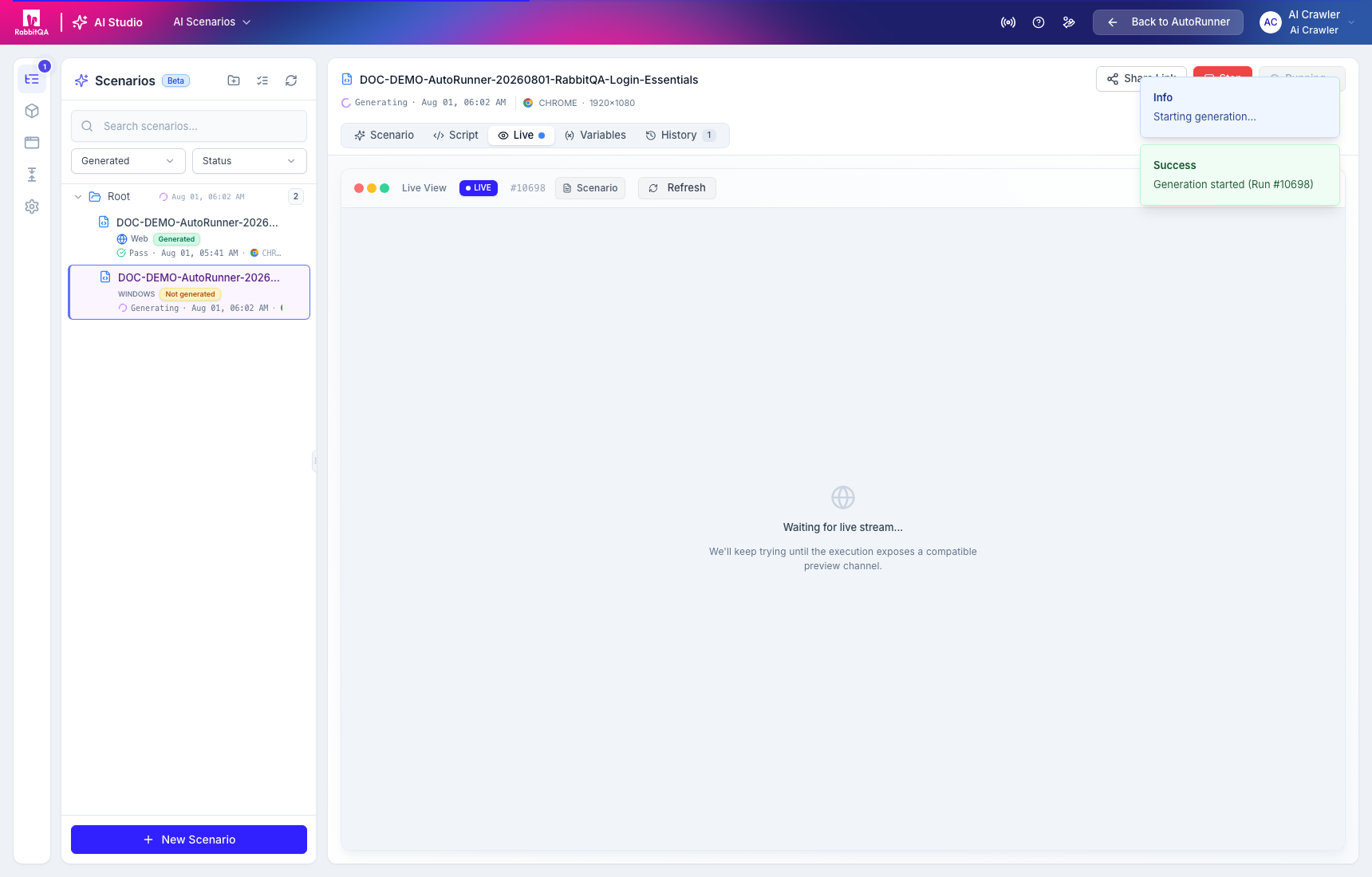
- Start generation and monitor the Live area when a compatible preview channel is available.
- Review the stored prompt, conversation, generated steps, result, and review reasons.
- Publish only an approved automation version.
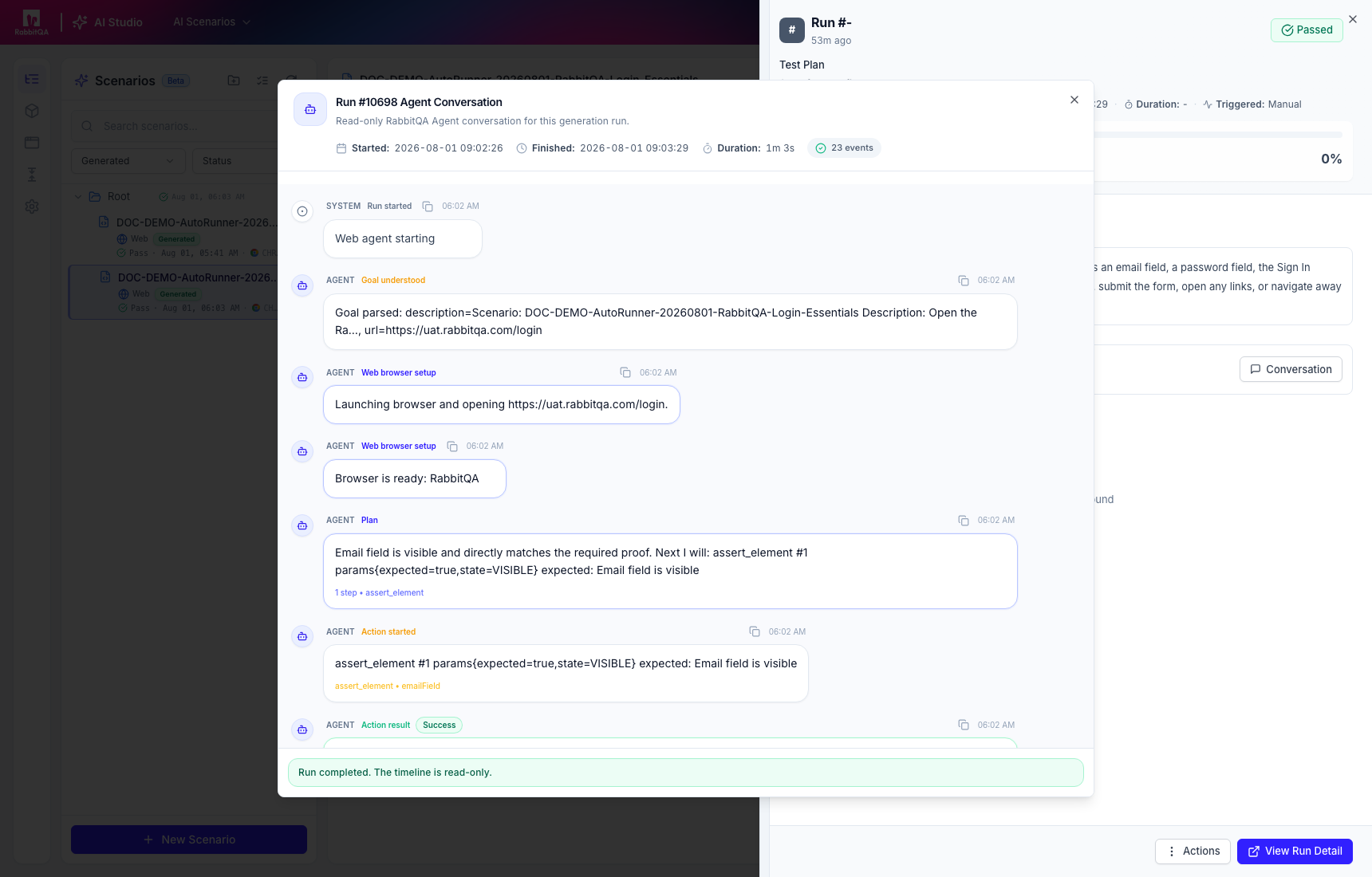
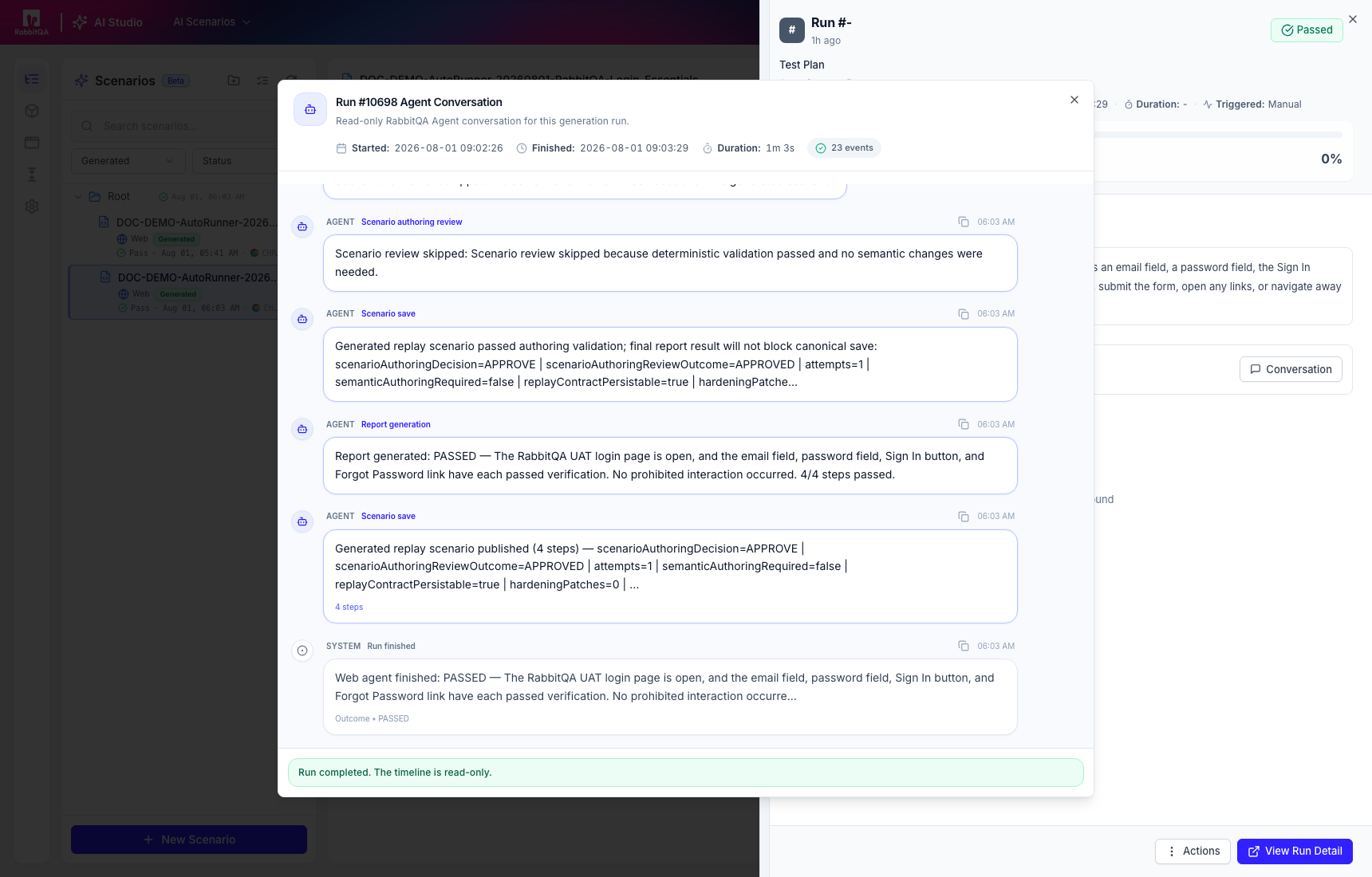
The generation conversation records planning, actions, results, validation, save, and completion events. Use it to understand why a step was produced.
Review-required automation
Generation can save a review draft when validation or semantic review finds unsupported or unsafe content. Disabled steps do not become safe merely because the remaining actions passed.
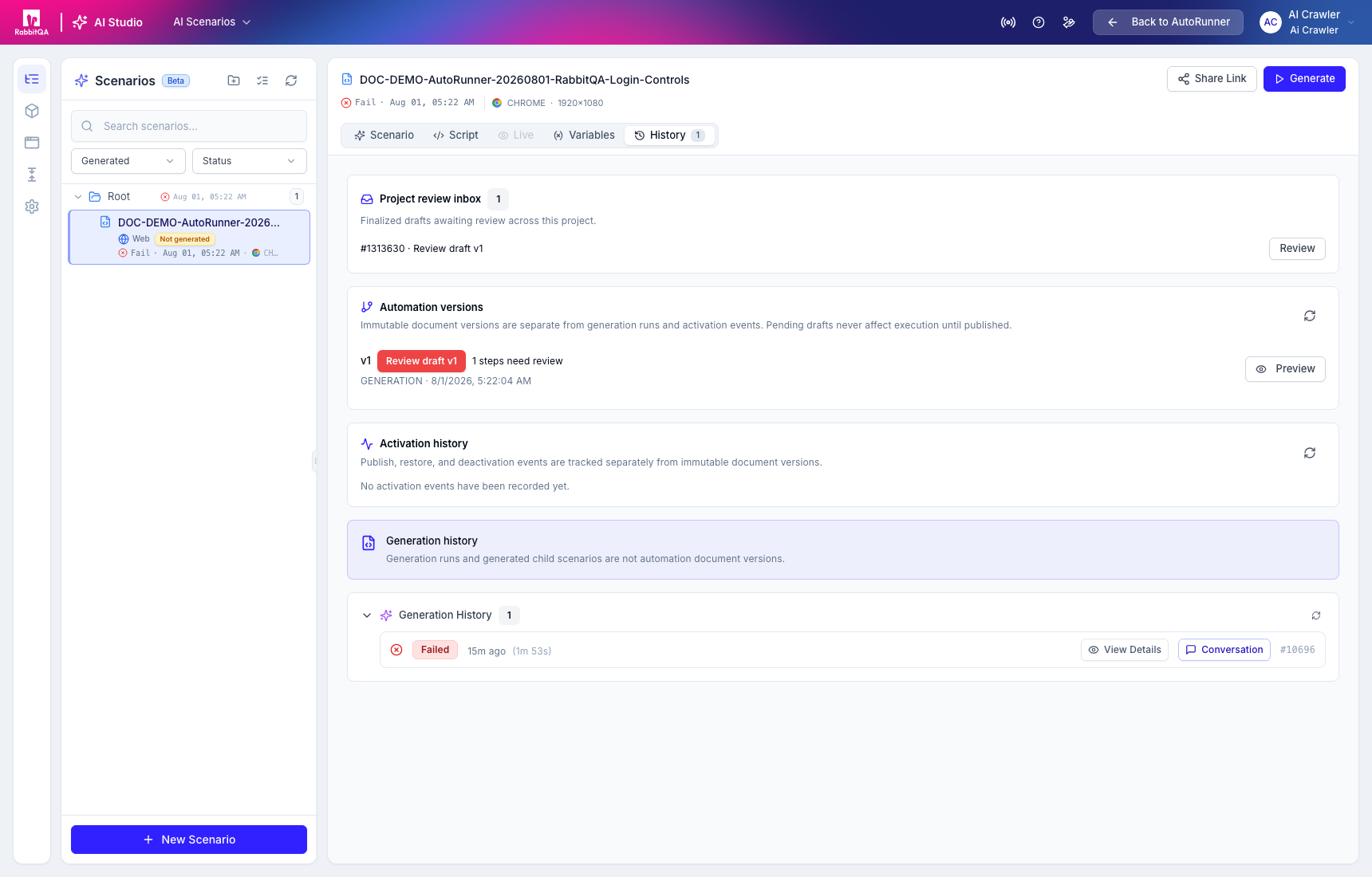
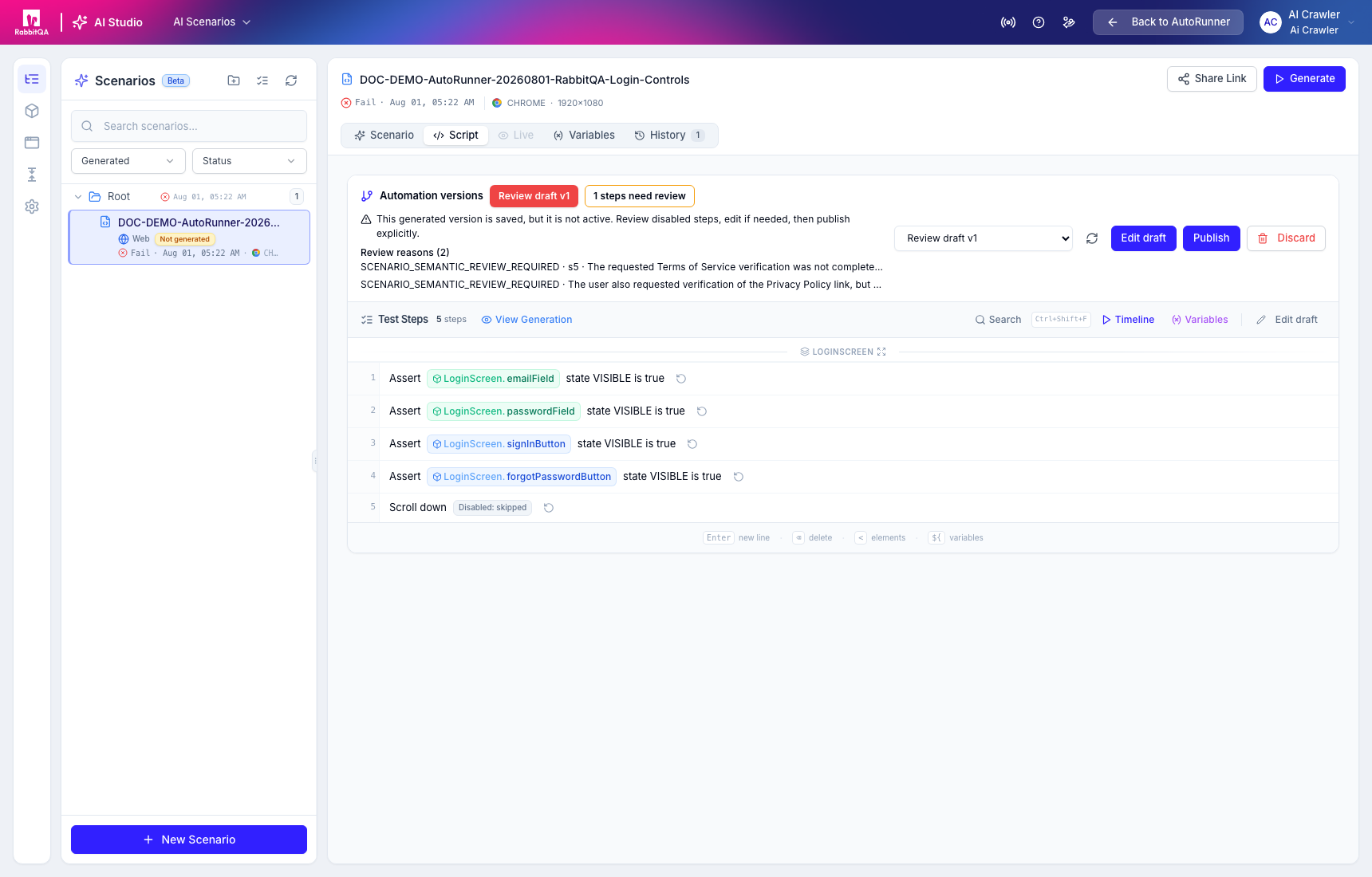
Correct the prompt or draft, regenerate when necessary, and publish explicitly. Regeneration can replace the current generated steps, so review its confirmation carefully.
Versions and activation
Generation runs, immutable automation versions, and activation events are separate records. Editing an active version creates a draft. Publishing or restoring selects which version normal execution uses; restoring a version does not manufacture a new version.
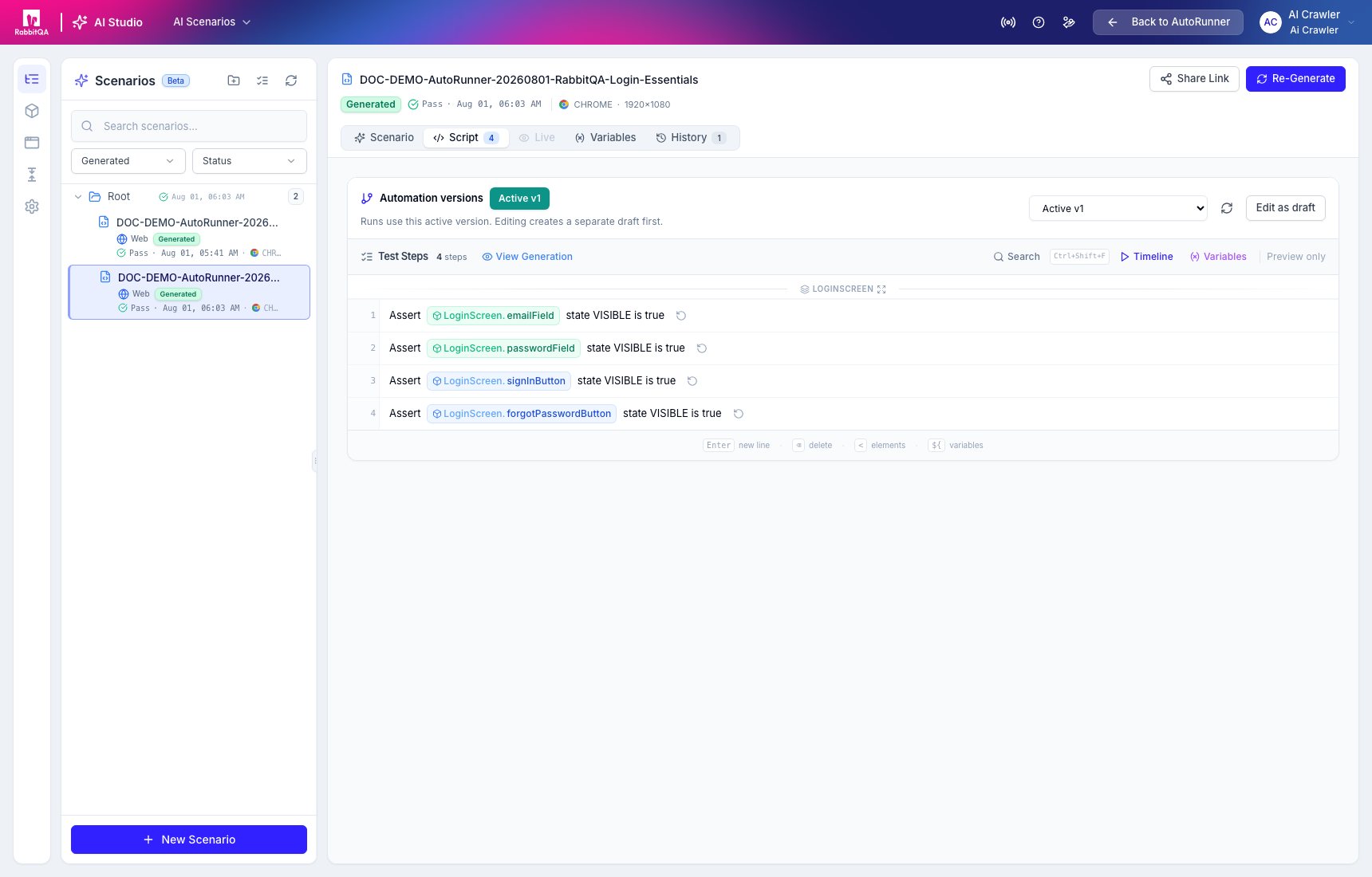
The green generation result in AI Studio proves that the generation workflow completed for that target interaction. It is not a scheduled or plan-based Test Run. Add the scenario to a Test Plan and execute it in the intended environment.
Generation modes and recovery
The current implementation supports initial generation, regeneration, partial generation from a node, and resume-from-checkpoint flows. Human-in-the-loop requests can ask questions, accept answers or instructions, and pause, resume, or cancel generation. Availability still depends on deployed AI and execution services.
Use Application Knowledge to inspect observed screens and elements, and AI Studio Settings and Custom Steps to control project-level generation guidance.
