Handoffs and Integrations
Smart PBI can accept context from other RabbitQA records and pass reviewed PBI context into later planning or test-design work. A handoff prepares a source selection; it does not automatically run the destination generation.
Extend one board item with Smart PBI
Open a reviewed board item and choose Generate PBIs when that item should become context for a new backlog generation. Smart PBI Generation opens and confirms that the item was linked.
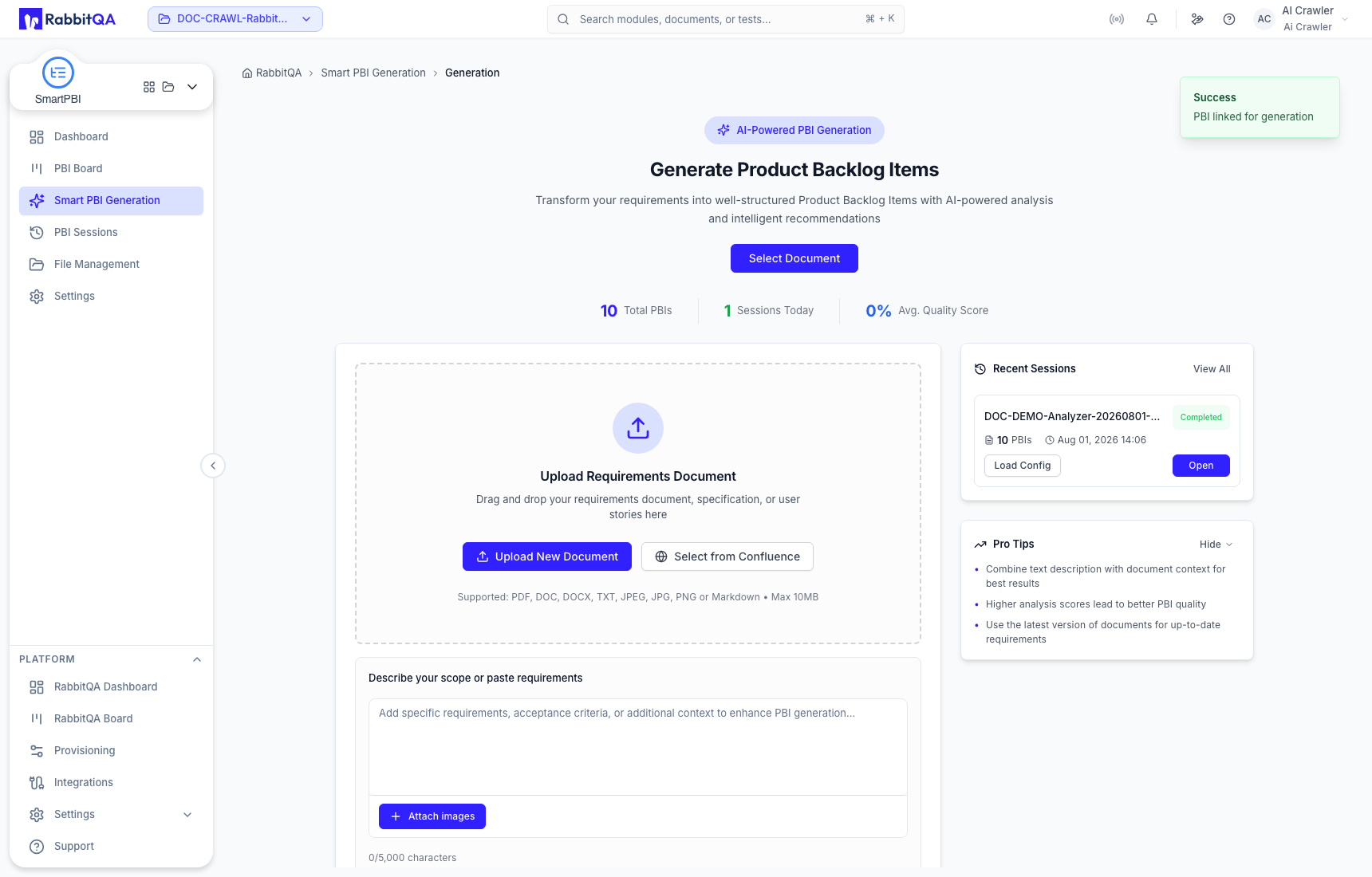
Scroll to the optional Smart PBI source and verify that exactly the intended item is selected. Add other source context only when it belongs to the same scope, then review the configuration before Generate Now.
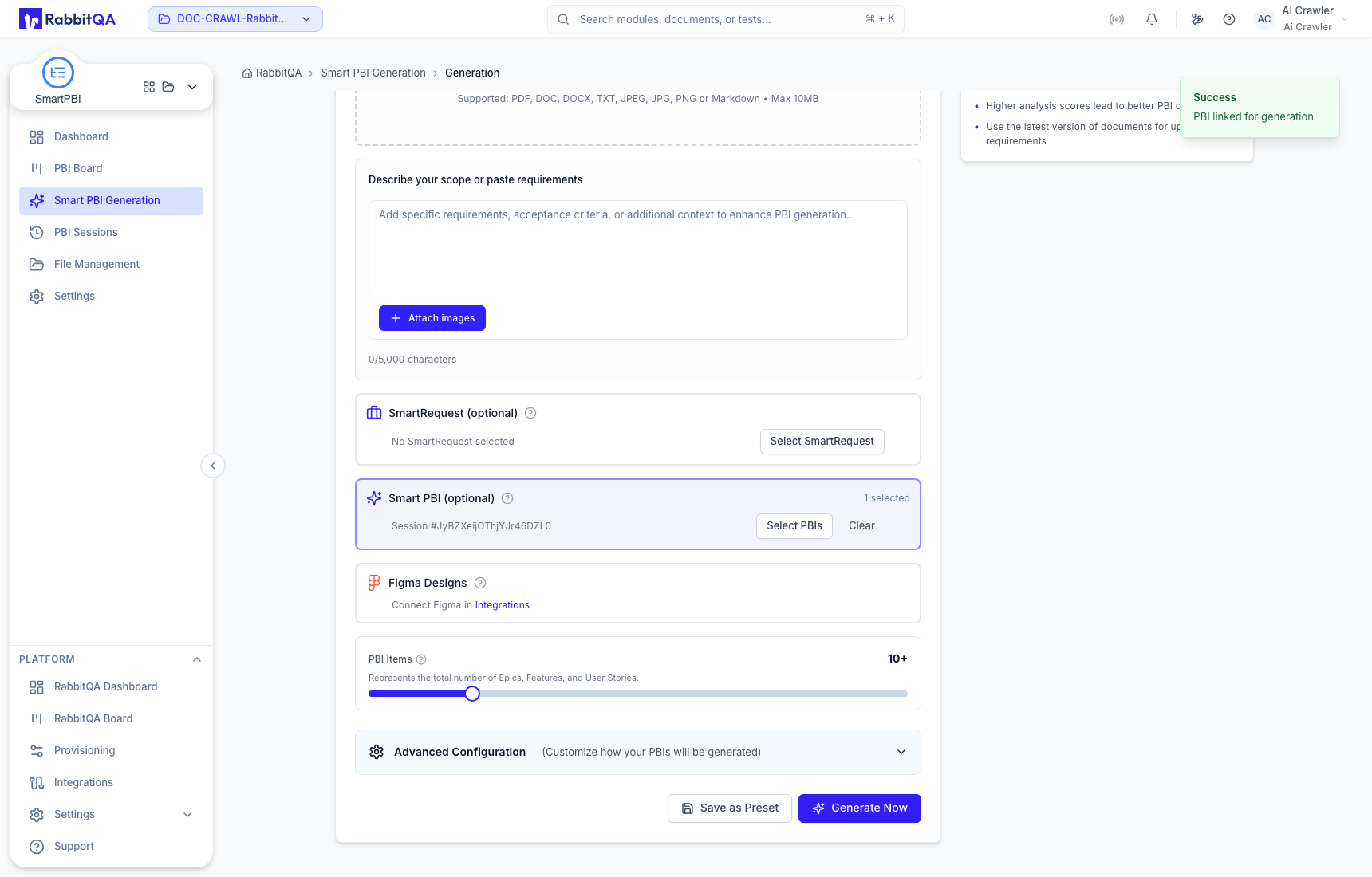
Use this path to decompose or extend an existing backlog item. It does not edit the original board item and it does not start a generation merely by opening the page.
Send one board item to CaseWriter
Choose Generate Test Cases from a board item when test design should focus on that single Epic, Feature, or User Story.
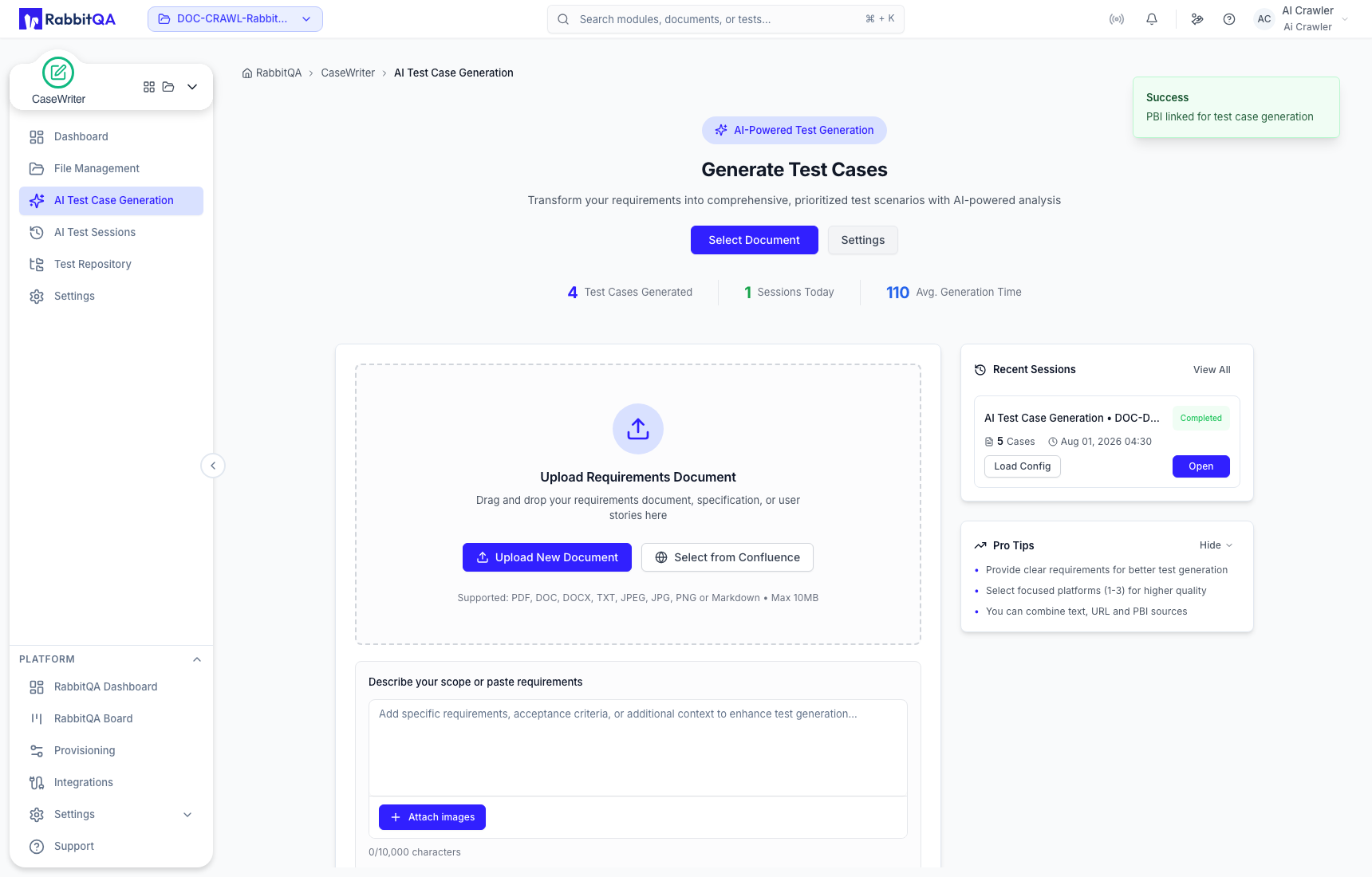
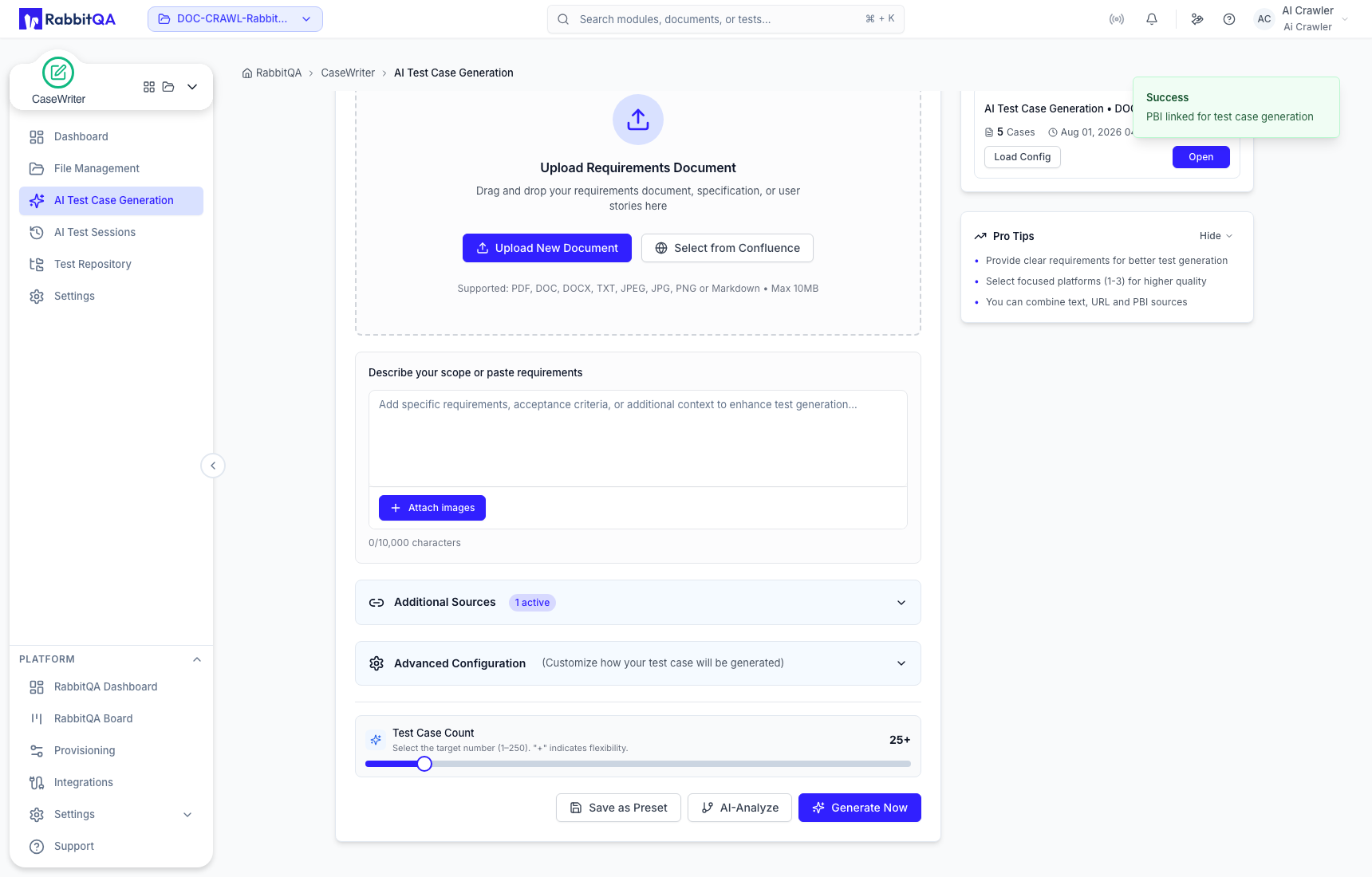
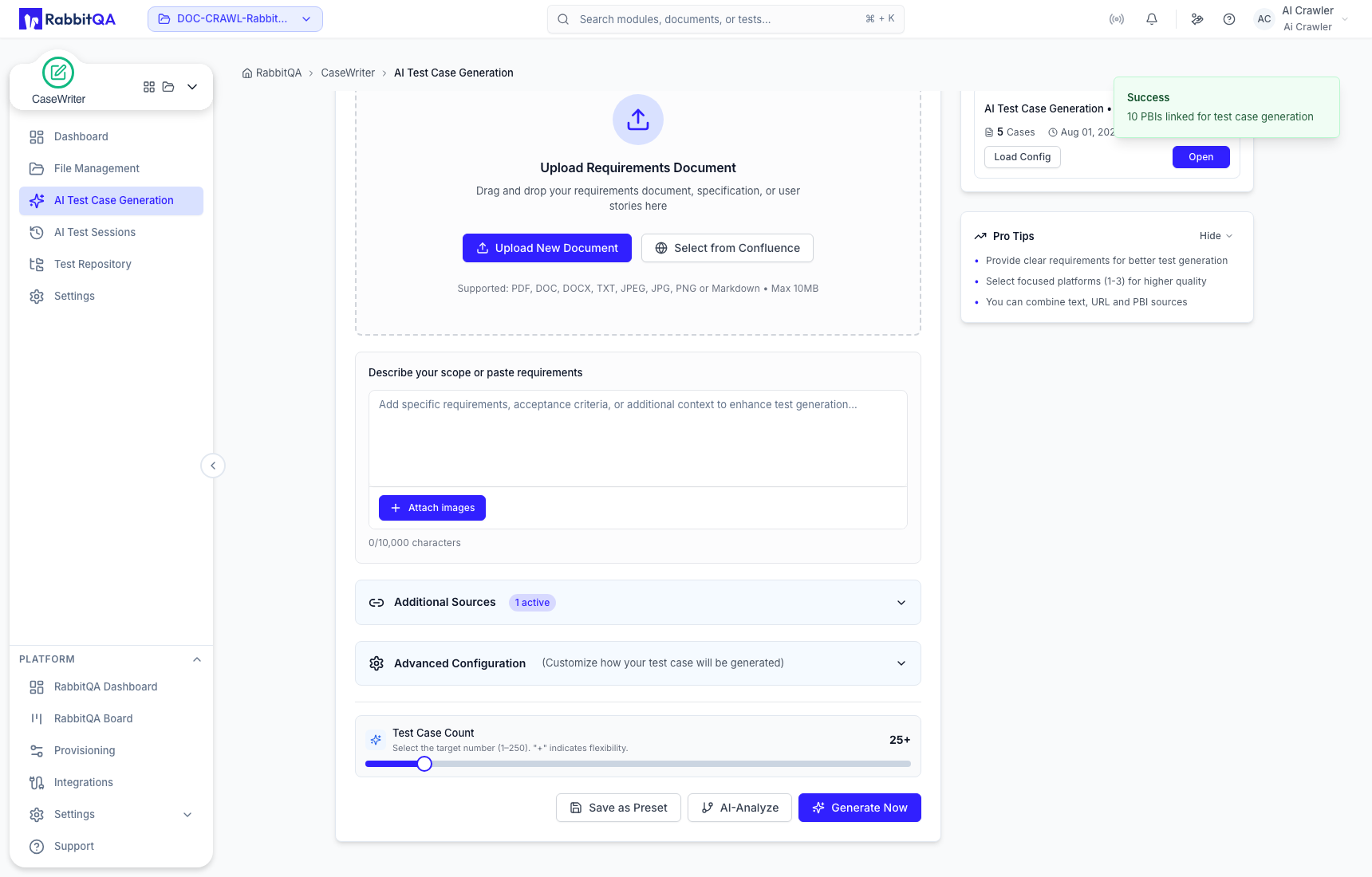
In CaseWriter, open Additional Sources and confirm that one Smart PBI source is active. Review the test-case count and CaseWriter configuration before Generate Now.
Send a complete session to CaseWriter
Use Generate Test Cases from a completed PBI Session only when the entire generated hierarchy should become test-generation context. The notification states how many PBIs were linked.
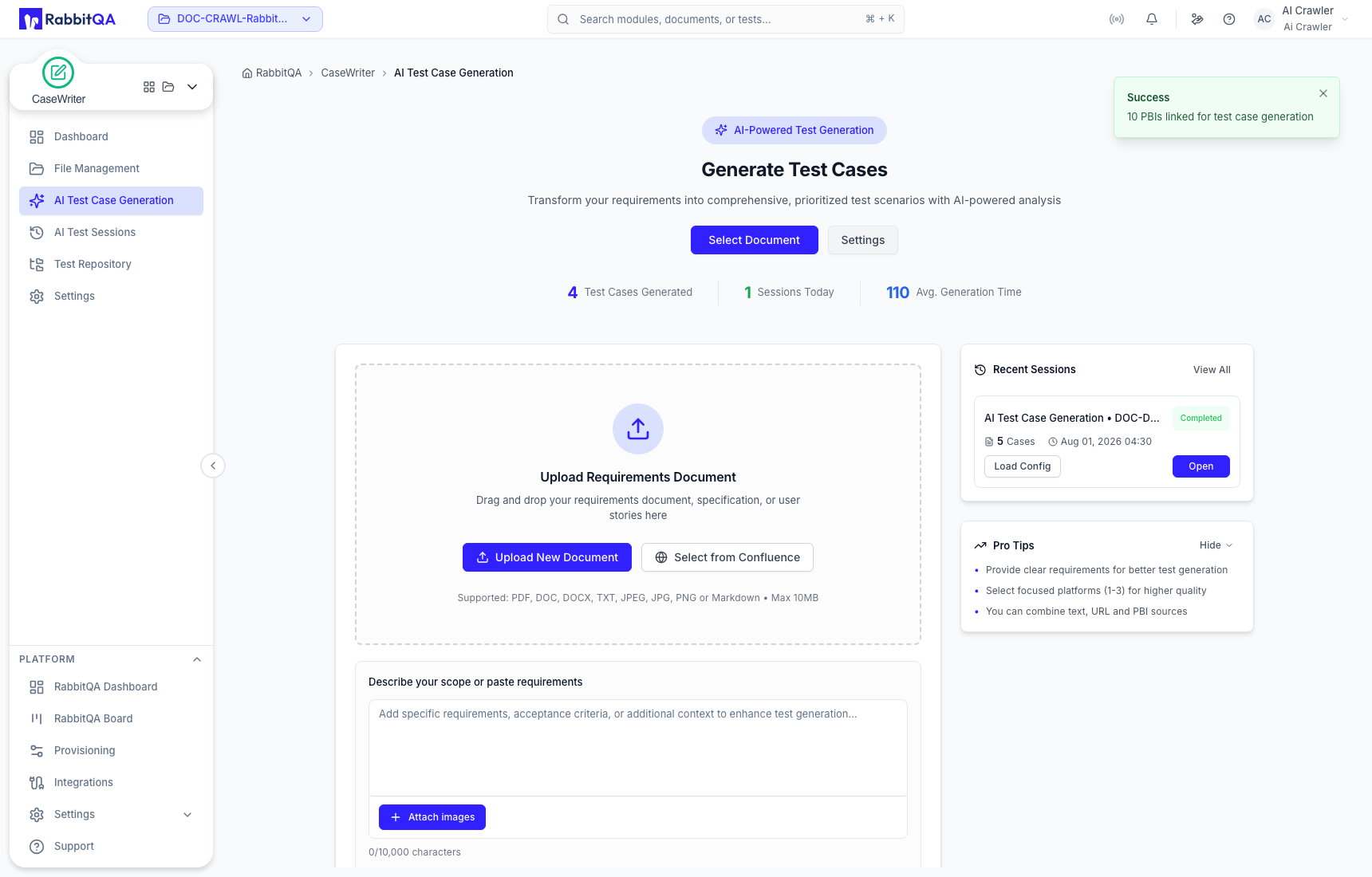
Open Additional Sources and verify the selected count before starting CaseWriter. This distinguishes a full-session handoff from the one-item board handoff.
| Intended scope | Use this handoff |
|---|---|
| Extend or decompose one reviewed item | Board item → Generate PBIs |
| Generate focused tests from one item | Board item → Generate Test Cases |
| Generate tests from the complete hierarchy | Completed session → Generate Test Cases |
Incoming source integrations
| Source | Requirement or behavior |
|---|---|
| Analyzer file | Select the exact completed analyzed version from File Management. |
| SmartRequest | Select a project request and explicitly choose the request data to include. |
| Previous Smart PBI | Choose specific PBIs from a prior session instead of importing an entire hierarchy by default. |
| Confluence | Requires a configured project integration before pages can be selected. |
| Figma | Requires a connected Figma integration before design context can be selected. |
Tracker and export integrations
- Jira create/link actions on the board require a configured Jira integration.
- Jira generation export also requires a tested integration and compatible field mapping.
- Azure DevOps generation export is integration-dependent.
- Excel export is the confirmed built-in file export for selected generated PBIs.
A configuration prompt or integration warning is not a successful handoff, issue creation, link, or export. Verify the destination record or downloaded file before reporting completion.
Handoff checklist
Before starting the destination generation:
- confirm the selected RabbitQA project;
- check whether one item or the full session was linked;
- inspect the source title and selected-item count;
- remove unrelated sources;
- review the destination's model, language, platform, count, and hierarchy or test configuration;
- keep the original record URL for traceability.
