Automation Script and Versioning
The Script tab is the executable automation document for an AI Studio scenario. It is a structured action editor, not a general-purpose source-code editor.
Edit without changing the active version
An active automation version remains immutable. Select Edit as draft to create a separate draft, make changes, validate them, and publish only after review.
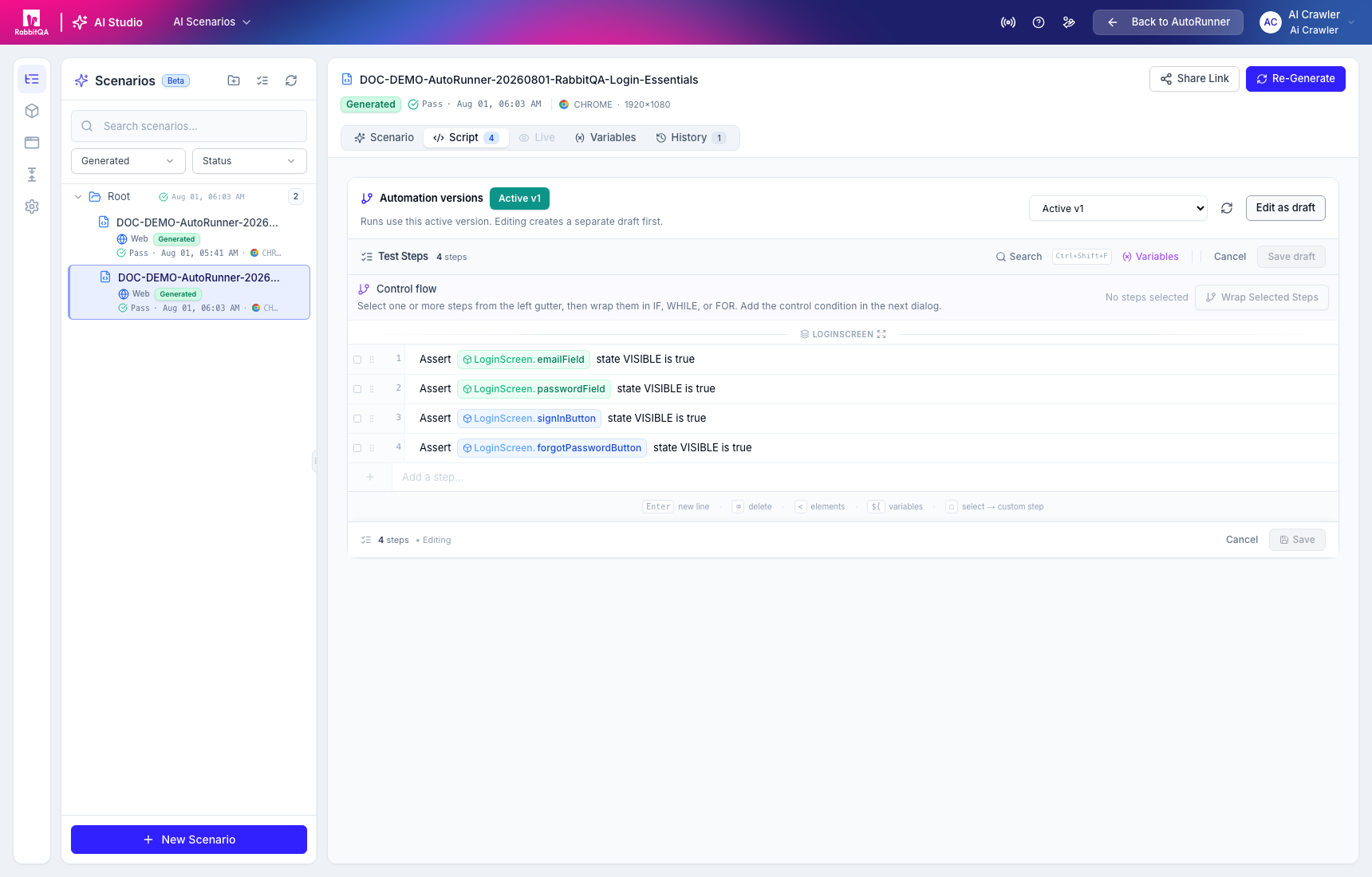
Normal runs use the active version. Unsaved or unpublished drafts do not silently replace it.
Structured action library
The action picker groups the available actions by Navigation, Interaction, Input, Selection, Scroll, Wait, Assertion, Data Capture, Dialog, Gesture, Download, and other supported categories. Search when the exact action name is known.
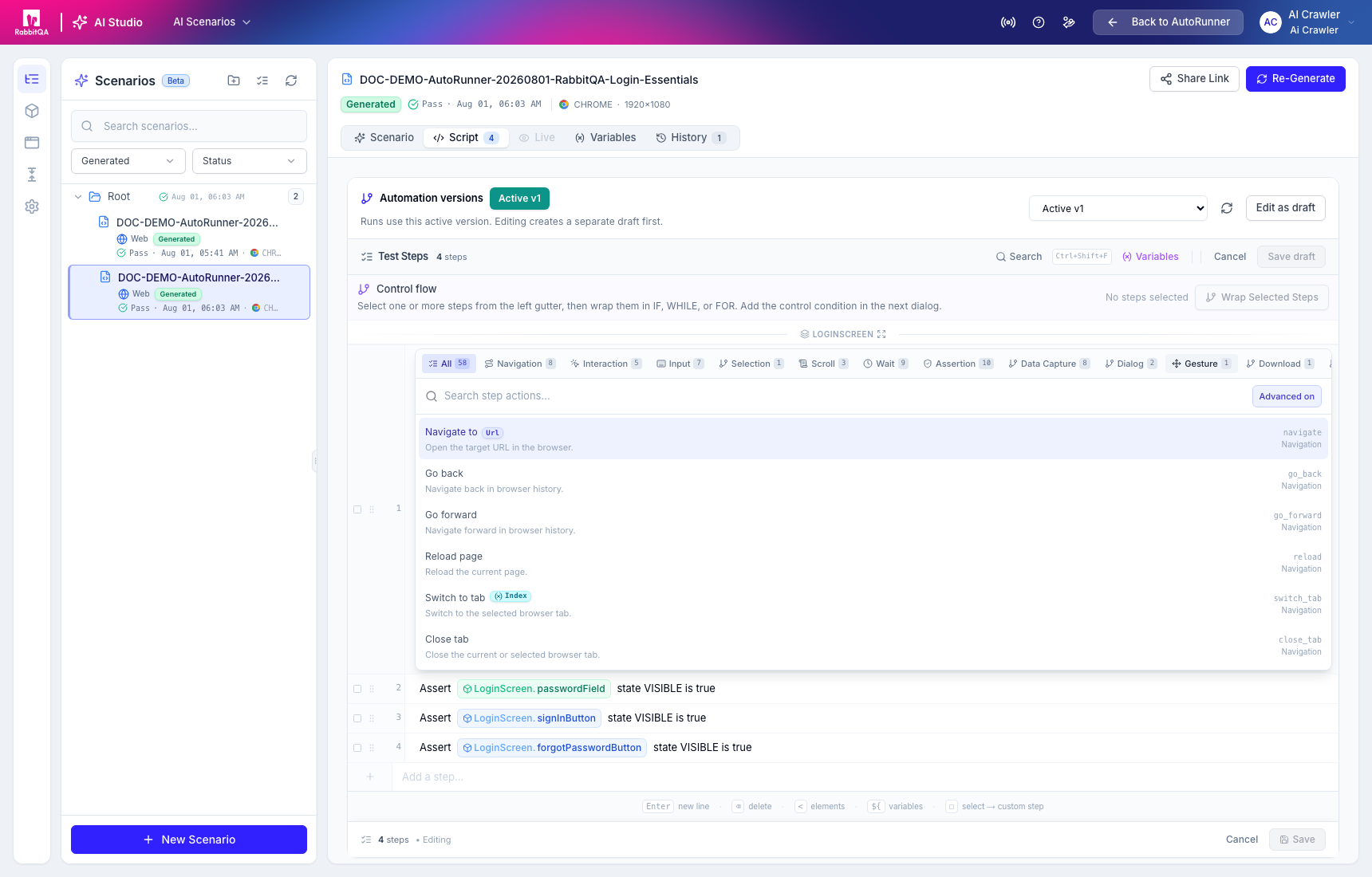
An action can reference observed elements and variables. Depending on the action, its options can include a timeout, retry behavior, screenshots, continue-on-failure, ignore-result, or a conditional skip/fail policy.
Conditions and control flow
Individual steps can run conditionally against element state or text, a variable, URL, or an expression.
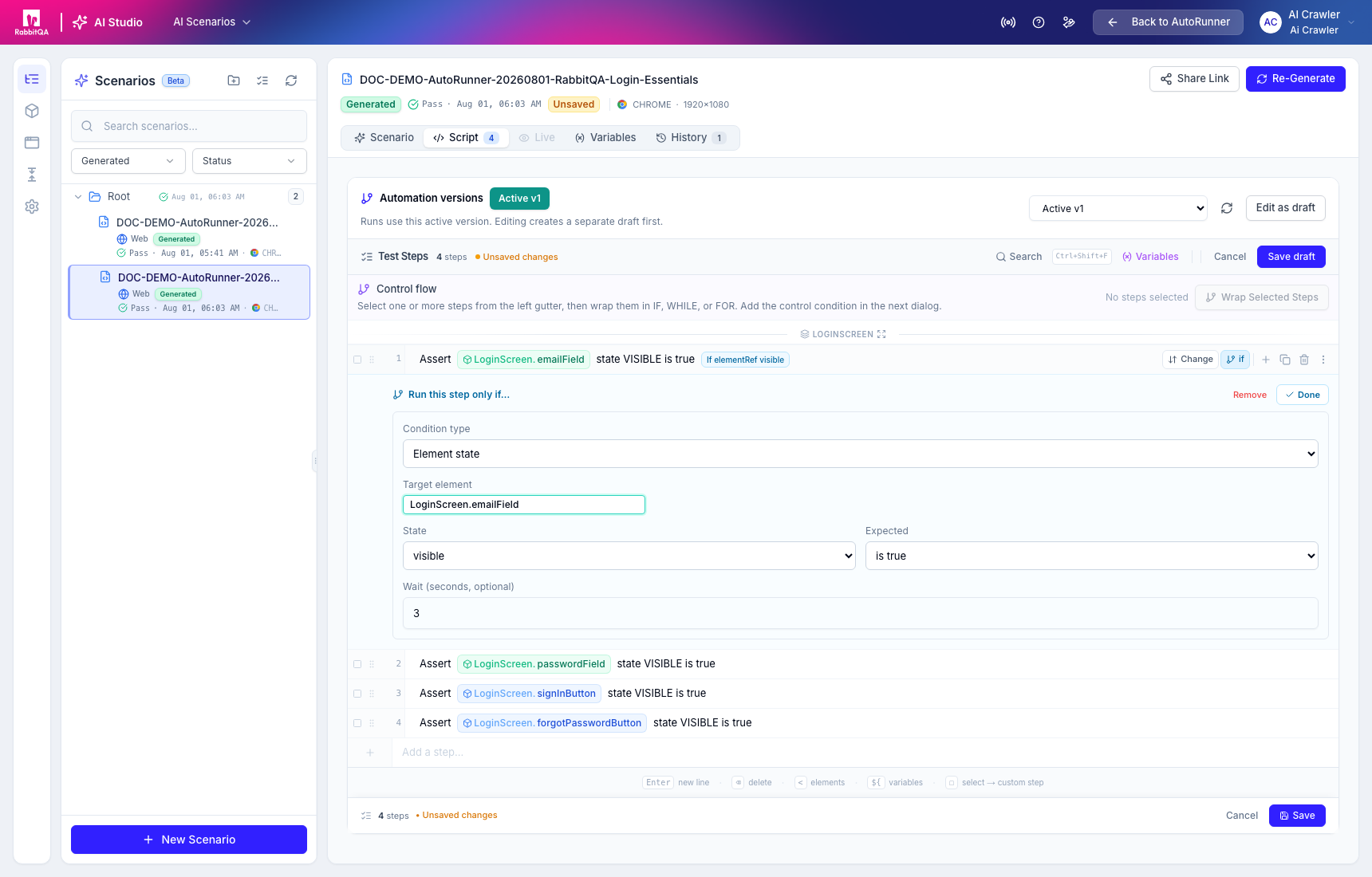
The currently executable structured control flow includes:
IFwith aTHENbranch and optionalELSEbranch;- bounded
WHILE; and FORusing a count or element list.
BREAK, CONTINUE, DATASET, and VARIABLE_LIST may appear in internal models, but the current
validator does not accept them as executable structured control nodes. Do not rely on them in a
published script.
Variables
Use the Variables panel to insert scenario variables or base variables. Scenario variables override base variables for that scenario. Run-time and environment values are configured in Test Datas and Run Profiles; review Test Data for precedence.
Timeline preview
Timeline renders the ordered actions next to the associated visual evidence when it exists.
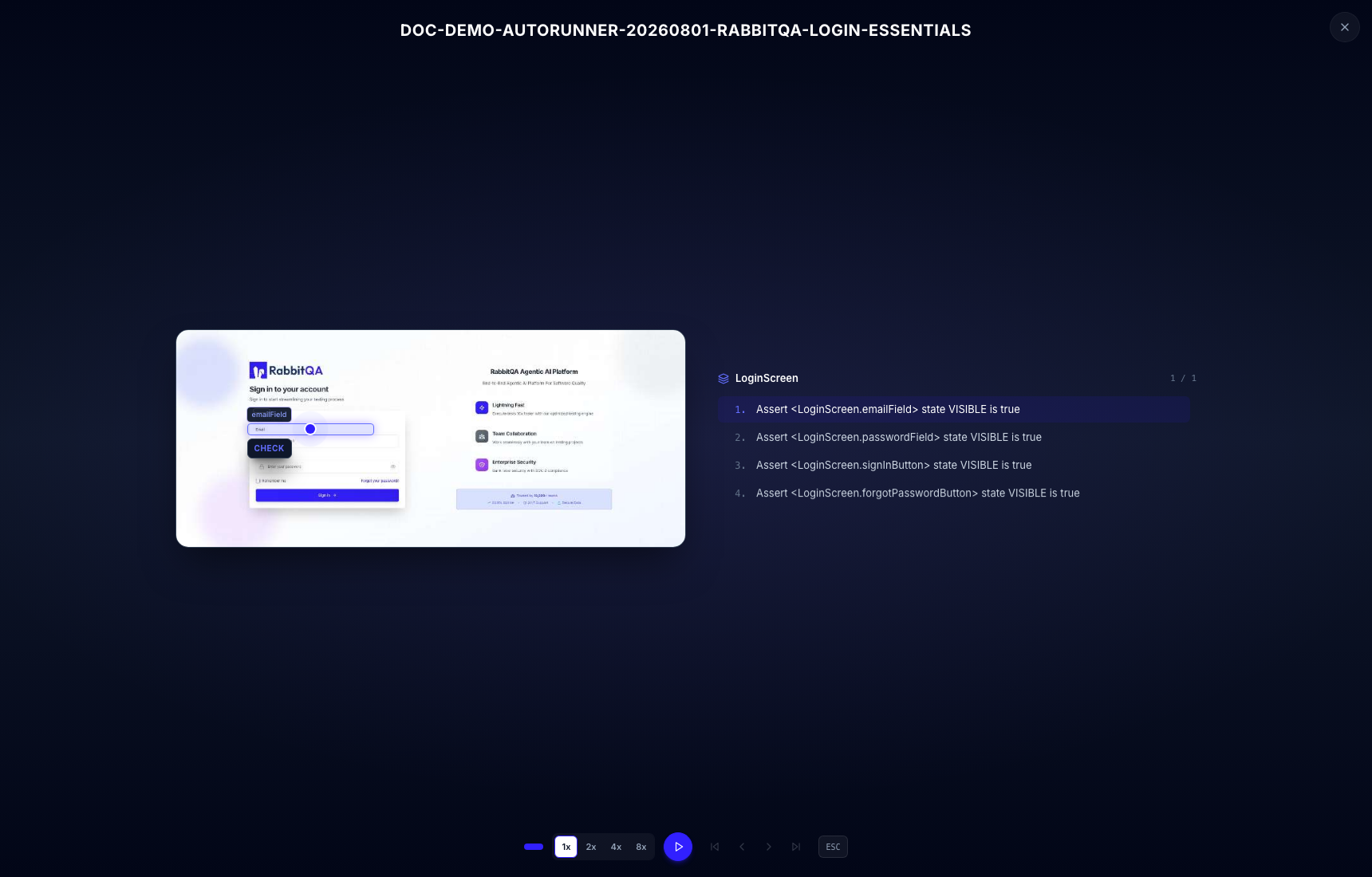
Timeline is a review aid. Always verify the saved version, element locators, and real Test Run evidence before treating the scenario as release-ready.
Publishing changes the automation version selected for execution. Review destructive actions, external integrations, credentials, and environment overrides before activation.
Continue to Application Knowledge or Test Plans.
