MobileHub
MobileHub is RabbitQA's workspace for testing Android and iOS applications on remote real devices, emulators, and simulators. The application route remains /devicer for compatibility, while the product name is MobileHub.
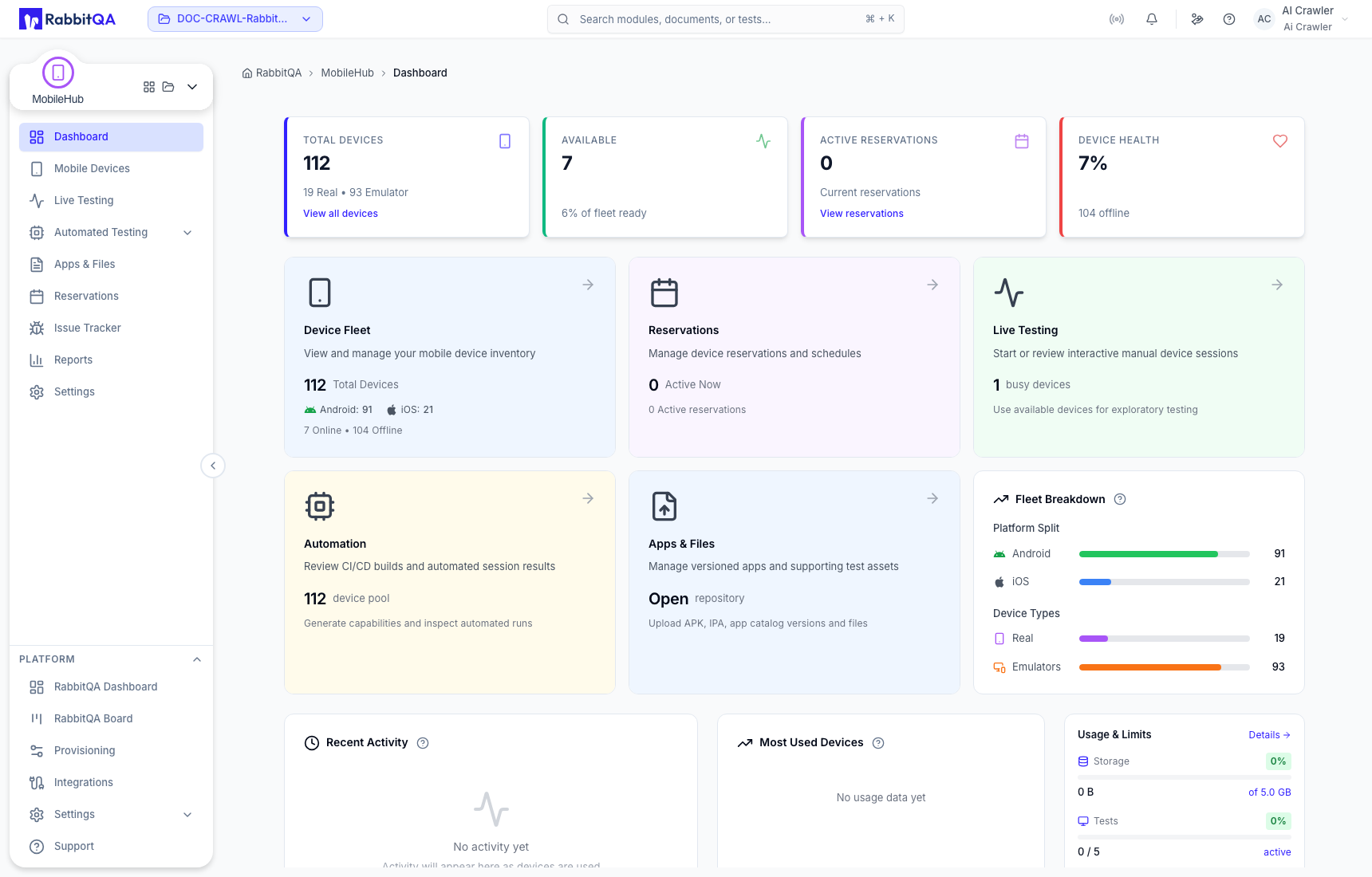
What you can do
- Find a compatible device and start an interactive live test.
- Control the device, install an app, inspect its UI, and collect logs, screenshots, recordings, files, metrics, and notes.
- Run Appium automation through MobileHub builds, sessions, API keys, and generated capabilities.
- Reserve shared devices for a planned test window.
- Manage reusable applications and supporting files.
- Create or link issues with session evidence.
- Review device usage, reservations, and live or automated session reports.
Typical workflow
- Open Mobile Devices and select an available device.
- Start a live test, name it, and interact with the connected device.
- Use device controls and the session workspace to gather evidence.
- End the session with Passed, Failed, or No Result and an optional reason.
- Review retained artifacts from Live Testing or Reports.
For automation, begin with Automated Testing, then generate a client example in Appium Config.
Environment-dependent capacity
Available platforms, operating-system versions, devices, session concurrency, storage, and retention are provided by the connected Device Farm service and your RabbitQA plan. Check the live inventory and Settings → Quotas & Limits instead of assuming a fixed value.
Navigation map
| Area | Use it for |
|---|---|
| Dashboard | Fleet health, activity, usage, and shortcuts |
| Mobile Devices | Device discovery and session start |
| Live Testing | Interactive sessions and retained evidence |
| Automated Testing | Builds and Appium session history |
| Apps & Files | Application versions and supporting files |
| Reservations | Scheduled access to shared devices |
| Issue Tracker | RabbitQA, Jira, or Azure DevOps issues |
| Reports | Usage, reservation, and session analytics |
| Settings | Defaults, API keys, protection rules, and limits |
