Source and Execution Integrations
AutoRunner participates in a larger RabbitQA workflow. The available integration path depends on source type, organization configuration, permissions, and deployed backend services.
Repository sources
Sources can use a RabbitQA template or a configured repository. Repository-backed creation validates the repository, branch, framework, and optional BDD path before creating the project.
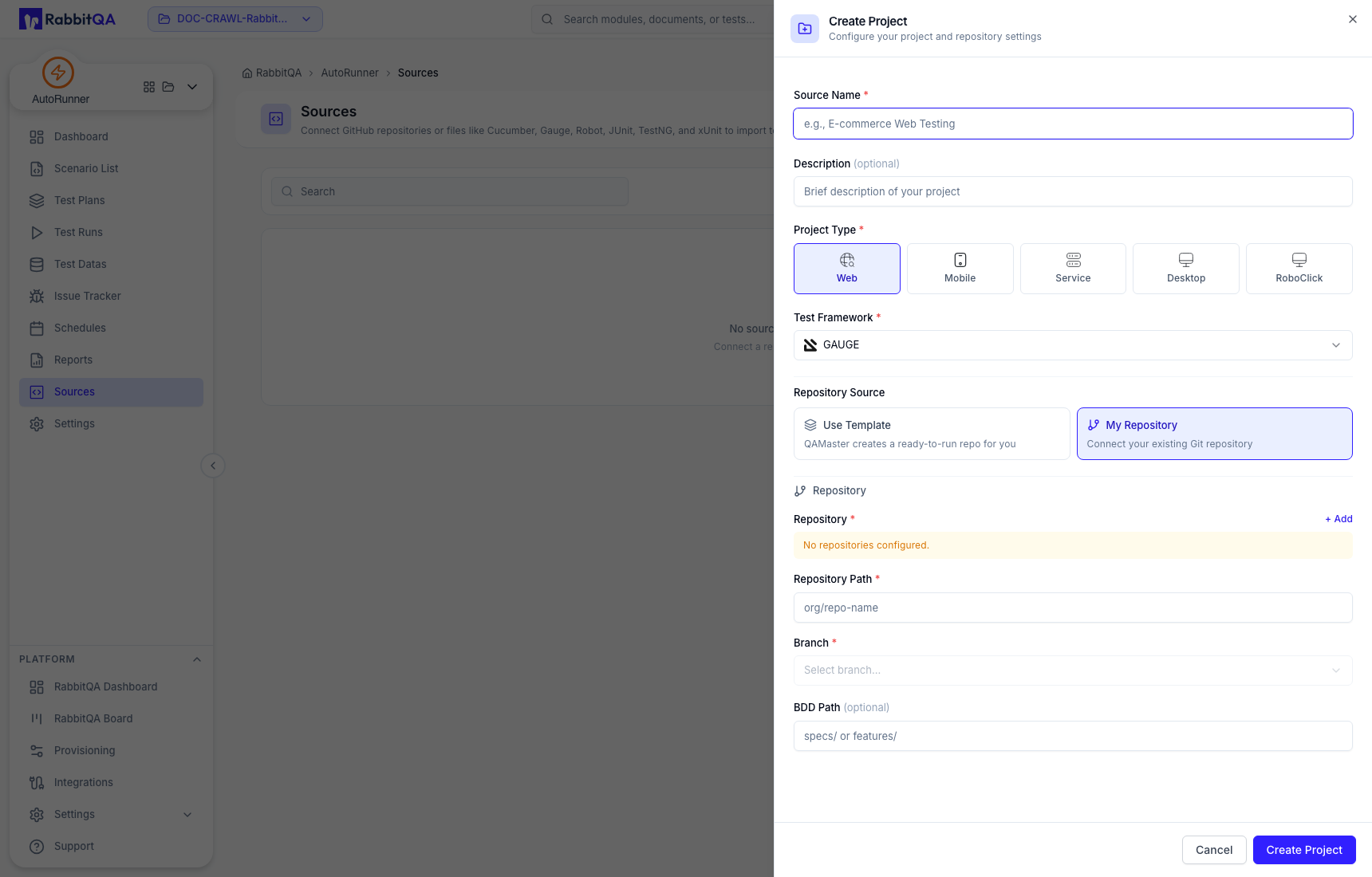
Project type and framework define subsequent tooling and are not intended to be changed after creation.
API collections
Service projects support Postman collection files and optional environment files. OpenAPI/Swagger content can be converted into request skeletons and examples by the available collection-building workflow. Review the result: conversion does not guarantee comprehensive assertions, security coverage, or business-flow sequencing.
URL-based collection import is not currently enabled in the verified source. Use the supported file upload flow.
DataCrate
Test Datas can import approved DataCrate files for variables or project test-data files. Confirm the repository path, selected file, mapped columns, and visibility of sensitive values.
Issue providers
Issue Tracker can work with Jira, Azure DevOps, and RabbitQA issue workflows when those integrations are configured. Issue creation and transitions change external state; preview the exact destination first.
Runners and device/browser infrastructure
Web, Mobile, Desktop, Service, and RoboClick execution rely on their compatible runner or engine path. Mobile execution can additionally rely on Device Farm transports. Verify the deployed browser/grid, device, broker, and artifact services before committing a plan to a release gate.
Pipeline use
AutoRunner exposes run, result, reporting, and quality-evaluation services, but there is no single generic webhook or pipeline example that is safe to copy without verifying the deployed API and authentication contract. Obtain the current organization-specific endpoint and credential method, then test it against a non-production plan.
Quality Gate is informational unless the external pipeline explicitly enforces it. Never assume the UI value automatically blocks a merge or deployment.
Endpoints, authentication, runner topology, brokers, and external-provider permissions can differ by environment. Use the current deployment contract rather than unverified sample YAML or webhook URLs.
