File Management
File Management is Smart PBI's library of analyzed requirement documents. Use it when the exact source version and its Analyzer score should remain visible in the generation trail.
The current page title is File Management, while its documentation URL retains the historical
fileManagment spelling for compatibility with existing product help links.
Read the library
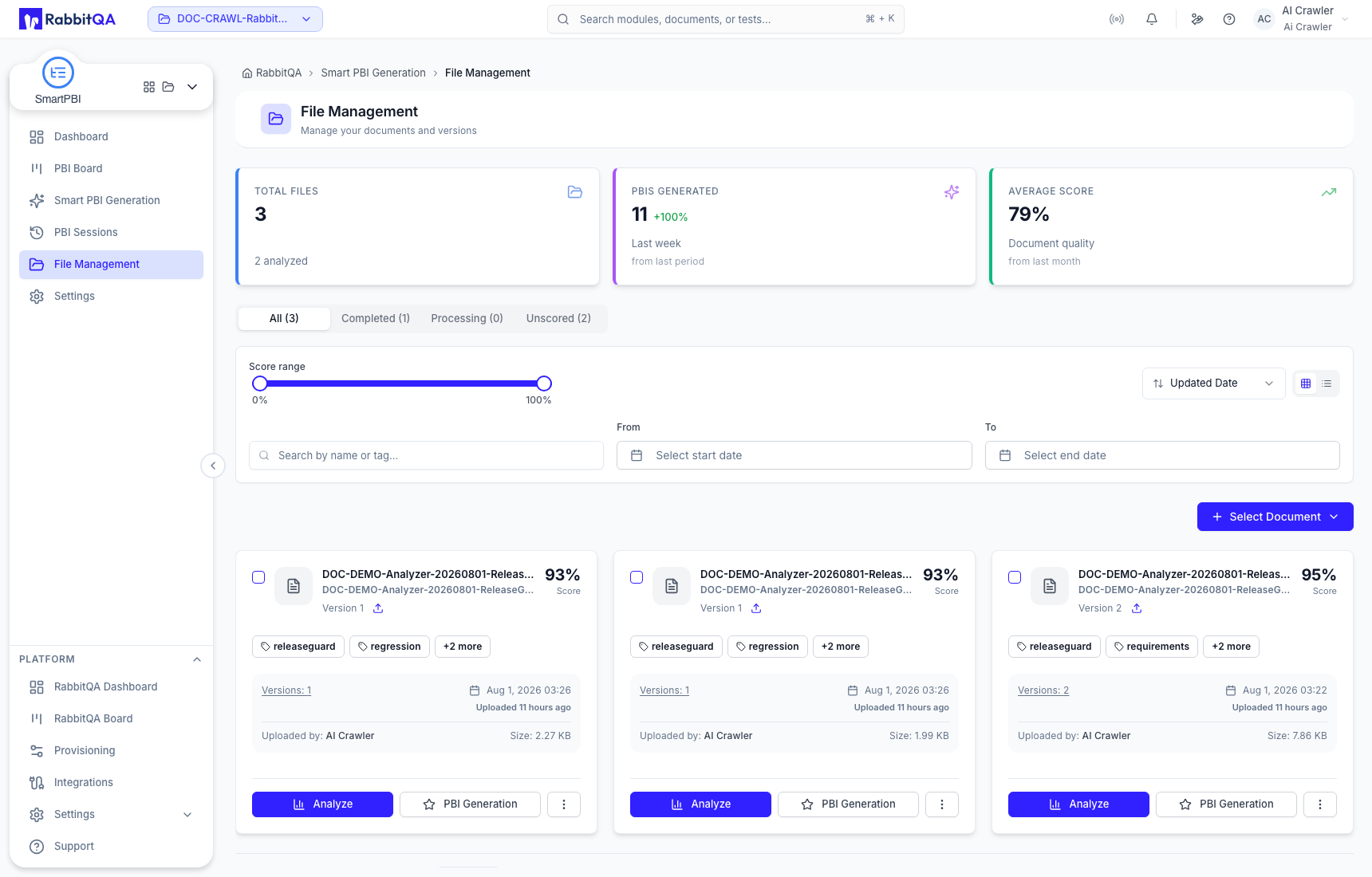
The summary shows total files, generated PBI activity, and average document score for the selected project. Status tabs separate All, Completed, Processing, and Unscored sources.
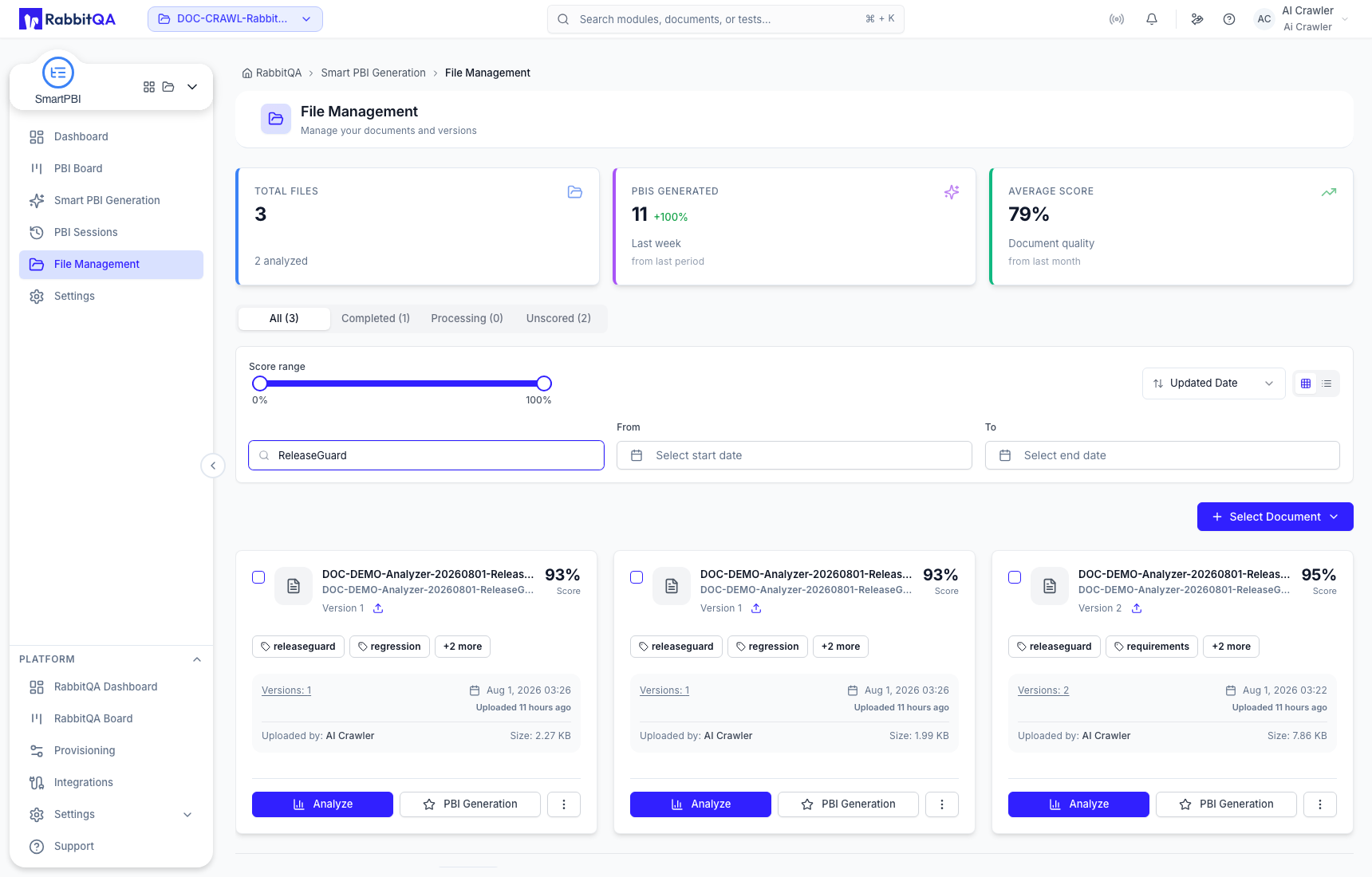
Use search, the score range, start and end dates, and the sort selector together. Search by the exact filename when similarly named documents or truncated card titles could cause ambiguity.
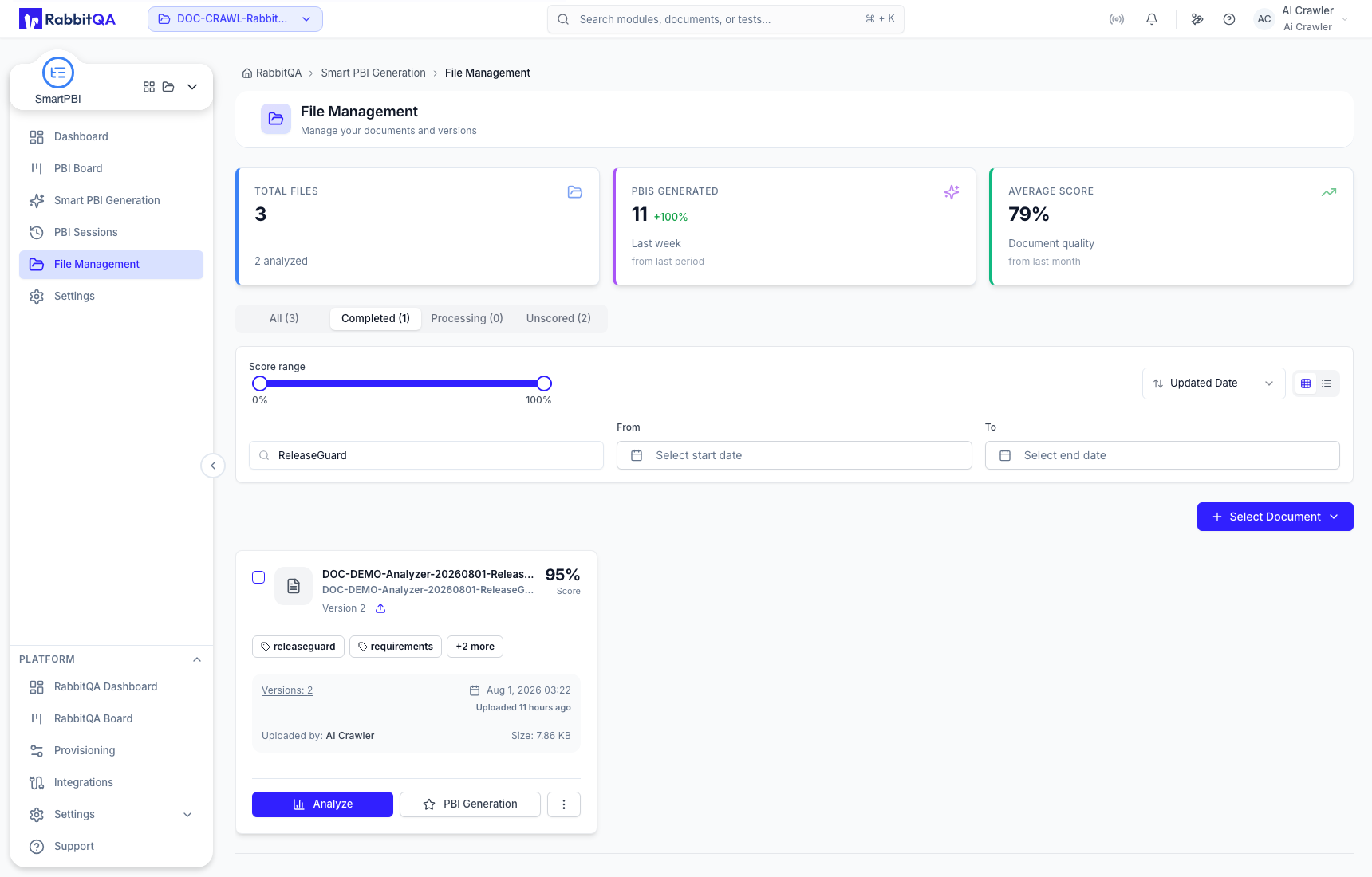
Only a completed analyzed version is ready for the full version-selection and PBI-generation workflow. Processing and unscored states should be resolved before relying on analysis context.
Grid and list views
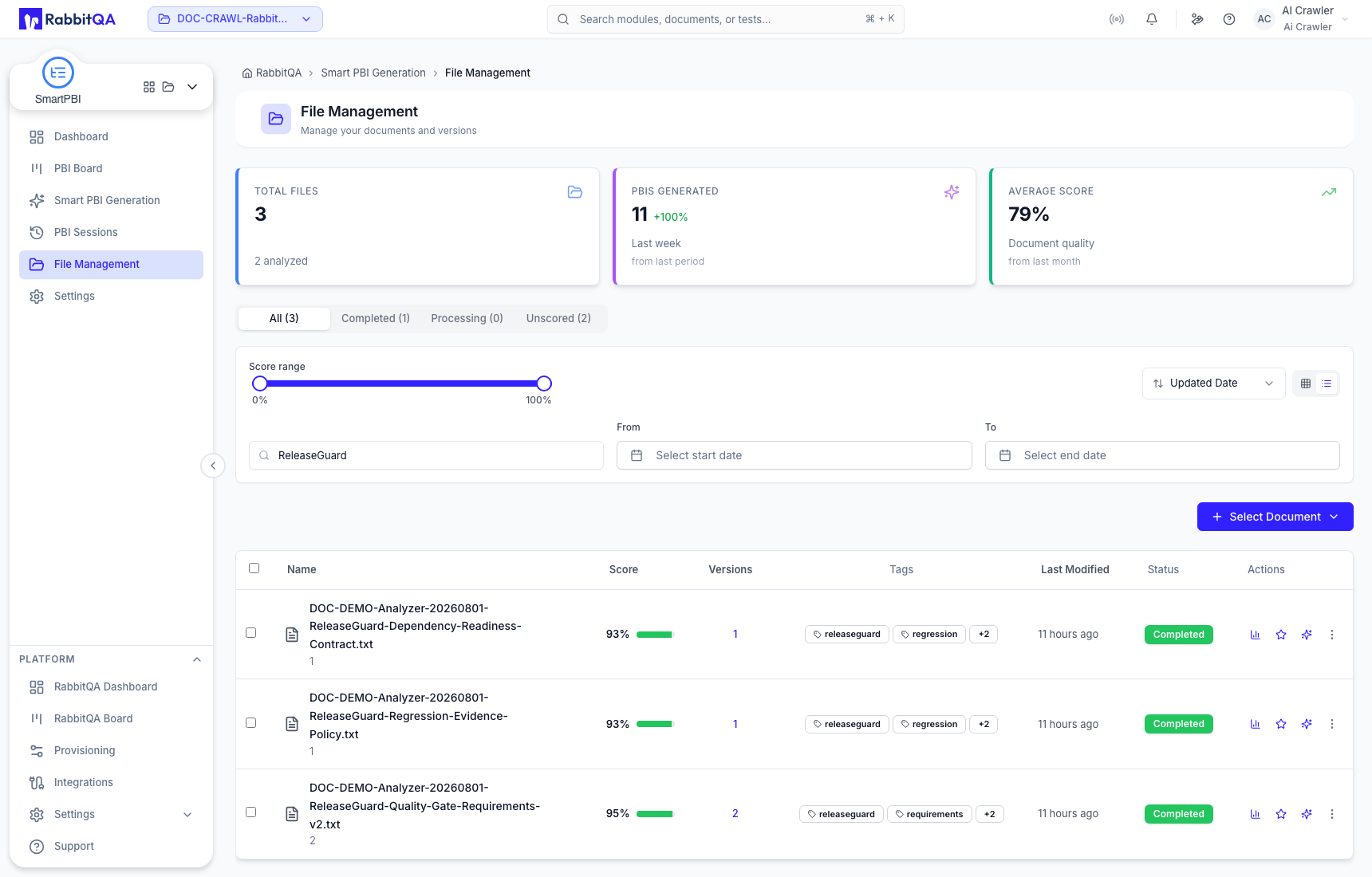
Grid view emphasizes document cards and common actions. List view is better for comparing complete filenames, status, version count, score, dates, tags, and actions across several files. Switching views changes presentation only.
Compare versions
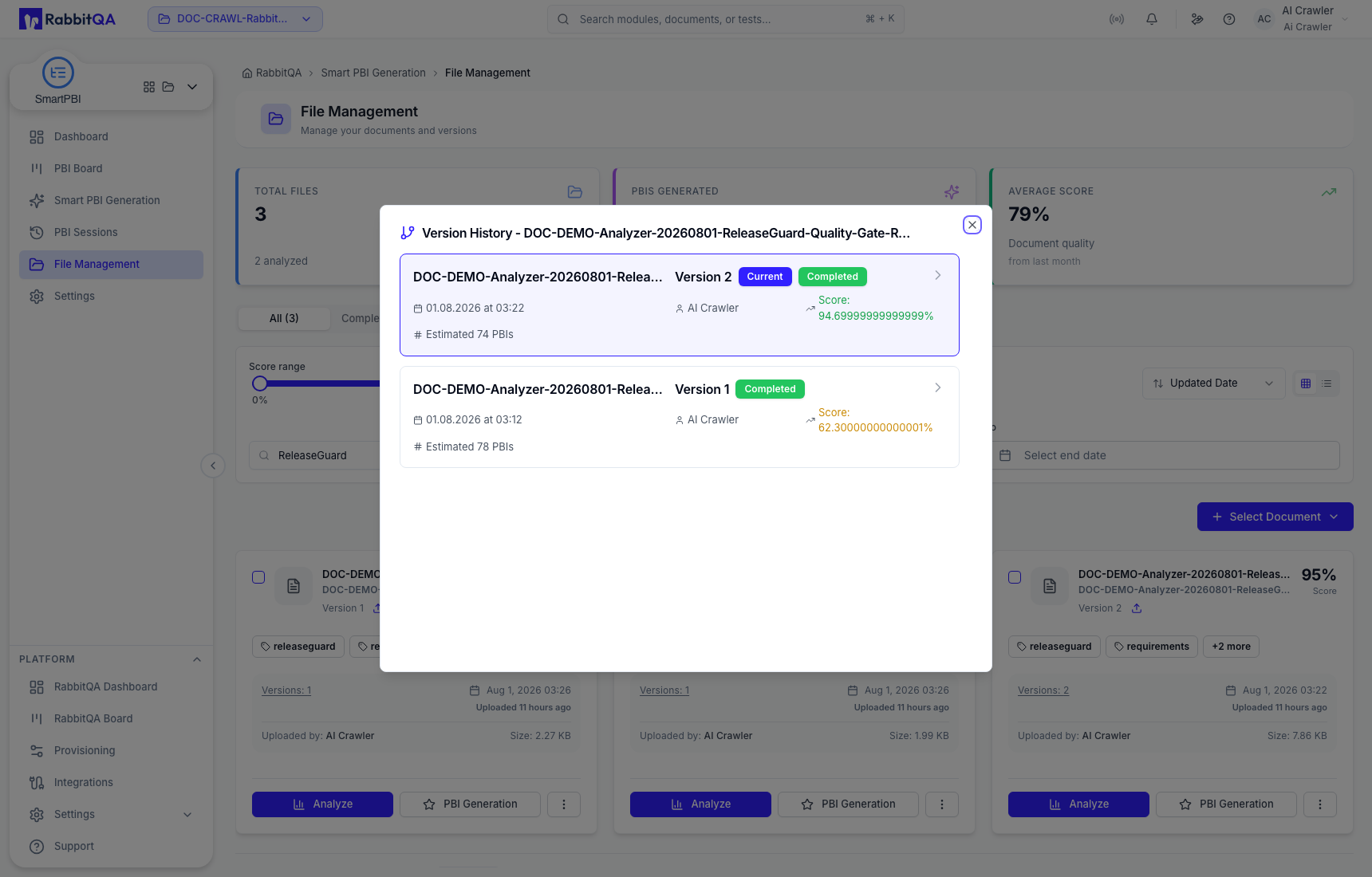
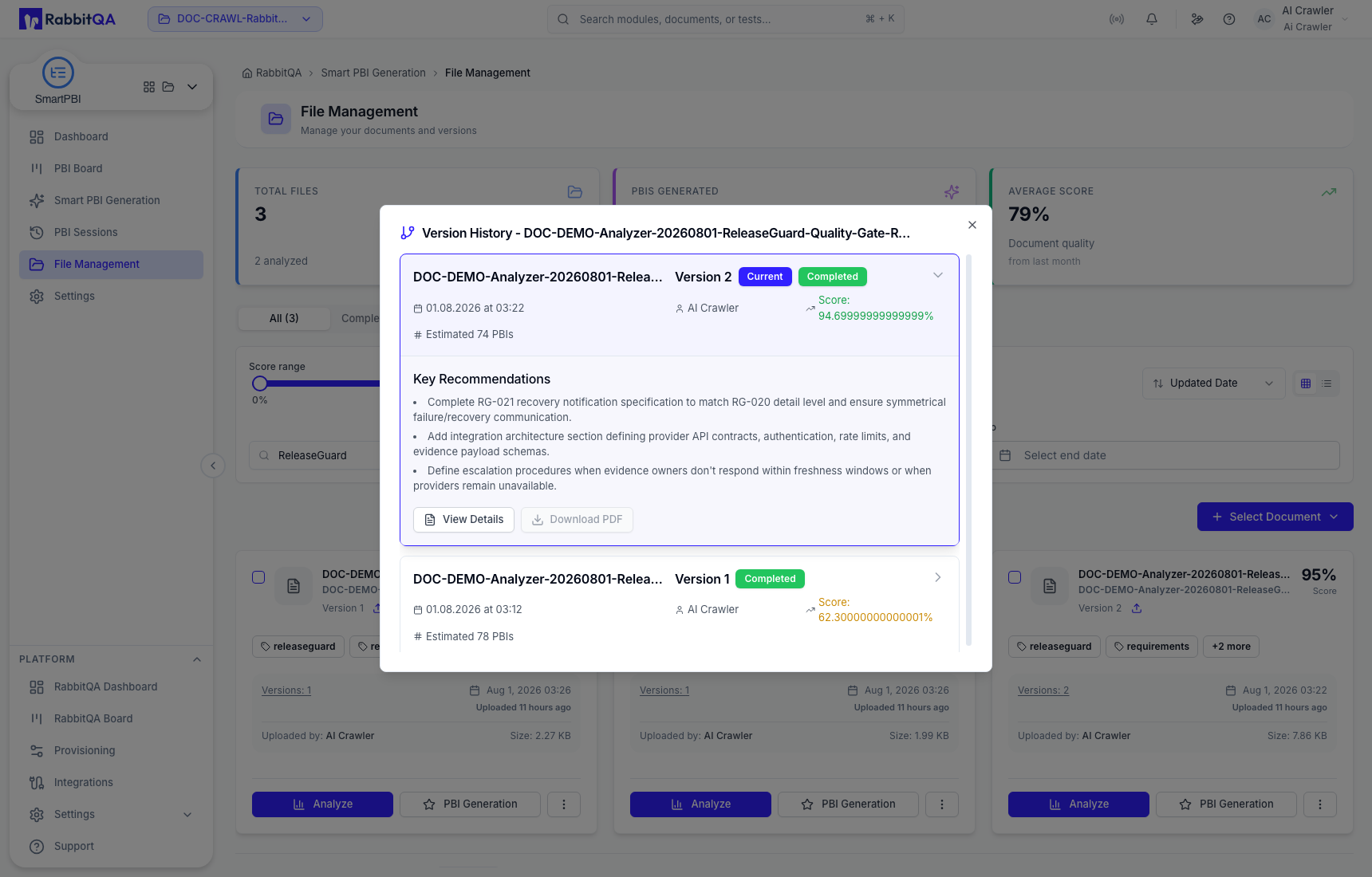
Open Version History to compare version number, analysis state, score, upload date, and available details. Do not choose a version from score alone: confirm that it contains the requirements you intend to use.
Expanding a version can show recommendations and version-specific actions. Depending on state, actions include:
- Download — retrieve that source version;
- Re-analyze — start a new Analyzer operation rather than changing the existing score;
- View Results — open the Analyzer result for that version;
- Generate PBIs — pass that exact version into Smart PBI Generation.
Start generation from a version
Choose Generate PBIs on the intended version. Smart PBI Generation opens with the file, version, analysis score, and source identity preloaded.
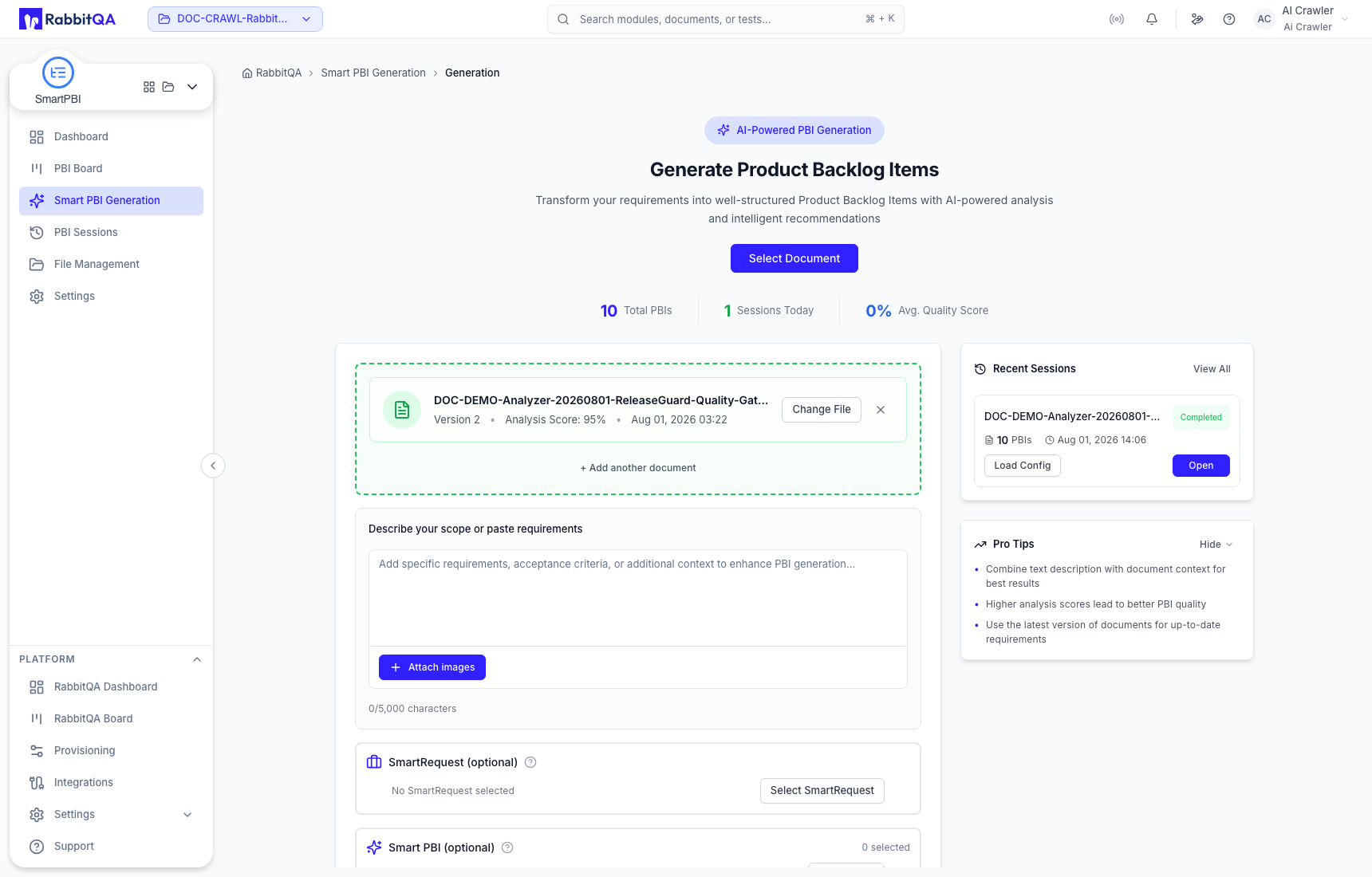
Add written scope or other source context only when it belongs to the same backlog. Review the generation configuration before selecting Generate Now.
Add documents
Use Select Document to choose or upload requirement material through the available file flow. If you only need an ad hoc source and do not need analyzed-version traceability, direct upload on Smart PBI Generation may be more appropriate.
