File Managment
File Management Module
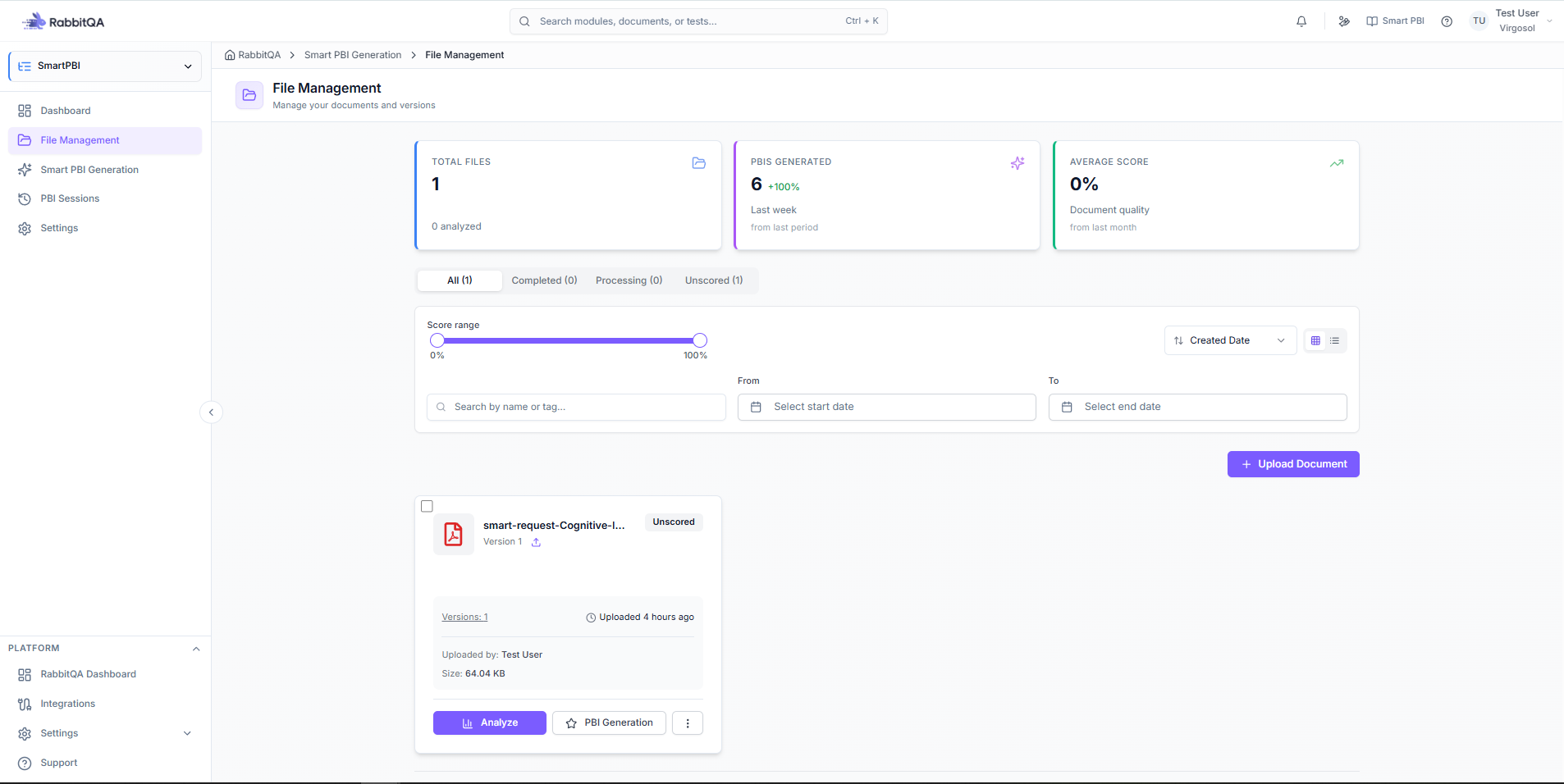
The File Management section provides an overview and management capabilities for uploaded documents and generated PBIs.
Overview Metrics
The following summary metrics are displayed:
- Total Files – Total number of uploaded documents.
- PBIs Generated – Total number of PBIs generated from all documents.
- Average Score – The average evaluation score of generated PBIs.
Status-Based Views
The module allows filtering files based on processing status:
- All – Displays all uploaded documents regardless of status.
- Completed – Shows documents for which PBI generation has been successfully completed.
- Processing – Displays documents currently being processed.
- Unscored – Lists documents that have not yet received a score.
Filtering Capabilities
The File Management module supports advanced filtering options:
1. Score Range Filter
- Allows users to define a percentage range.
- Filters documents based on their evaluation score.
2. Date-Based Filters
- Created Date – Filter by the document creation date.
- Updated Date – Filter by the last modification date.
- Start Date / End Date – Custom date range filtering.
3. Score-Based Sorting
- Highest Score – Sort documents from highest to lowest score.
- Lowest Score – Sort documents from lowest to highest score.
Document Upload
Upload Document
- Users can upload new documents directly from the Upload Document section.
- Newly uploaded documents are added to the file list and processed according to the selected configuration.