Mock Services
Mock Services manages API simulations used by supported testing workflows. The page combines a searchable service library with creation, lifecycle, inspection, and export actions.
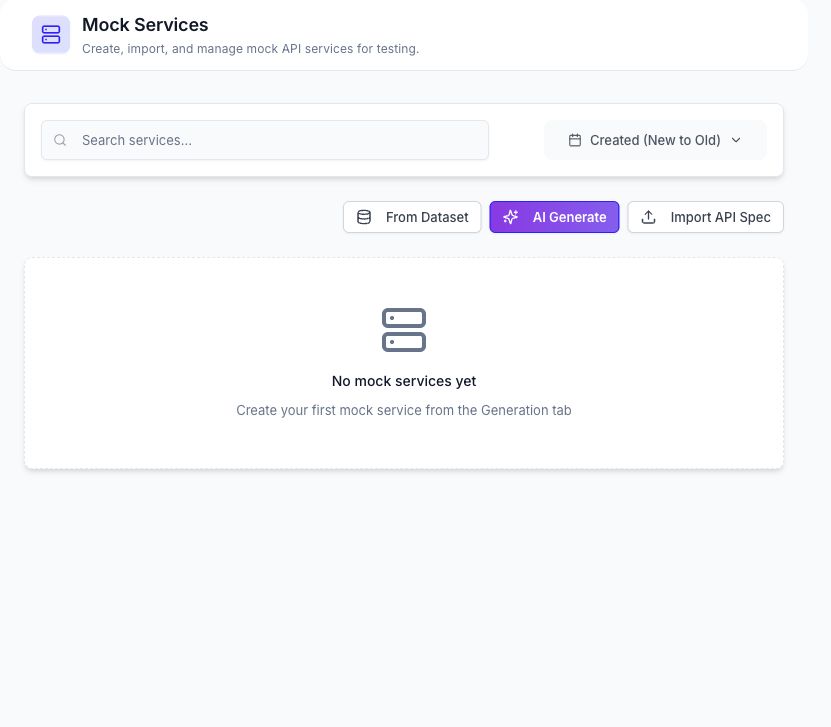
Create a Mock Service
The current page provides three creation paths.
From Dataset
Choose an uploaded dataset and let DataCrate derive a service definition from its columns. Review the generated service before saving it.
AI Generate
Enter a service name and a bounded description of the required endpoints. Depending on the available controls, you can configure automatic start, form-service behavior, bundle behavior, and public exposure before generation.
Import API Spec
Import one of the formats currently exposed by the dialog:
| Format | File input | URL input |
|---|---|---|
| OpenAPI | JSON, YAML, or YML | OpenAPI document URL |
| WSDL | WSDL or XML | WSDL URL |
| gRPC Proto | PROTO or text | Proto definition URL |
After DataCrate derives the operations, review the preview and save the required service items. Public exposure is optional and should be enabled only when the service must be callable without an authenticated RabbitQA session.
Service Library
Use search, sorting, and pagination to find a saved service. Available actions can include:
- Open the service definition and routes.
- Start or stop the runtime service.
- Copy or inspect its public route when public access is enabled.
- Export the service definition.
- Delete the service after confirmation.
Runtime status is separate from the saved service record. A service can exist in the library while its runtime endpoint is stopped.
Edit Routes
The service editor exposes service metadata and route definitions. Review methods, paths, response configuration, and public-route settings before saving changes.
Service Bundles
DataCrate can store an ordered bundle of mock-service steps and execute that chain. Each step selects a service and can include a path, operation key, context output, timeout, and error policy. Use bundle execution details to review step progress and failures.
Dynamic Forms
A mock service can be used as the source for a generated form. Continue with Dynamic Forms to build a form, select a route, submit a manual request, or bind a dataset.
Public mock routes are reachable outside the authenticated application when public exposure is enabled. Do not expose private payloads, credentials, personal data, or internal-only service definitions.
