Mock Services
Mock Services lets you stand up API endpoints that behave like the systems your tests depend on, without needing those systems to be available.
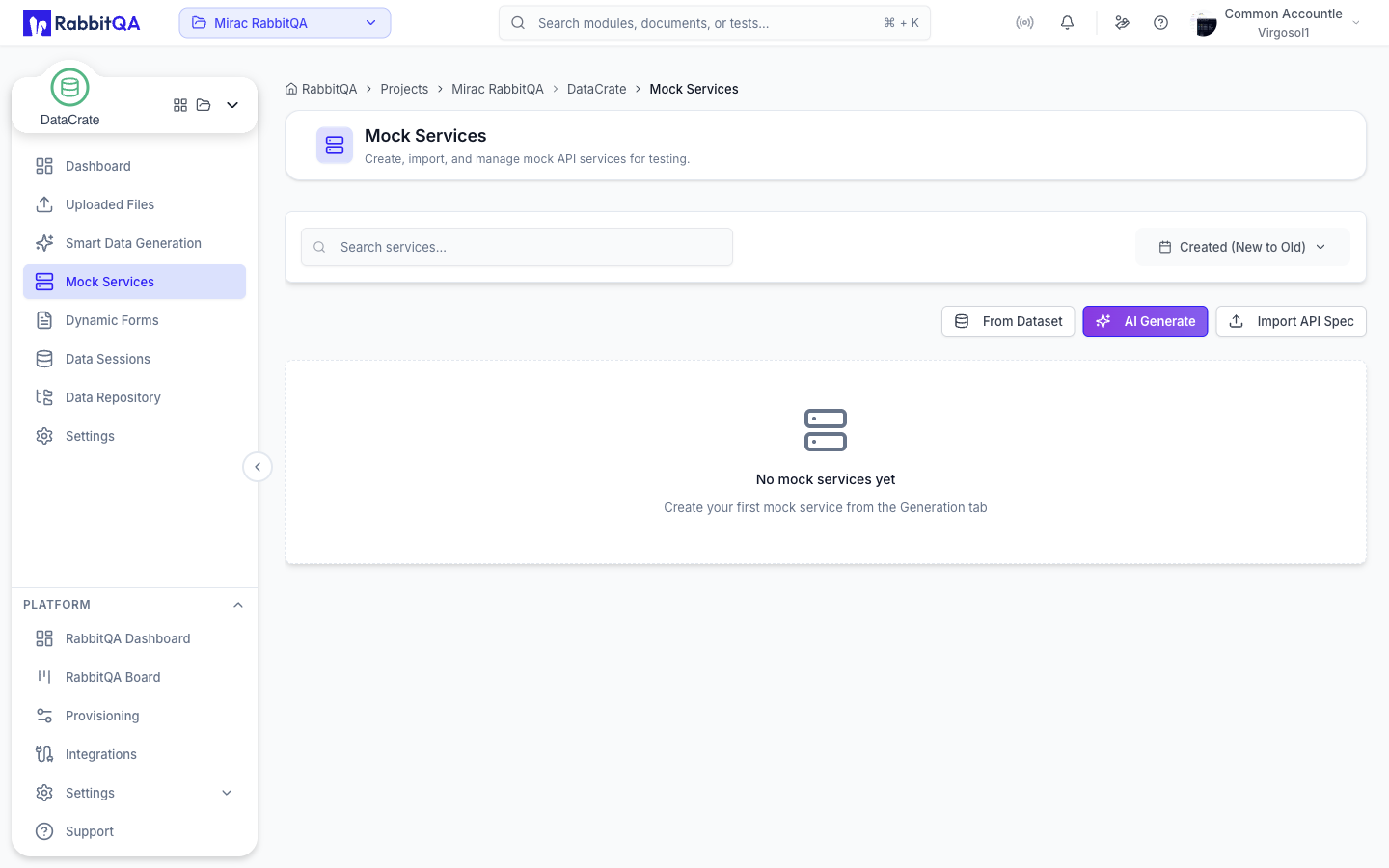
Creating a Service
The Mock Services page offers three ways to create a service. Each opens its own dialog.
| Option | What it does |
|---|---|
| From Dataset | Derives a service from an existing dataset's columns |
| AI Generate | Generates a service from a written description |
| Import API Spec | Parses an OpenAPI, WSDL, or gRPC Proto source |
From Dataset
- Pick a dataset under Select Dataset. The badge next to the field shows how many datasets are available.
- Choose a Format — OpenAPI, WSDL, or gRPC Proto.
- Decide whether to expose the endpoints publicly.
- Select Create Service.
When the service is ready, the dialog reports the service name, endpoint count, methods, and status, and offers Go to Dynamic Forms or Create Another.
AI Generate
Describe the service you want under AI Guidance, give it a Service Name, and choose a Format.
- Auto Start starts the service as soon as generation finishes.
- Expose generated endpoints publicly publishes the routes.
Generation runs in the background. While it is in progress the service appears in the list with a Generating... badge, and the list refreshes automatically until it finishes.
Import API Spec
- Choose a Format — OpenAPI, WSDL, or gRPC Proto.
- Choose a Source — File or URL.
- Upload the file or enter the spec URL.
- Select Parse Spec.
Accepted file extensions depend on the format:
| Format | Extensions |
|---|---|
| OpenAPI | .json, .yaml, .yml |
| WSDL | .wsdl, .xml |
| gRPC Proto | .proto, .txt |
For OpenAPI and WSDL, parsing shows the discovered operations, and Save Service creates the mock. For gRPC Proto, parsing opens a Collection Preview dialog listing the derived API items and their routes, so you can select which ones to save as mock services.
Managing Services
Each row in the service list shows the source type, endpoint count, public route count, run state, and creation date.
| Action | Description |
|---|---|
| Start | Opens Start Options with a Force Restart switch and a Form Service switch |
| Stop | Opens Stop Options with a Hard Stop switch |
| View | Shows the routes read-only, with method, path, status, and request/response schemas |
| Edit | Opens the spec editor |
| Export | Downloads the service spec as an OpenAPI JSON file |
| Delete | Removes the service permanently |
Editing and deleting require the matching DataCrate write permissions. A service whose generation failed cannot be started.
Editing a Spec
The Edit Service dialog lets you rename the service and edit its routes directly. For each route you set the method (GET, POST, PUT, PATCH, DELETE), the path, and the response status, and you can edit the Request Schema (JSON) and Response Schema (JSON). Both schemas are validated as JSON before the dialog will save.
Finding a Service
The list supports search and sorting, and both are reflected in the page URL so a filtered view can be shared or bookmarked.
- Search filters by name as you type.
- Sort offers name, created date, and updated date, each ascending or descending.
- Page size can be set to 5, 10, 20, or 50.
Public Access
A mock service can be published so that anything outside RabbitQA can call it.
Turn on Expose generated endpoints publicly when creating the service, or in the Public Access section of the spec editor.
Public URLs follow this shape:
<configured base URL>/api/v1/public/dataCrate/mock-services/{publicId}
Individual routes append their own path to that base URL. The public base URL is shown on the service row with a copy button, and each public route card offers the route URL, its headers, a sample request body, and a Copy Curl action. GET routes also get an Open in new tab link.
A published service still has to be running. If a public service is stopped, the spec editor warns that the service must be started before external calls will work.
Because these URLs are reachable without a RabbitQA session, only publish services whose responses are safe to expose.
Related Pages
- Dynamic Forms — build a form against a mock service route and submit dataset rows through it
- Smart Data Generation — call an external service once per row and collect the responses as a dataset
