Provisioning
Provisioning stores reusable column schemas for dataset generation. Templates can be selected as a source in the dataset-generation wizard.
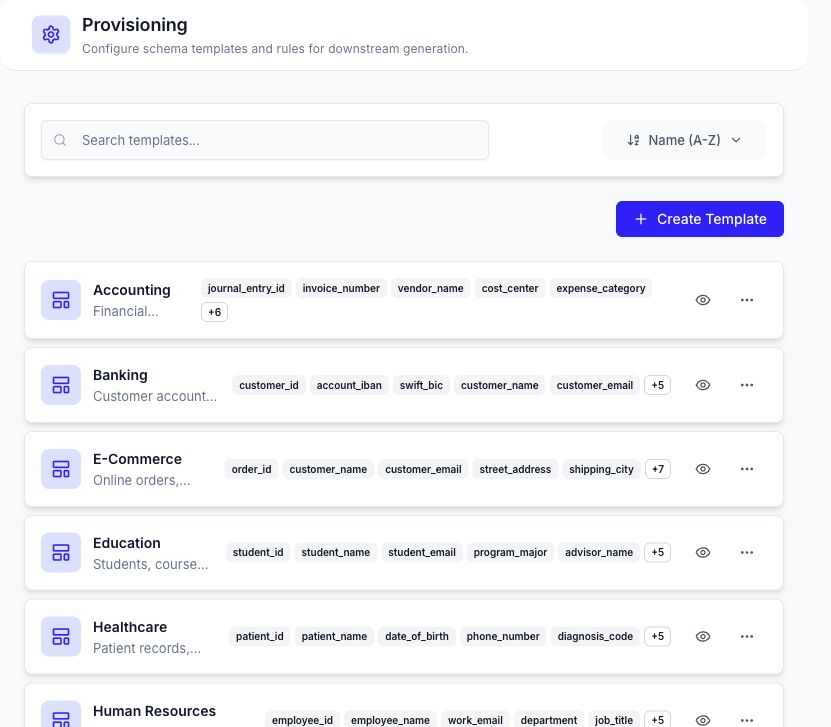
Find a Template
Use search, sorting, page size, and pagination to find a template. Each list item shows the template name, description, built-in status, and a summary of configured columns.
Select the preview action to inspect all columns without editing the template.
Create a Template
- Select Create Template.
- Enter a name and description.
- Add columns manually or select available premade library and ruleset columns.
- Set each column's name, type, generation method, and description.
- Save the template.
Supported column types exposed by the current editor include string, integer, float, date, email, phone, category, and boolean. Generation methods can include AI, ruleset, library, CTGAN, and randomize, subject to the current workspace configuration.
Template Actions
| Action | Result |
|---|---|
| Prompts | Opens the template prompt configuration. |
| Duplicate | Creates an editable copy. |
| Edit | Changes template metadata and columns. |
| Delete | Removes a user-managed template after confirmation. |
Built-in templates are identified in the list and cannot be deleted through the normal template action.
Use a Template
Open Smart Data Generation, choose Dataset Generation, and select the template as the source. Review every column and generation method before submitting a run because available rules, libraries, models, and row limits can change between workspaces.
