DataCrate Module
Comprehensive guide for managing test data, generating datasets, and connecting to databases.
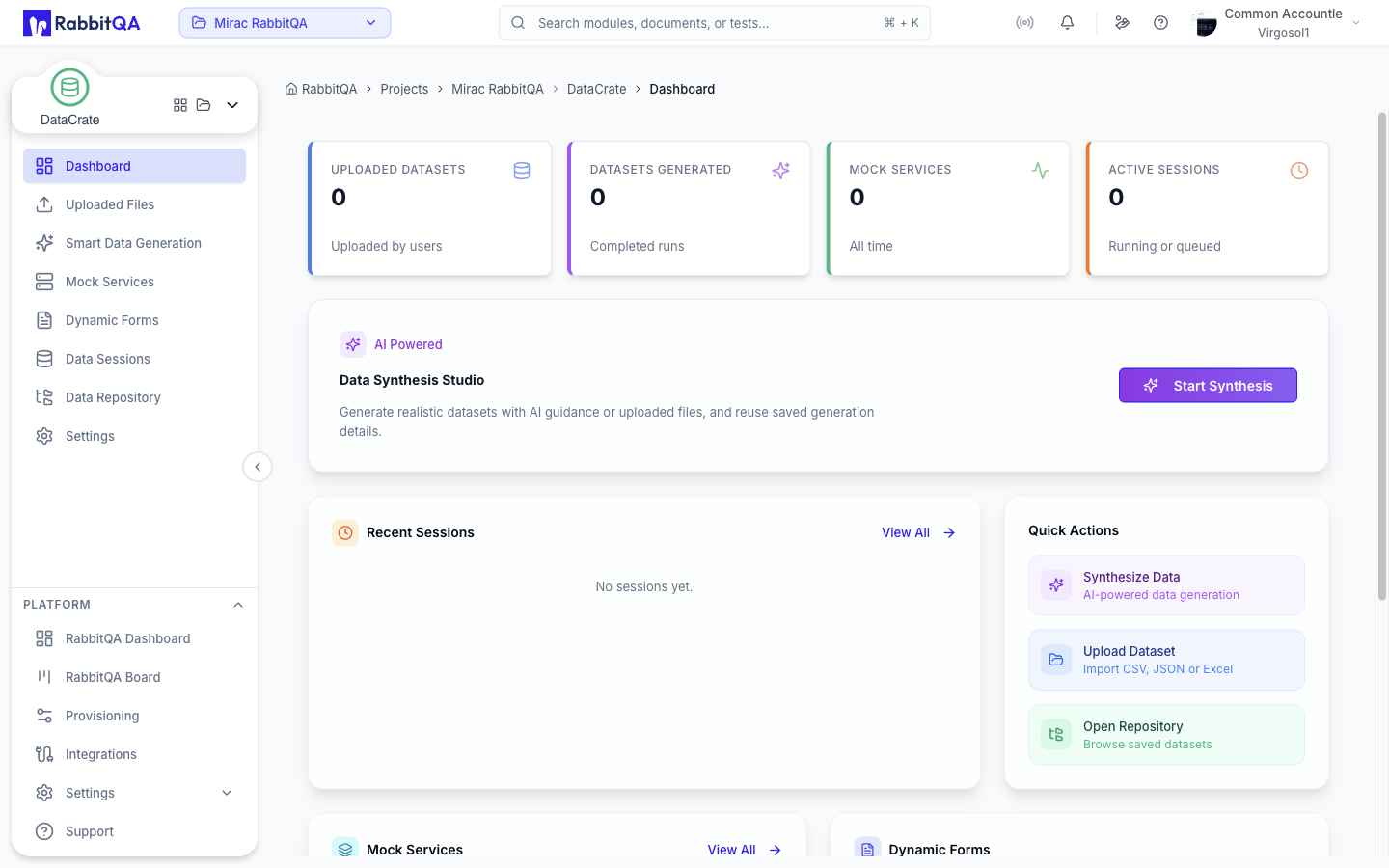
Coming Soon
DataCrate is currently in active development. Some features described in this documentation may be partially available or subject to change.
What is DataCrate?
DataCrate is RabbitQA's centralized test data management module that simplifies how teams create, manage, and provision test data. Connect to databases, generate synthetic datasets, and organize test data — all from a single interface designed for quality engineering workflows.
Key Capabilities
- Database Connections — Connect to multiple database types (PostgreSQL, MySQL, MongoDB) for test data extraction
- Dataset Management — Organize, version, and tag test data collections
- Synthetic Data Generation — AI-powered realistic data creation with Faker integration and custom rules
- Data Masking — Secure handling of sensitive information with encryption and access control
- Reusable Data Sets — Share test data across teams and test suites
Data Storage & Operations
| Storage Type | Use Case |
|---|---|
| Internal | Managed storage within RabbitQA |
| Database | Connect to external databases |
| File | CSV, JSON, Excel imports |
| API | Fetch from external services |
Integration with Other Modules
| Module | Integration |
|---|---|
| CaseWriter | Test case data parameters |
| AutoRunner | Data-driven test execution |
| SmartAPI | API test payloads |
| TestPilot | Manual test data |
Security Features
| Feature | Description |
|---|---|
| Data Masking | Hide sensitive values |
| Encryption | At-rest and in-transit |
| Access Control | Role-based permissions |
| Audit Logging | Full activity tracking |
Getting Started
- Set Up a Connection — Follow Connections to link your first database.
- Create a Dataset — Use Datasets to organize your test data collections.
- Generate Test Data — Use Generation to create synthetic data for your tests.
Planned Features
Phase 1 — Foundation
- Dataset management
- Template library
- CSV/JSON import
- Basic data generation
Phase 2 — Advanced
- AI synthetic data
- Database connections
- Data masking
- Version control
Phase 3 — Enterprise
- Data lineage
- Compliance tools
- Advanced security
- Bulk operations
tip
Start by connecting a development or staging database. Once you've verified the connection, create a dataset from existing data before moving on to synthetic generation.
