Quick Start
This guide follows the shortest safe path from an empty workspace to execution evidence.
Before you begin
Confirm that you have:
- access to the intended RabbitQA workspace;
- permission to create or use an AutoRunner source and Test Plan;
- a target environment that is safe for automated actions;
- non-production test credentials and data, when the flow needs them; and
- an available runner or project engine configuration.
1. Connect a source
Open AutoRunner > Sources > Connect Source. Choose the project type, framework, and either a RabbitQA template or your configured repository.
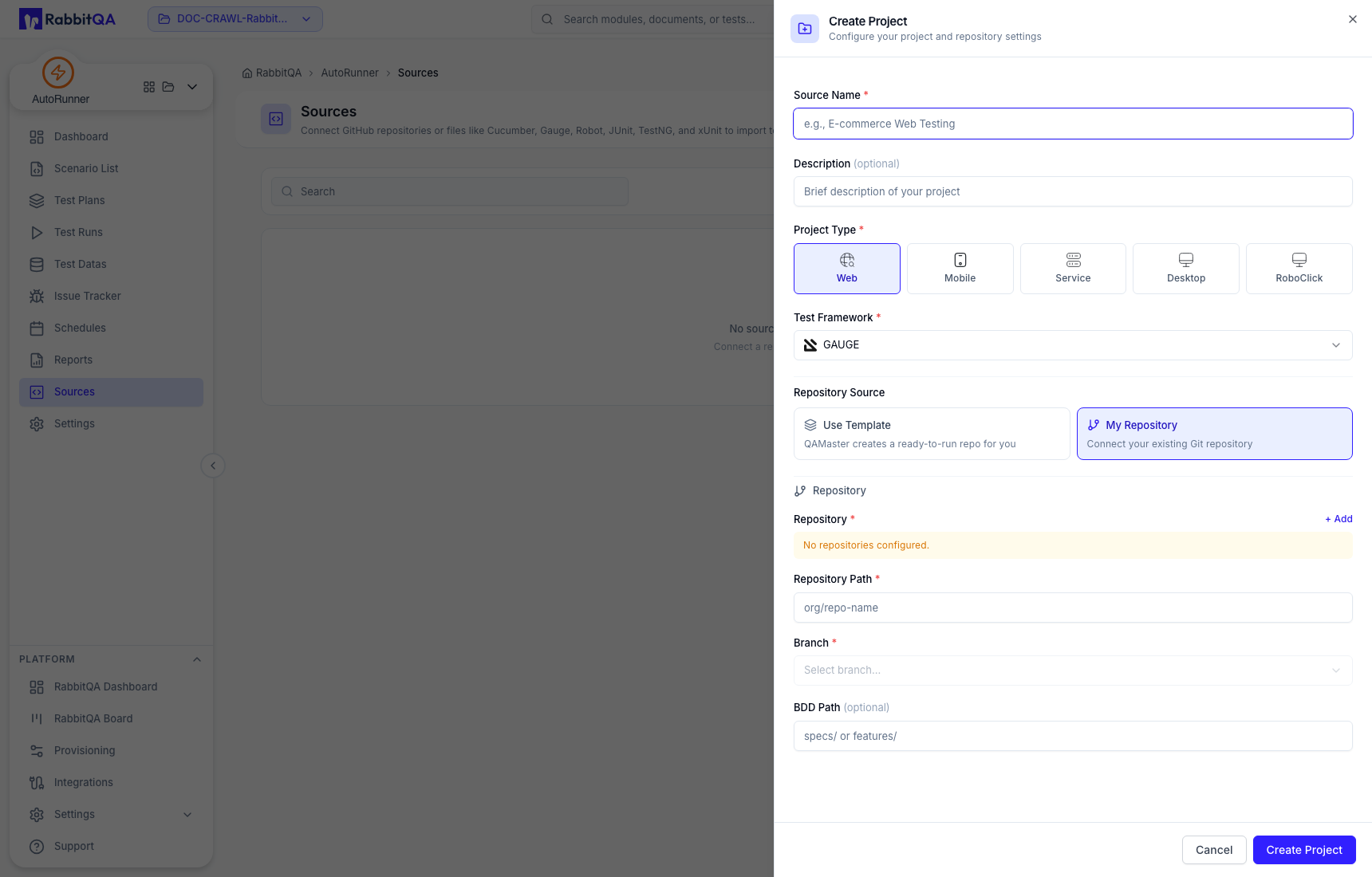
Project type and framework define how the source is handled. Verify both before creation because
they are not intended to be changed later. For AI Studio work, do not create an AI_AGENT source
manually; AutoRunner manages that source behind AI Studio.
2. Prepare a scenario
Use either path:
- Scenario List for scenarios synchronized from connected sources; or
- Scenario List > AI Studio for AI-assisted Web or Mobile scenarios.
In AI Studio, select New Scenario, give it a unique name, choose a platform, and write a bounded prompt that states what the agent may and may not do.
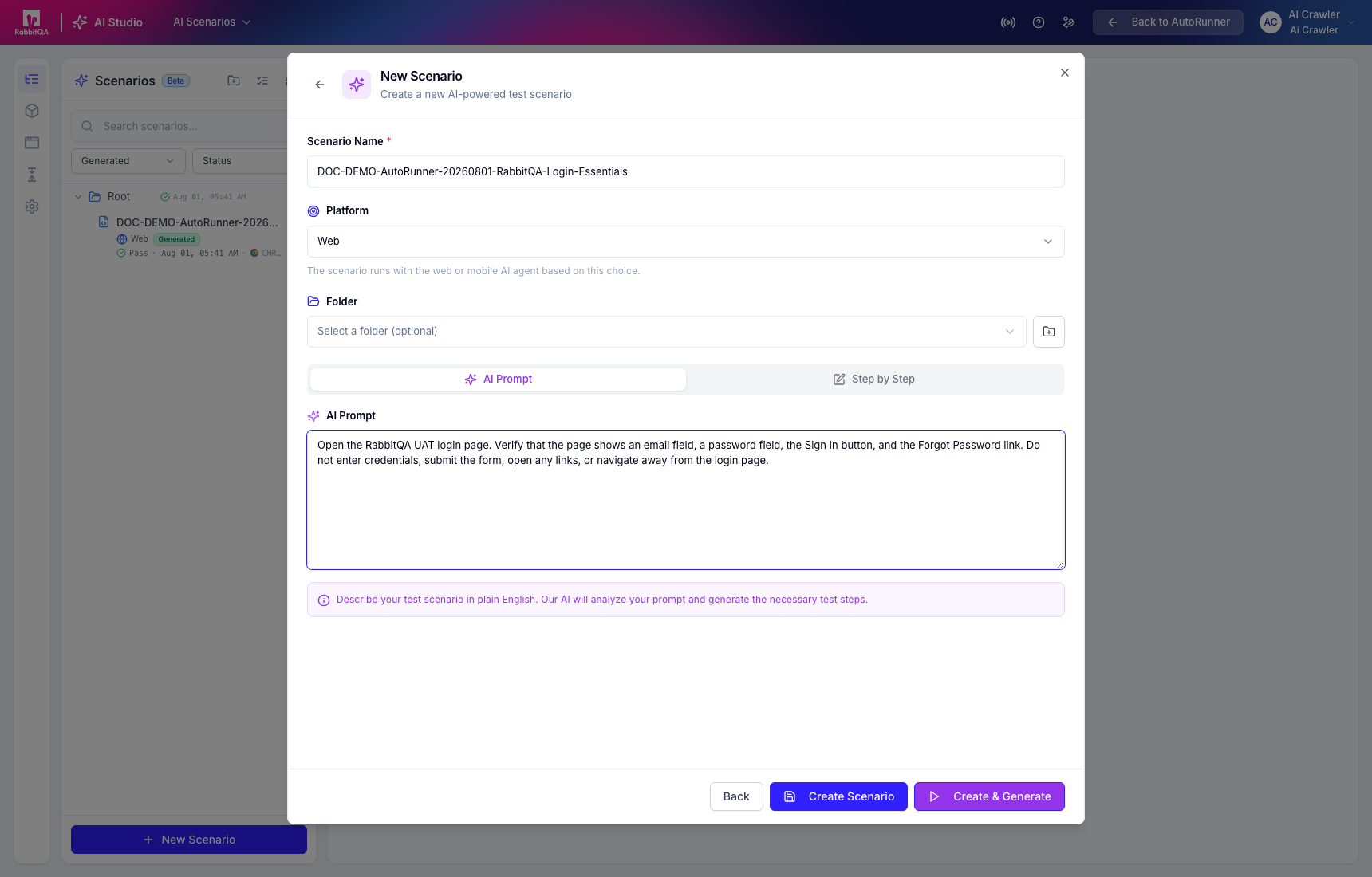
For Web generation, confirm the target URL before selecting Generate.
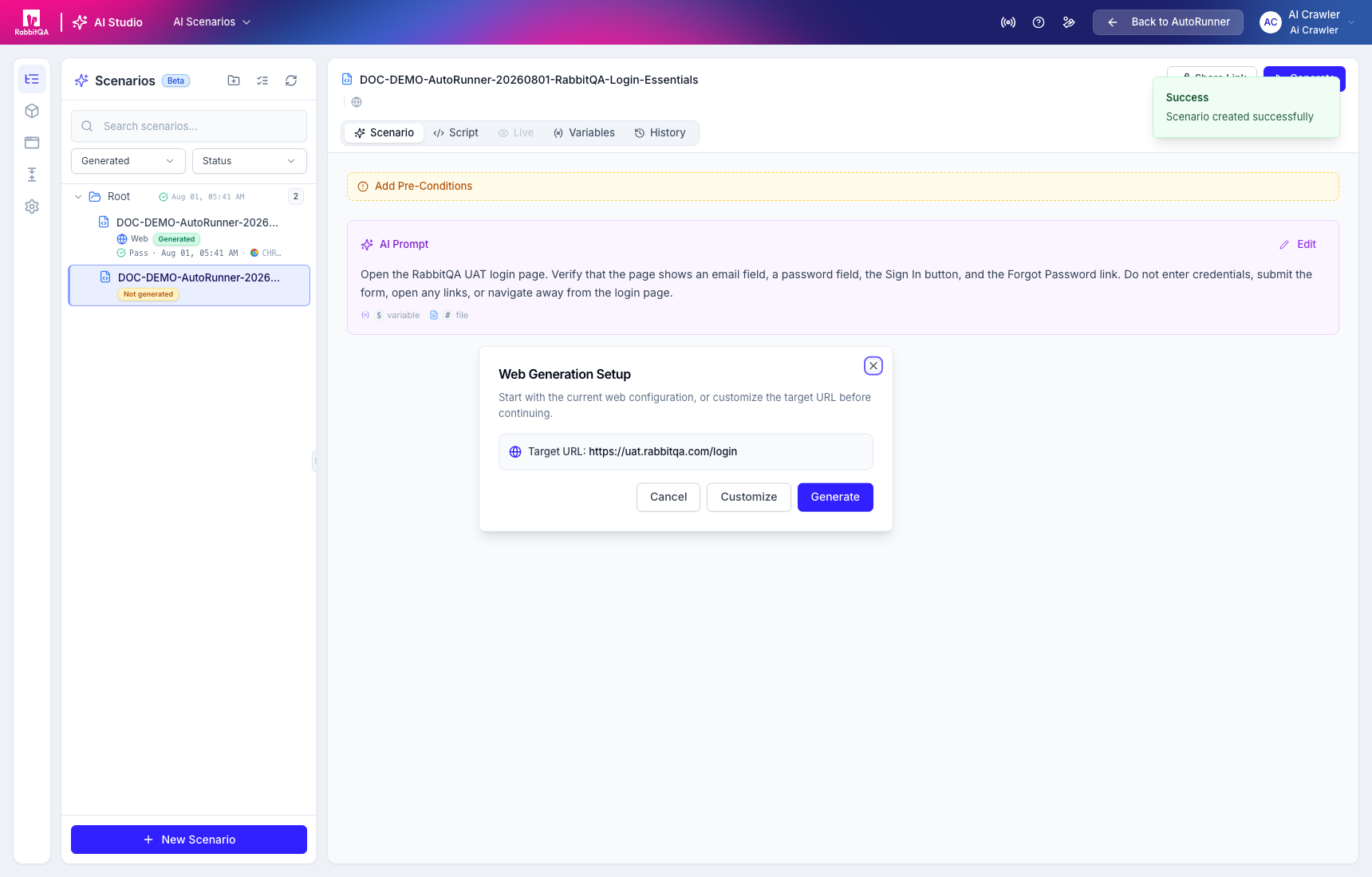
Review the generated steps, warnings, conversation, and version state. Correct review-required steps before publishing. A passing generation alone is not execution proof.
3. Configure test data
Open Test Datas and add only the data needed by the scenario.
Variable precedence is:
- runtime override;
- selected environment value; and
- base variable.
Use masked visibility for secrets. You can also upload supported files or import approved files and variables from DataCrate.
4. Create a Test Plan
Open Test Plans > New Test Plan. Add at least one scenario, order the selected scenarios, and optionally select a default Run Profile or an environment-profile override. A plan can select scenarios across sources in the active workspace.
5. Run and verify
Run the plan from Test Plans or with an appropriate Run Profile. Open Test Runs to track the execution.
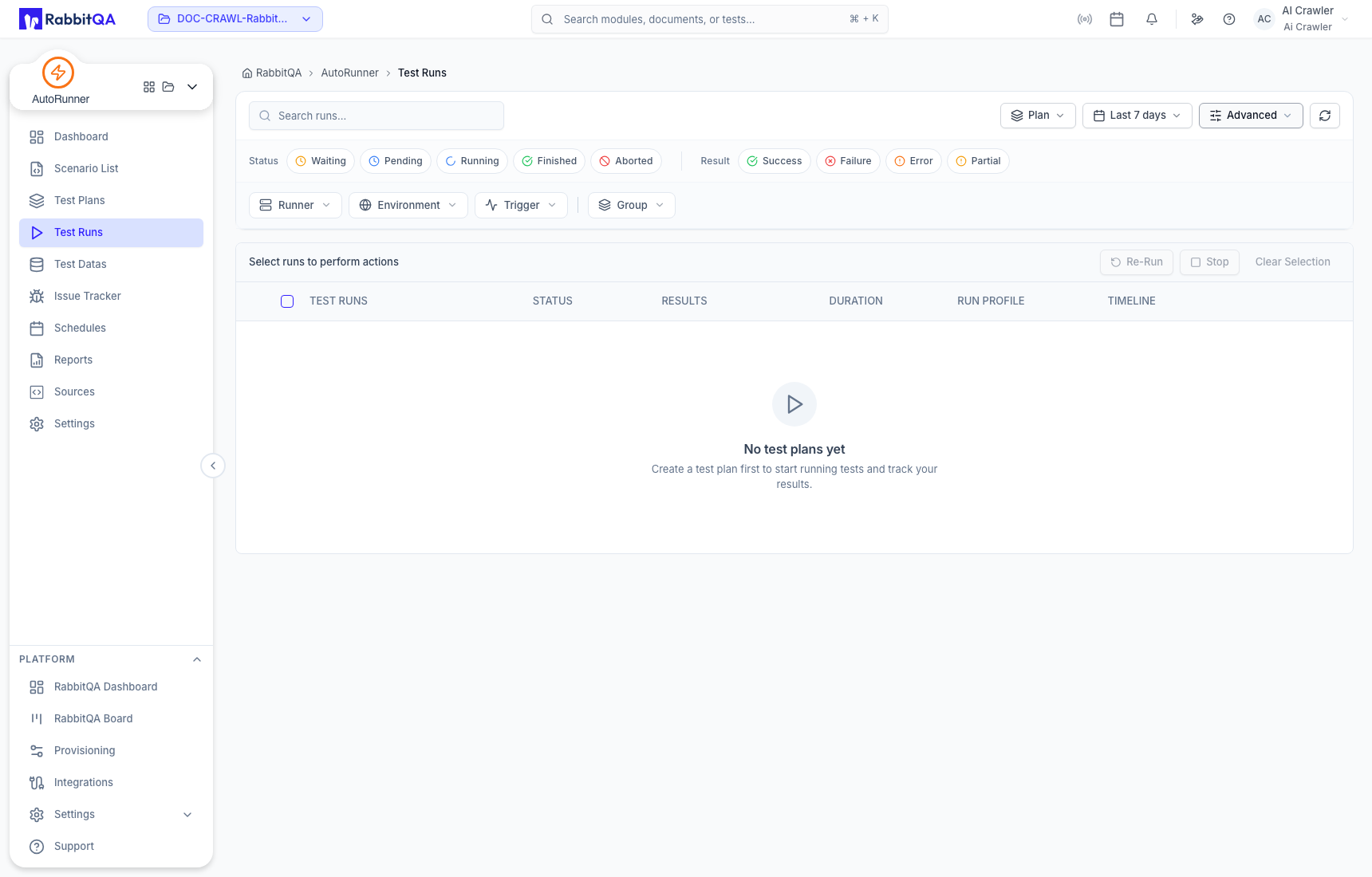
Verify:
- final status and result;
- scenario and step outcomes;
- logs and timestamps;
- screenshots or artifacts when produced; and
- the runner, environment, trigger, and profile used.
AI generation, scenario execution, schedules, issue creation, and source operations can affect external systems. Use an approved target, bounded credentials, and reversible test data.
Continue with Test Plans, Test Runs, and Run Detail.
