Application Knowledge
AI Studio builds application knowledge from screens and elements observed during generation and replay. It is not a general-purpose site crawler and should not be treated as a complete inventory of the application.
Element Repository
The Element Repository groups observed elements by screen and platform. Filter by element category or name, then open an element to review its properties and locator strategies.
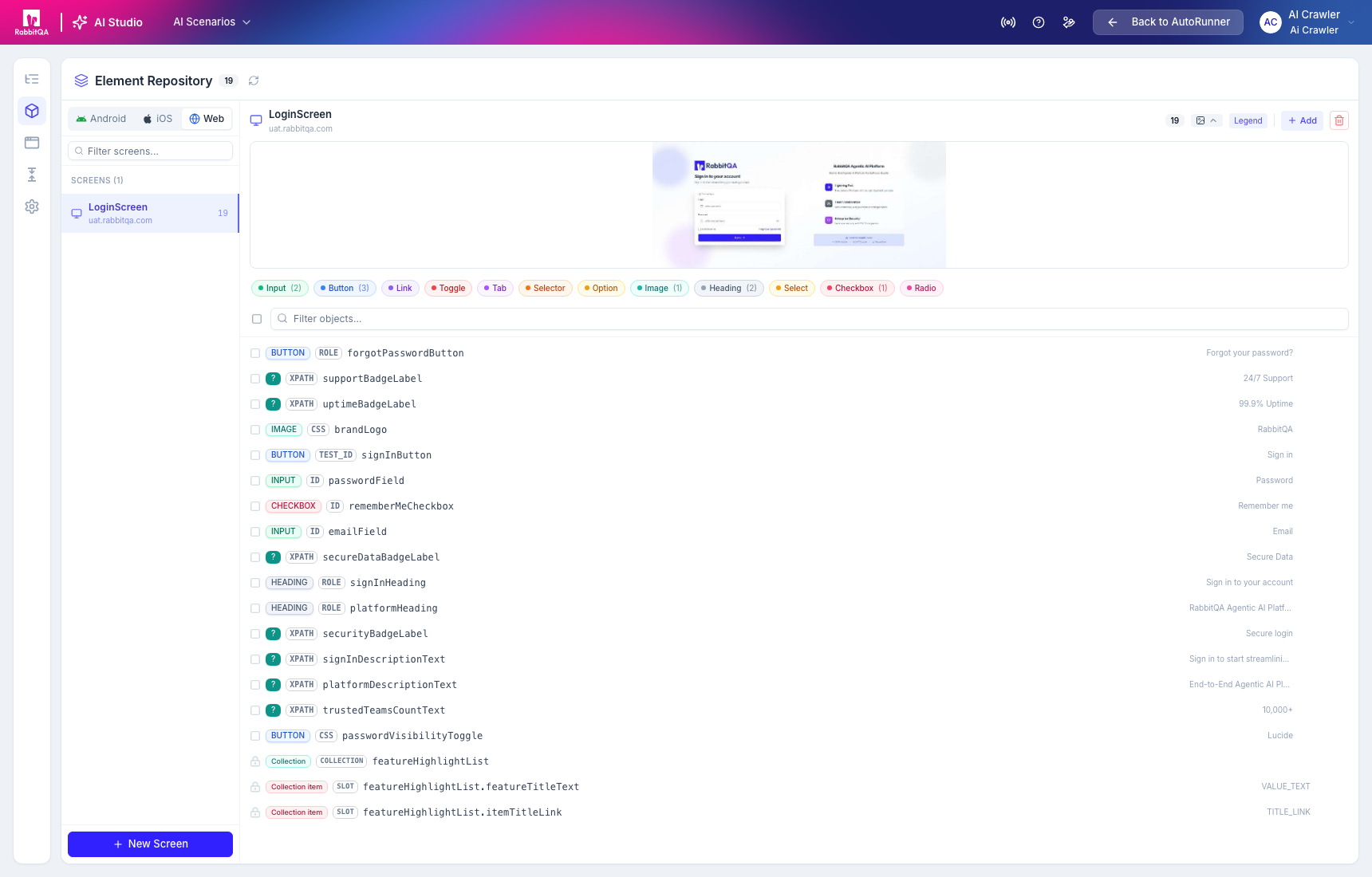
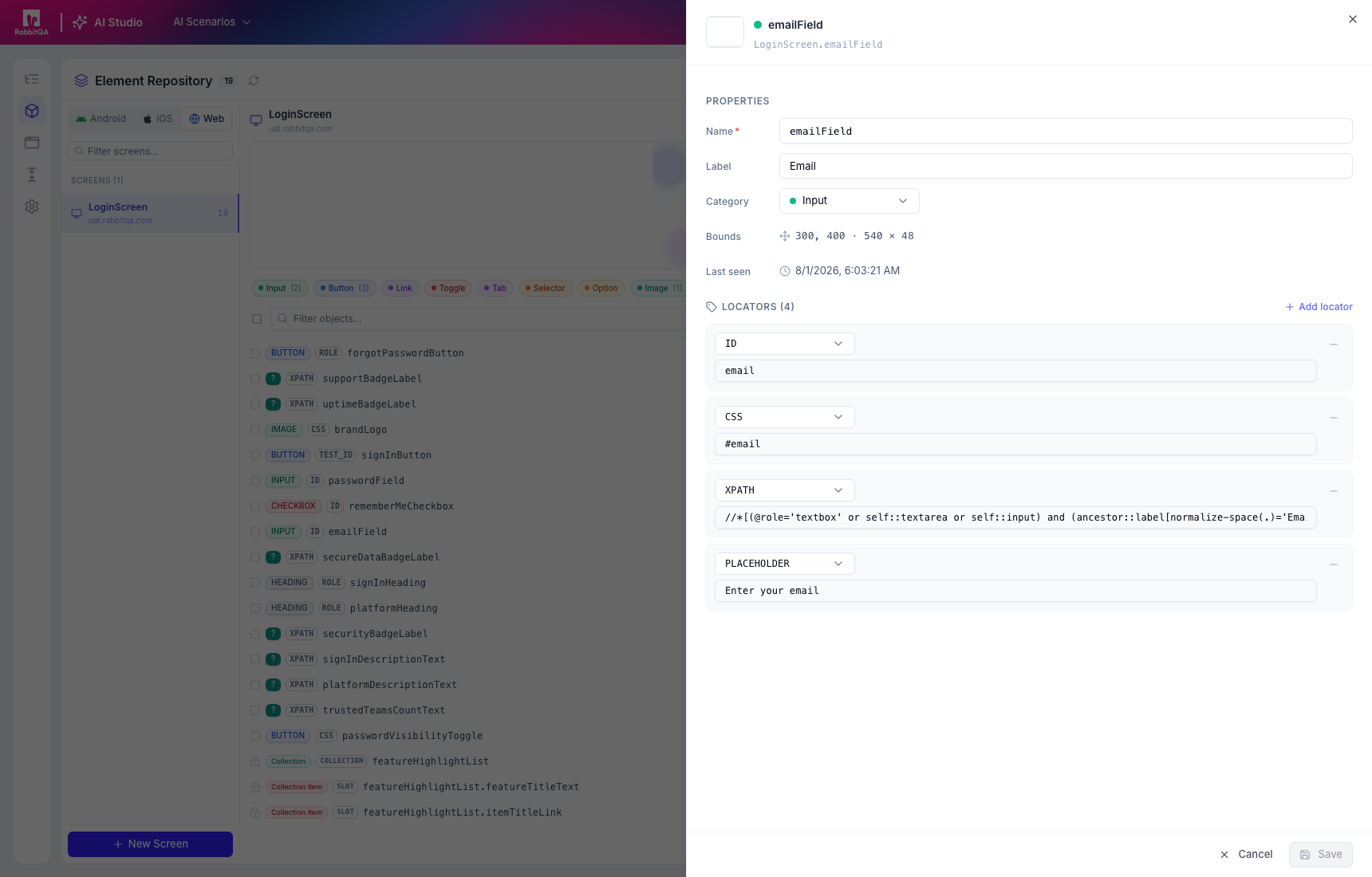
Review the locator order and uniqueness before relying on an element in long-lived automation. A generated XPath or text locator can become unstable when the target UI changes.
Screens
The Screens area organizes captured knowledge by Web, Android, or iOS. A screen can expose:
- overview and current visual baseline;
- generated purpose and observed user actions;
- observed elements;
- visual comparison history; and
- navigation flows.
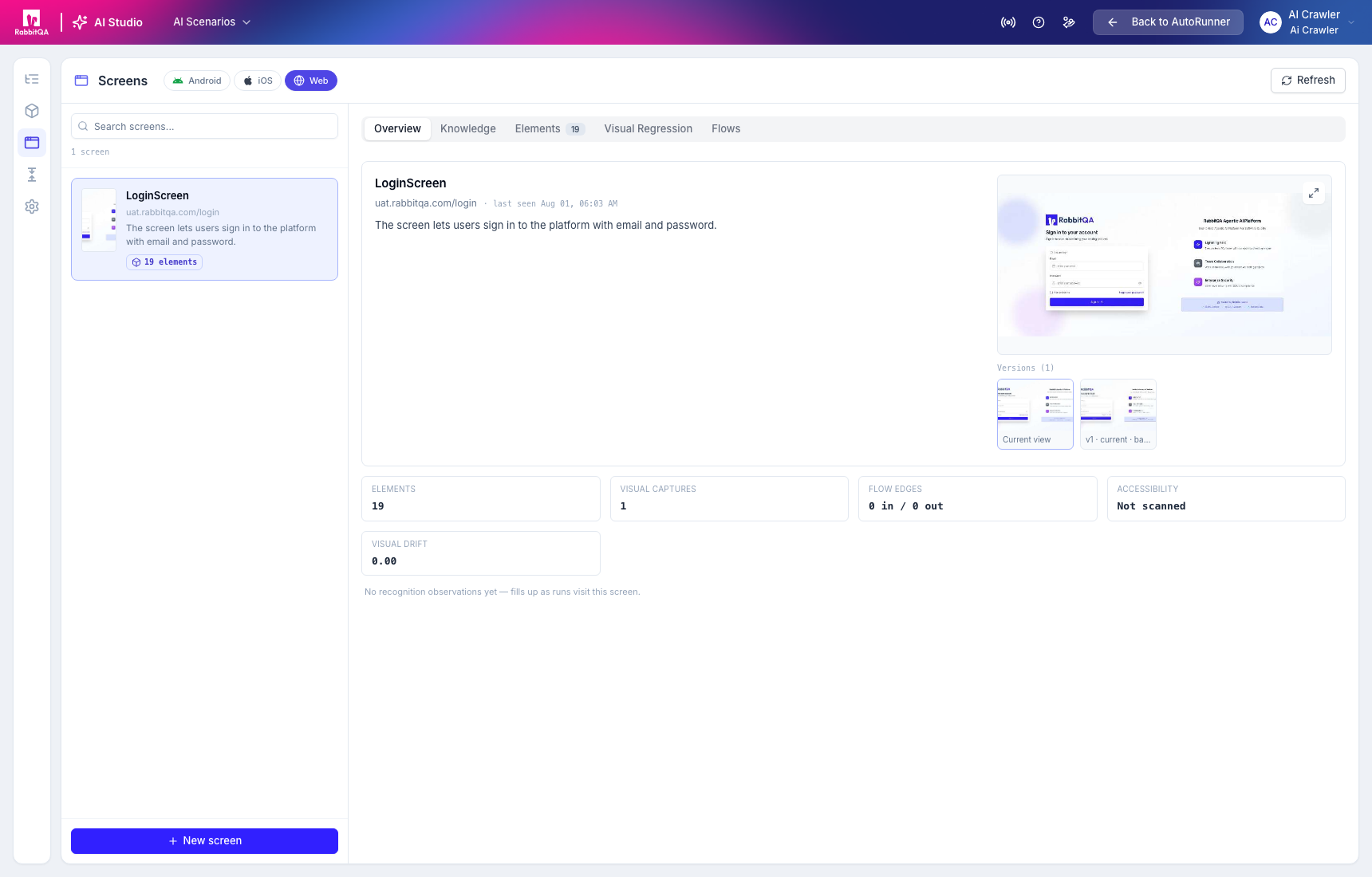
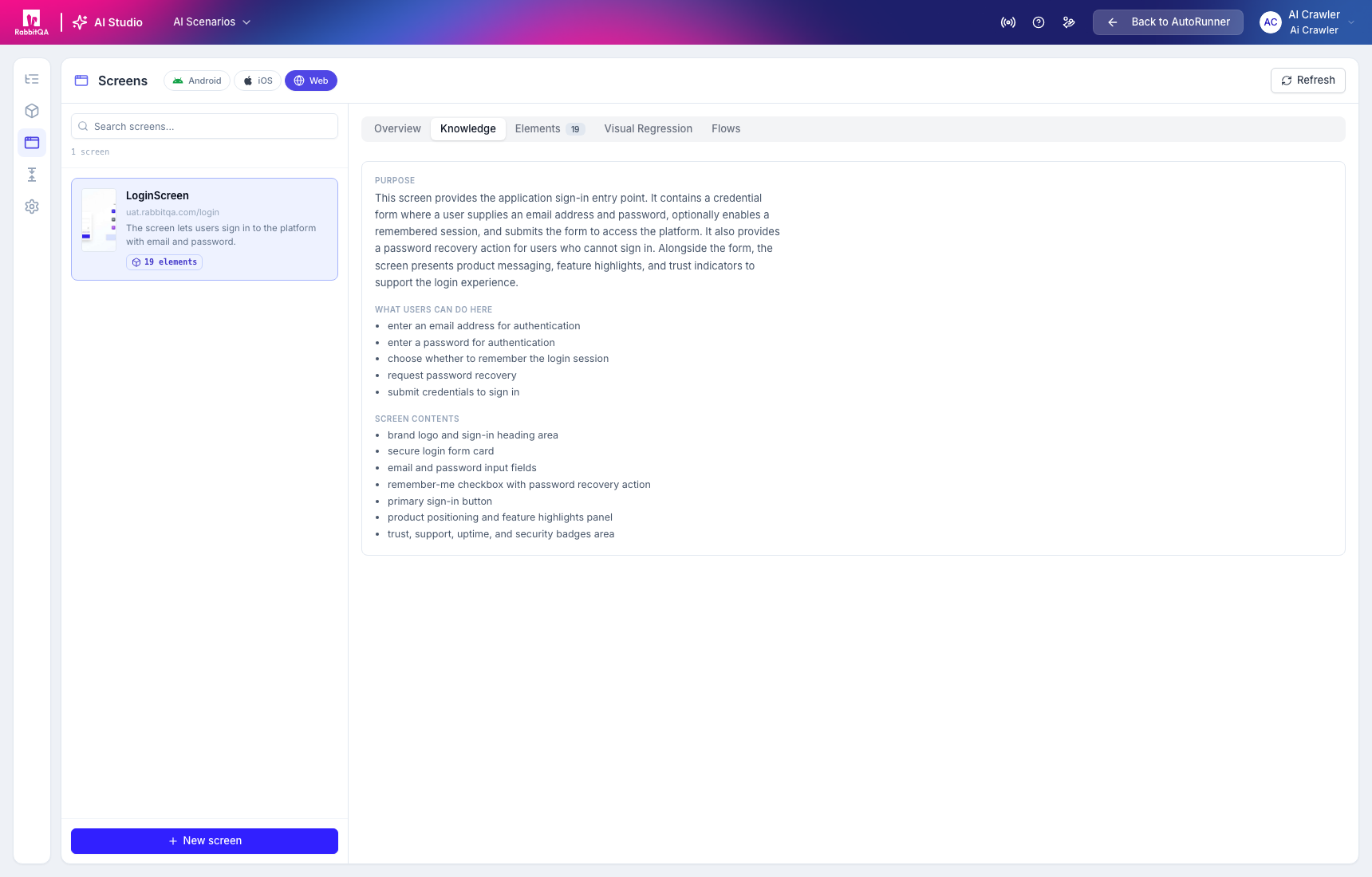
Generated descriptions summarize what the agent observed. Confirm them against the actual product; they are not authoritative product requirements.
Visual regression
Visual Regression compares later observations with the selected baseline and records drift.
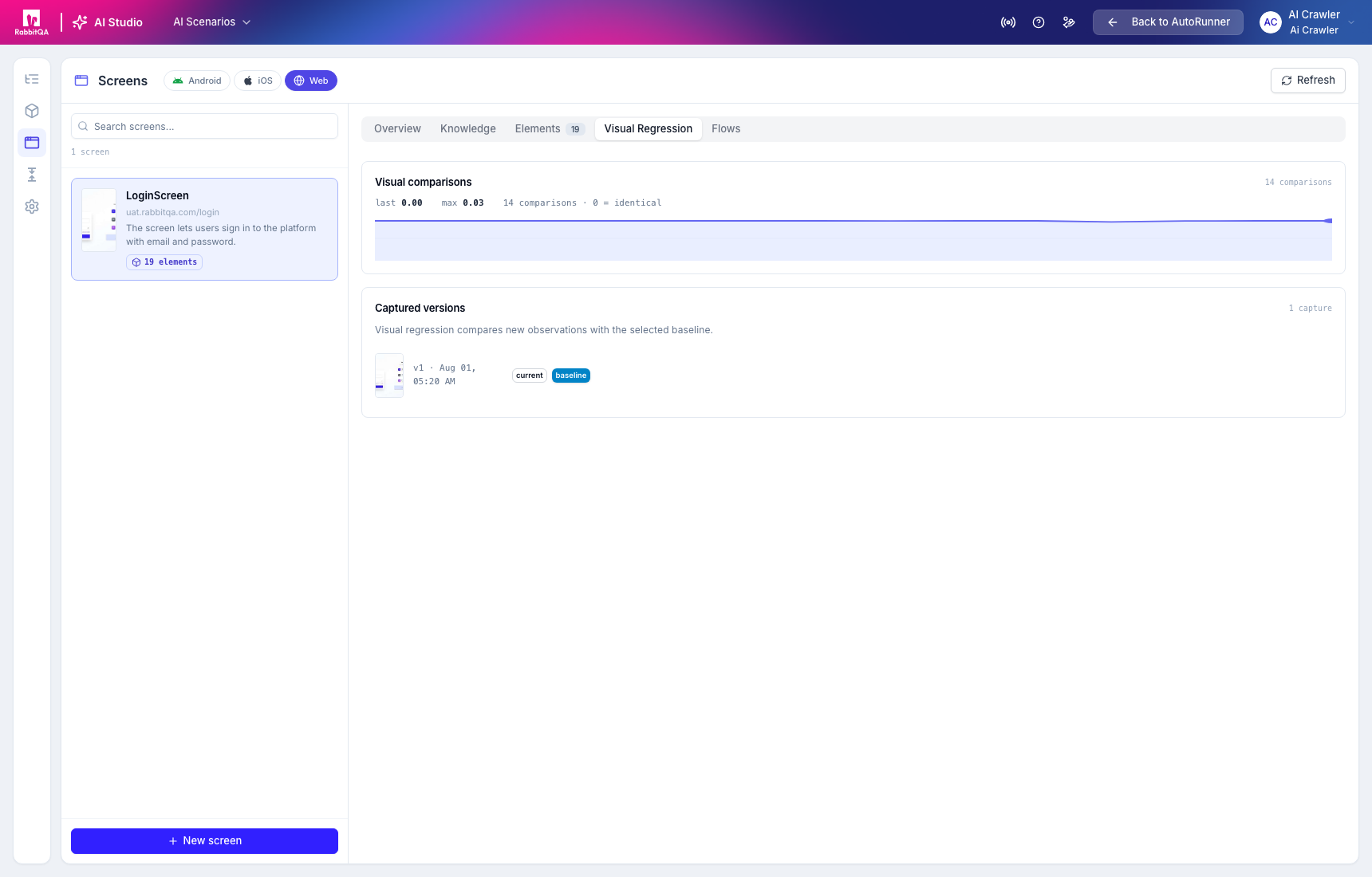
A small numeric drift is not automatically acceptable, and a zero value does not verify functional behavior. Inspect the compared captures and the relevant Test Run.
Flows
Flows appear only after runs observe navigation into or out of a screen.
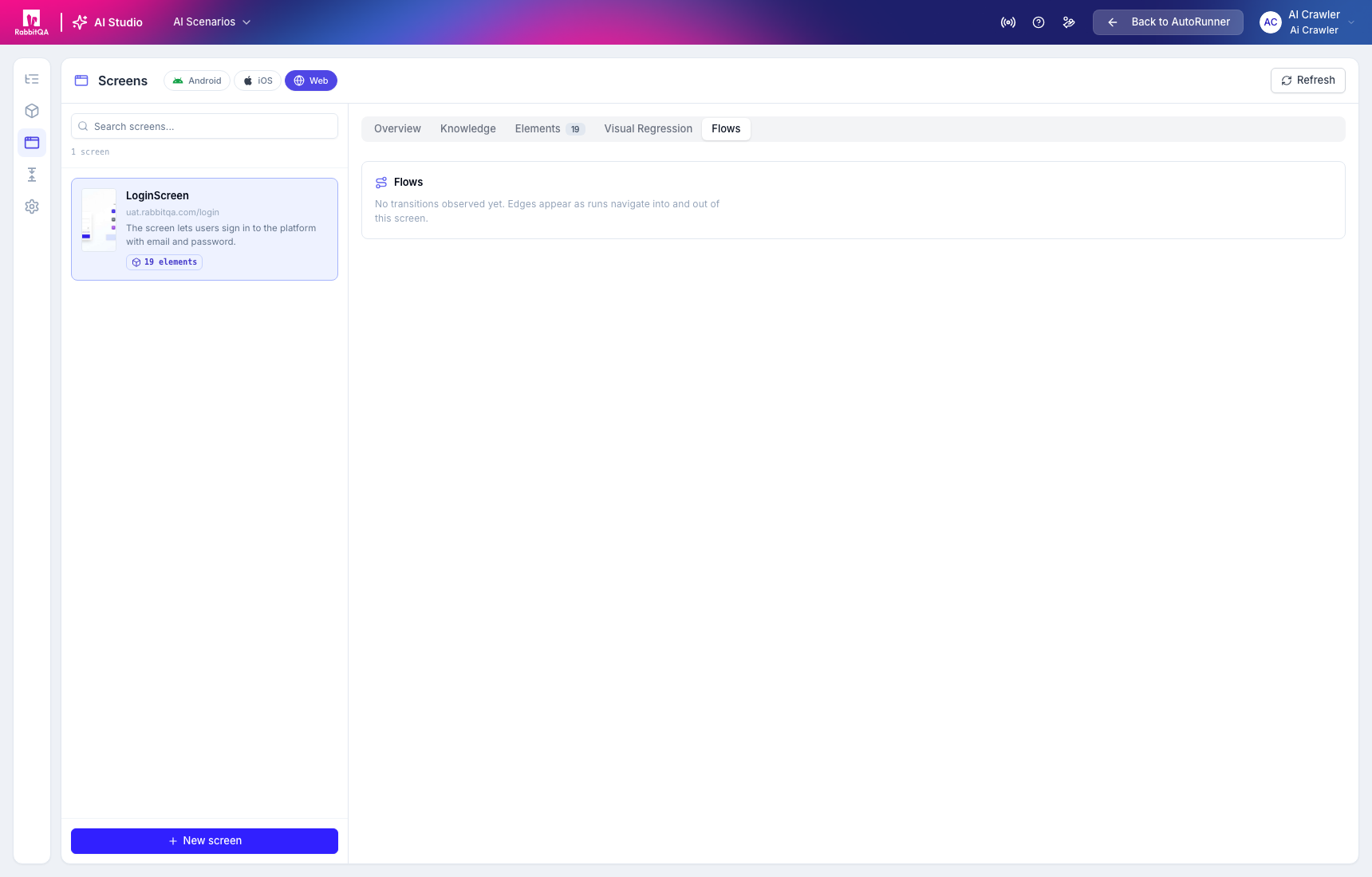
An empty flow means no transition was recorded for that knowledge set. It does not prove that the screen has no navigation paths.
Captured screens may contain customer data, emails, identifiers, or secrets. Use approved test accounts, minimize captured data, and follow your retention and access policies.
