AI Test Case Generation
AI Test Case Generation combines one or more valid sources with a testing profile and target case count. Submitting the form creates an AI Test Session whose cases must pass review before they can enter the repository.
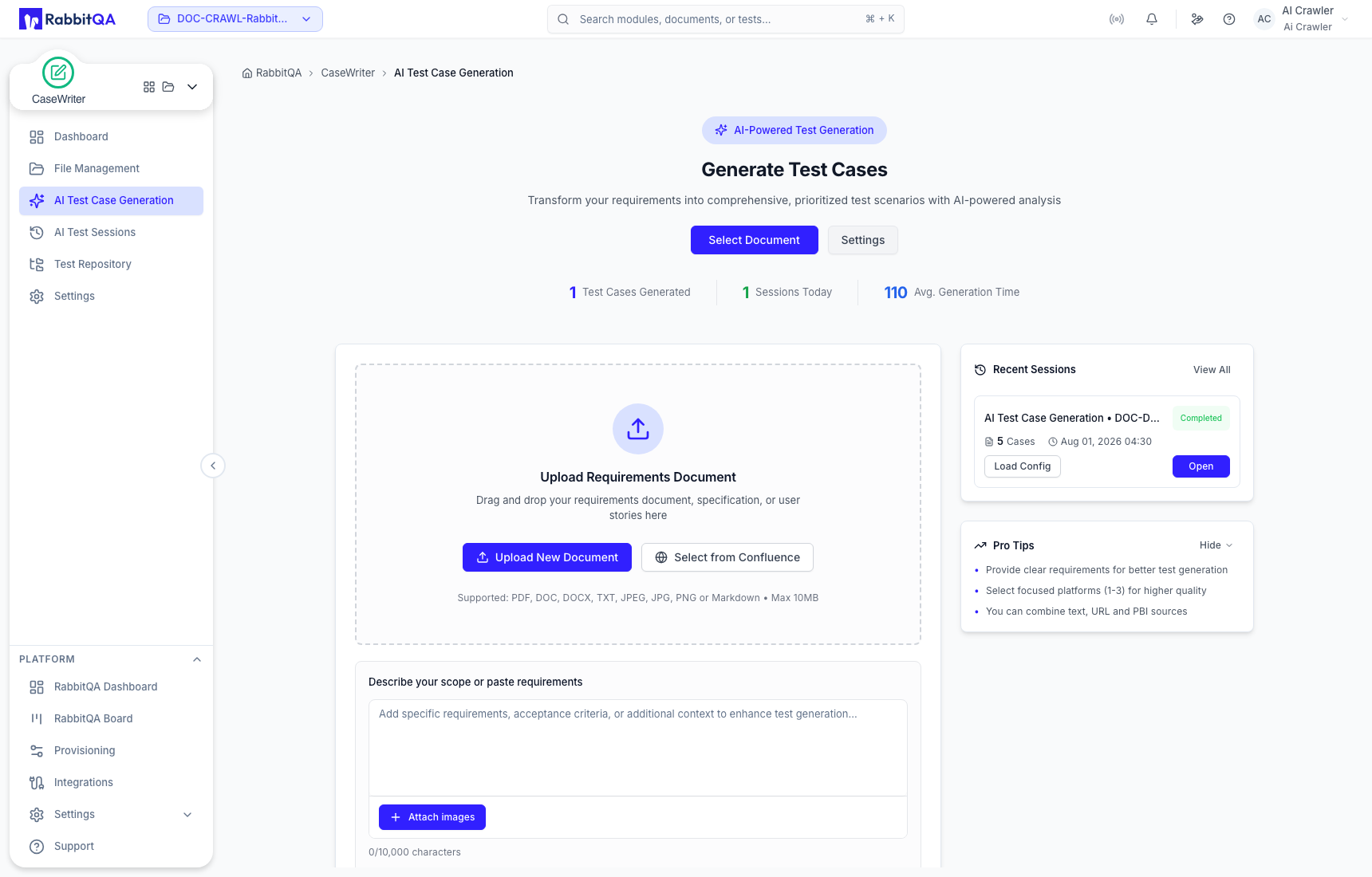
Choose evidence
You can build generation context from the following sources:
| Source | How to use it |
|---|---|
| Existing document | Use Select Document and choose the exact document version. |
| Local document | Use Upload New Document for a supported file. |
| Requirements text | Paste requirement or acceptance-criteria content into the scope field. |
| Images | Attach screenshots or other visual requirements to the scope. |
| Confluence | Select content when the Confluence integration is configured. |
| Source URL | Enter a valid page URL, review the extracted content, and use only the relevant text. |
| PBIs | Select a Smart PBI session and one or more product backlog items. |
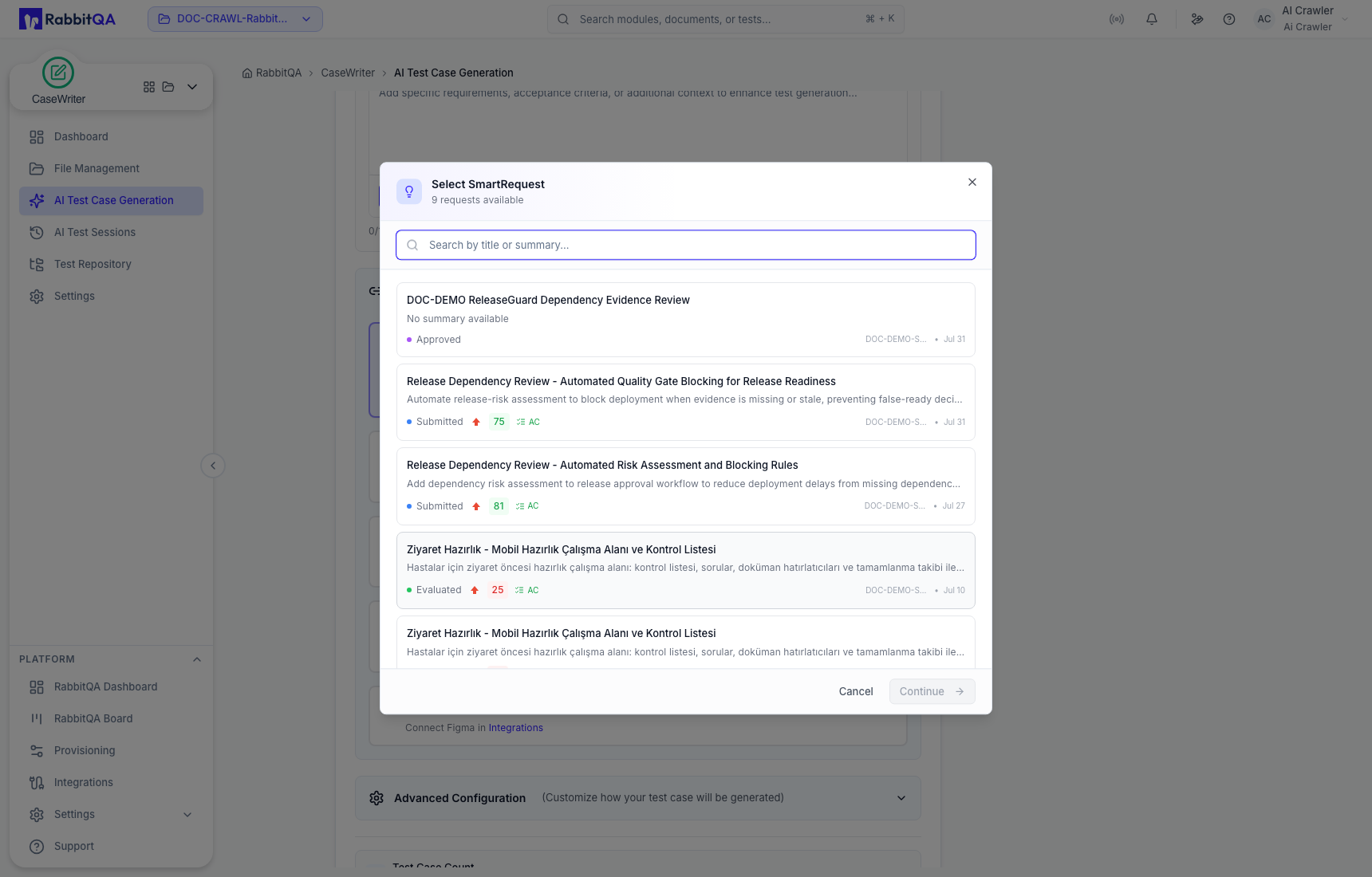
| SmartRequest | Select a request available to the active project. |
| Issue | Select an available integrated issue. |
| Figma | Select a frame when the Figma integration is connected. |
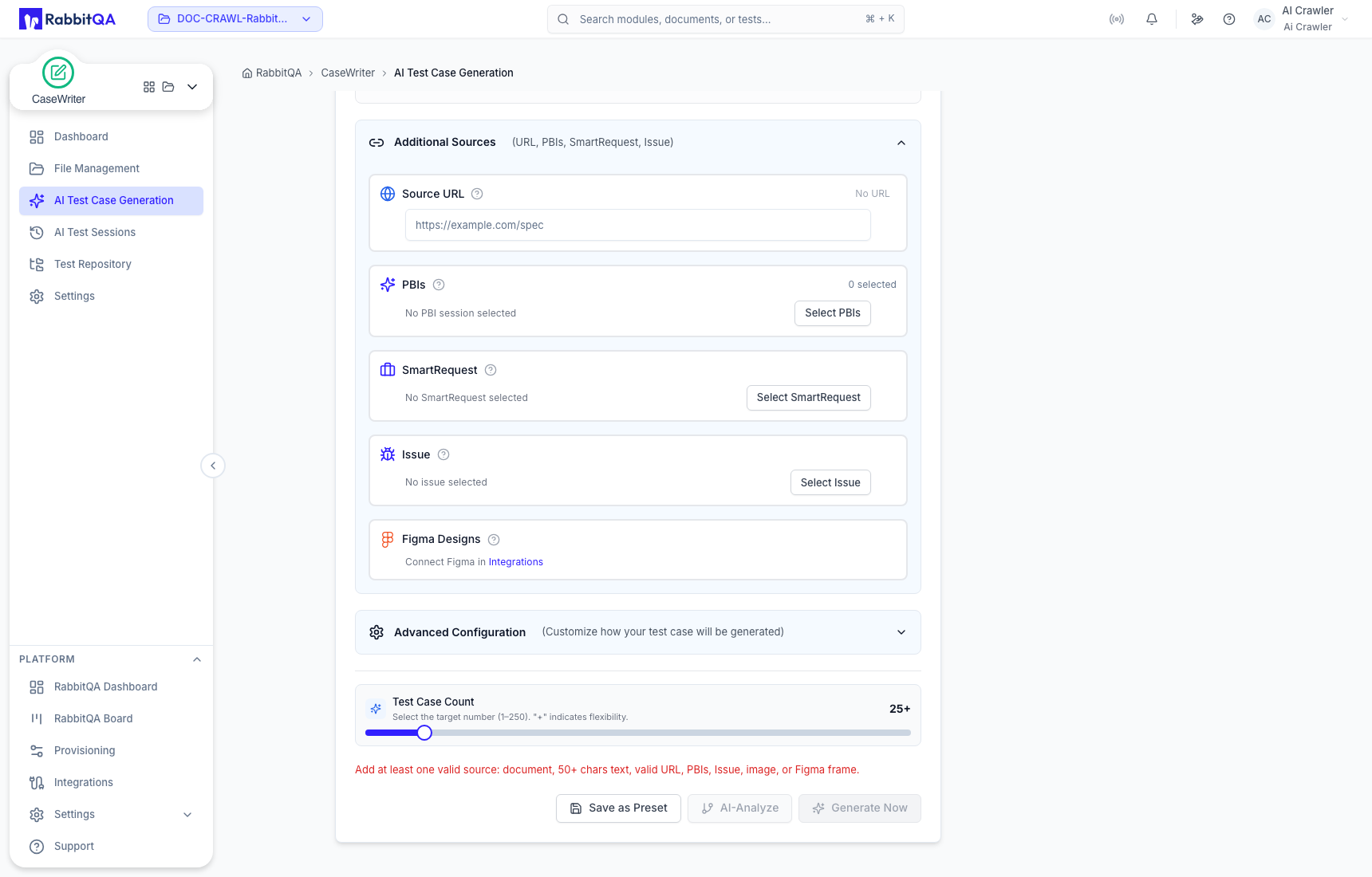
Availability depends on project data, permissions, and configured integrations. A missing Confluence or Figma connection is a configuration state, not a generation error.
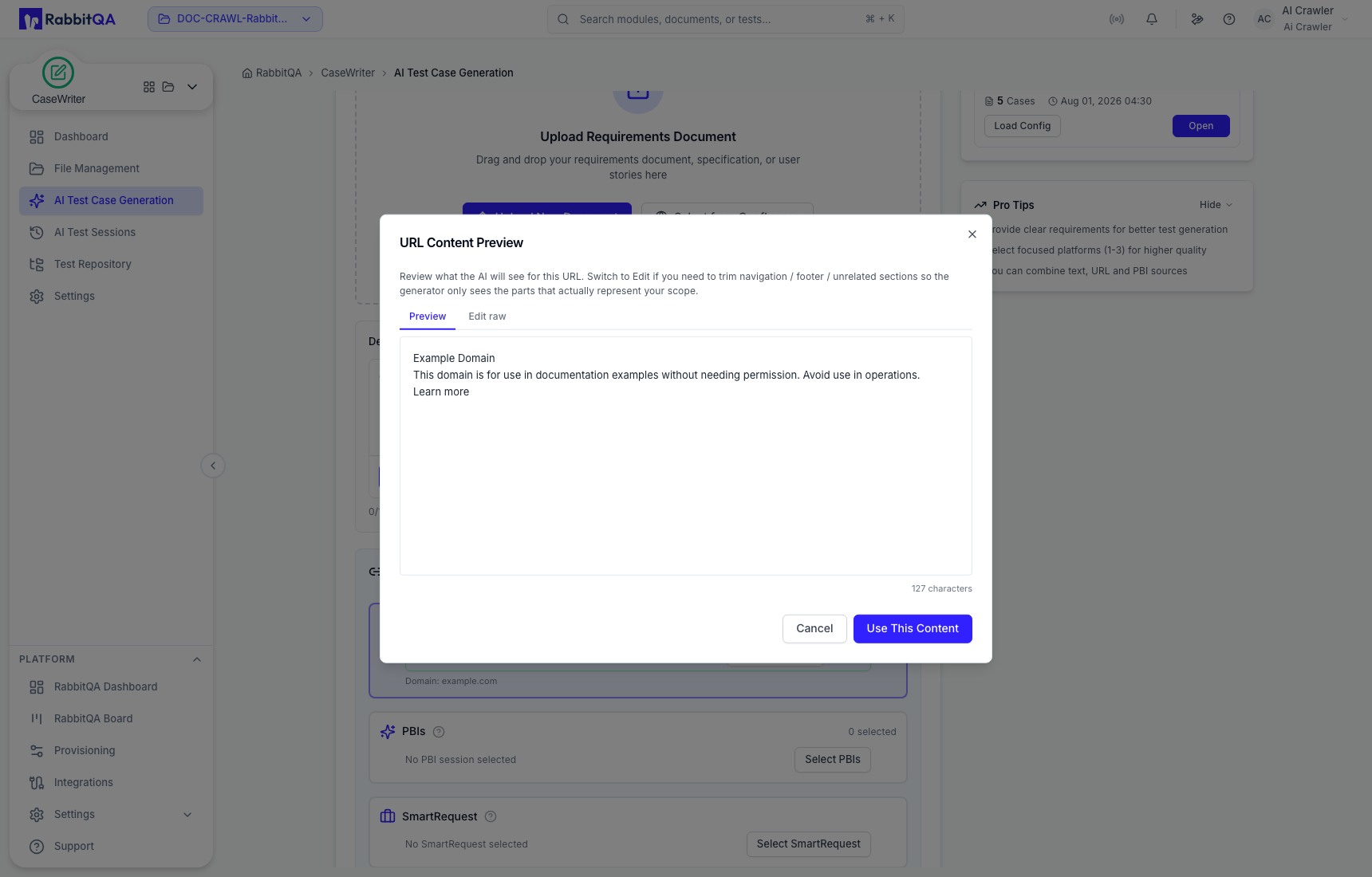
URL content is a one-page source
CaseWriter previews the content extracted from the submitted page. Review it and trim navigation, footers, or unrelated material before selecting Use This Content. The source is the submitted page, not an automatic crawl of the whole site.
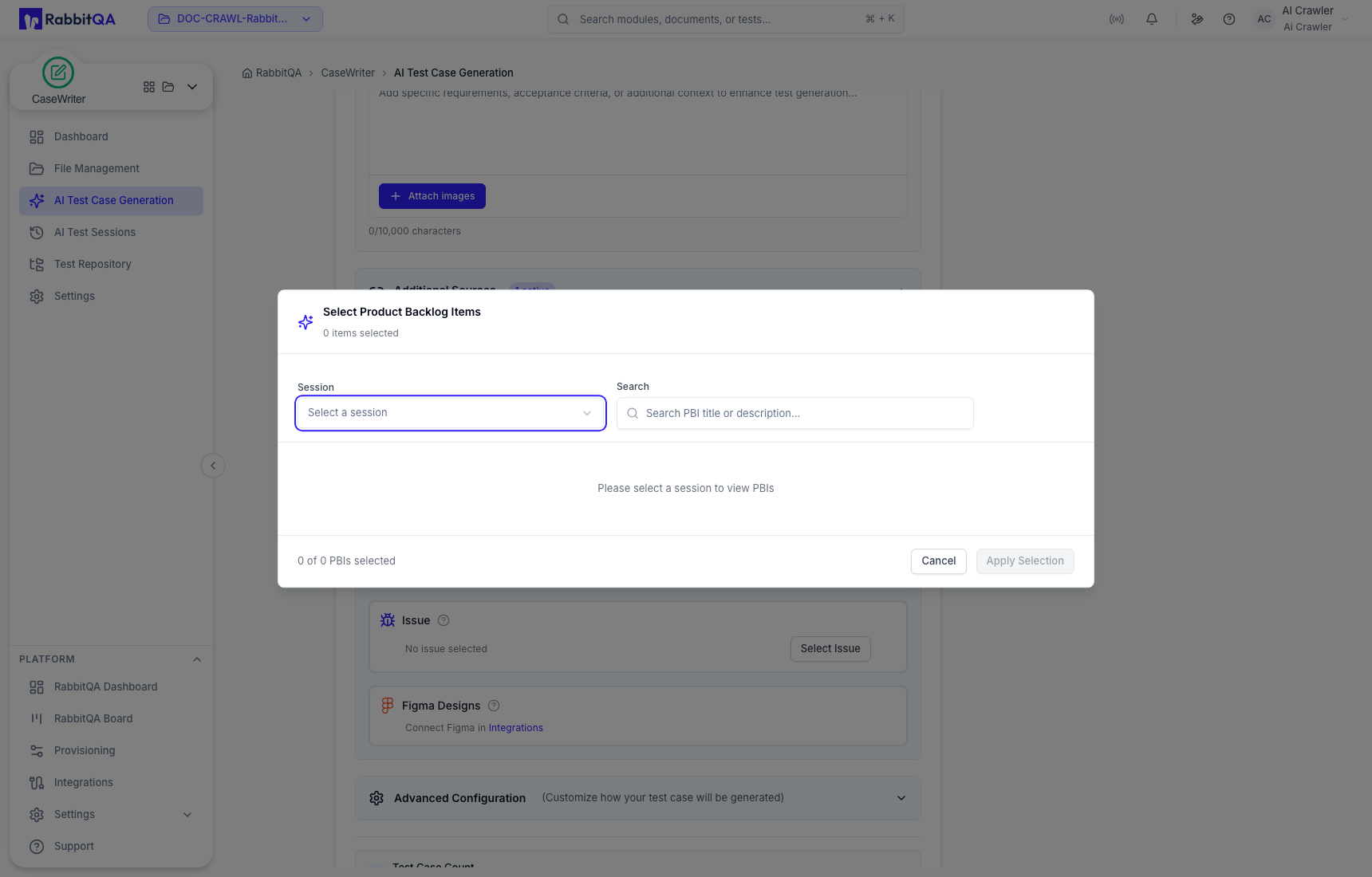
Select PBIs or SmartRequests
For PBIs, choose a generation session first, search the items, then apply your selection.
For SmartRequest, search the available requests and select the request that contains the relevant delivery context.
Configure the testing profile
Model and language
The model comes from central Integrations configuration. Choose the output language required for the cases. Language selection changes the generated content; it does not translate existing cases.
Platforms
Select one to three relevant platforms. A focused platform selection usually produces more useful steps than selecting environments the requirement does not cover.
Execution, focus, and level
Set the intended execution type, testing focus, and test level. These describe the desired suite and are stored with the session for later review.
Test types
Choose the types needed for this run, such as functional, error-path, negative-path, compatibility, cross-browser, cross-platform, performance, happy-path, boundary, accessibility, usability, recovery, security, or operational coverage. Keep each run focused; the generator permits up to three selected test types.
Priority and complexity distributions
Advanced Configuration lets you shape the desired mix of priorities and complexities. Each distribution group must total 100%. These values guide generation; reviewers must still validate the classification of every case.
Target count
Choose from 1 to 250 test cases. Use the smallest count that can cover the actual scope. A large target does not compensate for vague or contradictory evidence.
Save or reuse a preset
Use Save as Preset when the language, platforms, test profile, types, and distributions should be reused. Loading a preset can accelerate configuration, but always recheck it against the current source and project goal.
Analyze before generation
Select AI-Analyze to produce a test-design mind map. It summarizes proposed features and test areas so you can identify missing coverage before spending time reviewing generated cases.
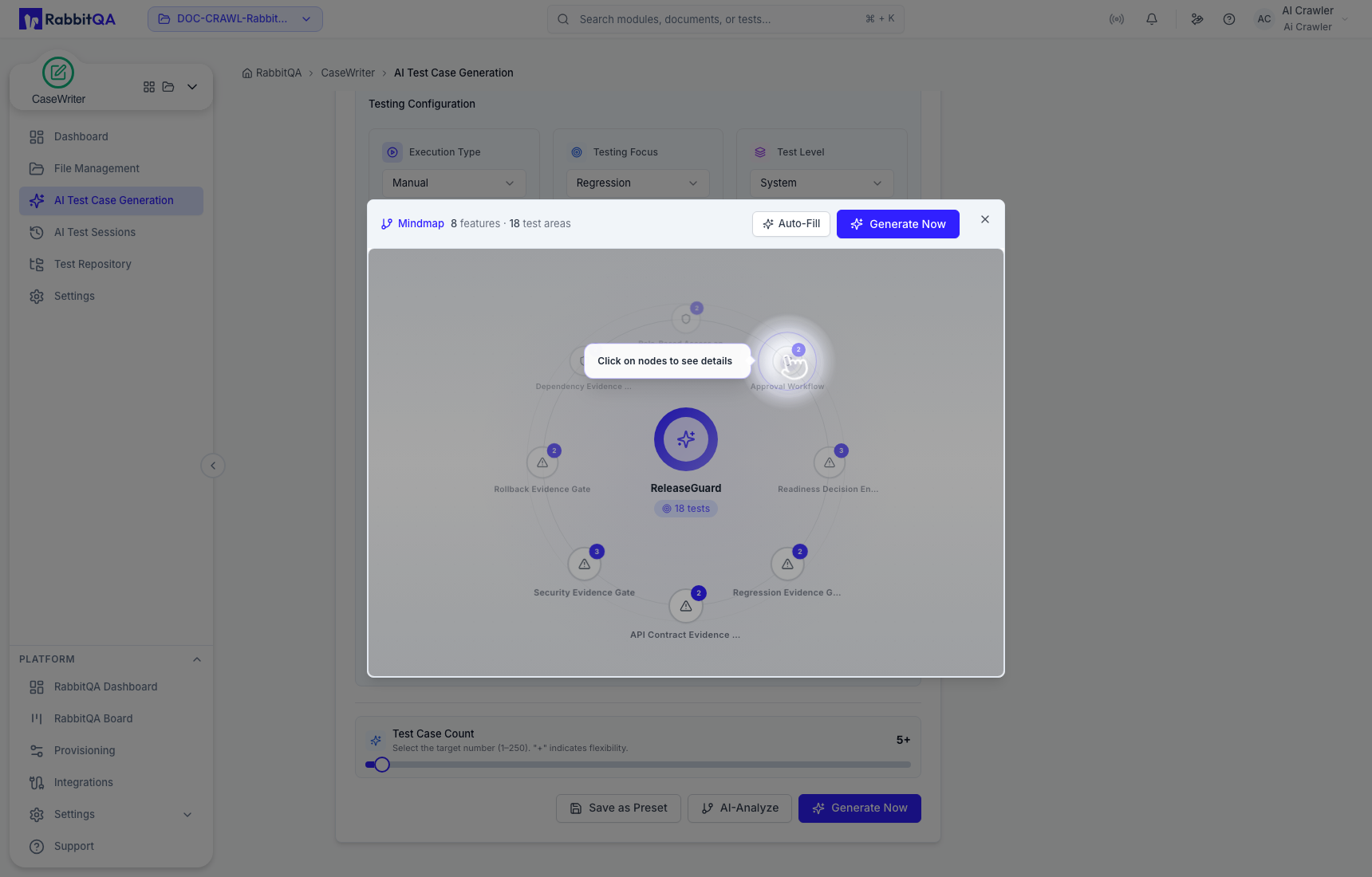
AI analysis is a design aid. It does not create repository cases and does not replace source review.
Generate
When at least one valid source and all required settings are present, select Generate Now. The run appears in AI Test Sessions. Completed output starts in Pending Review.
Do not treat a completed generation session as an approved suite. Review, approve, and explicitly save cases to the repository.
