Test Repository
The Test Repository is the active project's maintained collection of test sets and saved test cases. AI generation sessions remain separate until approved cases are explicitly saved here.
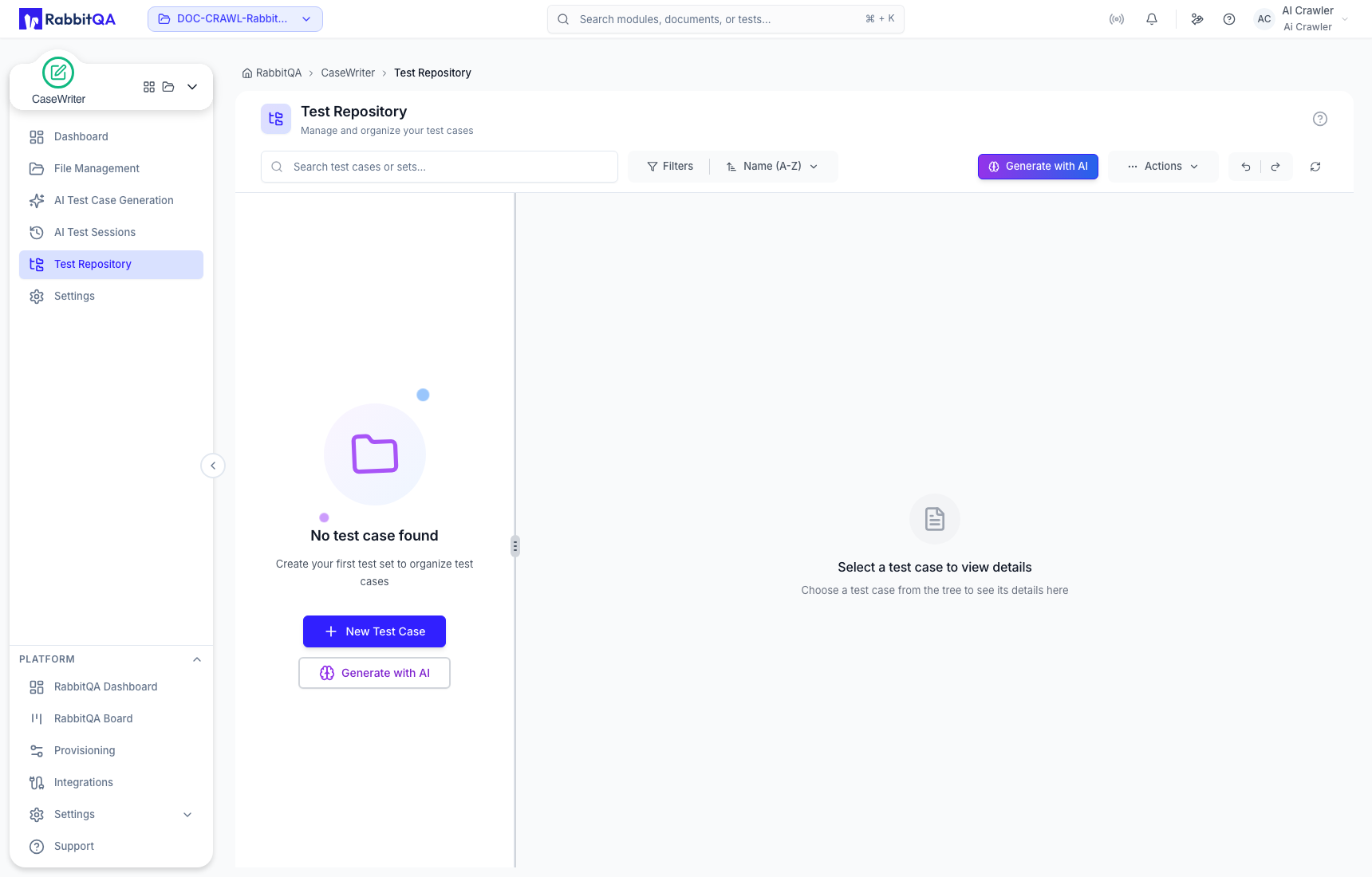
Repository layout
The left pane contains the test-set hierarchy. Select a set or case to display its details in the right pane. Use the divider to resize the panes when working with deep names or detailed content.
The toolbar provides search, filters, sorting, generation, actions, undo/redo, and refresh controls. Available operations depend on your role and the current selection.
Repository actions
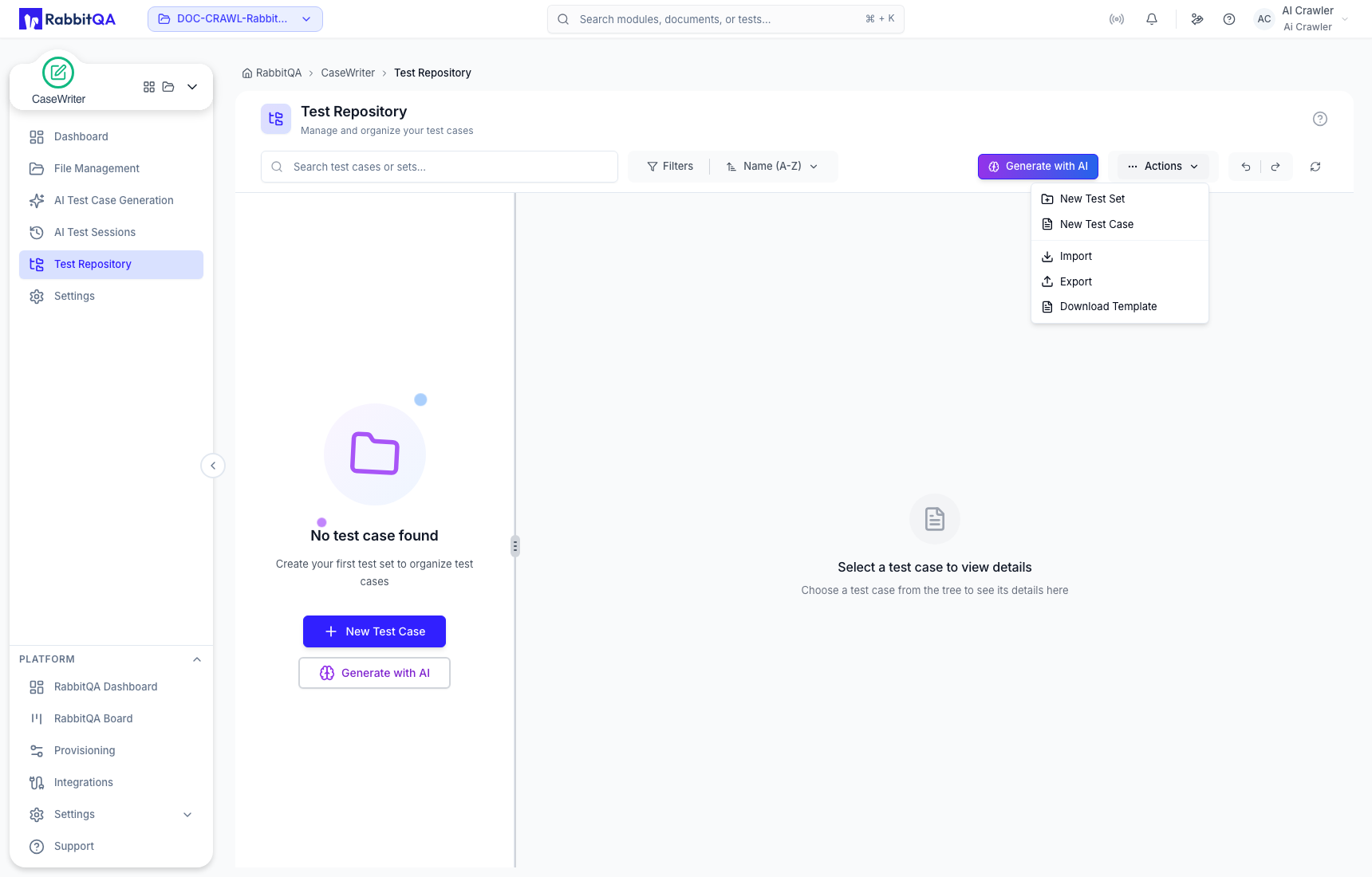
Open Actions to access the current creation and exchange workflows:
- New Test Set;
- New Test Case;
- Import;
- Export; and
- Download Template.
Generate with AI opens CaseWriter generation. Generated output still goes to an AI Test Session and must pass review before it can return to the repository.
Create a manual test case
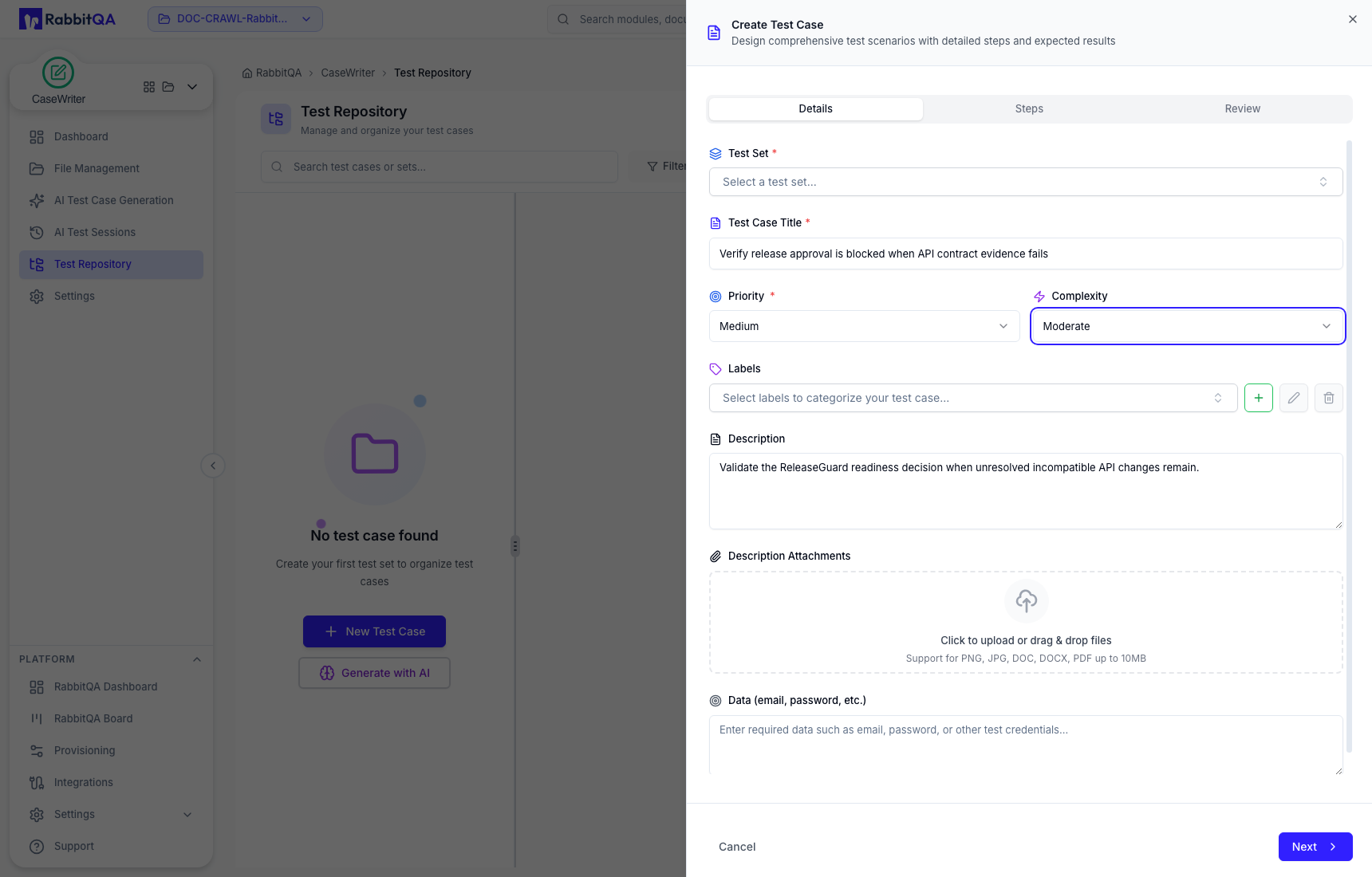
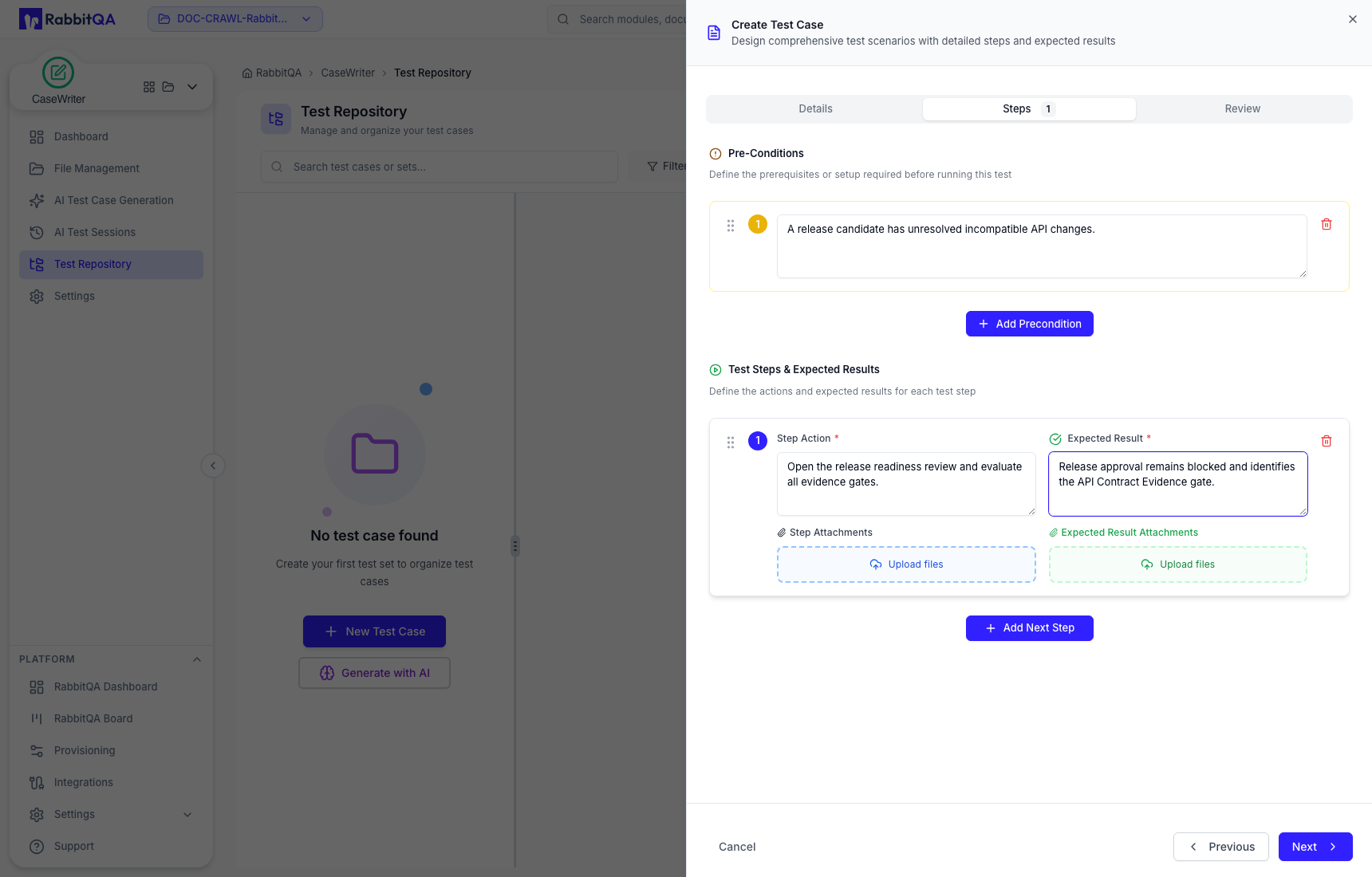
Manual creation is a three-stage drawer:
- Details — choose the destination test set and enter title, priority, complexity, labels, description, attachments, and required test data.
- Steps — add preconditions and ordered action/expected-result pairs, with attachments where needed.
- Review — check the complete case before creating it.
Do not place live passwords, API tokens, or personal information in the test-data field. Use safe references to controlled test-data sources or non-sensitive examples.
Find repository content
- Search by test case or test set name.
- Open Filters to narrow the hierarchy or case collection.
- Change sort order when reviewing a large set.
- Select an item in the tree to inspect its details.
- Refresh after a concurrent team change if the view is stale.
Repository maintenance
- Keep the hierarchy shallow enough to navigate.
- Use test sets for stable product or feature boundaries, not temporary reviewer queues.
- Keep labels consistent and avoid near-duplicate spelling.
- Remove duplicates only after confirming that no execution workflow references them.
- Revalidate cases when the linked requirement or product behavior changes.
For hierarchy design, see Test Sets. For supported exchange formats, see Import and Export.
