File Management
File Management is the shared document library available inside CaseWriter. Use it to find an existing source, inspect its status and quality score, add a version, or continue a precise version into AI Test Case Generation.
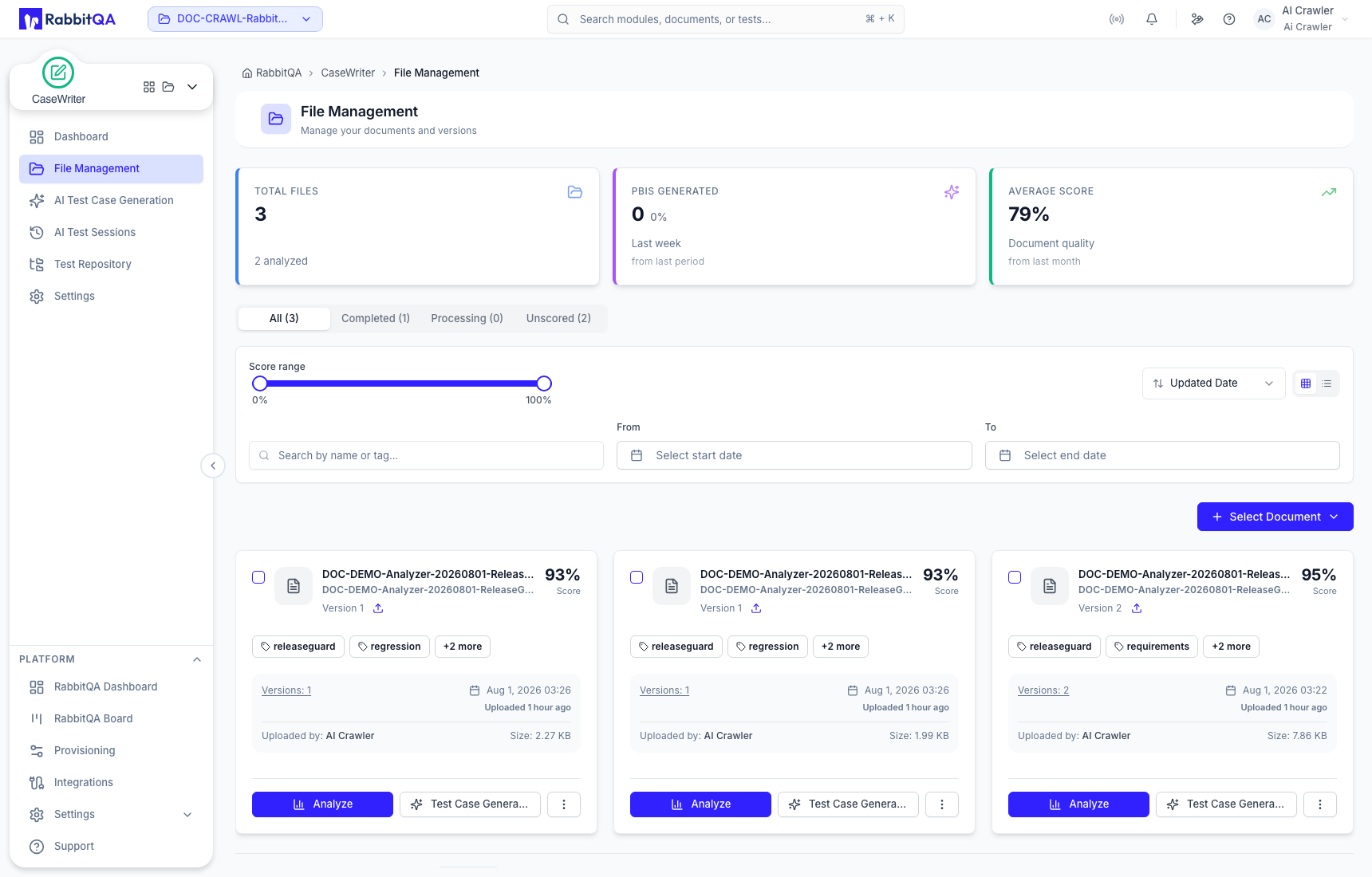
Find a source
Use the status tabs to separate All, Completed, Processing, and Unscored documents. You can further narrow the library by:
- quality-score range;
- document name or tag;
- updated-date range;
- sort order; and
- grid or list view.
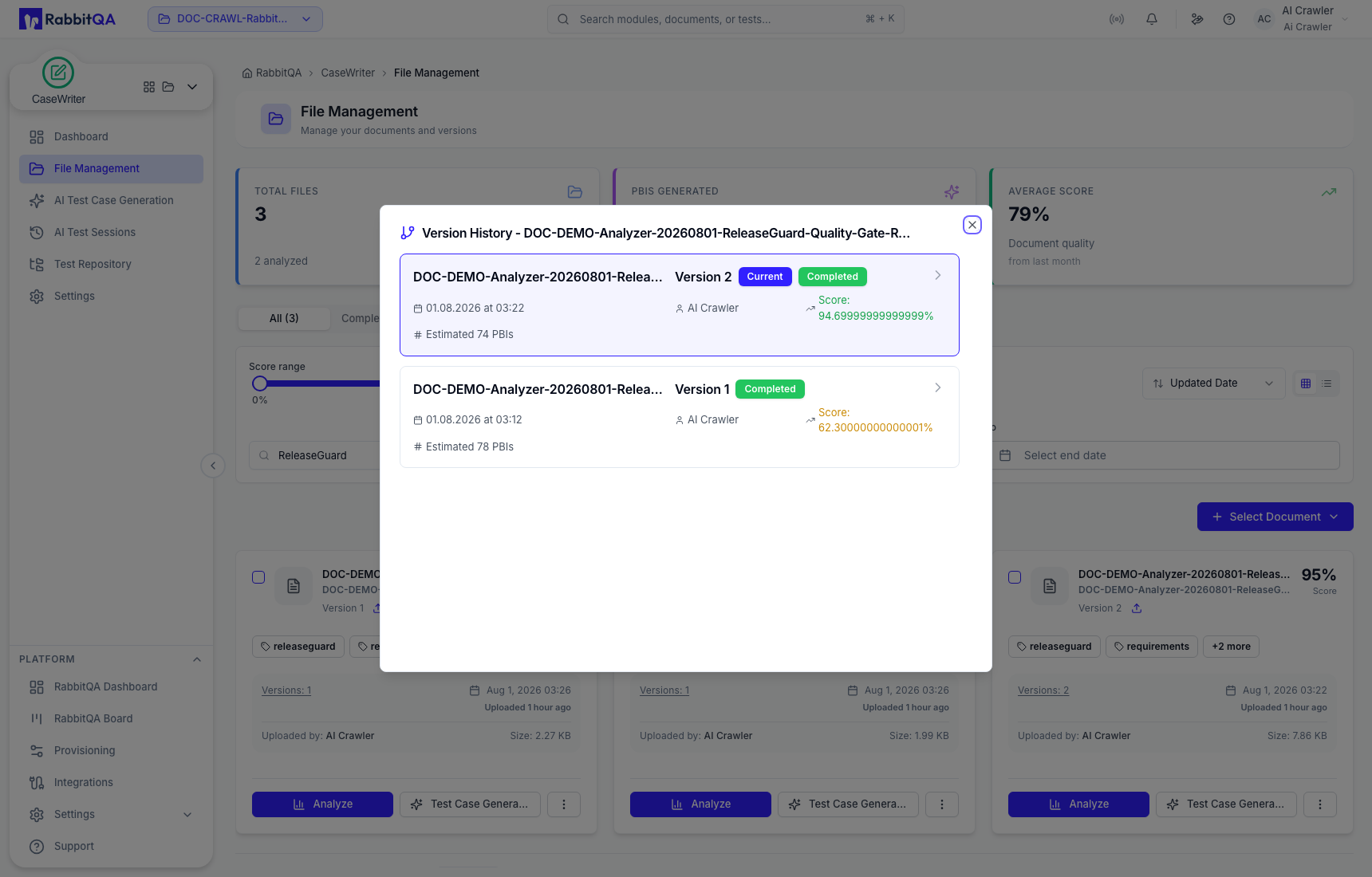
Always open Versions when a document has more than one version. The selected version is the evidence CaseWriter uses; a similarly named older version can produce materially different tests.
Add a document or version
Select Select Document and choose the relevant source action. For a local upload:
- Choose whether the upload is a new document or a new version of an existing one.
- Select up to 10 files in the upload dialog.
- Add useful comma-separated tags.
- Review the selected files, then submit the upload.
- Wait for processing to finish before using measurements or analysis-dependent actions.
The upload dialog lists PDF, JSON, DOC, DOCX, TXT, JPEG/JPG, PNG, and Markdown as supported source formats, with a 10 MB per-file limit.
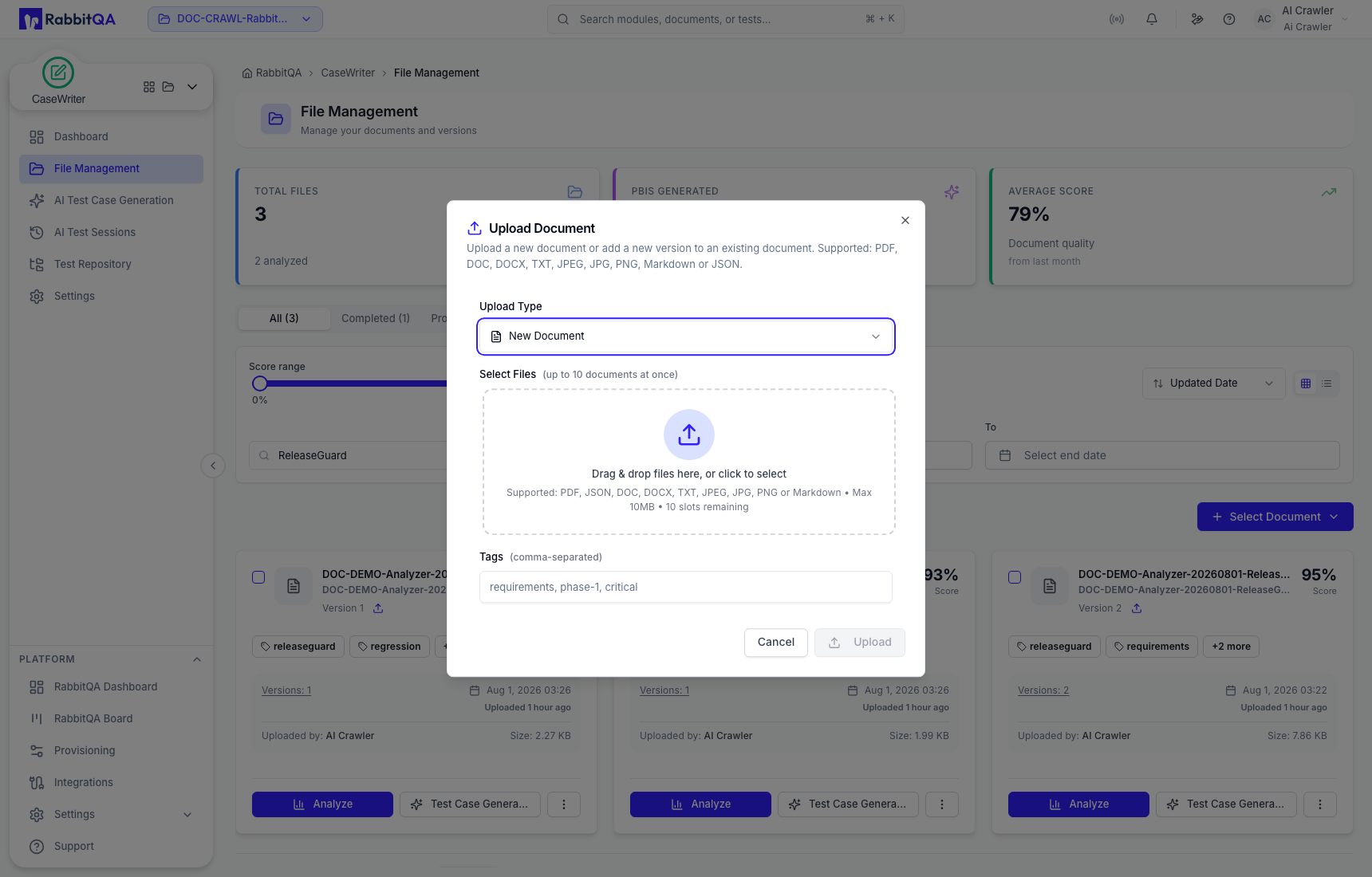
When the source is a revision of an existing specification, add a new version. This keeps analysis history together and makes the exact version used for generation easier to audit.
Continue to CaseWriter
From a document card, select Test Case Generation. If multiple versions exist, confirm the intended version before continuing. The generator opens with that source loaded; you still need to review the testing configuration before generating.
Document actions
Depending on status and role, document actions can include opening the file overview, reviewing version or measurement history, downloading, updating metadata, or removing the document. Treat removal as permanent and confirm that no team workflow still depends on the source.
