Analysis Sessions
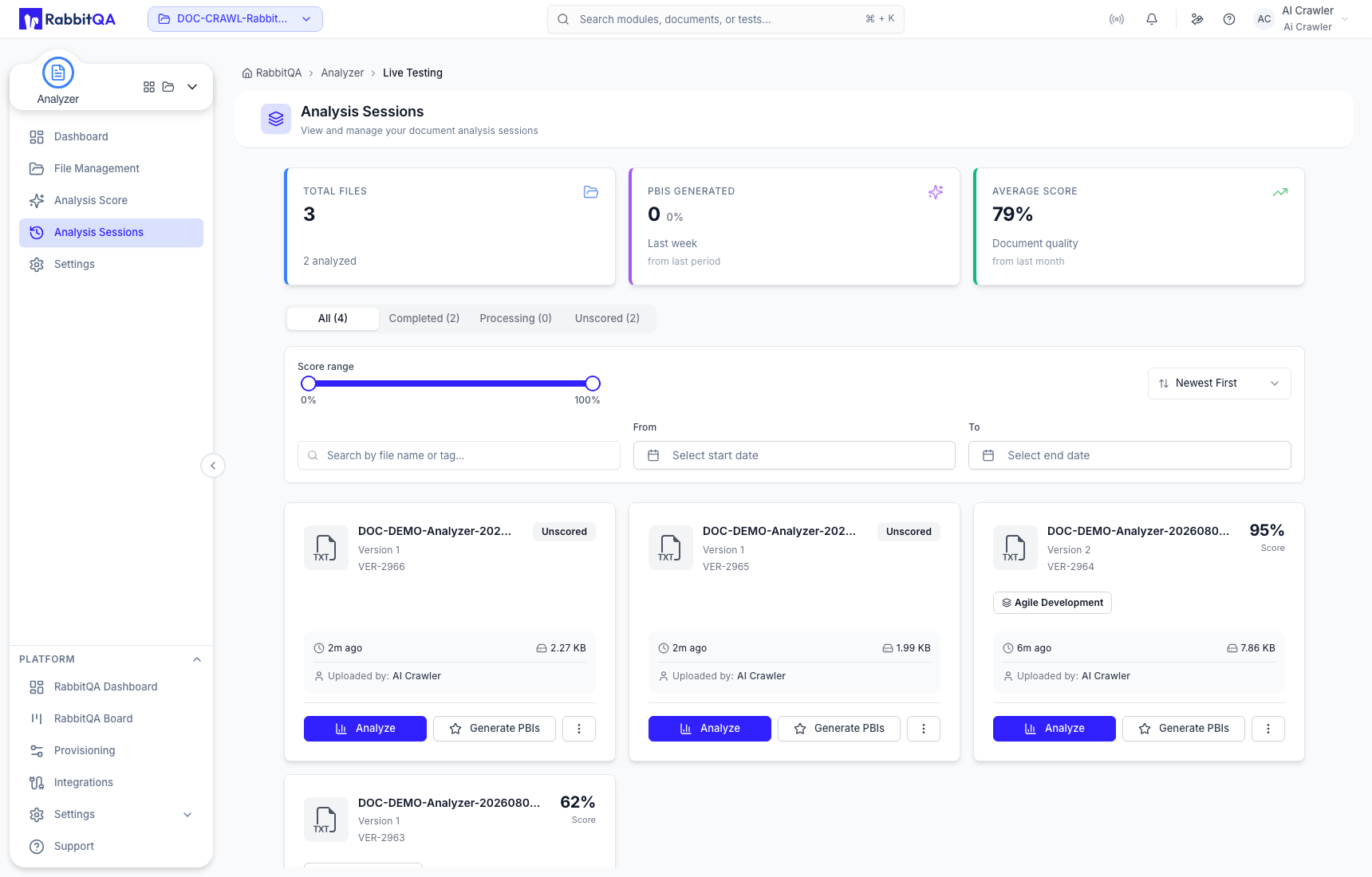
Analysis Sessions lists Analyzer file versions and their saved scoring states for the active project. Use it to reopen a completed result without repeating the analysis.
Find a saved result
Use All, Completed, Processing, and Unscored to separate file-version states. Summary cards show project-level totals such as files, analyzed records, generated PBIs, and average score.
You can combine:
- file-name or tag search;
- score range;
- start and end dates;
- Newest First, Oldest First, Highest Score, Lowest Score, Name A-Z, or Name Z-A sorting.
Each completed card identifies the file, version, template, score, upload time, uploader, and size. Analyze and Generate PBIs remain direct card actions.
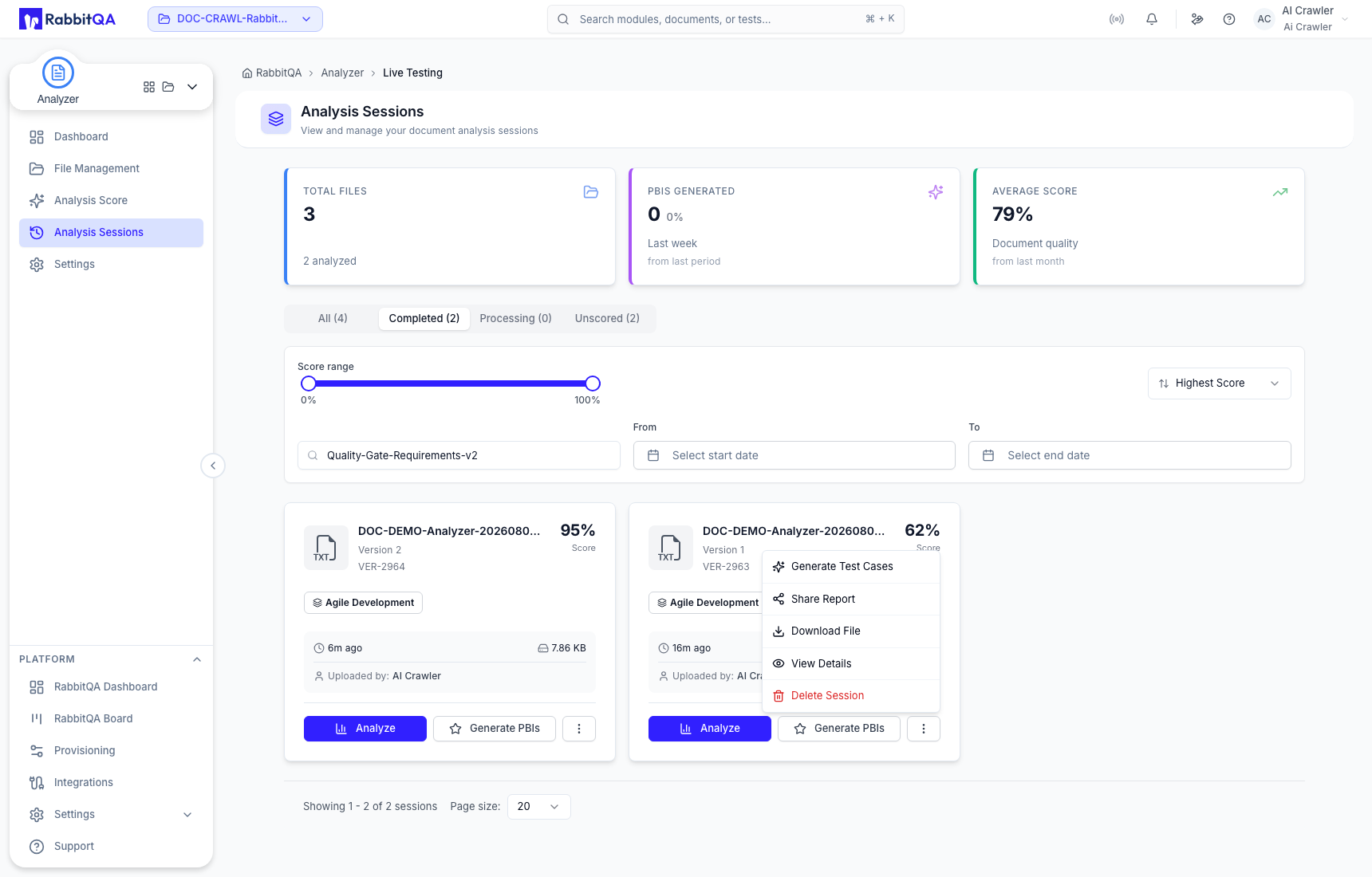
Session actions
Open the action menu for:
- Generate Test Cases — continue into CaseWriter with the selected version;
- Share Report — copy a link to the saved file-version result;
- Download File — retrieve the stored source version;
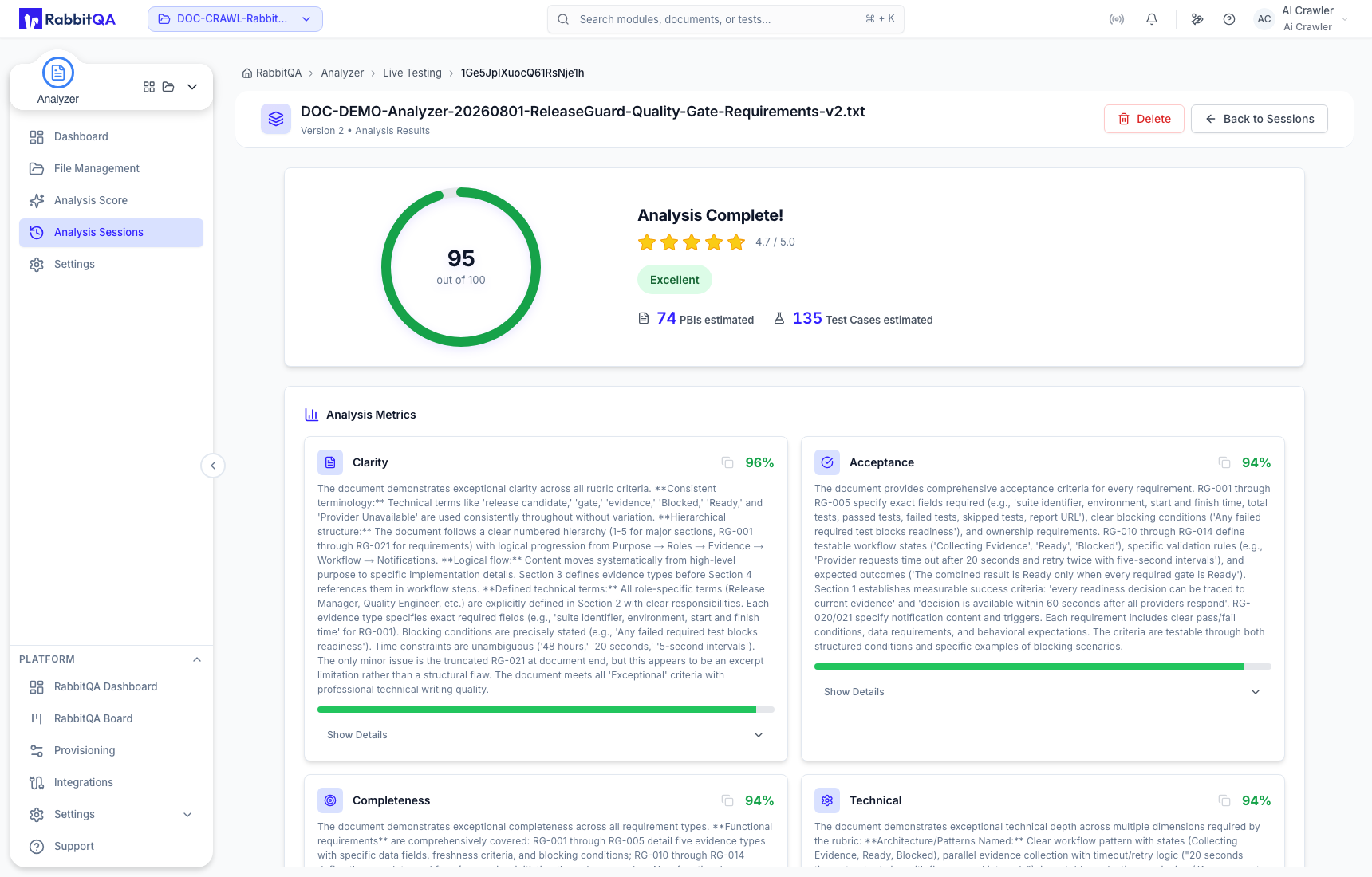
- View Details — reopen the complete saved score and evidence;
- Delete Session — permanently remove the selected analysis data.
Opening View Details preserves the saved score, rating, estimates, metric narratives, and selected version without starting another run.
Delete Session removes the selected analysis record and its analysis data. It is different from deleting the complete file group, but it cannot be undone. Verify the file name and version before confirming.
