Analysis Score
Analysis Score evaluates one document version or a related document set against a reusable quality model. The result combines an overall score with metric reasoning, improvement findings, coverage, and optional planning estimates.
Select the source
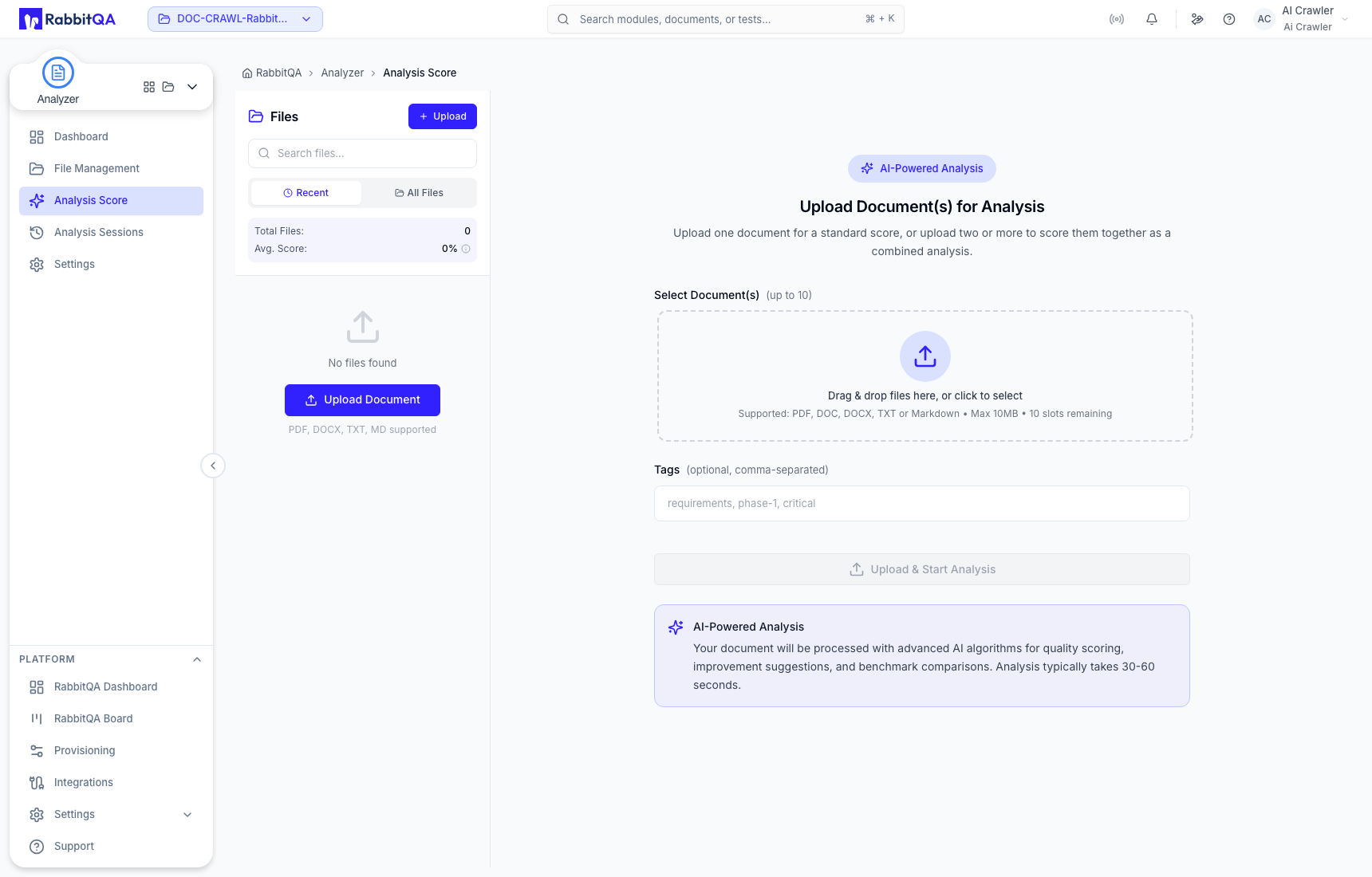
For a standard analysis, select one PDF, DOC, DOCX, TXT, or Markdown document up to 10 MB. The selection area provides up to ten slots; selecting two or more related documents configures one combined analysis rather than separate scores. Tags help you find stored files later.
Configure the analysis
- Confirm the selected file and version.
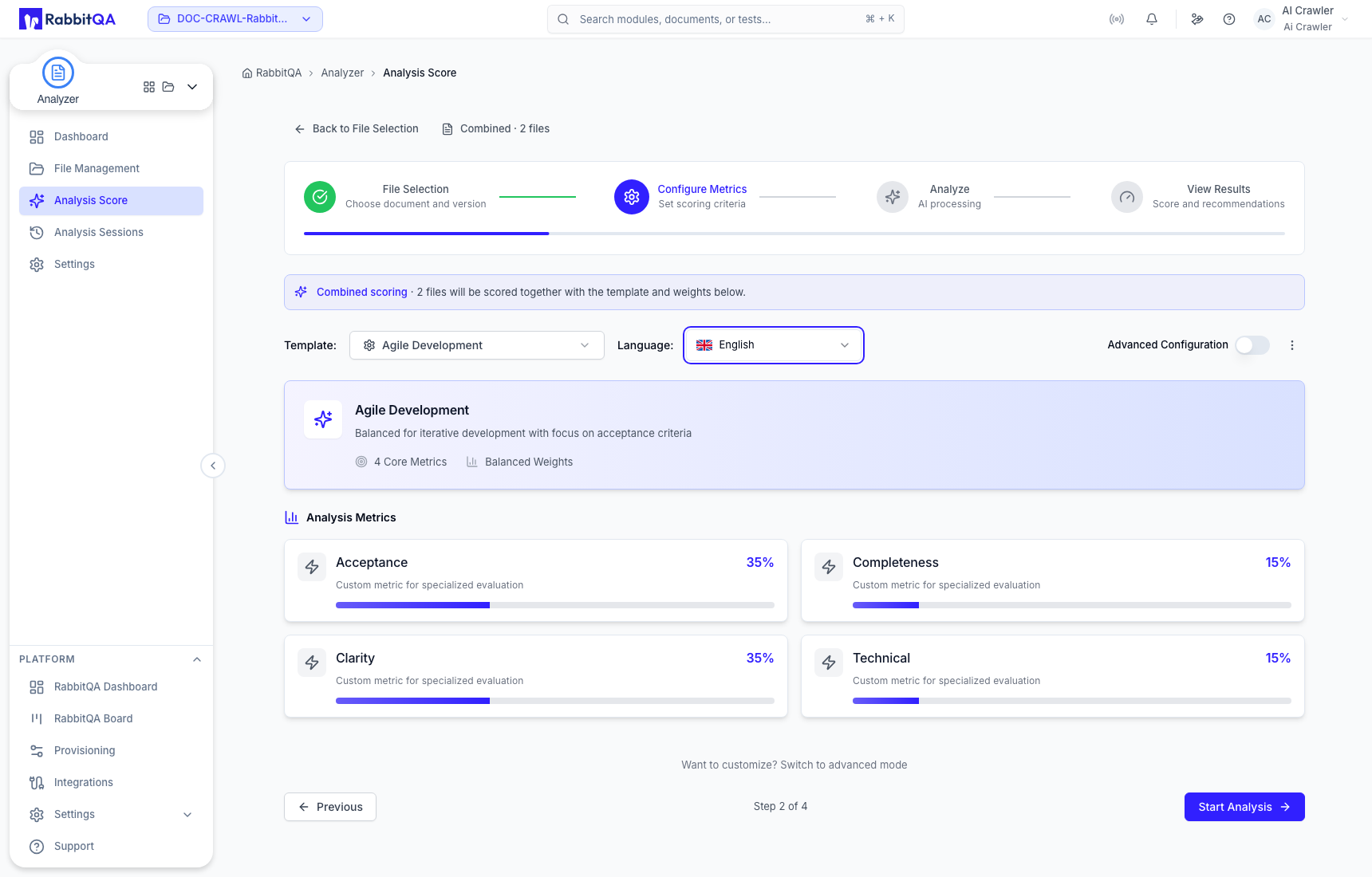
- Select a system or custom scoring template. The supplied system templates are Regulatory Compliance, Enterprise Project, Agile Development, and Security Critical.
- Set the report language explicitly when a fixed output language is required, or use Auto Detect.
- Review the quick configuration before continuing.
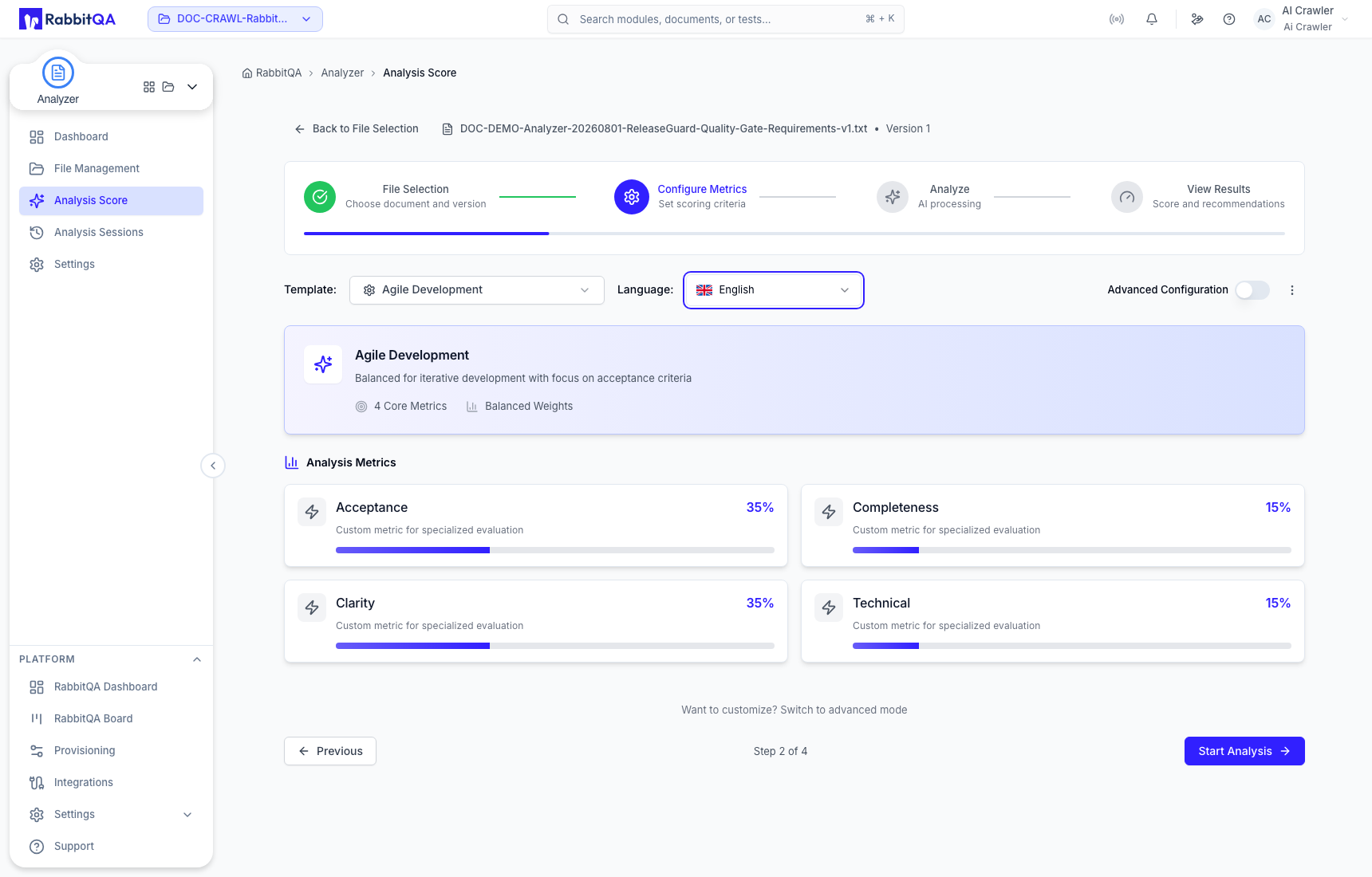
Open Advanced Configuration to adjust the weights for the four core metrics:
- Clarity
- Acceptance
- Completeness
- Technical
You can add one optional custom metric. A configuration can contain no more than five metrics, and the total weight must equal 100%.
You can also request AI Insights, Coverage Assessment, Estimation Summary, Suggestions, and Metric Examples independently. Confirm the file version, template, language, weights, and result sections before selecting Start Analysis.
Read the result
Start with the overall score and metric split, then read each metric narrative. Expand metric details to connect the score to source evidence, improvement suggestions, and stronger or weaker examples.
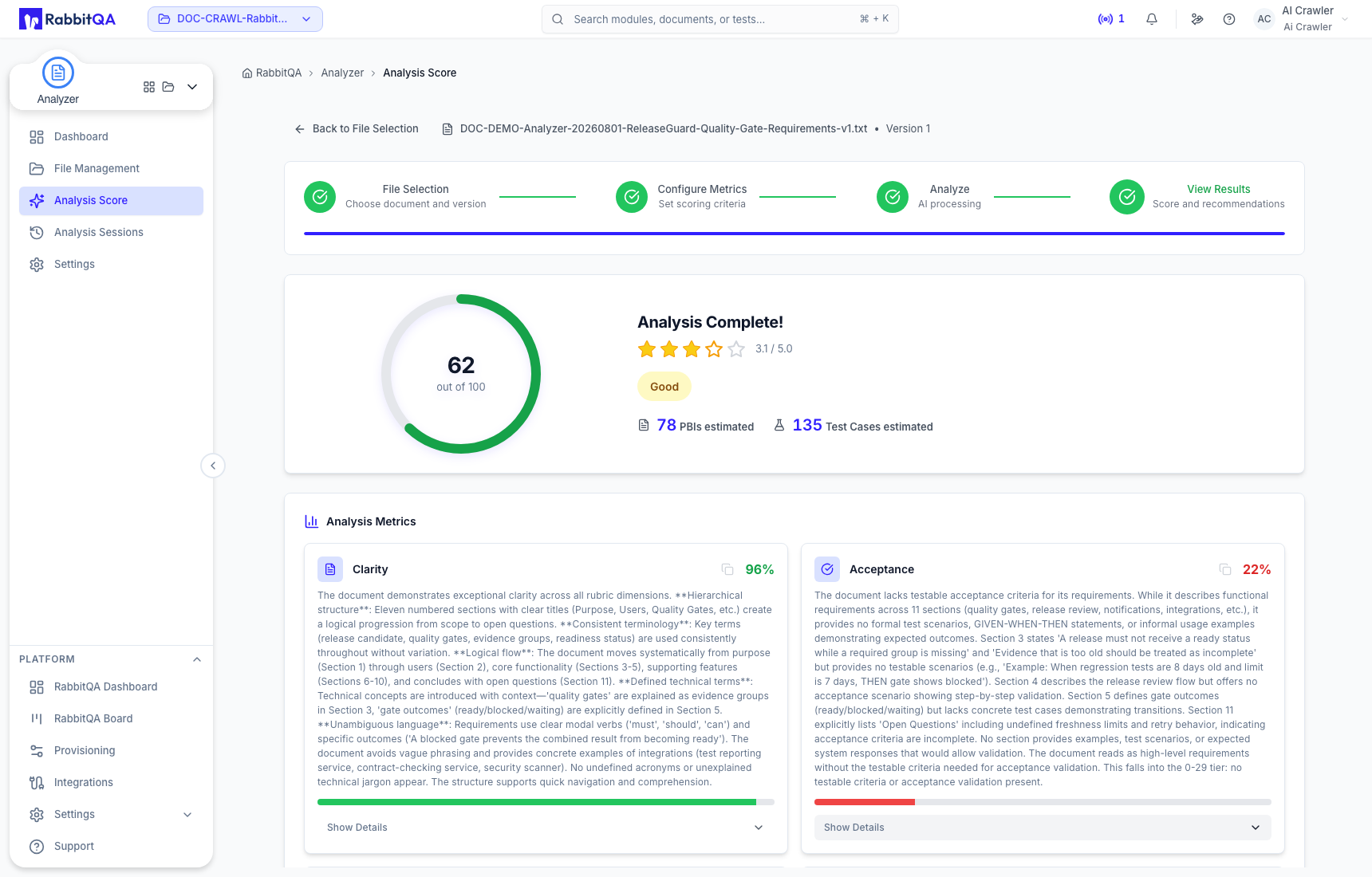
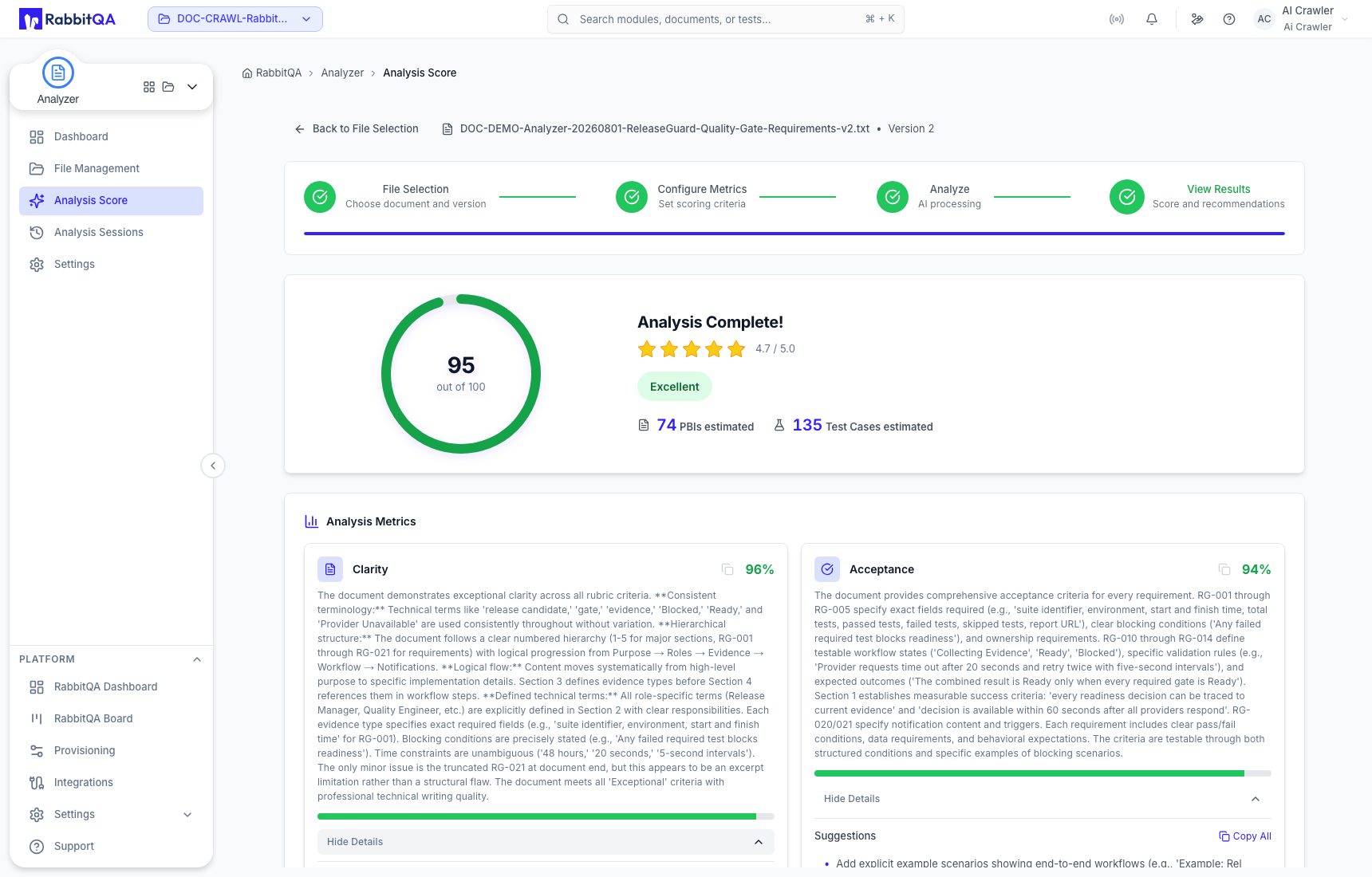
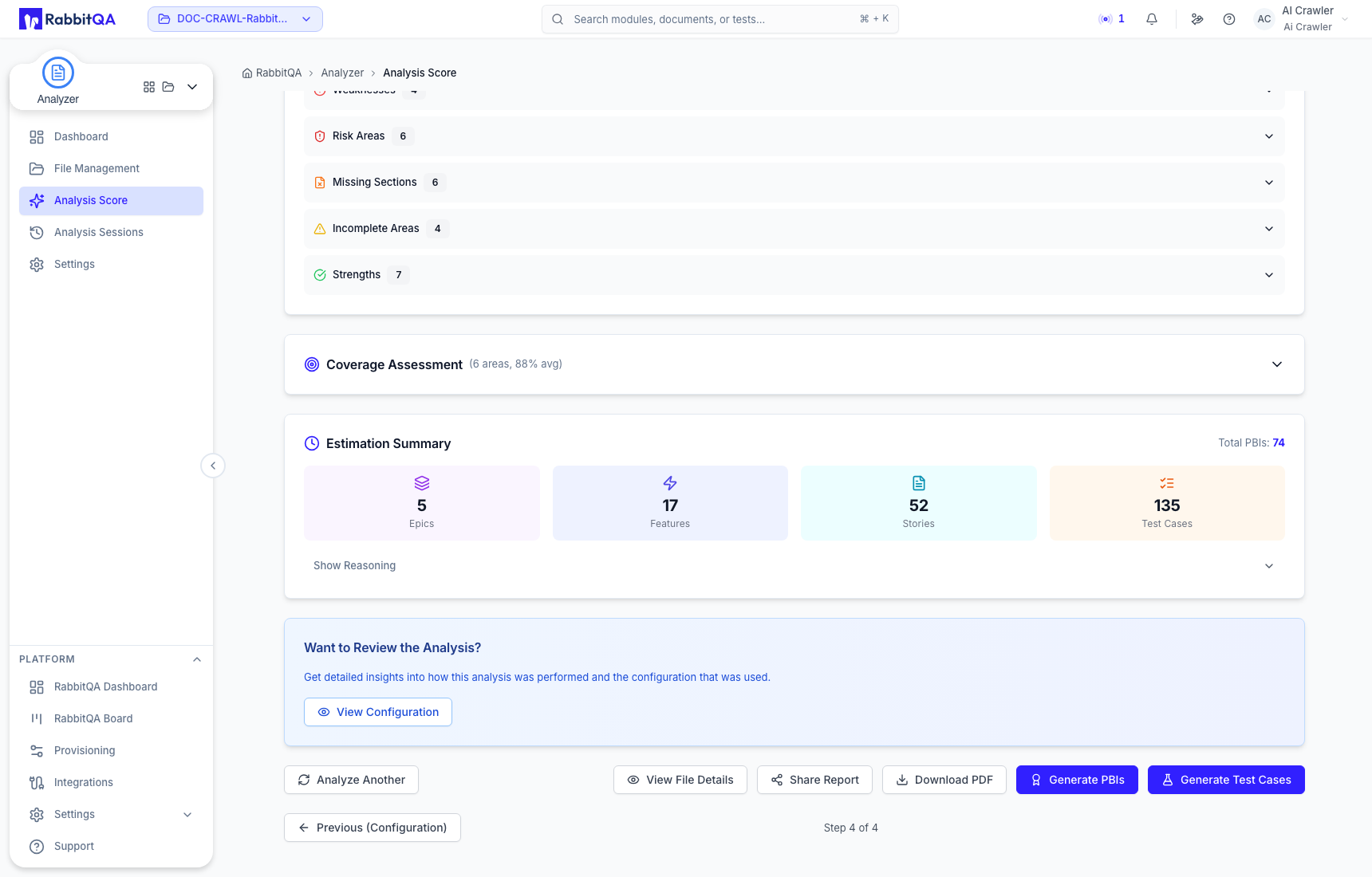
When requested, AI Insights groups prioritized actions, weaknesses, risks, missing sections, incomplete areas, and strengths. Confirm each finding against the maintained source and its real scope before revising the document.
Coverage Assessment shows relative coverage by requirement area. A high overall score can still contain a weak metric or an uncovered area.
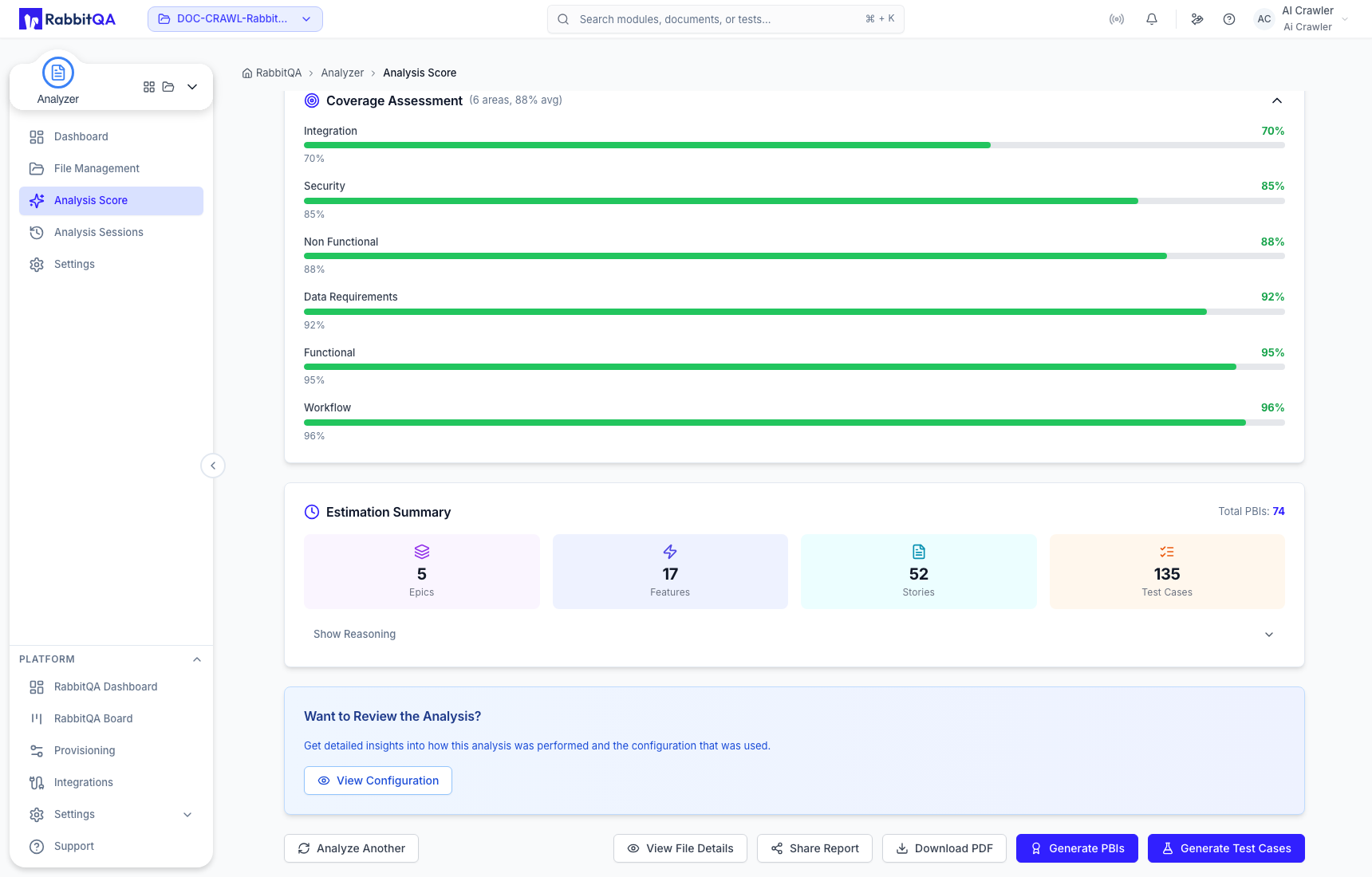
Estimation Summary explains how Analyzer inferred possible epics, features, stories, PBIs, and test cases. These counts are planning indicators; they are not generated backlog or repository records.
From a completed result you can open File Details, share a version-specific report link, download a PDF report, analyze another document, or continue to SmartPBI or CaseWriter.
Combined analysis
Select at least two related documents when they should be judged as one shared scope. The configuration identifies the run as Combined and applies one template, language, weight set, and result selection to every member file.
Interpret the result as a cross-document finding. Do not assign the combined score or a gap to one member file unless the supporting narrative identifies it.
When measuring a revision, keep the template, weights, language, and requested result sections the same. This keeps the comparison focused on the source change rather than on a changed scoring model.
