Analyzer Settings
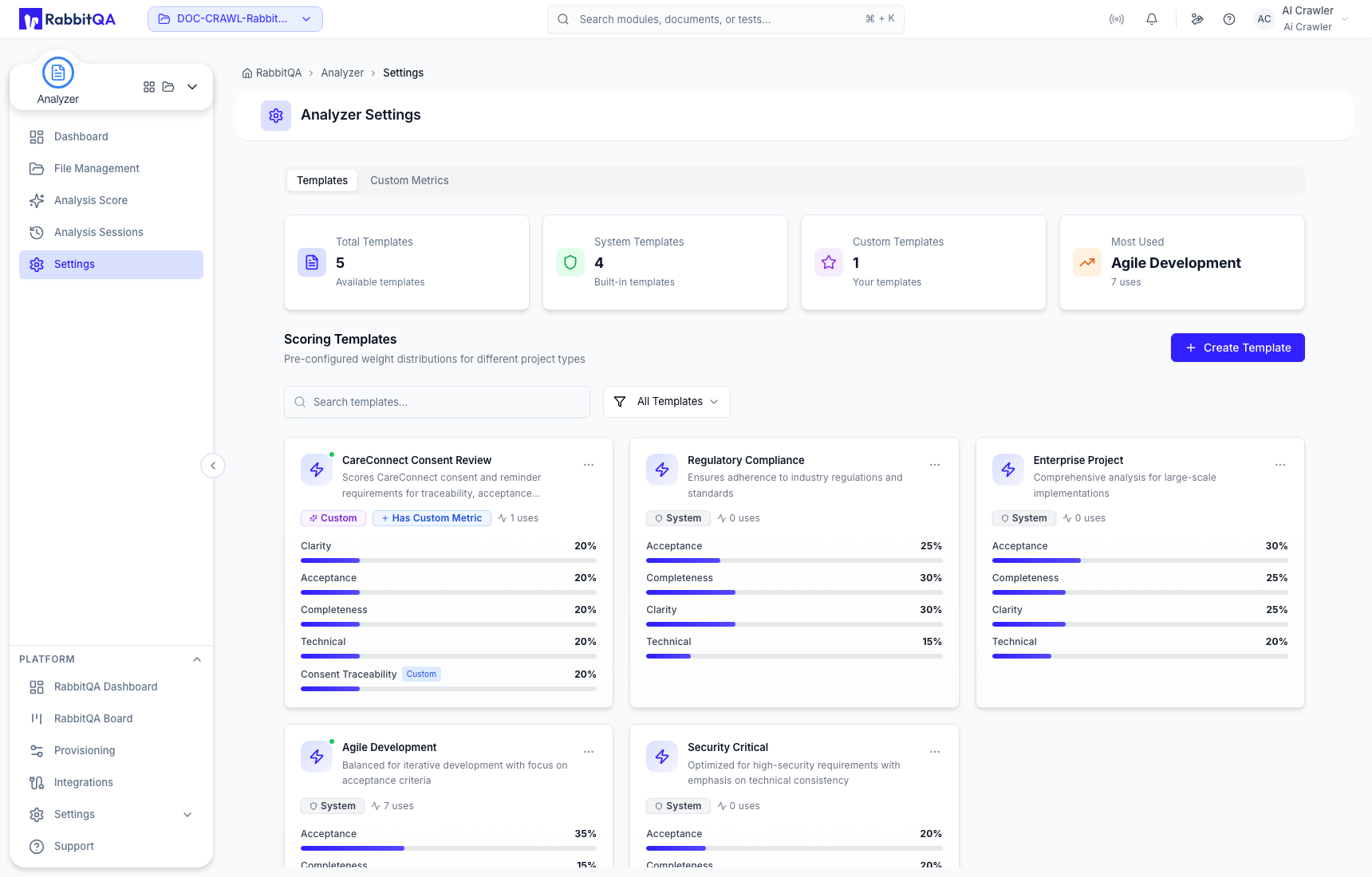
Analyzer Settings contains two libraries: Templates and Custom Metrics. Use them to standardize a reusable scoring policy before running document analysis.
Scoring templates
The supplied system templates are:
- Regulatory Compliance
- Enterprise Project
- Agile Development
- Security Critical
System templates are preserved as supplied and offer a Duplicate action. A duplicate becomes an independent custom template that you can edit.
Custom templates can be duplicated, edited, or deleted. A template contains the four core metrics and can include one optional custom metric. Its weights must total 100% before the template can be created or updated.
Custom metrics
Create a custom metric when Clarity, Acceptance, Completeness, and Technical do not fully represent the review objective.
- Select Create Metric.
- Enter a clear metric name and a description of the evidence to evaluate.
- Set its default weight. The current form accepts 1–80%.
- Select Validate Metric.
- After validation succeeds, select Create Metric.
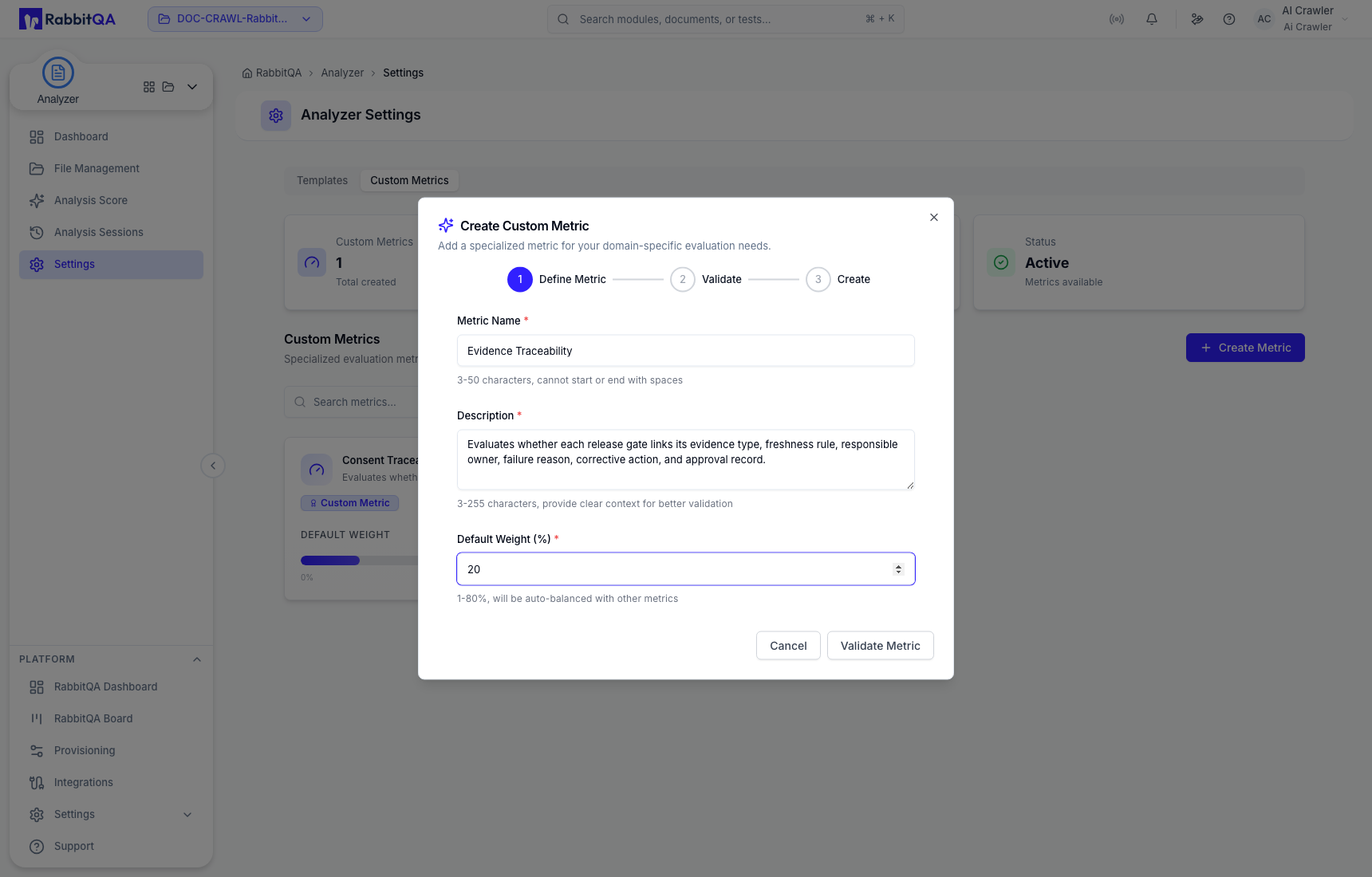
Validation checks whether the definition is usable for document analysis; it does not prove that the metric represents your organization's policy. Agree the scope and measurable evidence with the responsible reviewers before publishing it for reuse.
Create a custom template
Enter a purpose-specific name and description, then use Auto Balance or set the four core weights manually. Add no more than one custom metric and keep the complete distribution at 100%.
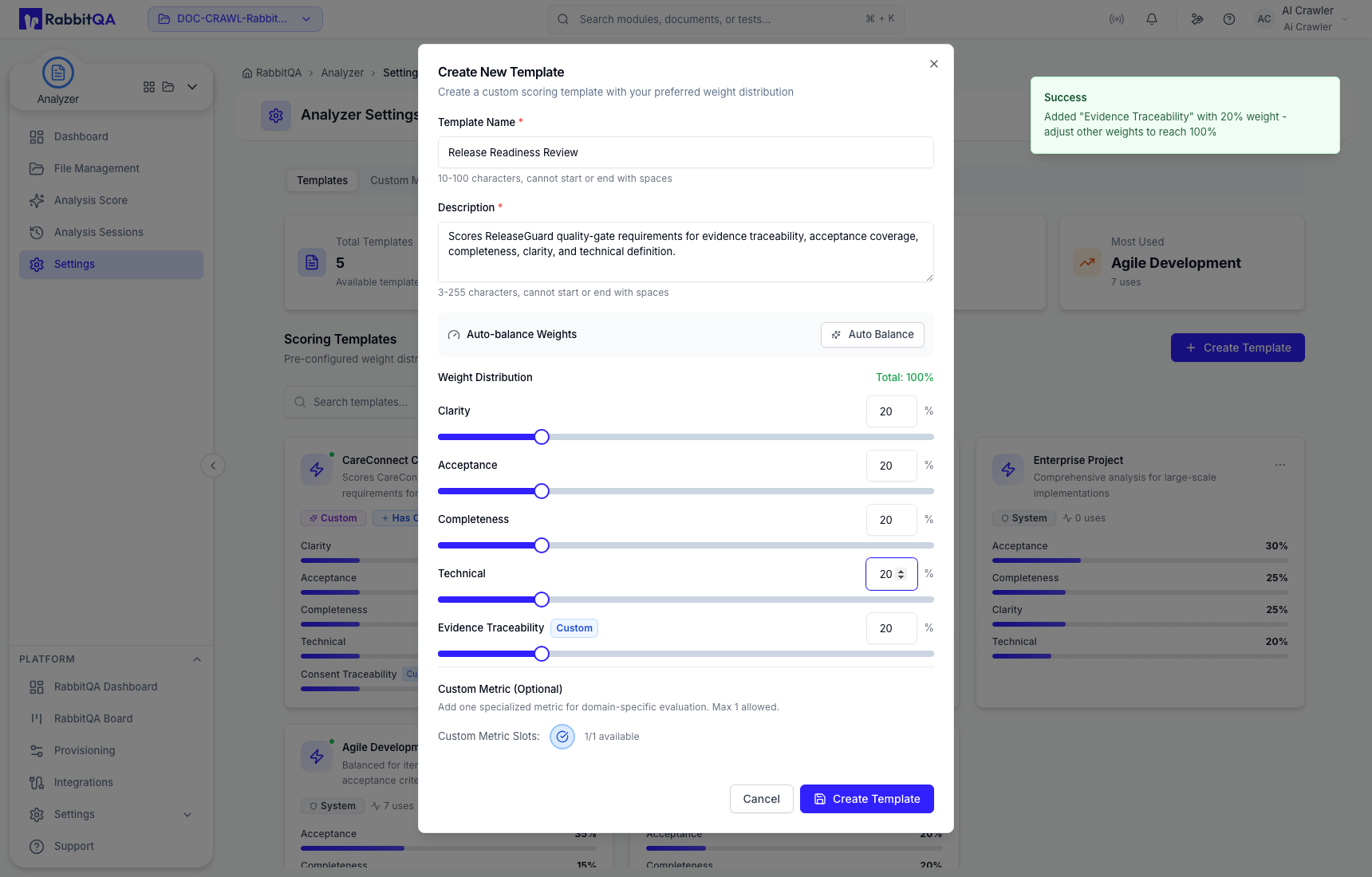
After creation, the template appears in the Templates library and in future Analysis Score configuration. Editing the maintained template changes its future use; saved analysis results retain their recorded configuration.
Check the item name and current use before deleting a custom metric or template. System templates cannot be edited or deleted.
