Continue to SmartPBI or CaseWriter
Analyzer can hand a reviewed file version to a downstream generation module. The handoff preserves the selected source, version, analysis score, and active project context, but it does not generate content automatically.
Generate PBIs
Select Generate PBIs when the analyzed requirements are ready to become backlog candidates. SmartPBI opens with the analyzed file and version preselected.
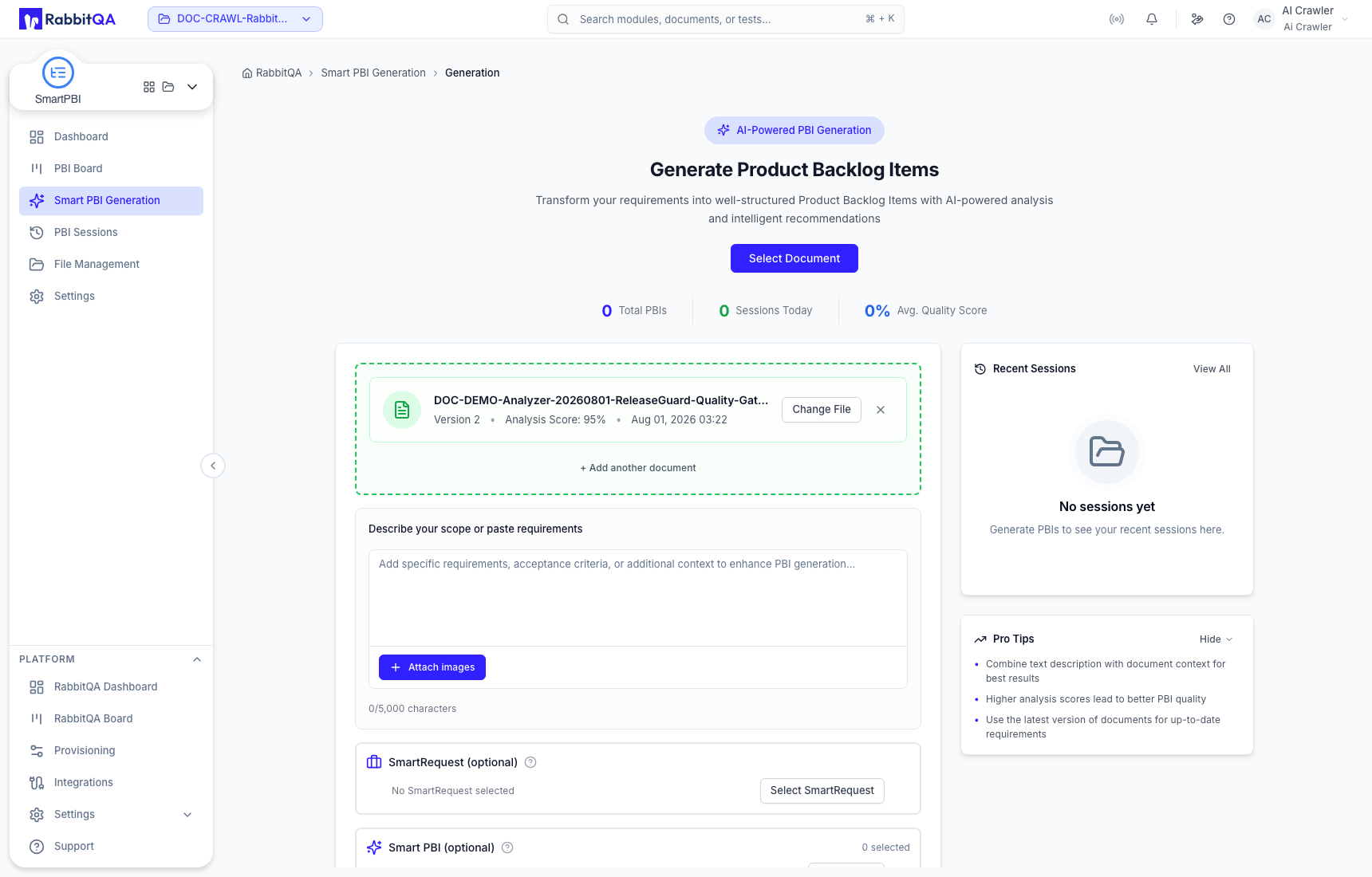
Before selecting Generate Now in SmartPBI:
- Confirm the carried file and version.
- Add scope text, images, SmartRequest context, or existing PBIs only when they belong to the same intended generation scope.
- Review the SmartPBI configuration and output options.
PBI creation, editing, hierarchy, and export belong to the SmartPBI module, not Analyzer.
Generate test cases
Select Generate Test Cases when the analyzed requirements are ready for test design. CaseWriter opens AI Test Case Generation with the file, version, analysis score, and project context already selected.
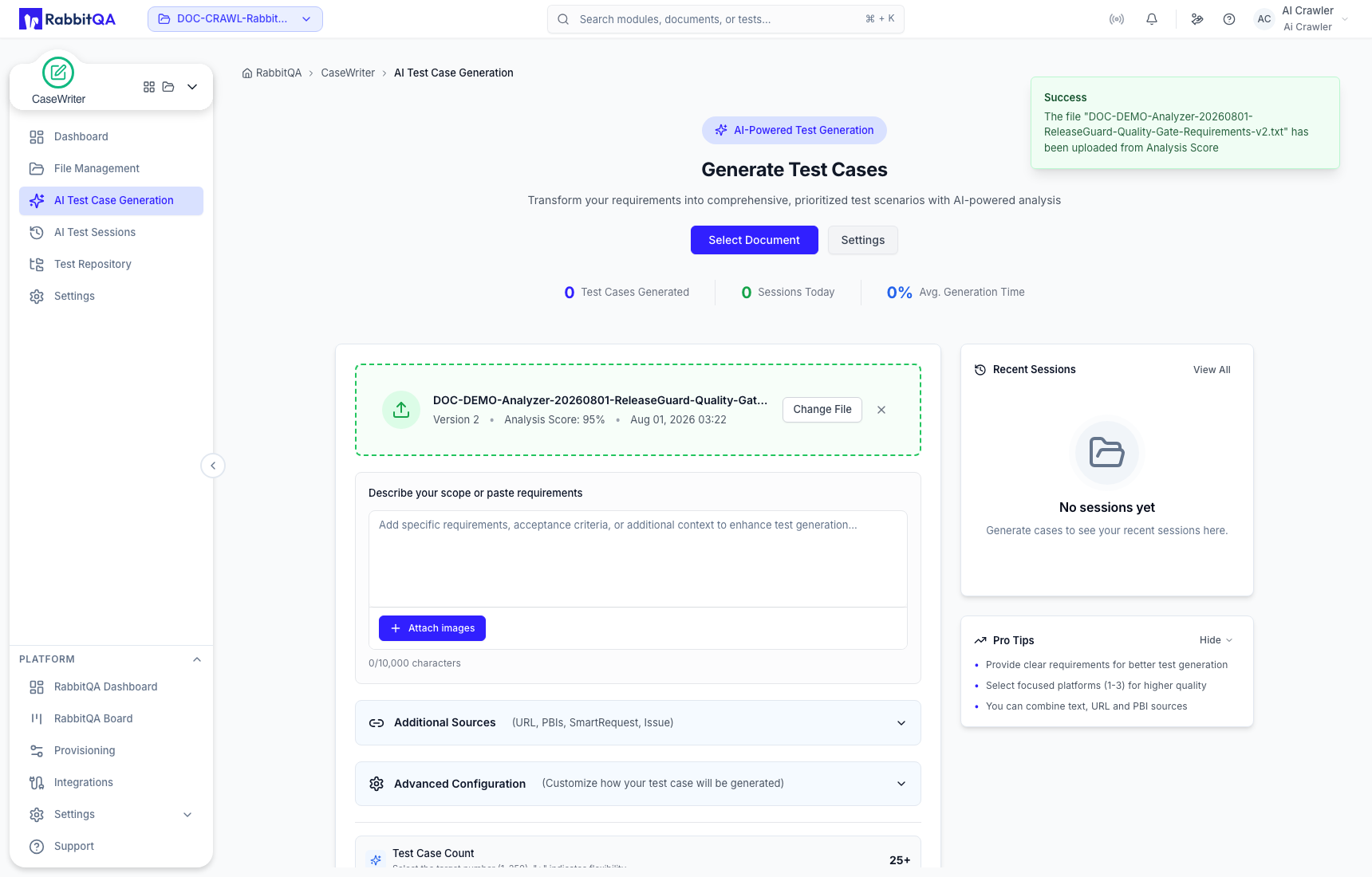
Review the source list, add any necessary generation instructions or related sources, and confirm CaseWriter settings before selecting Generate Now.
An Analyzer score and the carried source context help you prepare generation. They do not confirm that every requirement is correct, complete, or approved. Review both the source and the downstream inputs before starting either generation workflow.
