Test Runs
A Test Run is one bounded execution cycle under a Test Plan. It stores the run profile, dates, and assigned repository cases that become executable records.
Create an immediate Test Run
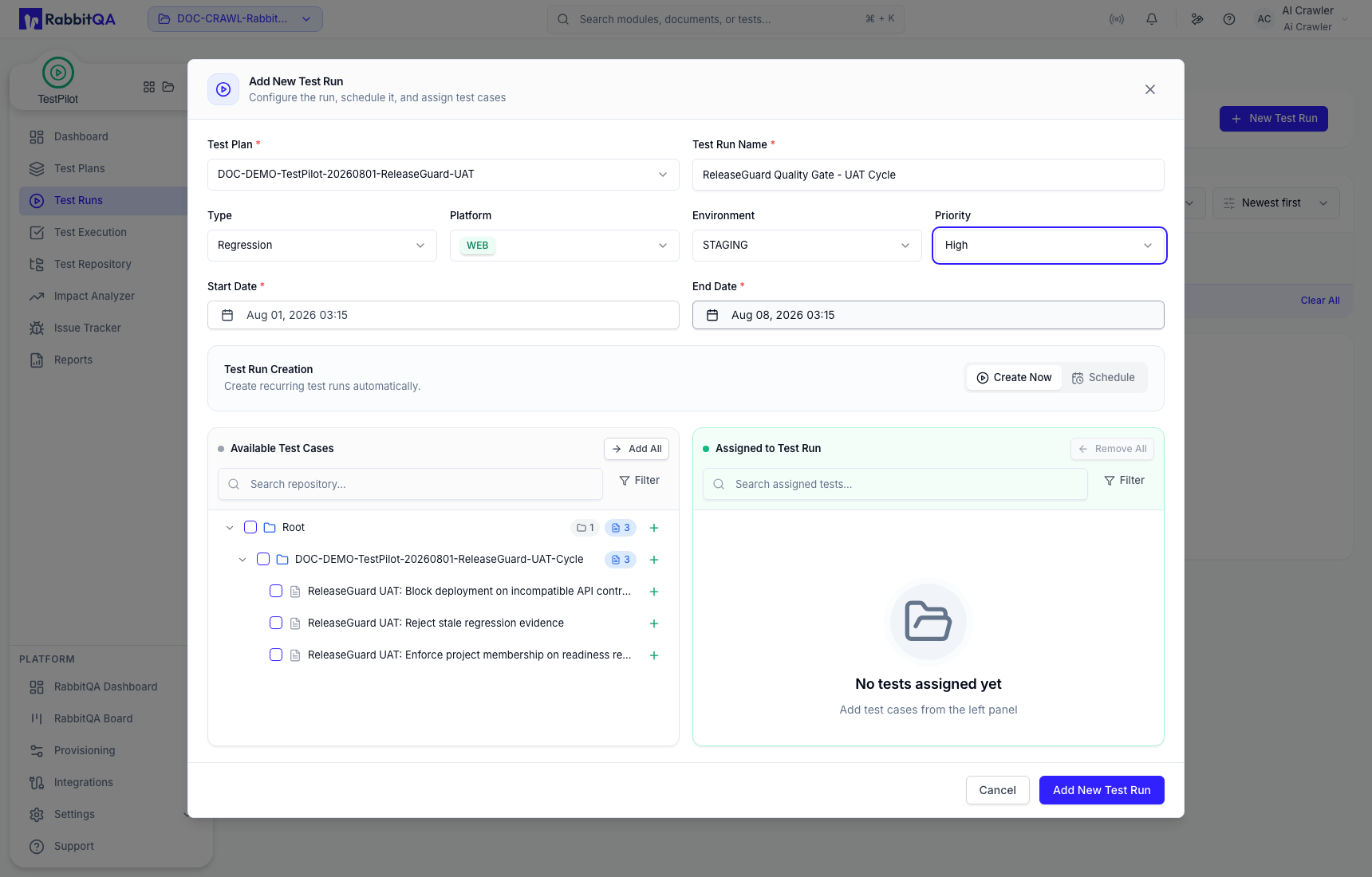
- Open Test Runs and select New Test Run.
- Select the required Test Plan.
- Enter the Test Run Name.
- Choose Type, Platform, Environment, Priority, Start Date, and End Date.
- Keep Create Now selected.
- Assign the intended repository cases.
- Select Add New Test Run.
Schedule controls
The form also shows a Schedule tab with start time, timezone, repeat interval, weekdays, and end rules.
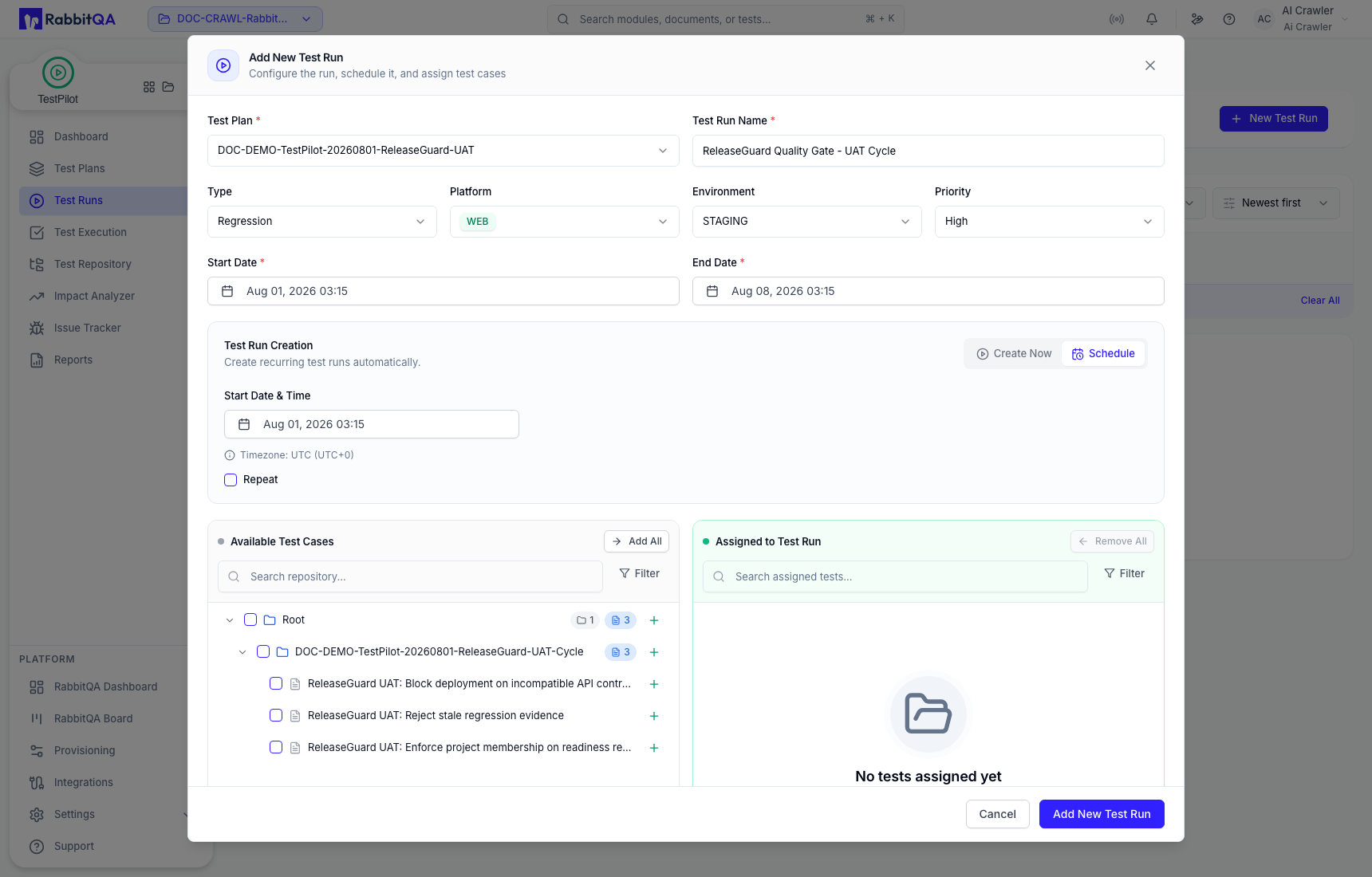
The current form builds a recurrence draft but does not persist a recurring schedule from this screen. Use Create Now when the run must be created here.
Assign repository cases
Search Available Test Cases, expand the repository hierarchy, then:
- use the row plus action for one case or set;
- use Add All for the complete visible scope;
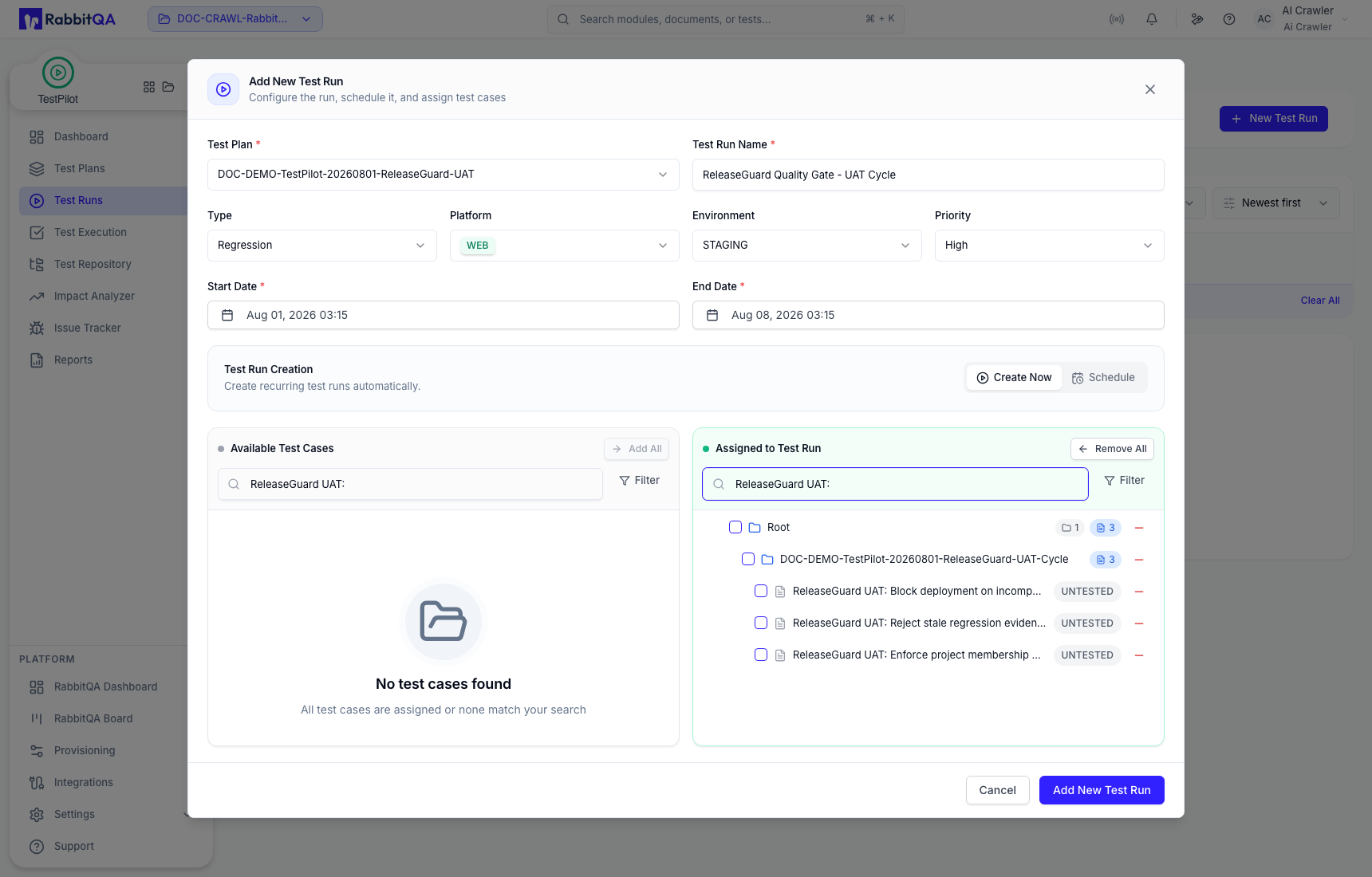
- use a row minus action or Remove All to correct the draft.
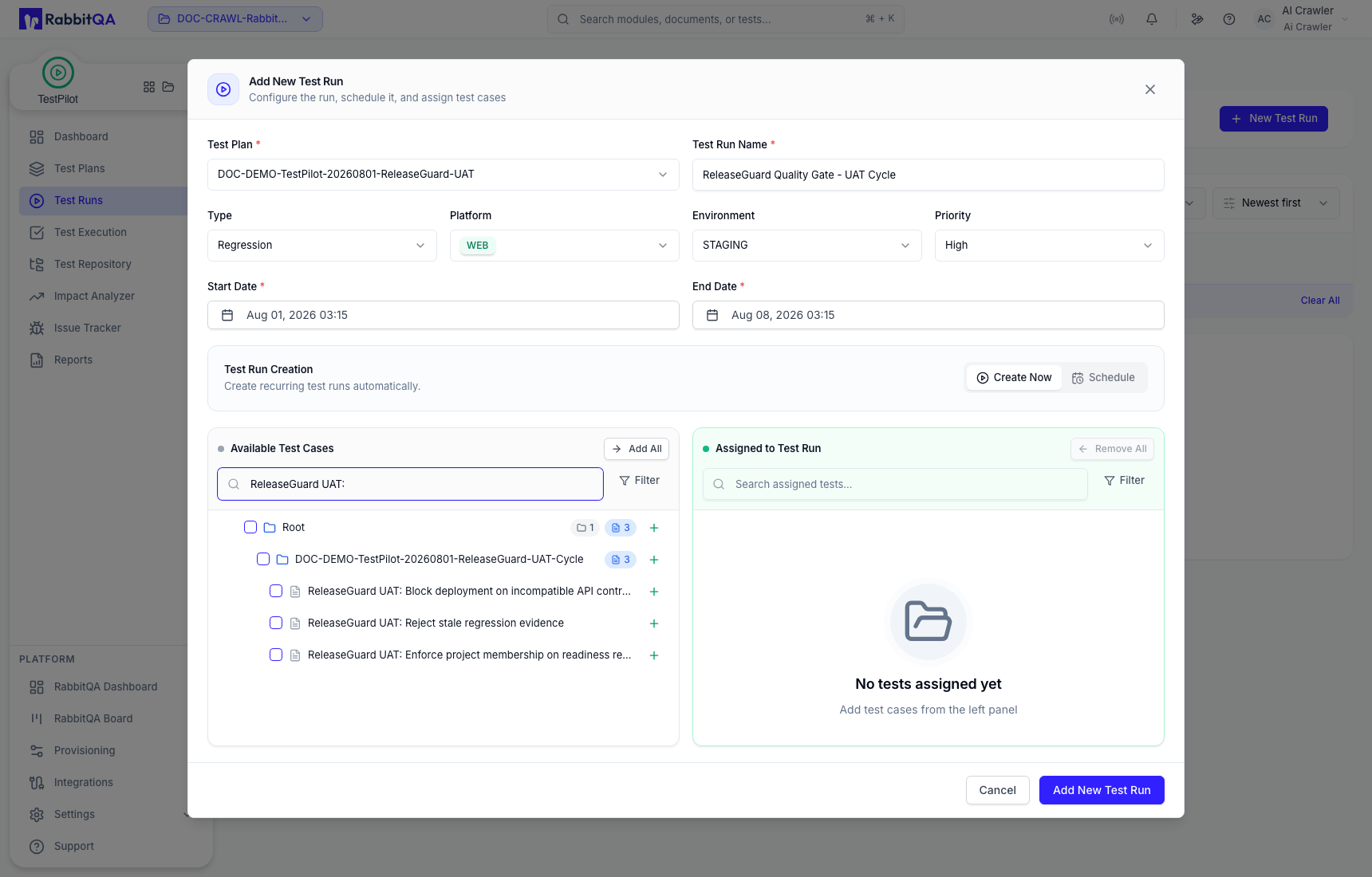
Verify the Assigned to Test Run panel before creation. Cases remaining in Available Test Cases are not part of the run.
After creation, confirm the success message and row values, including plan, run identifier, type, platform, environment, timeline, and initial result state.
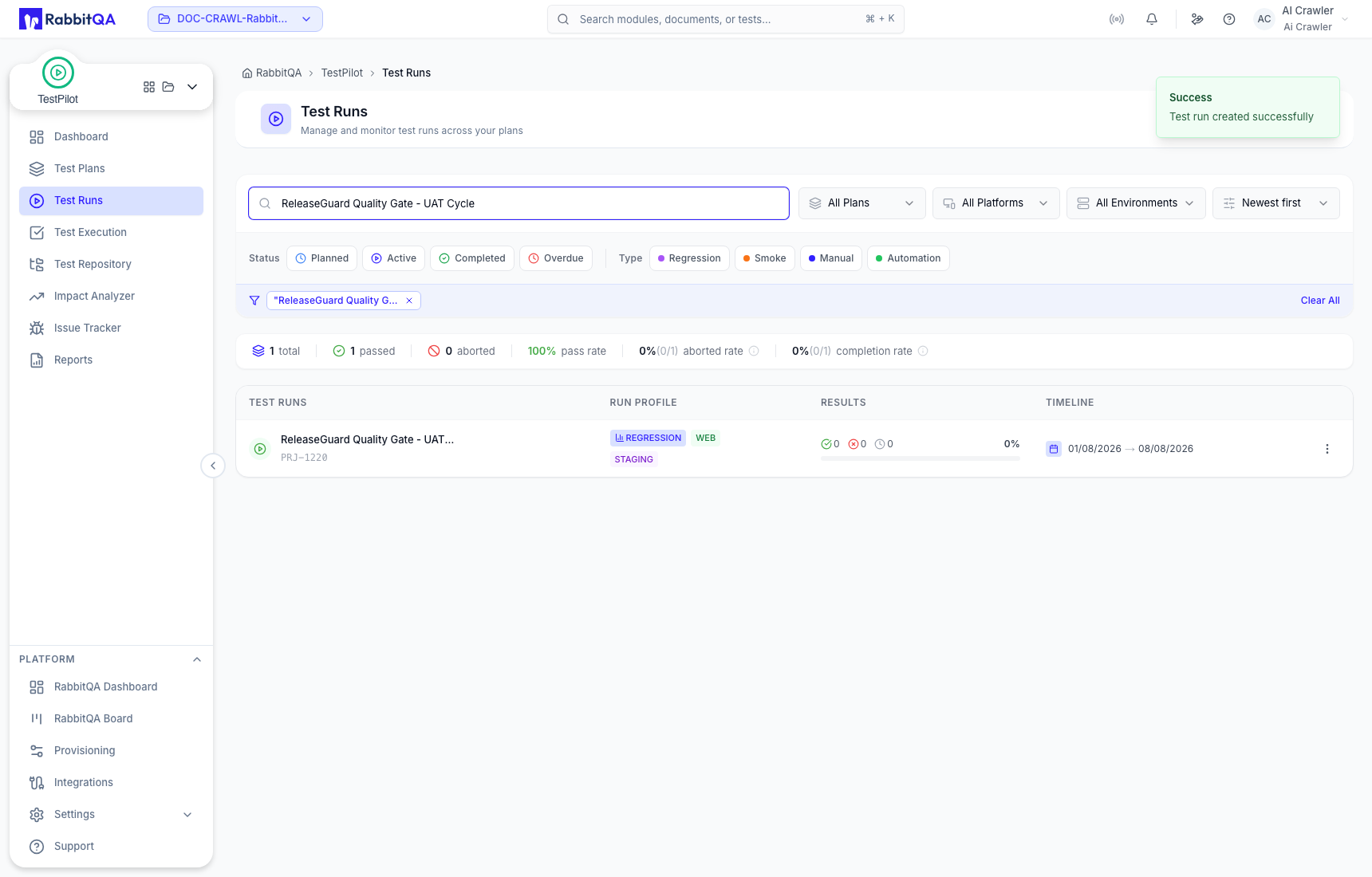
Find and filter runs
Search by name and use the plan, platform, environment, status, type, and sort controls. Filter chips and Clear All change only the displayed list.
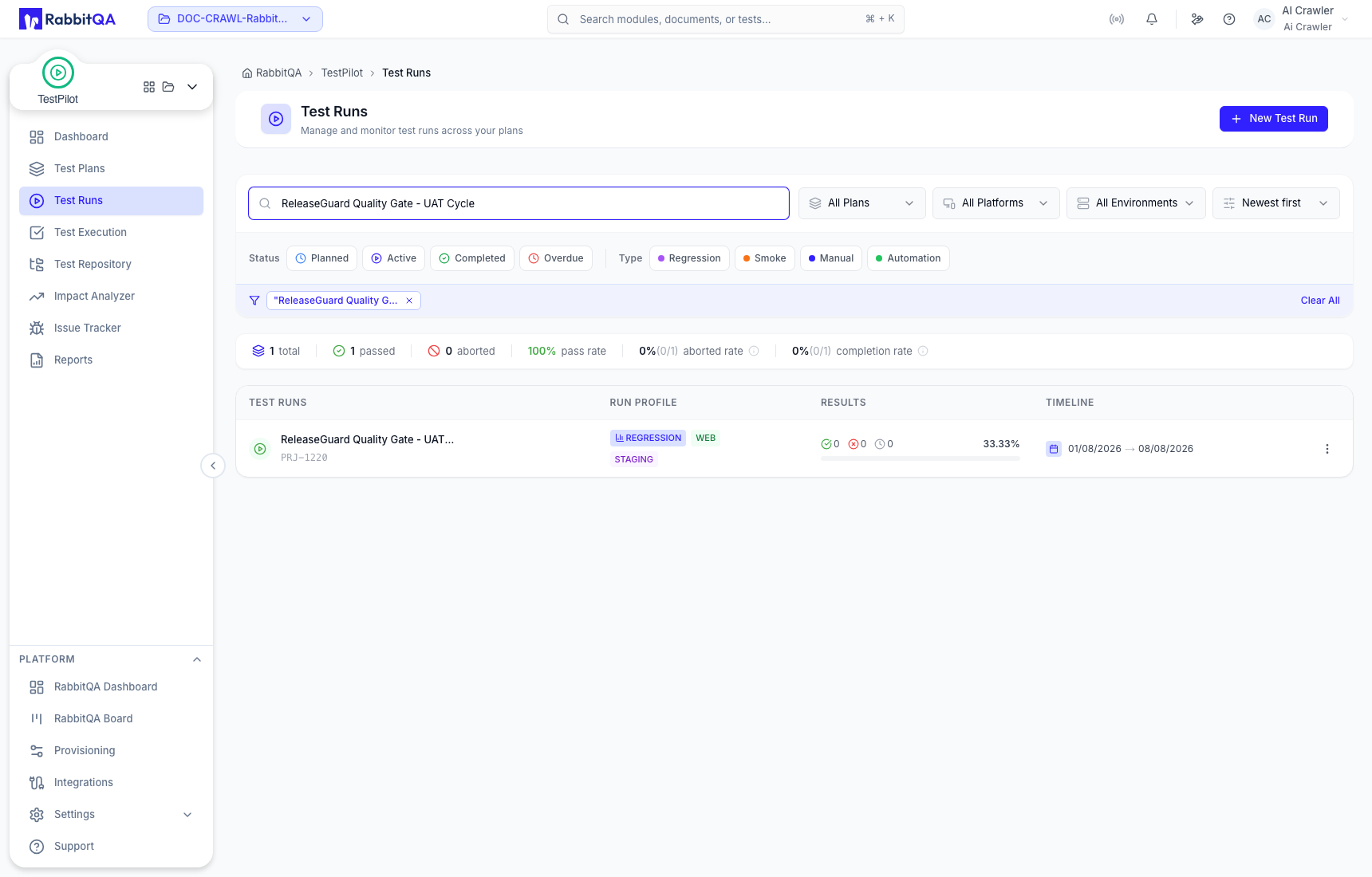
The run summary and row show the saved result mix, completion, run profile, and timeline. Continue to Test Execution for authoritative case-level progress.
Run actions
Open a run's menu to use Copy URL, Edit, Clone, Manage Test Cases, or Delete Test Run.
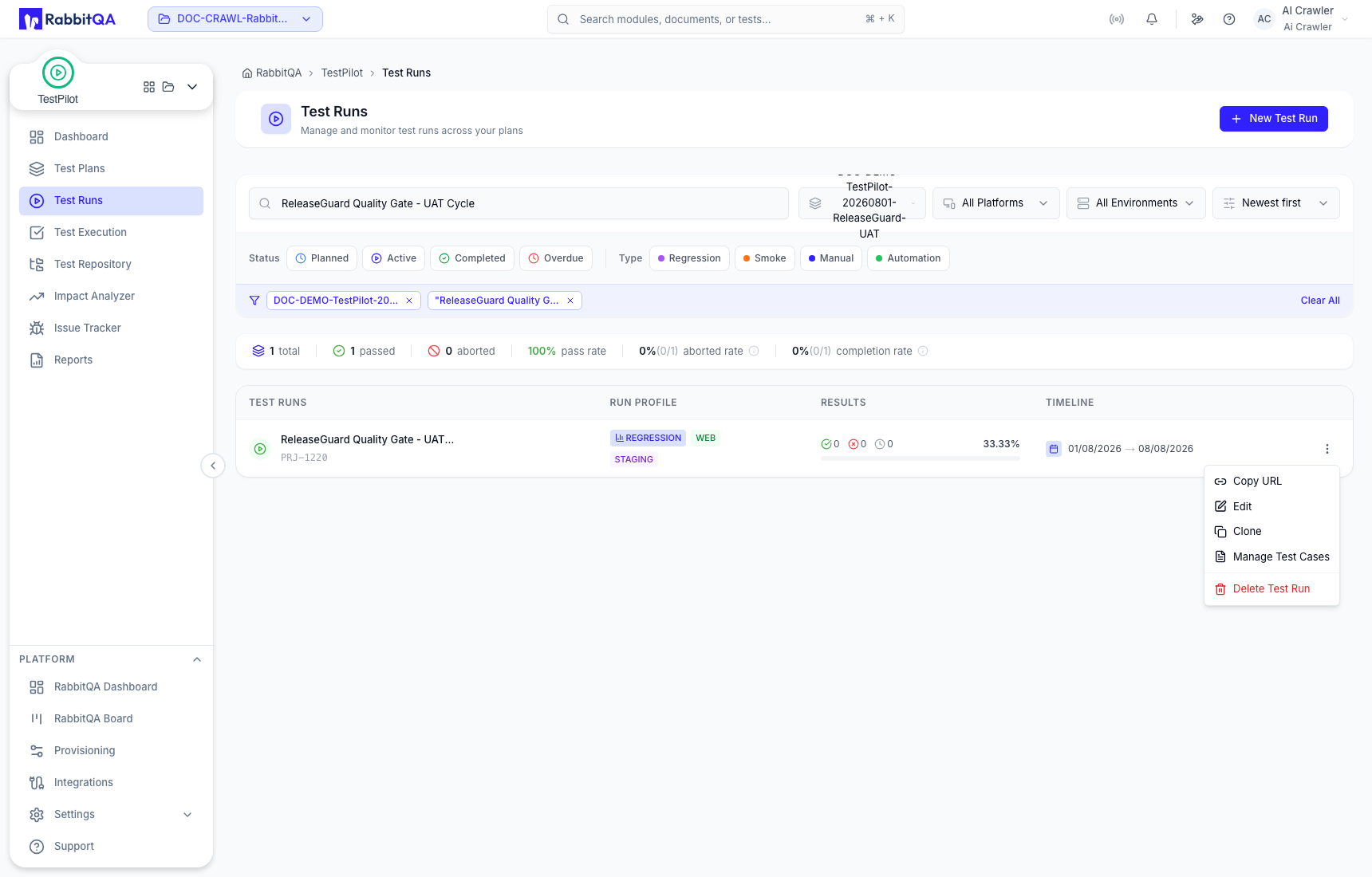
Edit
Edit the run name, type, platform, environment, priority, dates, and assigned cases. The Test Plan remains the grouping context. Review both configuration and assignment changes before Update.
Clone
Clone starts a separate run. Enter the new name, code, description, and dates, then choose whether to include attachments, current execution status, assignees, and linked Jira issues.
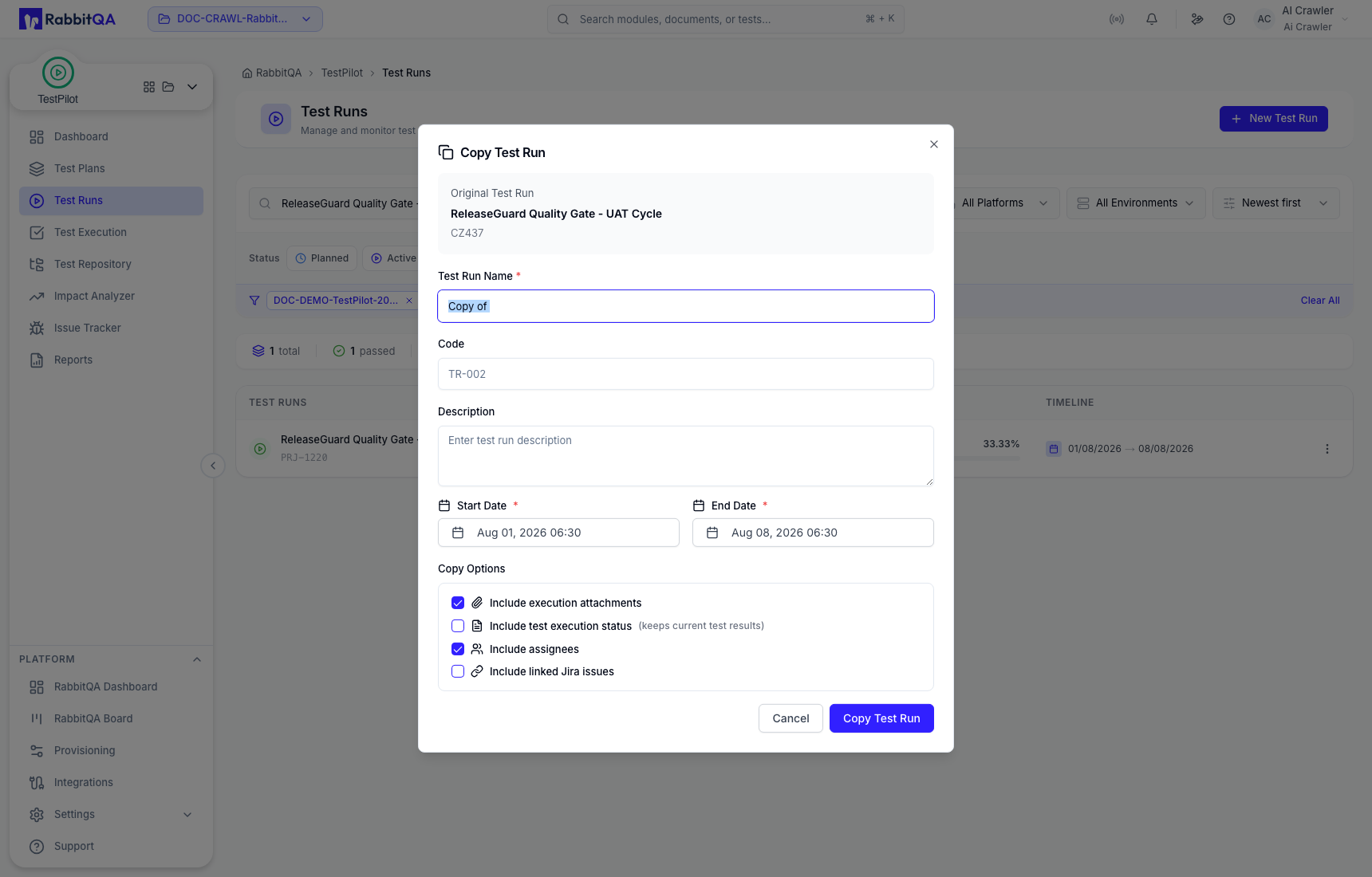
Review every copy option. In particular, copying execution status means the clone does not start with a clean result state.
Manage Test Cases
Use the two-panel workspace to change executable scope after creation. Search Available and Assigned cases independently, expand sets, and verify current status before removing an assignment.
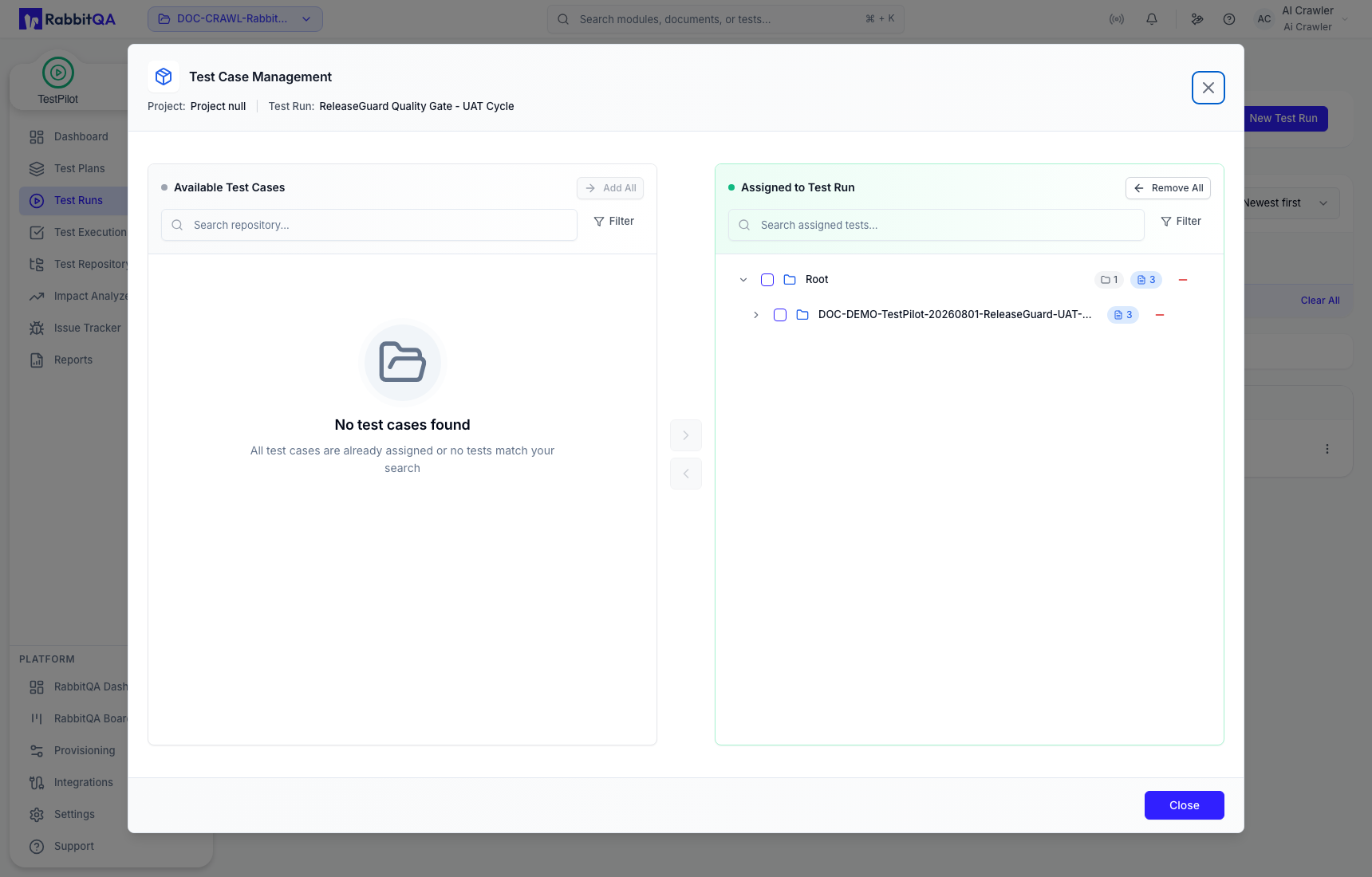
Assignment and execution status are separate attributes. Removing a case changes the run scope; it is not the same as marking the execution Skipped or Not Executed.
Delete
Delete Test Run is confirmation-bound and described as irreversible. Confirm only after checking whether execution records, attachments, issue links, and report evidence must be retained.
Correct use
- Create a Test Plan before its Test Run.
- Treat the current Platform field as the stored run platform and verify it after save.
- Assign only the exact cases intended for this cycle.
- Use filters for presentation and the assignment workspace for scope changes.
- Copy the direct URL when sharing the current run context; permissions still control access.
