Test Plans
A Test Plan is the top-level quality grouping in TestPilot. It contains one or more Test Runs and summarizes their current health, progress, recent activity, and timeline.
Create a plan
- Open Test Plans and select New Plan.
- Enter a Plan Name and Plan Description.
- Choose Type, Platform, Environment, Priority, Start Date, and End Date.
- Review the draft and select Create Plan.
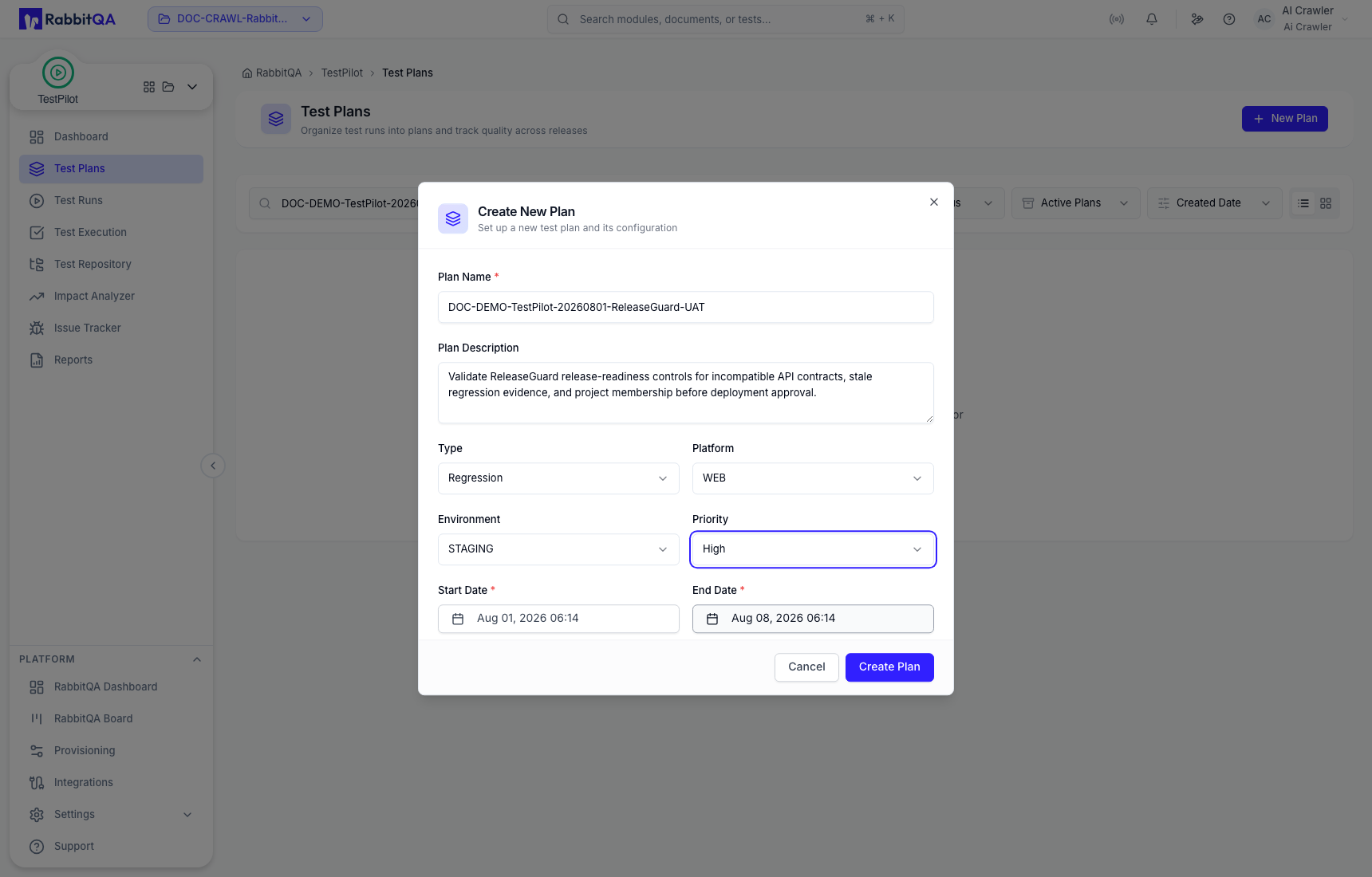
The new plan initially contains no runs and no execution progress. Continue to Test Runs to create a bounded cycle and assign cases.
Find and interpret plans
Search by name, then use:
- All Status to filter calculated health such as Healthy, Warning, or Critical.
- Active Plans, Archived Plans, or All Plans to control lifecycle scope.
- Created Date, name, or progress sorting to compare plans.
- List or card view according to the fields you need to compare.
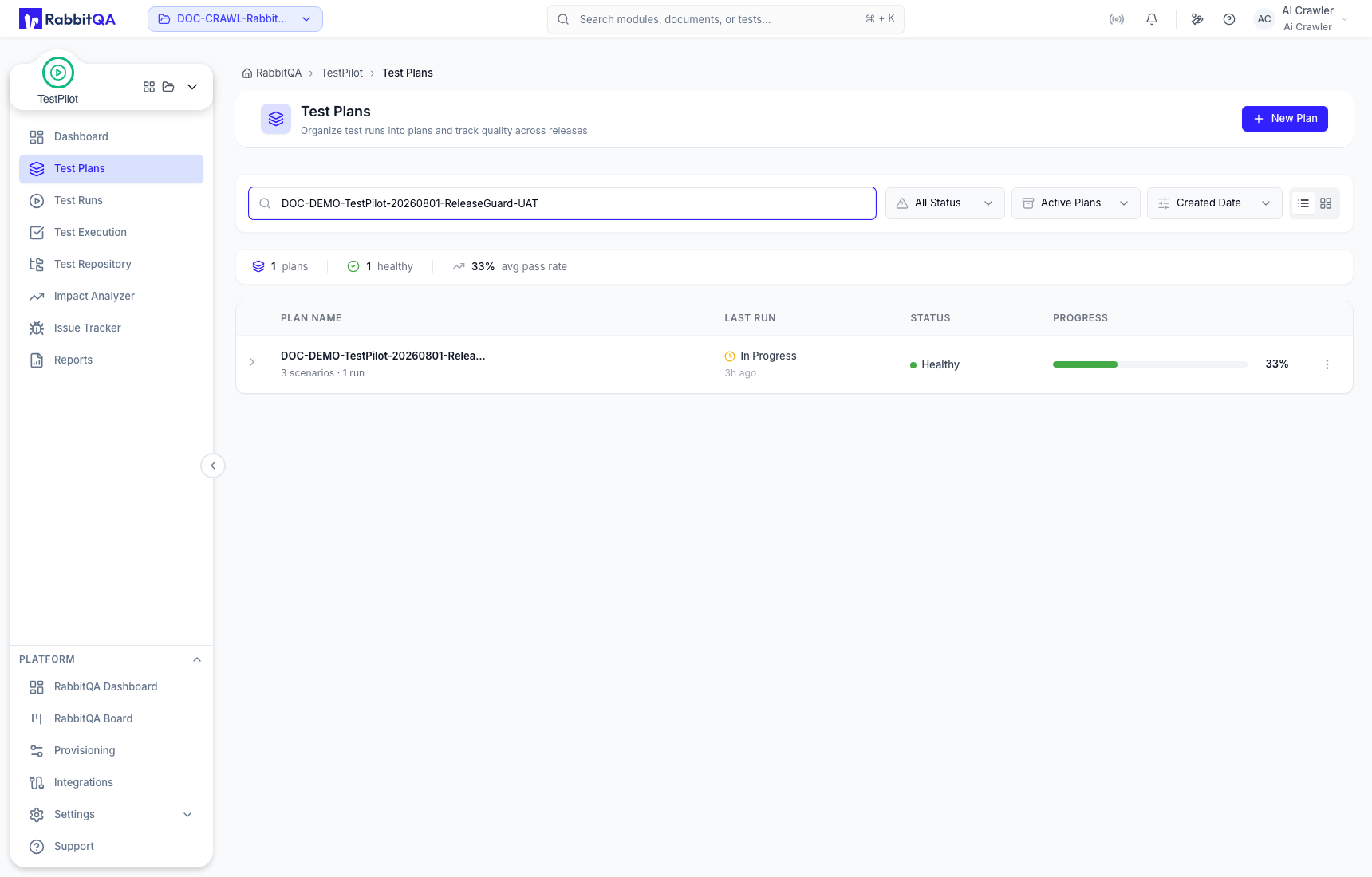
The list summary reports the number of plans, healthy plans, and average pass rate for the current filter. Plan rows show scenario/run counts, last-run state, health, and progress.
Expand a plan to review its recent runs, result mix, and timeline.
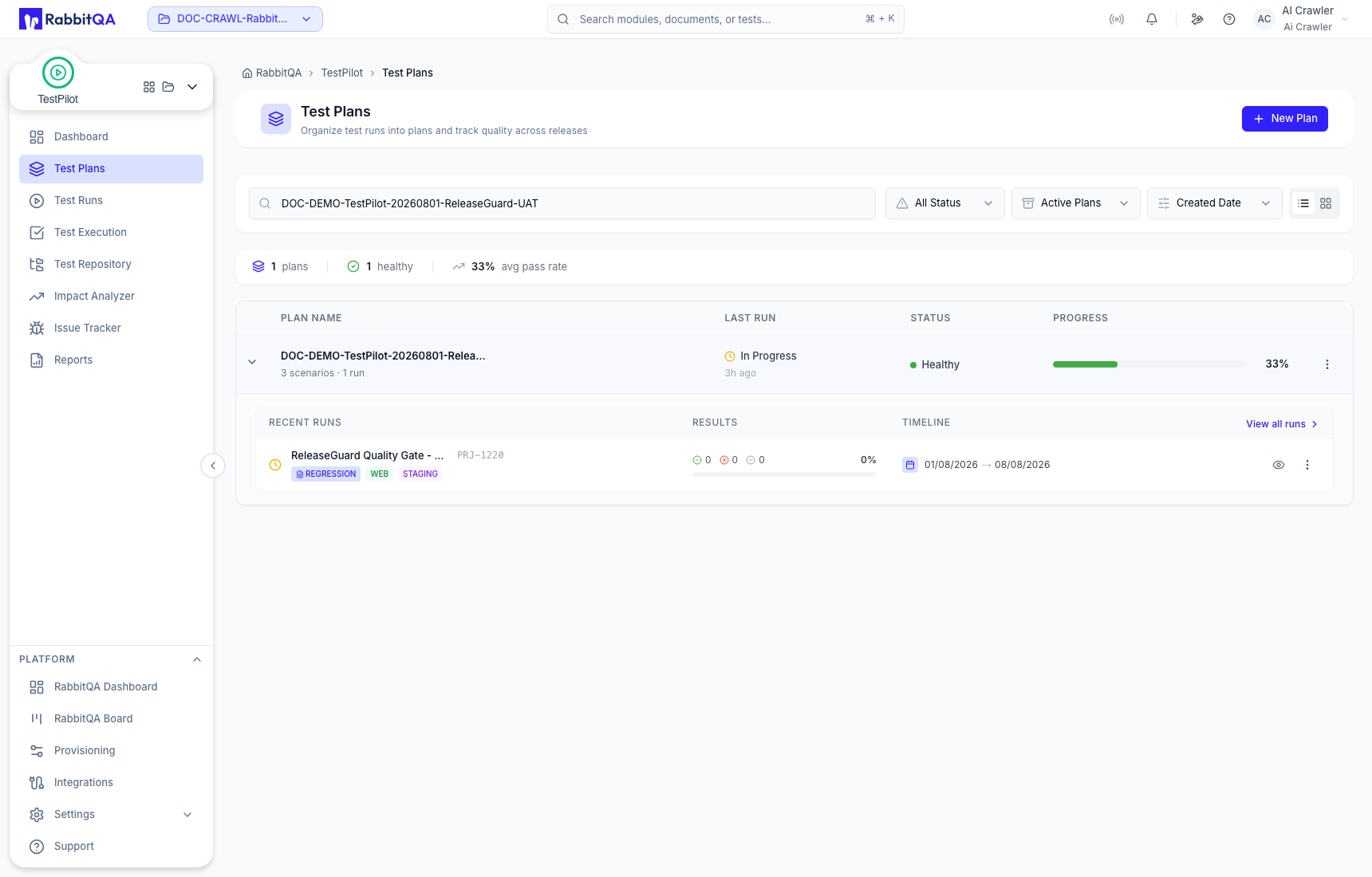
- View all runs opens Test Runs scoped to the plan.
- The run view action opens the related Test Execution context.
Plan actions
Open the row menu to use Edit Plan, Duplicate Plan, Archive Plan, or Delete Plan.
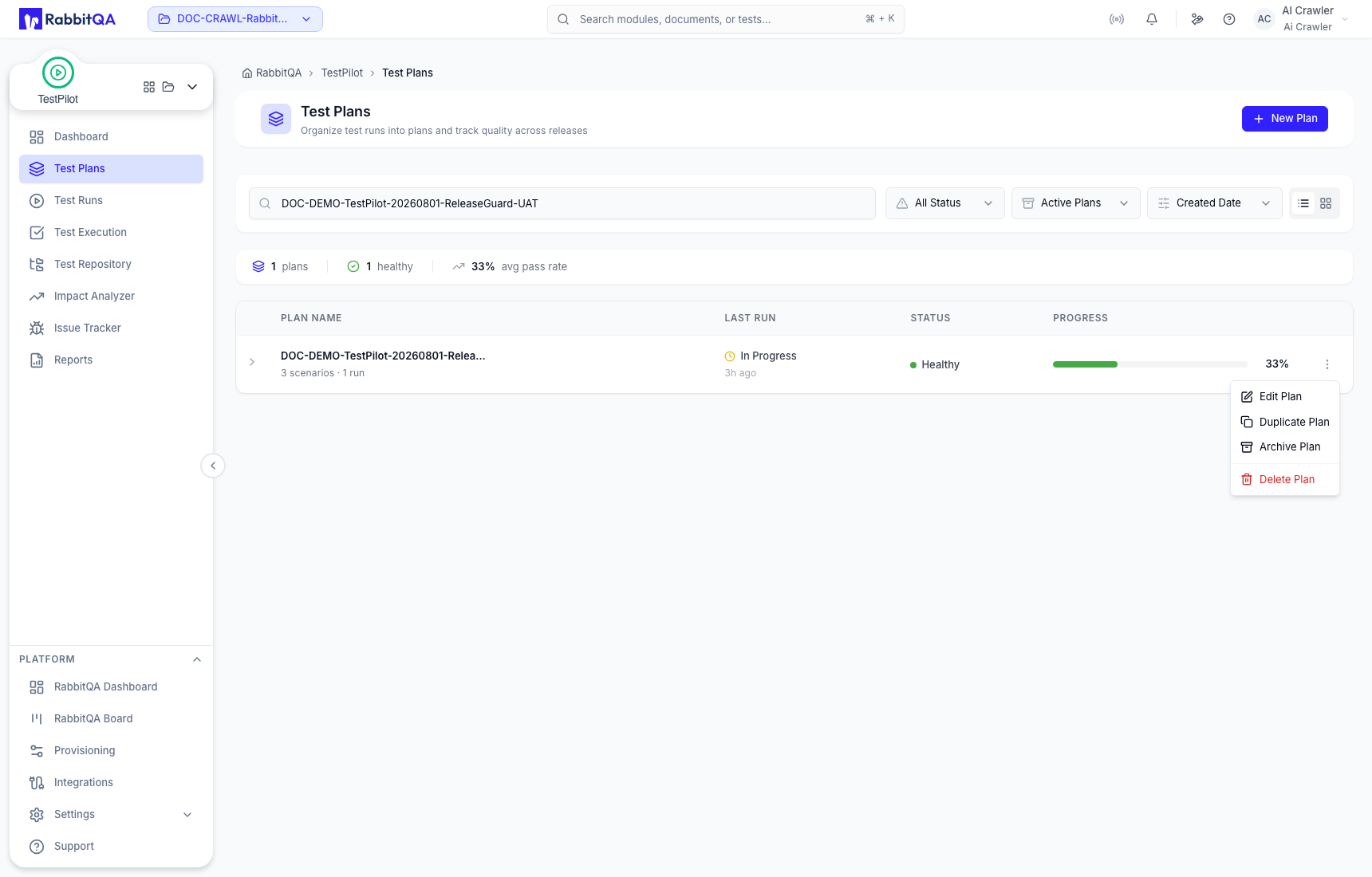
| Action | Effect |
|---|---|
| Edit Plan | Updates the maintained plan fields. |
| Duplicate Plan | Starts an independent copy that must be reviewed before creation. |
| Archive Plan | Removes the plan from the active working list while retaining it for archived review. |
| Delete Plan | Removes the plan record after confirmation; the confirmation states that linked Test Runs are retained. |
Read the named confirmation before committing archive or delete actions. Cancel leaves the plan unchanged.
Correct use
- Use a plan for the broader objective and a run for one dated execution cycle.
- Reopen saved values before relying on an earlier draft, especially type, platform, environment, priority, and dates.
- Interpret calculated health with progress and case-level evidence.
- Do not delete a plan as a substitute for deleting or retaining its Test Runs.
