Dashboard
The SmartRequest Dashboard summarizes request activity for the RabbitQA project selected in the header. Values change with that project; they are not company-wide fixed totals.
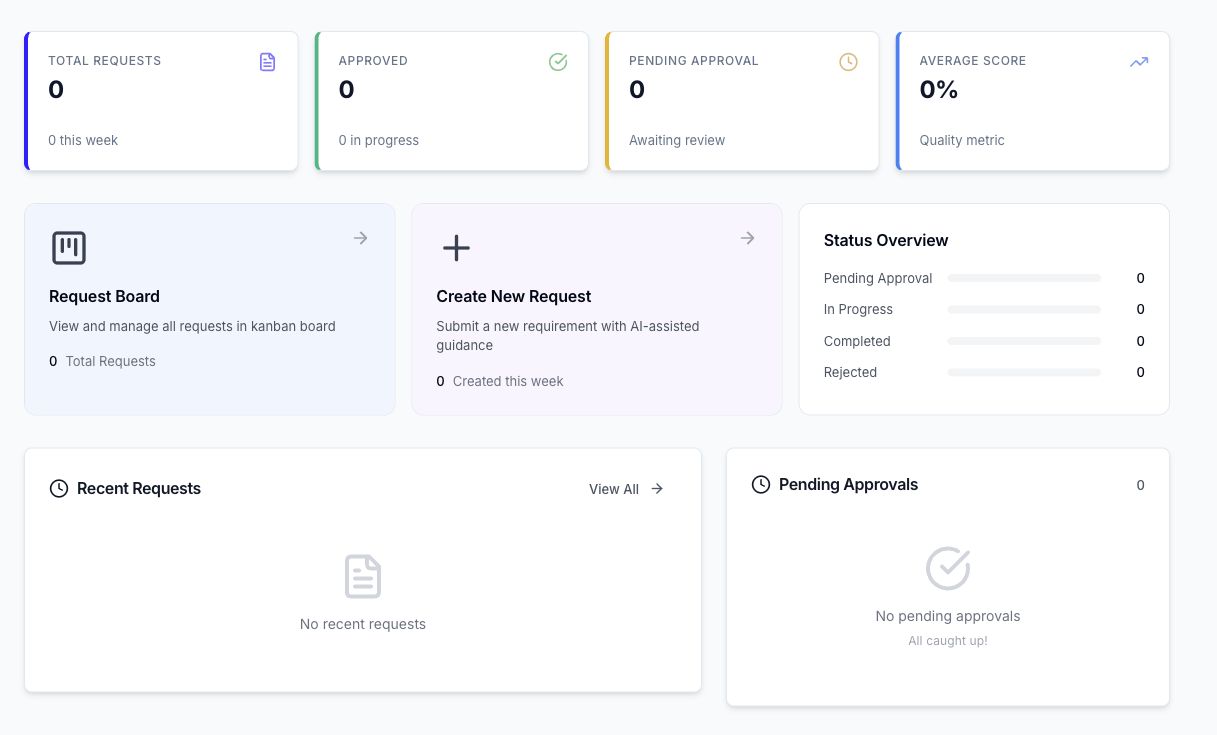
Summary cards
- Total Requests: all board requests in the active project, including the current-week count.
- Approved: requests whose configured approval sequence has completed.
- Pending Approval: submitted requests waiting for an approval decision.
- Average Score: the average evaluation score for the displayed project data.
The score is a quality and readiness indicator. It does not show whether every request was approved.
Workload sections
- Request Board opens the current board and displays its request total.
- Create New Request opens SmartRequest Generation.
- Status Overview groups Pending Approval, In Progress, Completed, and Rejected work.
- Recent Requests opens the latest available request records.
- Pending Approvals identifies review work awaiting a decision.
Use the Dashboard to choose the next task: create a request, continue a session, review a submitted request, or address an approval.
