Smart Request – Dashboard Page
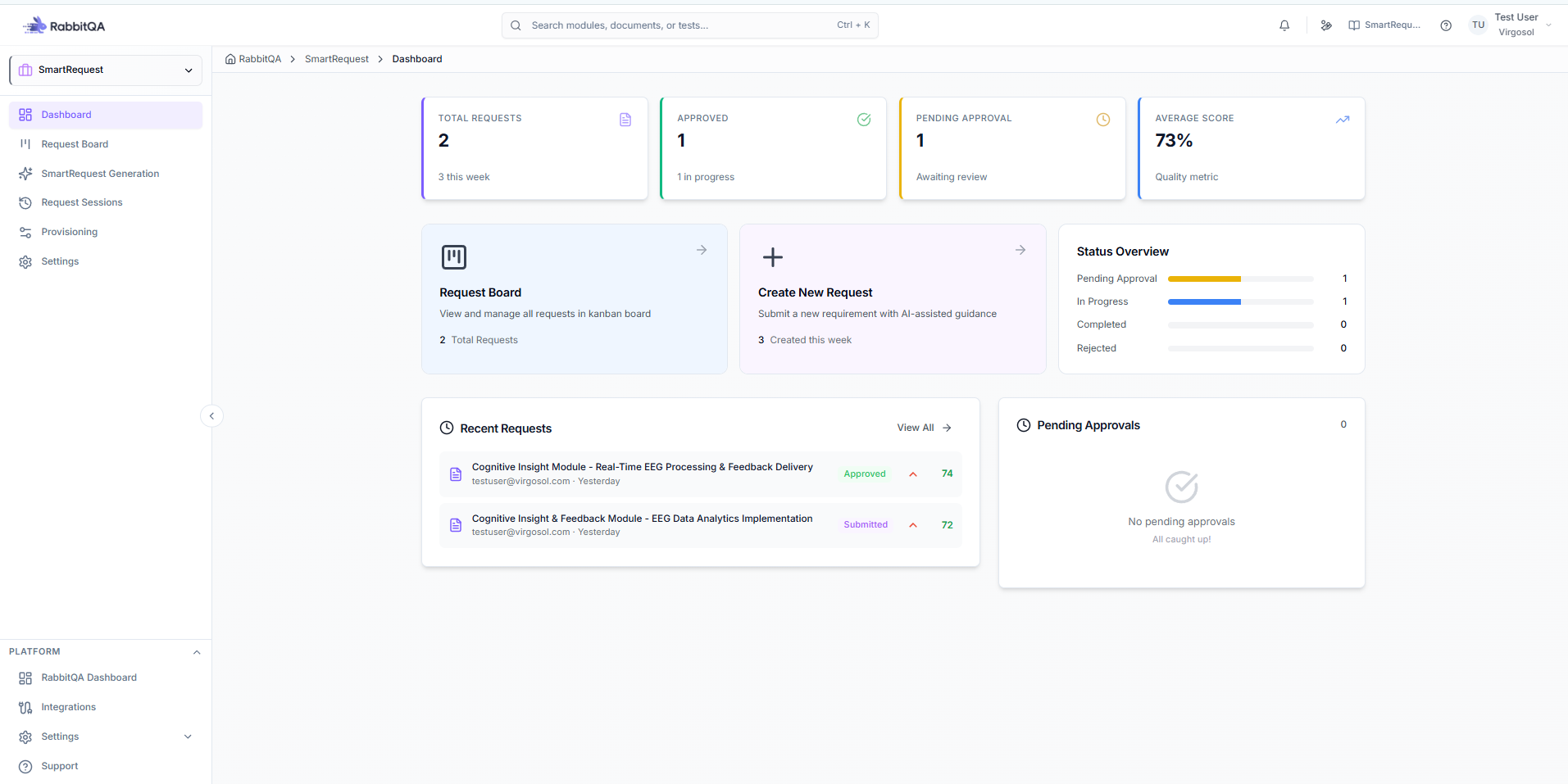
The Smart Request Dashboard provides a consolidated overview of request statistics, approval statuses, performance metrics, and quick navigation to core Smart Request functionalities.
1. Key Metrics Overview
The top section of the Dashboard displays high-level request statistics with numerical indicators.
Total Requests
- Displays the total number of requests created in the system.
- A subtext (smaller font) indicates how many requests were created within the current week.
Approved
- Shows the total number of requests with Approved status.
Pending Approval
- Indicates the total number of requests currently in Pending Approval status.
Average Score
- Displays the overall average score as a percentage (%).
- Reflects the evaluation performance of processed requests.
2. Navigation Actions
The Dashboard includes shortcut buttons for quick access to related modules.
Request Board
- Redirects the user to the Request Board page.
- Displays the total number of requests within the board view.
Create New Request
- Opens the SmartRequest Generation page.
- Initiates the process for creating a new request.
3. Status Overview
The Status Overview section provides a visual representation of request distribution by status.
Each status is displayed as a progress bar, including the total count and a dedicated color indicator.
Status Breakdown
- Pending Approval
- Displays the number of requests awaiting approval.
- Color Indicator: Orange
- In Progress
- Displays the number of requests currently being processed.
- Color Indicator: Blue
- Completed
- Displays the number of successfully completed requests.
- Color Indicator: Green
- Rejected
- Displays the number of rejected requests.
- Color Indicator: Orange
This section enables quick monitoring of workload distribution and request lifecycle status.
4. Recent Requests
- Lists the most recently created requests.
- Provides quick visibility into the latest system activity.
5. Pending Approvals
- Displays requests that are currently in Pending status.
- Allows users to easily identify items awaiting approval action.
Functional Purpose
The Smart Request Dashboard is designed to:
- Provide real-time request tracking
- Monitor approval workflow distribution
- Display performance metrics
- Enable fast navigation to request management modules
- Improve operational visibility and decision-making efficiency
This page serves as the central monitoring interface for Smart Request operations.