Dashboard
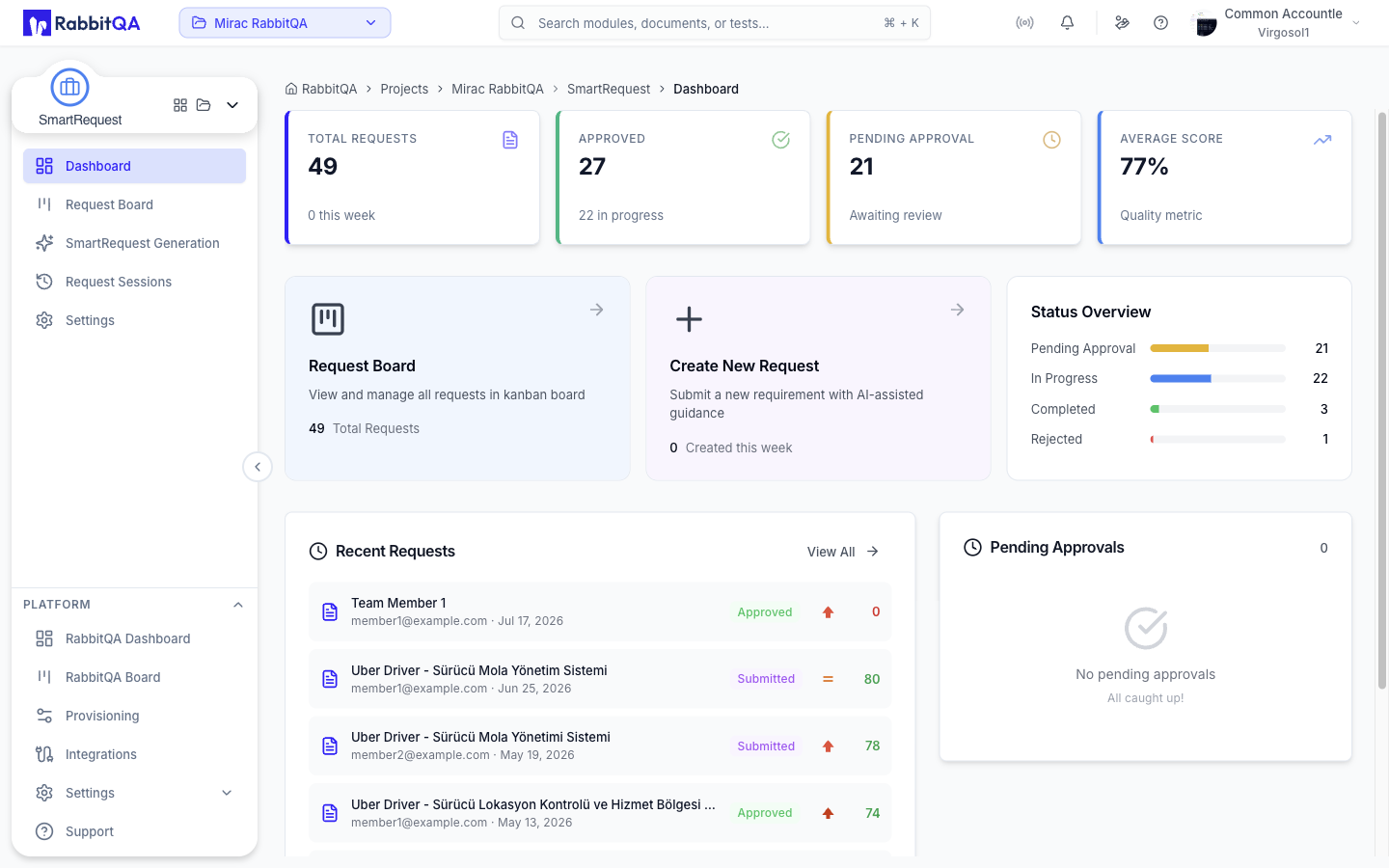
The landing page for SmartRequest at /smartrequest/dashboard.
Opening /smartrequest redirects here.
The page refreshes on its own every few seconds, so the figures track the board without a manual reload.
Metric Cards
Four cards summarize request activity at the top of the page.
| Card | Shows | Subtitle |
|---|---|---|
| Total Requests | All requests | How many were created this week |
| Approved | Requests that passed approval | How many are in progress |
| Pending Approval | Requests awaiting a decision | Awaiting review |
| Average Score | The average evaluation score, as a percentage | Quality metric |
Selecting Pending Approval opens the Request Board filtered to pending requests.
Quick Access Cards
| Card | Opens | Headline figure |
|---|---|---|
| Request Board | Request Board | Total requests |
| Create New Request | SmartRequest Generation | Requests created this week |
| Status Overview | — | A bar per status |
Create New Request appears only for users who can create requests.
Status Overview
A proportional bar for each status, with its count on the right.
| Status | Bar color |
|---|---|
| Pending Approval | Yellow |
| In Progress | Blue |
| Completed | Green |
| Rejected | Red |
Each bar is sized against the total request count, so the row reads as a distribution rather than four unrelated numbers.
Recent Requests
The most recently created requests, newest first.
Each row shows the title, who submitted it, how long ago, a status badge, a priority badge, and the score. The score is green at or above the threshold and red below it.
Selecting a row opens that session's detail page. View All opens the full Request Sessions list.
Pending Approvals
Requests currently waiting on a decision, with the count in the card header.
Each row shows the title, who submitted it, how long ago it was submitted, its priority, and its score against that request's own threshold.
Selecting a row opens the Request Board with that request's detail already open. View All Pending opens the board filtered to pending requests.
When nothing is waiting, the card says so rather than rendering an empty list.
