Request Board
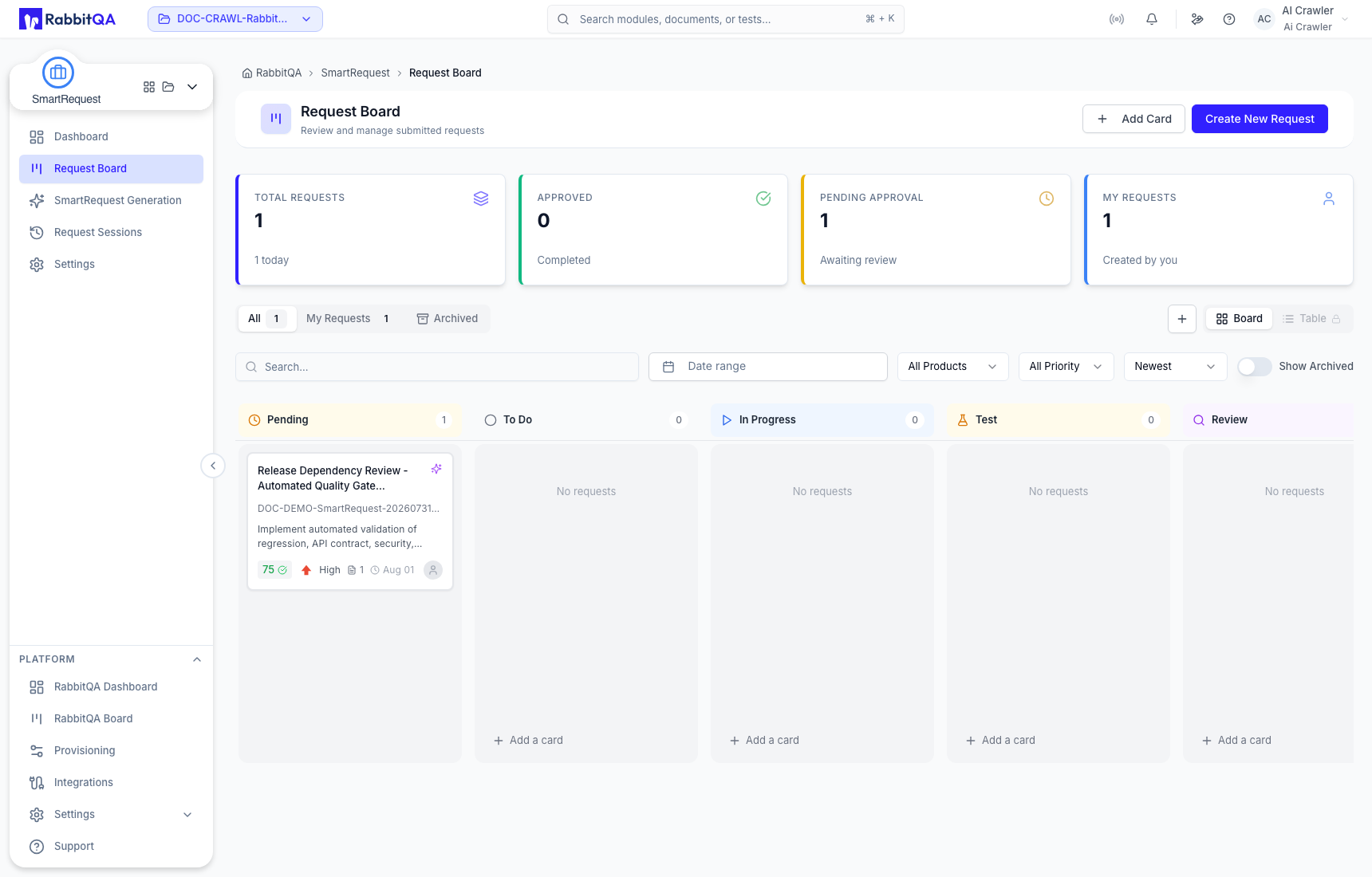
Request Board contains submitted AI-generated requests and manually created request cards for the active project.
Board and filters
Summary cards show Total Requests, Approved, Pending Approval, and My Requests. Use All, My Requests, or Archived, then combine search, date range, product, priority, assignee, and sort controls. Show Archived includes retained inactive work.
Submitted requests awaiting approval appear in Pending. Approved work can move through To Do, In Progress, Test, Review, Blocked, and Done. Workflow status is separate from approval state and priority.
Review a generated request
Open a generated card and inspect both views:
- Summary: description, readiness and priority badges, documents, approval flow, comments, history, and details such as assignee, product, module, score, and threshold.
- Detail: generated title and description, What You Provided, What AI Understood, detailed summary, acceptance criteria, custom-field answers, and Evaluation Q&A.
Comments support review discussion and attachments. History records lifecycle and field changes. When Your turn is shown, Approve accepts an optional comment; Reject requires a reason. In a multi-step flow, approval moves to the next configured approver before the request becomes Approved.
Create and manage a manual card
Select Add Card and enter a required summary and priority. Choose its initial workflow status; description, product, module, assignee, and attachments can also be added.
Link both Product and Module before using Generate with AI. Module-specific custom fields are not collected in the manual-card drawer.
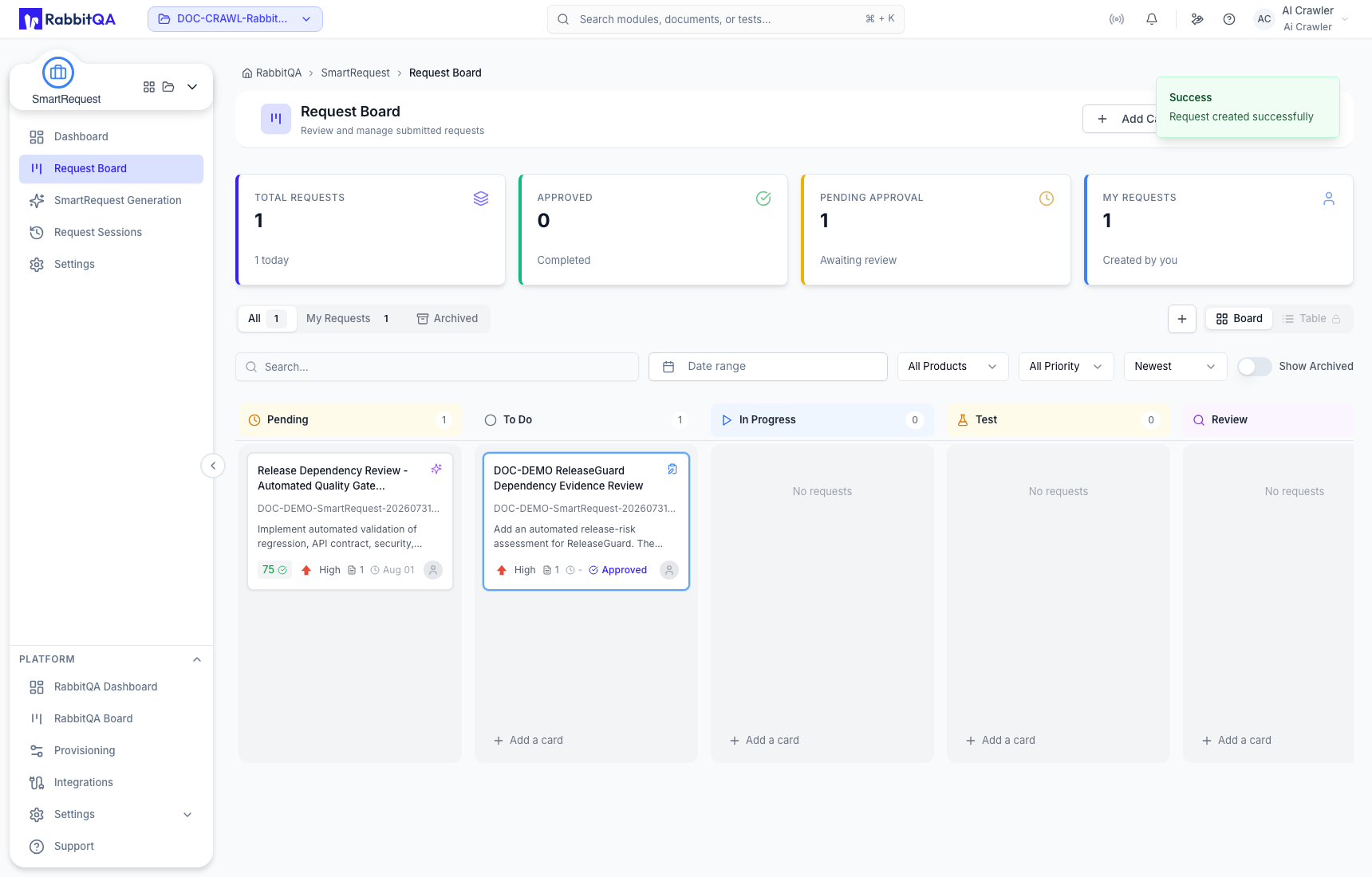
From the card details you can update title, status, priority, or assignee; preview attachments; add comments; inspect history; and export a report. PDF export can include Request Overview, Approval Flow, Transformation, Detailed Summary, Acceptance Criteria, Custom Fields, and Evaluation Q&A.
Downstream handoff
For an approved request:
- Generate Test Cases opens CaseWriter with the SmartRequest preselected under Additional Sources.
- Generate PBIs opens Smart PBI Generation with the SmartRequest preselected.
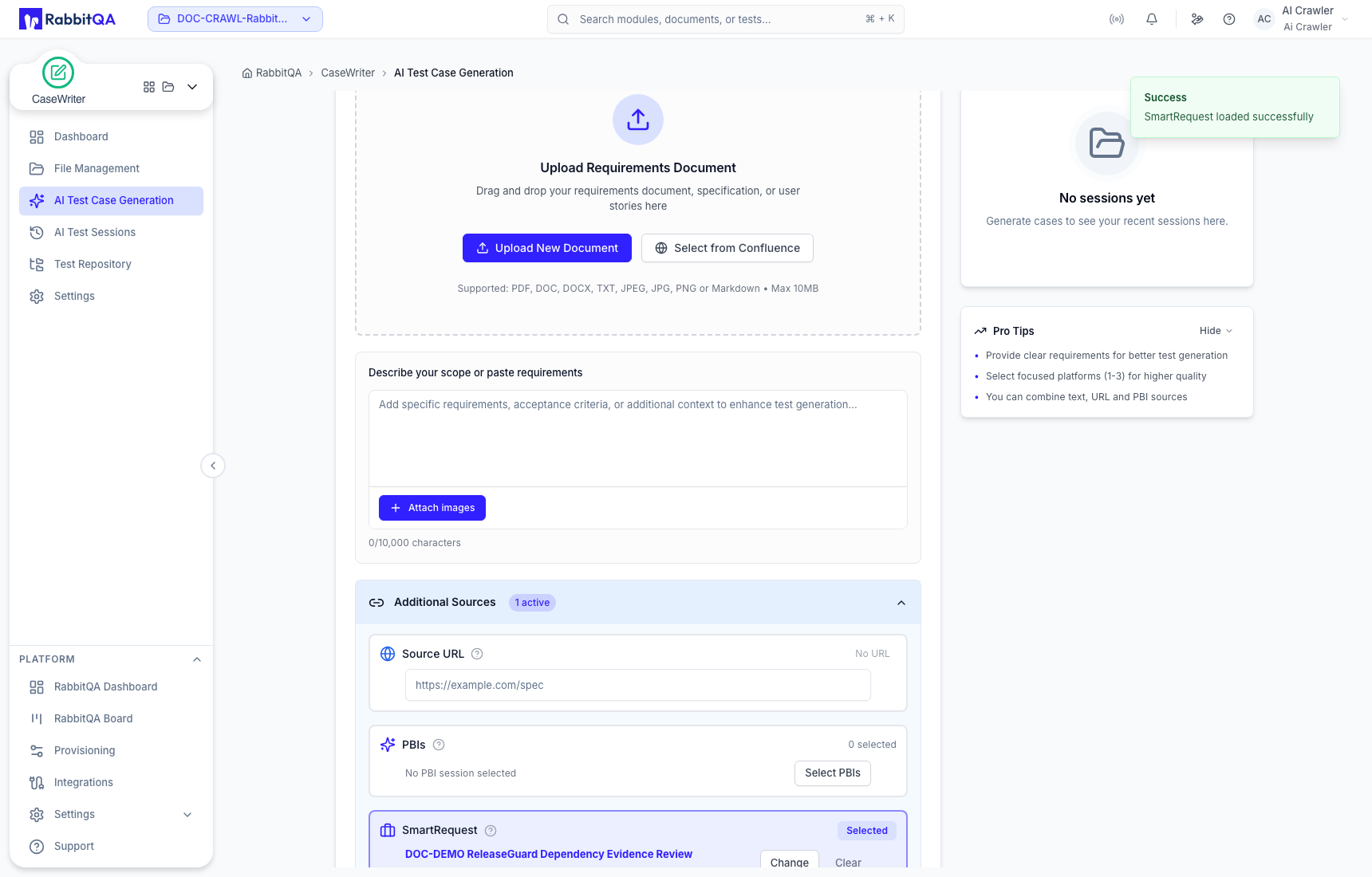
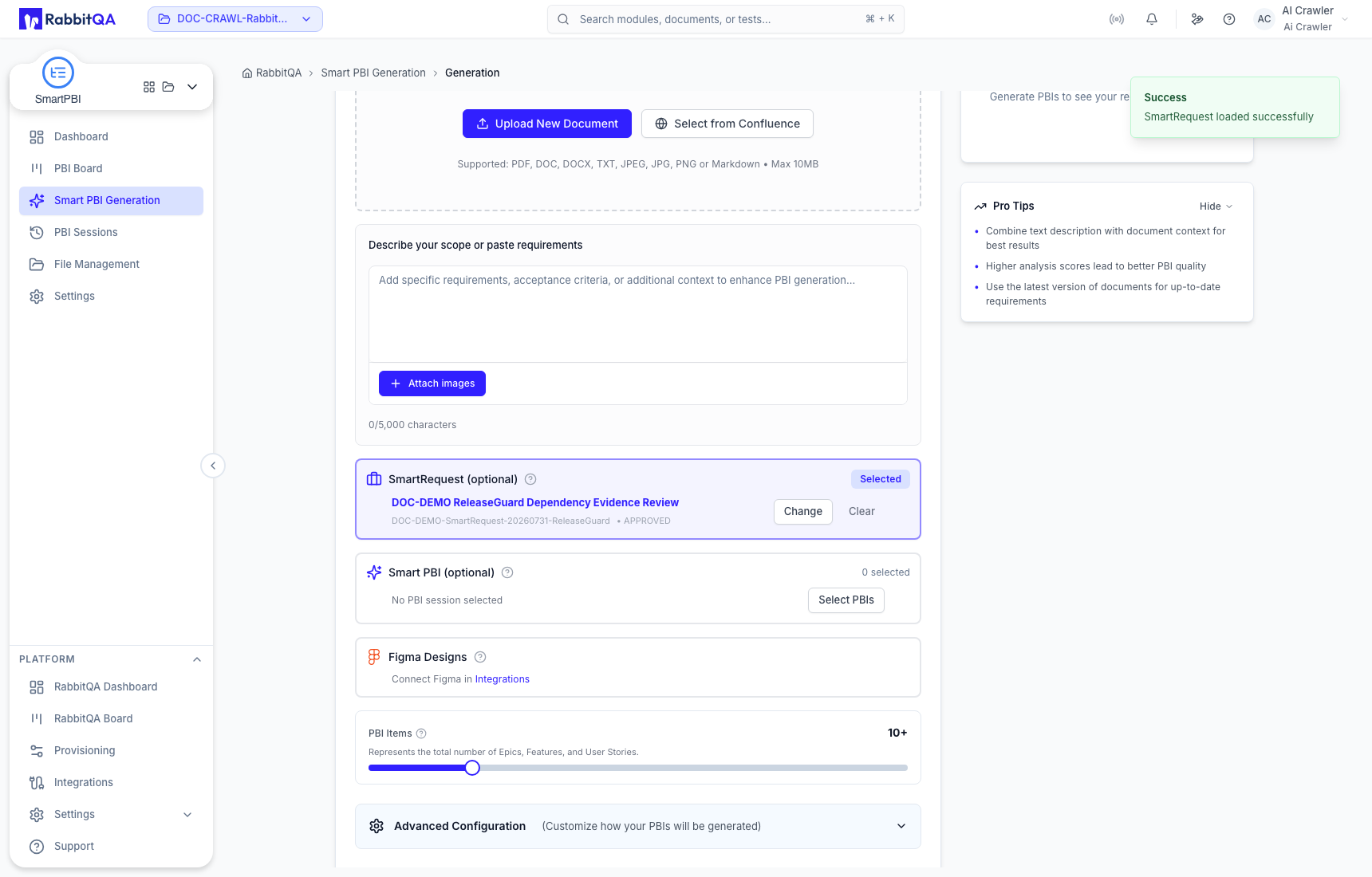
Review the carried source and the destination module's remaining inputs before starting generation. The handoff does not create test cases or PBIs automatically.
Archive removes a request from active board work while retaining it for later retrieval. Delete permanently removes the request record and cannot be undone.
