Dashboard
The MobileHub dashboard summarizes the device fleet and session activity for the selected project.
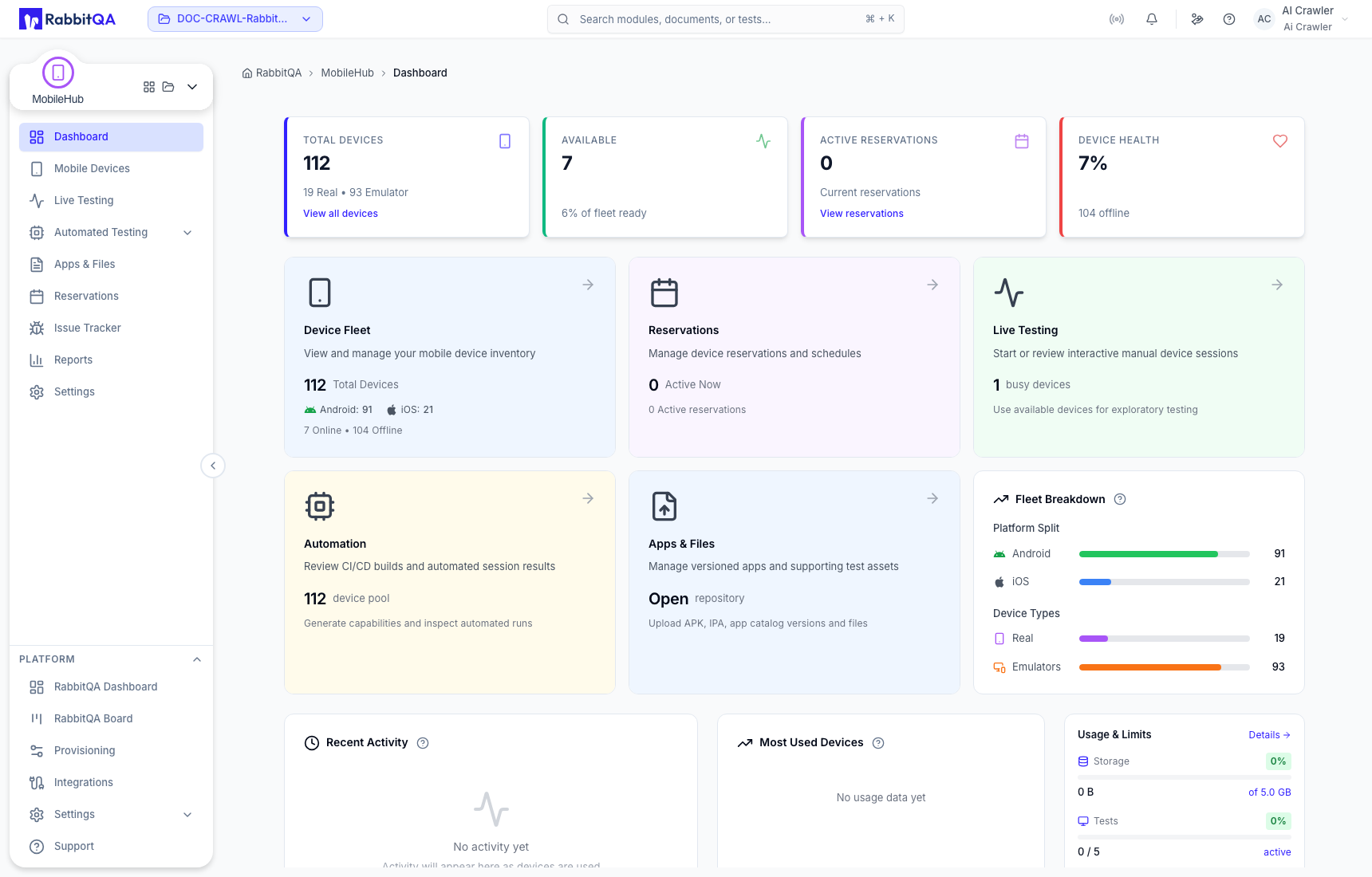
Read the dashboard
- Fleet summary shows total, available, in-use, automation, and offline devices.
- Platform and device-type breakdowns help you understand the Android/iOS and real/virtual mix.
- Live and automated sessions show current work and recent activity.
- Most-used devices identifies heavily used capacity.
- Storage and active-test quotas show plan usage when the Device Farm service supplies them.
- Shortcut cards take you to device discovery, live tests, automation, files, or reservations.
All values are scoped to the current organization and project. Change the project in RabbitQA before comparing dashboard totals with a different team.
Service availability
The dashboard depends on the external Device Farm service. A network or service error can leave the shell available while fleet metrics are unavailable; retry after the connection is restored rather than treating missing metrics as an empty fleet.
