Step 2: Complete the Configuration
Configure your RabbitQA platform settings and integrations to get started.
To use RabbitQA effectively, you need to complete the platform configuration and set up integrations with your existing tools and workflows. Since the conditions vary according to the companies, you can carry out these transactions by contacting your RabbitQA representative.
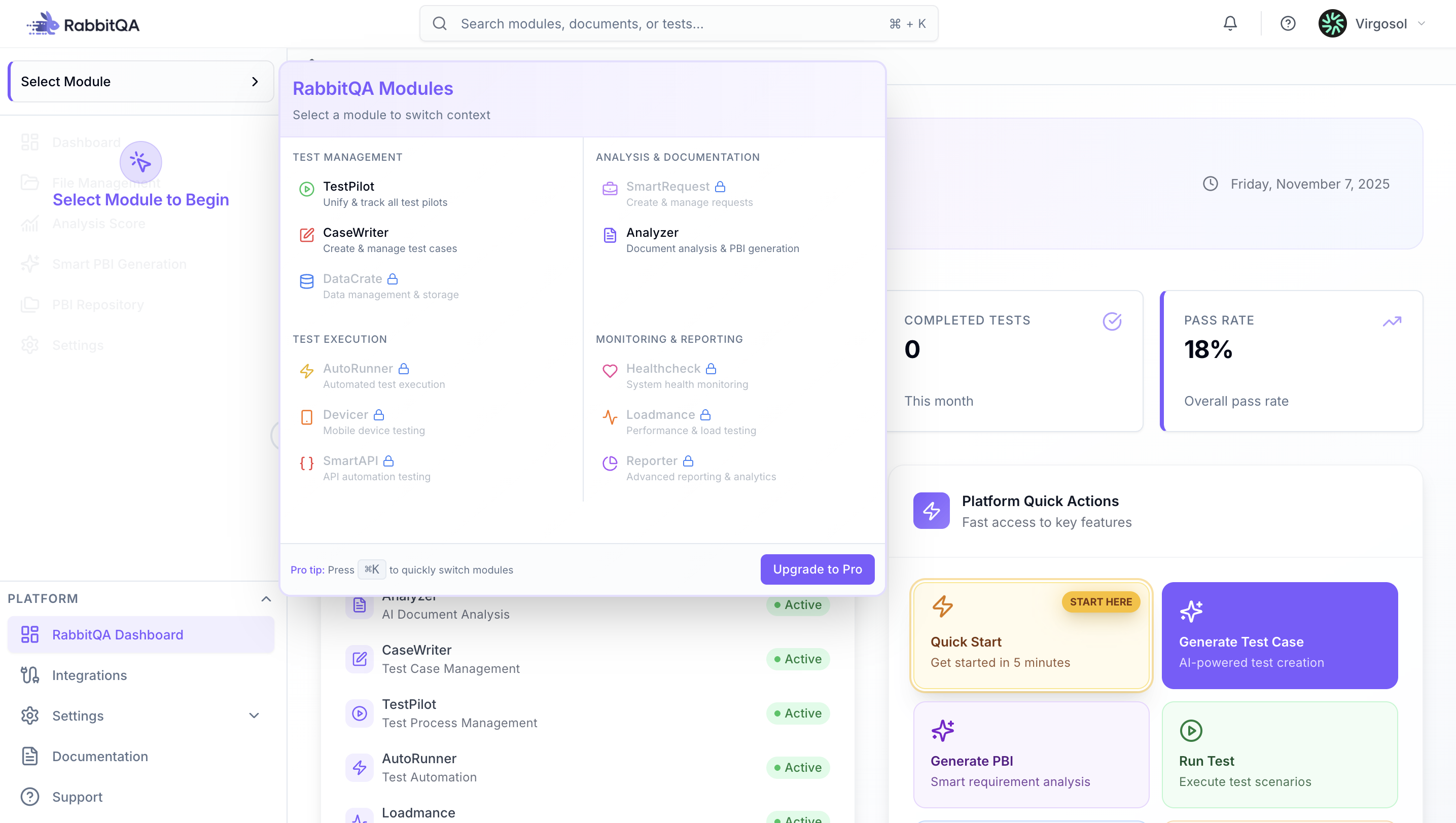
Platform Navigation
After logging in, the project page opens. Familiarize yourself with the RabbitQA platform navigation to efficiently access all features and modules.
Setup Integrations
Before adding a new project and starting a new test run, it is necessary to complete the information for integration from the "Global Configuration" screen.
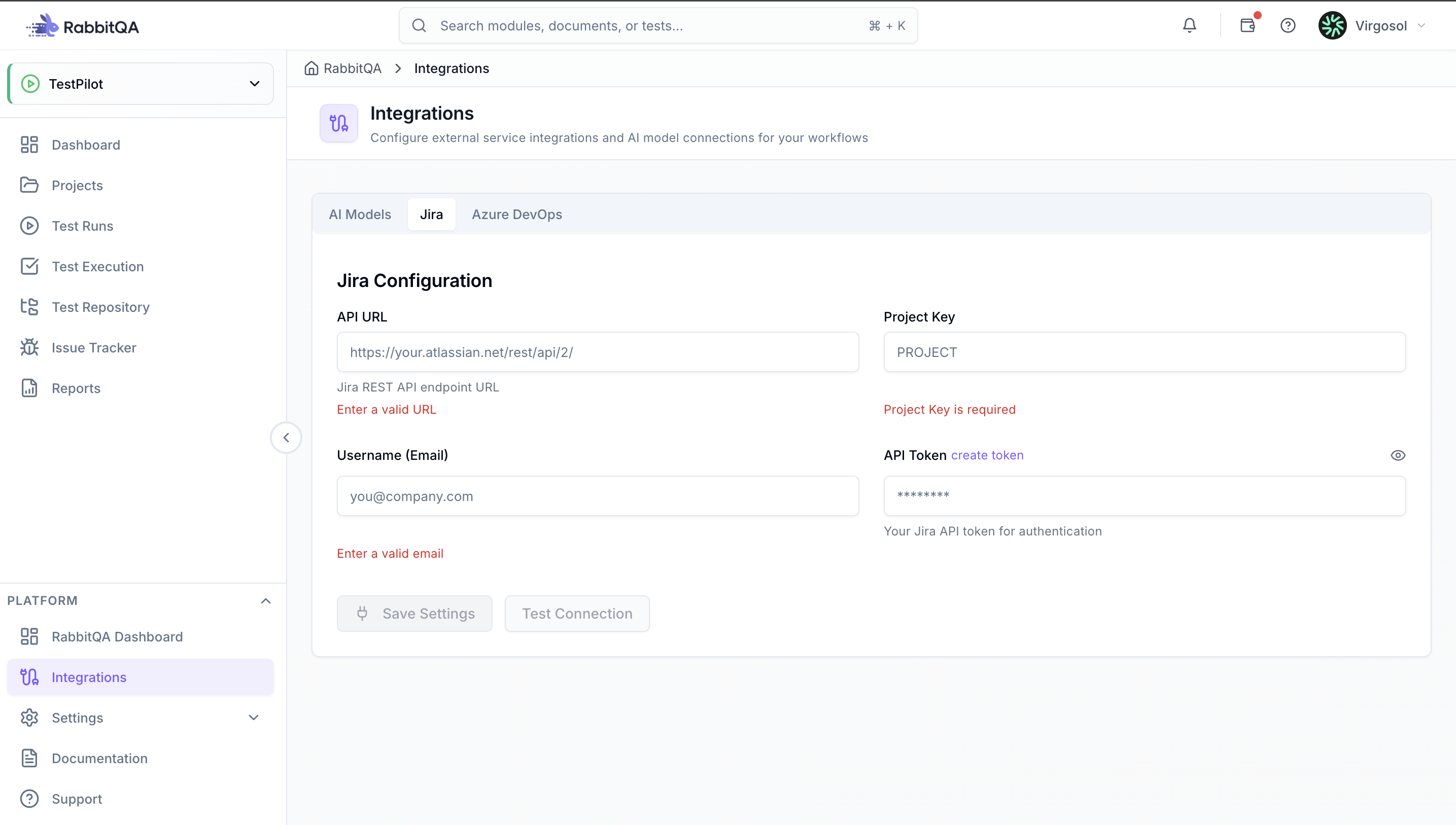
Jira Integration
Configure Jira integration to enable seamless workflow between RabbitQA modules and your Jira project management system.
Enter your administrator email address, provide the complete Jira instance URL, enter an API token (created in your Jira profile settings), click "Check Connection" to verify, and then "Save".
This integration enables:
- Analyzer module to export generated PBIs directly to Jira
- TestPilot module to automatically create issues when tests fail with detailed test results
- CaseWriter module to link test cases to Jira requirements
Azure DevOps Integration
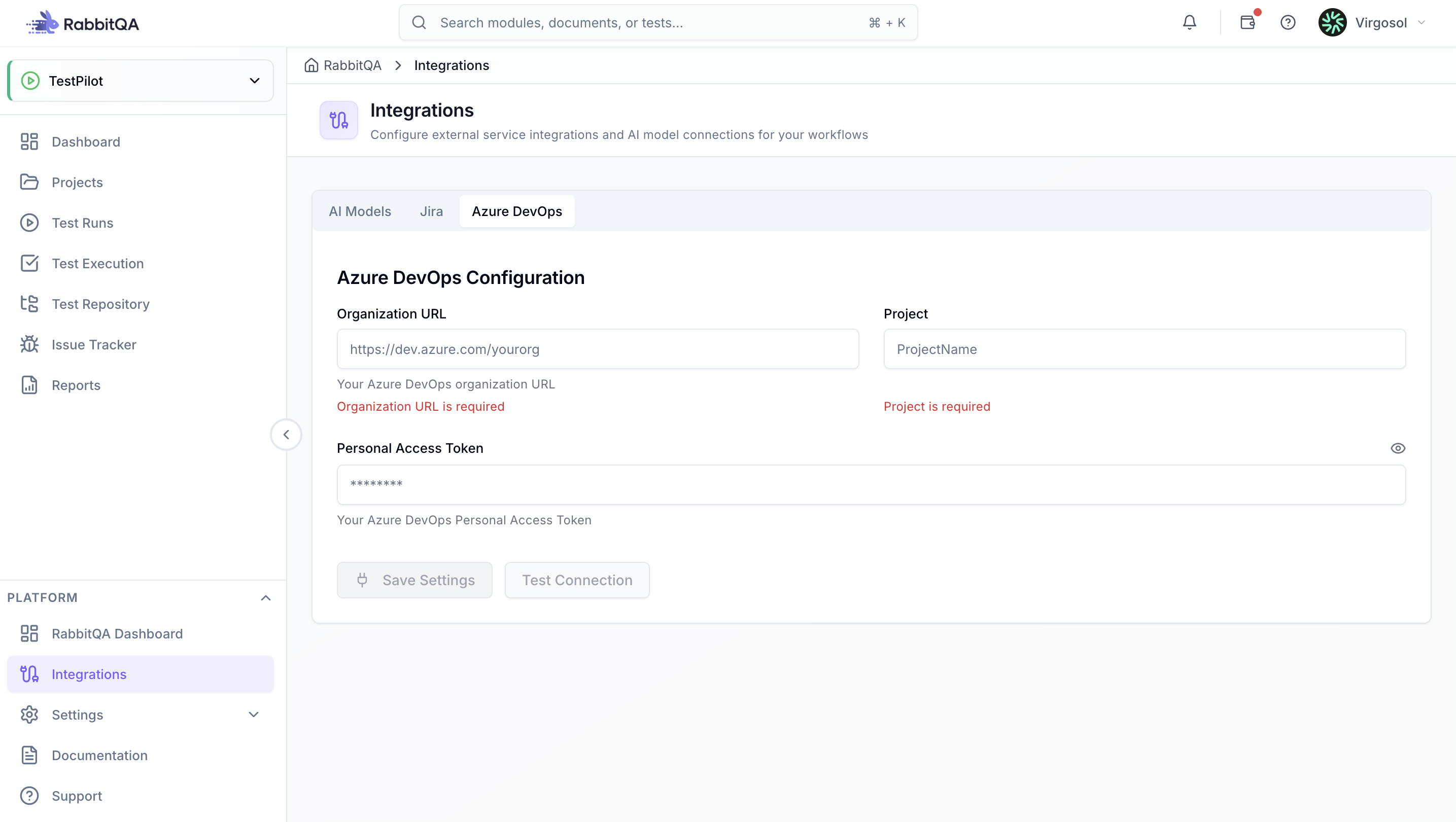
Configure Azure DevOps integration to connect RabbitQA with your Azure DevOps projects and work items.
Enter your administrator email address, provide the complete Azure DevOps organization URL, enter a Personal Access Token (PAT), click "Check Connection" to verify, and then "Save".
This integration enables:
- Analyzer module to export generated PBIs as work items in Azure DevOps
- TestPilot module to automatically create bugs when tests fail with execution details
- CaseWriter module to maintain traceability between test cases and Azure DevOps requirements
Custom AI Agent Integration
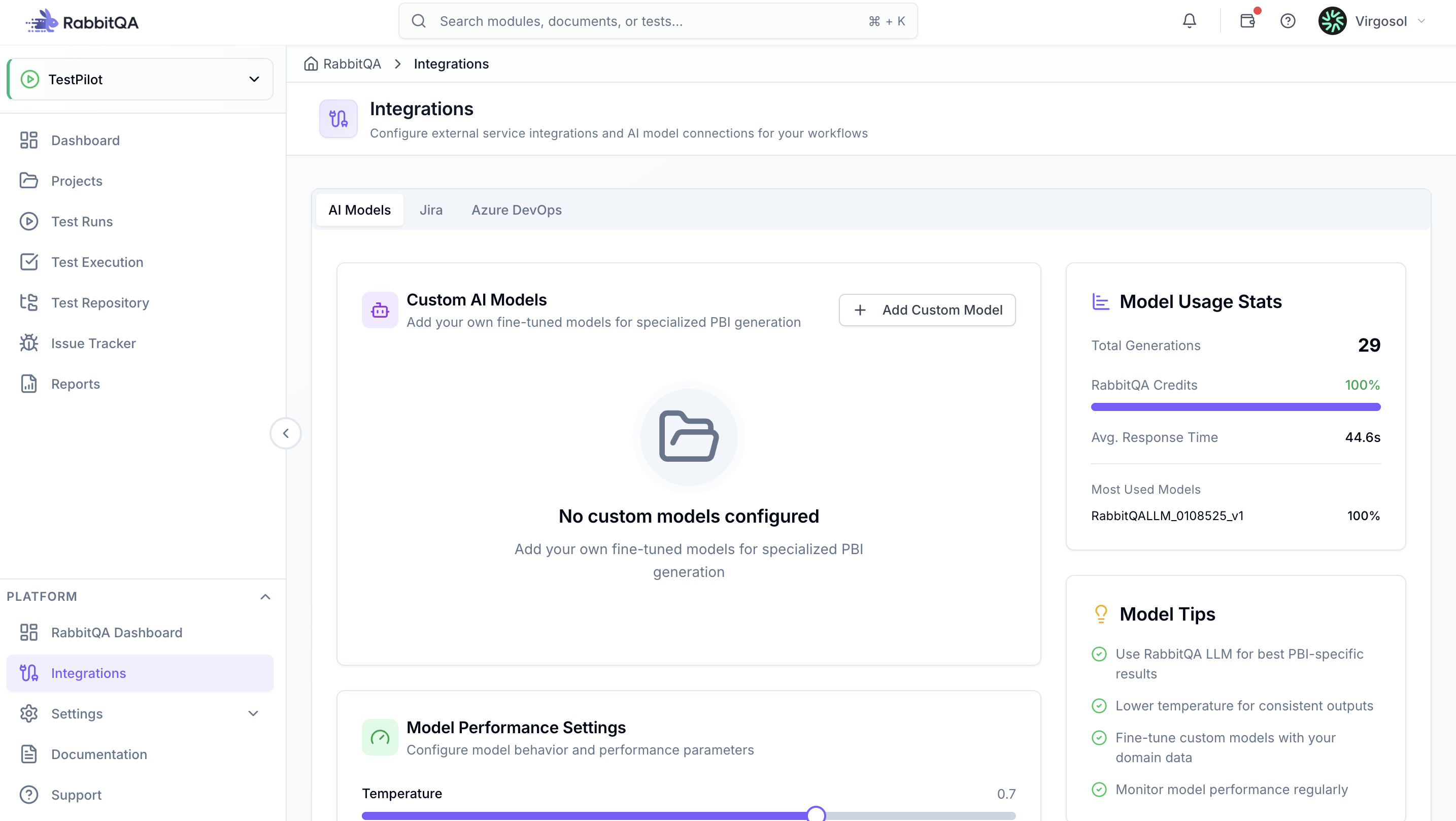
Integrate your custom AI agents to extend RabbitQA's capabilities with your organization's specific AI models and workflows.
Configure API endpoints, authentication credentials, and model parameters for your custom AI agents. This allows you to use specialized AI models for document analysis, test case generation, or other custom workflows within Analyzer, CaseWriter, and TestPilot modules.
After completing all these configurations, you are now ready to create a project and start using RabbitQA for your testing workflows.
Previous: Step 1: Sign Up / Login
