Configuration
Integrations are configured once for the company and are then available to every module that can use them. Connecting Jira, Azure DevOps, Confluence and source control early is worth doing, because several modules only reach their full value once they can read from and write to your existing tools.
Where to configure
Open Platform › Integrations from the sidebar.
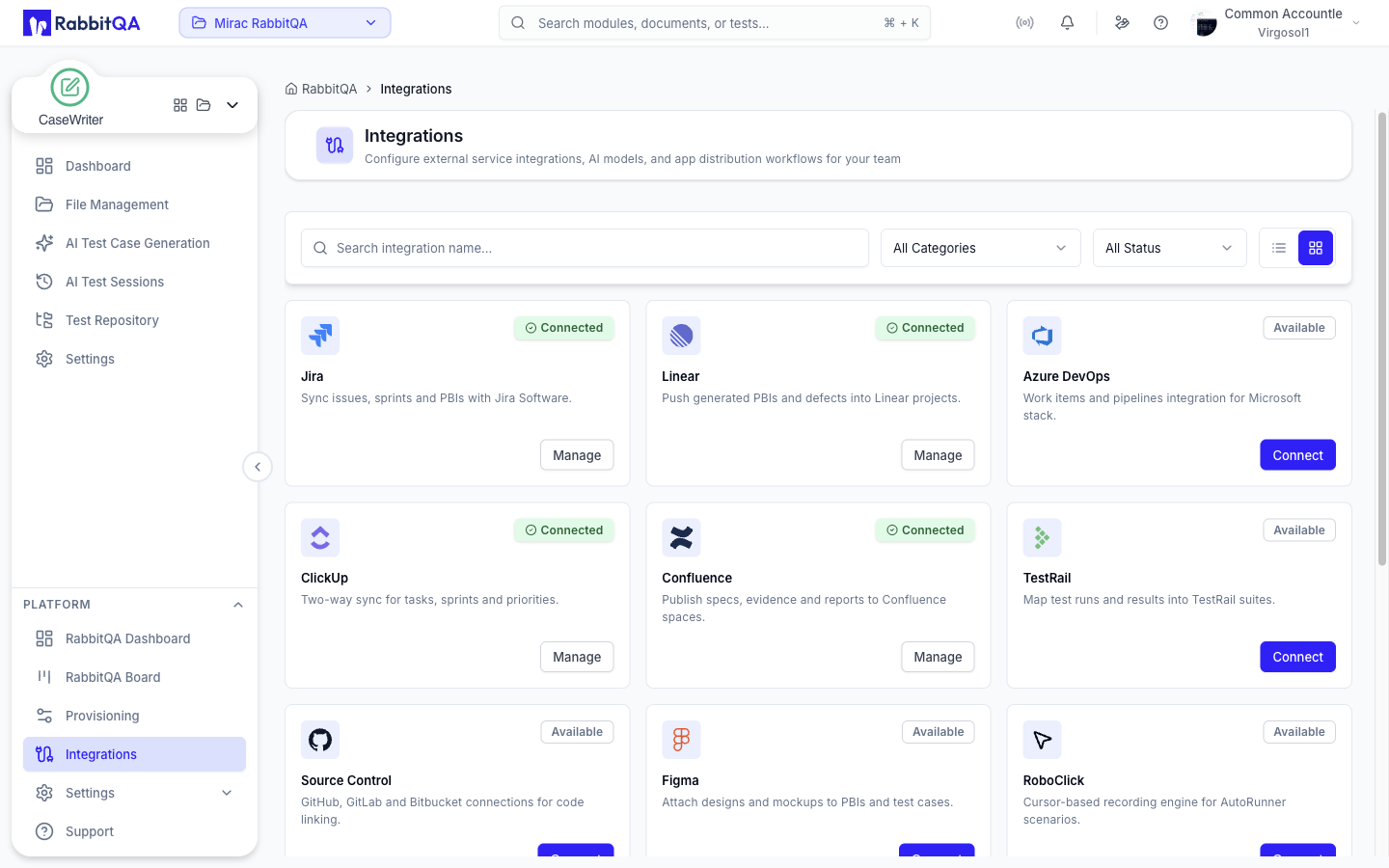
Integrations are grouped by what they are for:
| Group | Integrations |
|---|---|
| Project management | Jira, Linear, Azure DevOps, ClickUp |
| Test management | TestRail |
| Source control | Source Control |
| Design | Figma, Confluence |
| Automation and runners | Runners, RoboClick, App Distribution |
| Platform and AI | AI Models, Tools |
Configuring an integration requires administrator rights. If you do not see Integrations in the sidebar, your role does not include it.
Jira
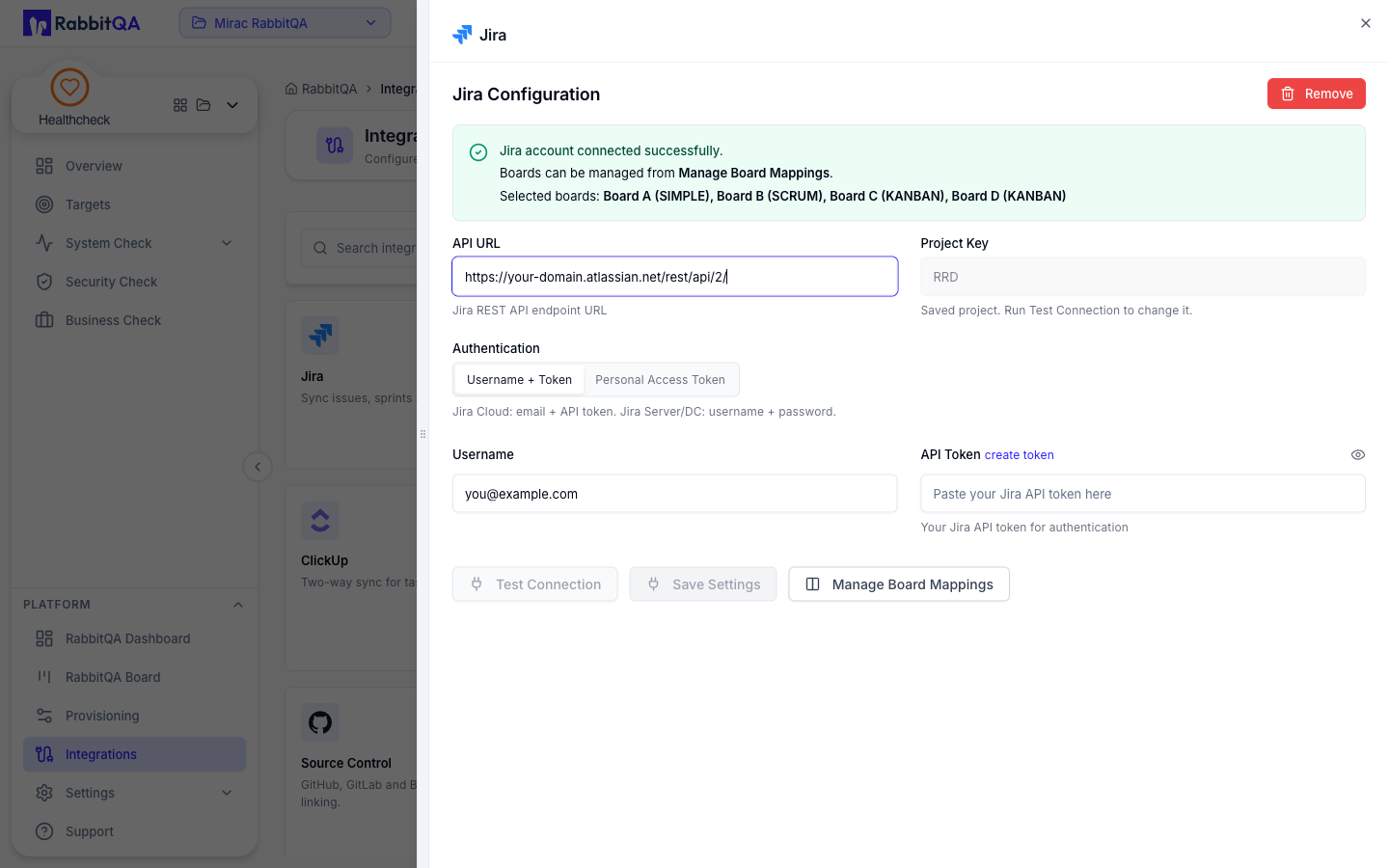
Connect Jira so backlog items and defects flow between RabbitQA and your Jira projects.
You will need the API URL — the Jira REST endpoint, for example https://your-domain.atlassian.net/rest/api/2/ —
a Project Key, and credentials.
The panel offers two authentication modes: Username + Token, which pairs an email address (Jira Cloud) or a
username (Jira Server and Data Center) with an API token, and Personal Access Token, which uses a token on its
own.
Use Test Connection to verify, then Save Settings.
Manage Board Mappings decides which Jira boards RabbitQA syncs with, and Remove disconnects the account.
Once connected:
- Smart PBI exports generated epics, features and stories as Jira issues, and links existing issues to backlog items
- TestPilot creates defects from failed executions, with the run context attached, and shows a Jira board alongside its own
- Analyzer and CaseWriter use the connection for traceability between requirements and generated content
Azure DevOps
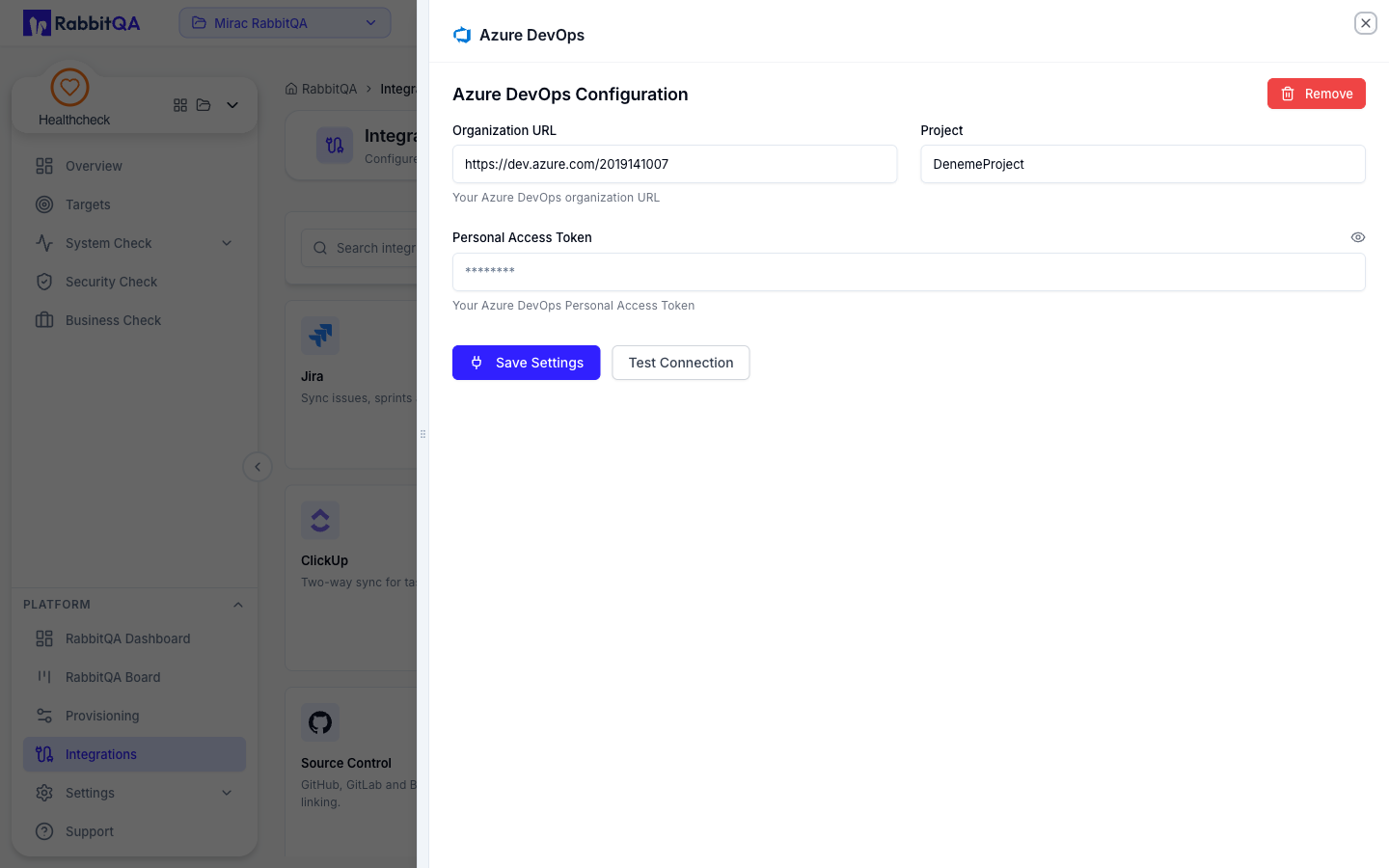
Connect Azure DevOps to work with Azure Boards work items.
You will need the Organization URL, the Project, and a Personal Access Token. Use Test Connection to verify, then Save Settings.
Once connected:
- Smart PBI exports backlog items as work items, preserving the epic, feature and story hierarchy
- TestPilot creates bugs from failed executions and shows an Azure board
Confluence
Connect Confluence to use pages as source material rather than uploading files.
Once connected, Analyzer, Smart PBI and CaseWriter can select Confluence pages as generation input, choosing from the page tree.
Source control
Connect a repository provider so AutoRunner can read automation projects and CaseWriter can detect source changes worth regenerating tests for.
TestRail
Connect TestRail to import existing cases, runs and results into the RabbitQA test repository through CaseWriter and TestPilot.
AI models
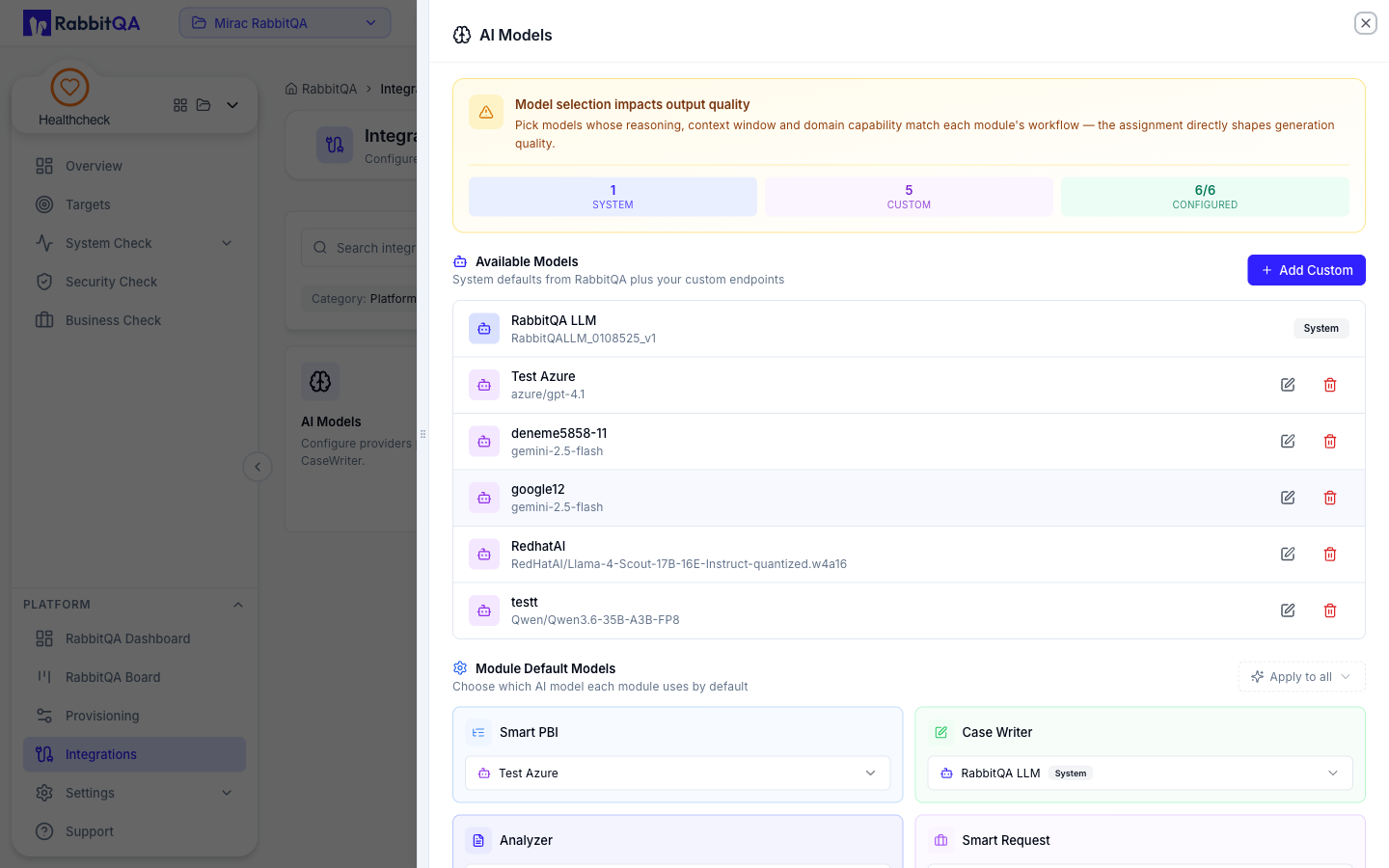
Choose and configure the models used for generation and analysis. The panel describes them as the providers powering Smart PBI, SmartAPI and CaseWriter.
Available Models lists RabbitQA's own system defaults alongside any custom endpoints you have added, and the counters above it report how many are system models, how many are custom, and how many of the module slots are configured. Add Custom registers your own endpoint.
Because models are configured here, they are no longer chosen per generation run inside a module.
AI generation consumes credits. Track consumption under Settings › Billing, described in Billing and Credits.
Organization settings
Beyond integrations, an administrator will usually want to set up:
- Settings › Organization — company details, RAG configuration, security and email lists
- Settings › Team Management — invite users, create teams
- Settings › Roles — define what each role can do
- Workspace module entitlement — which modules each workspace has
See Platform Settings and Team Management.
Previous: Sign Up / Login
Next: Test Management Concepts
