Authenticated Audits
Enable authentication on a plan when its protected audit URLs require a sign-in flow. Public URLs in the same plan can continue to bypass authentication.
Basic authentication flow
The Basic option configures a form-based sign-in using:
- Login URL
- Username and username selector
- Password and password selector
- Submit selector
- Wait time after login
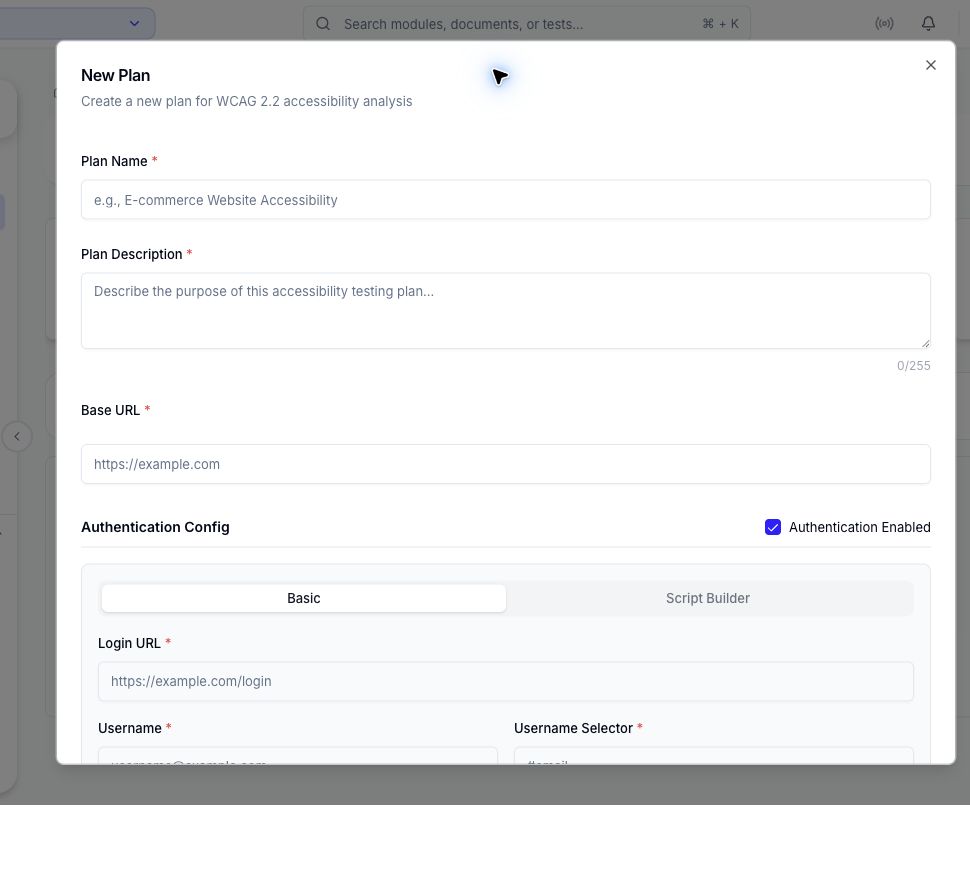
Use selectors that uniquely identify the form controls. Allow enough post-login time for the target application to finish its redirect and load its authenticated state.
Script Builder flow
Use Script Builder when sign-in needs more than a single form submission. It stores the login URL and credentials plus an ordered sequence of up to ten browser actions.
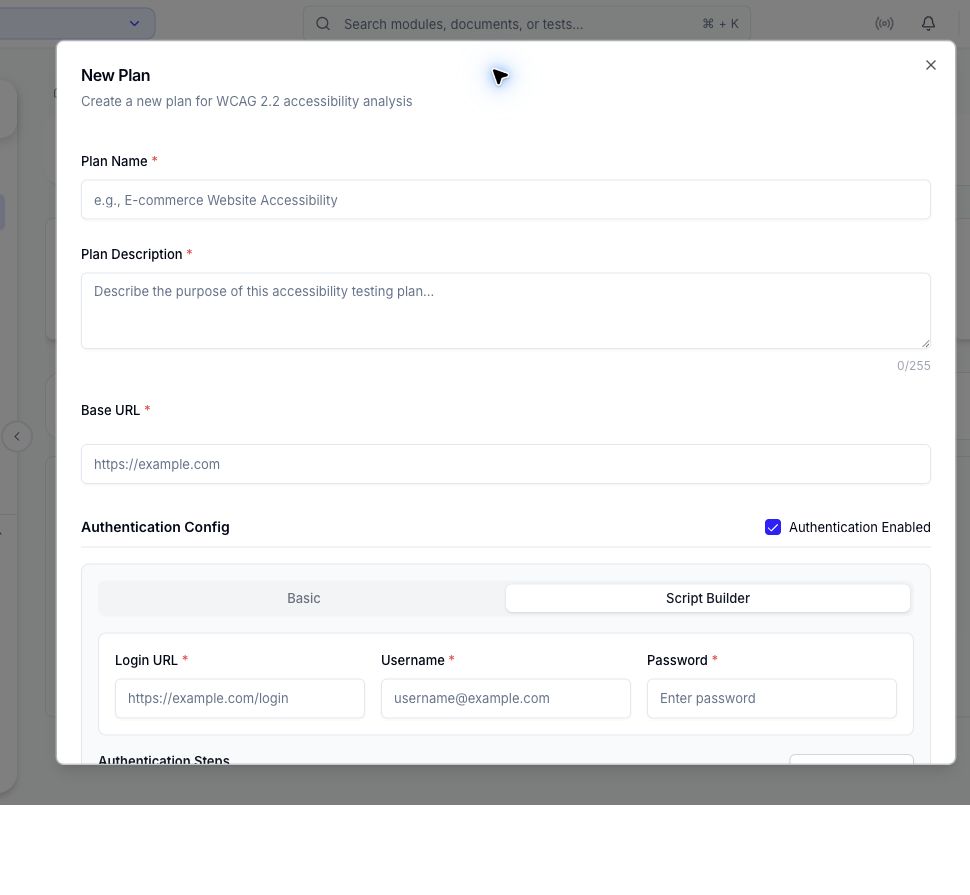
Available actions include navigation, waiting for a selector or navigation, typing, clicking, keyboard input, scrolling, hovering, double-clicking, switching to an iframe, and a bounded custom wait. Use Show Preview to review the order before saving.
Use authentication in an audit
- Save the plan with authentication enabled.
- Create or edit an audit group.
- Clear Public on each URL that requires the plan's sign-in flow.
- Run one protected URL and verify the completed report corresponds to the expected page.
- Add or run the remaining protected URLs only after the first check succeeds.
Security guidance
- Use a dedicated test account with the minimum permissions required.
- Keep credentials out of plan names, descriptions, URL paths, screenshots, and issue text.
- Prefer a non-production environment where practical.
- Update or disable the plan's authentication configuration when the account changes.
- Treat stored credentials and authentication steps as sensitive workspace configuration.
The platform validates authentication scripts and rejects unsafe patterns, but the target account and environment still need appropriate access controls.
