Mail Settings
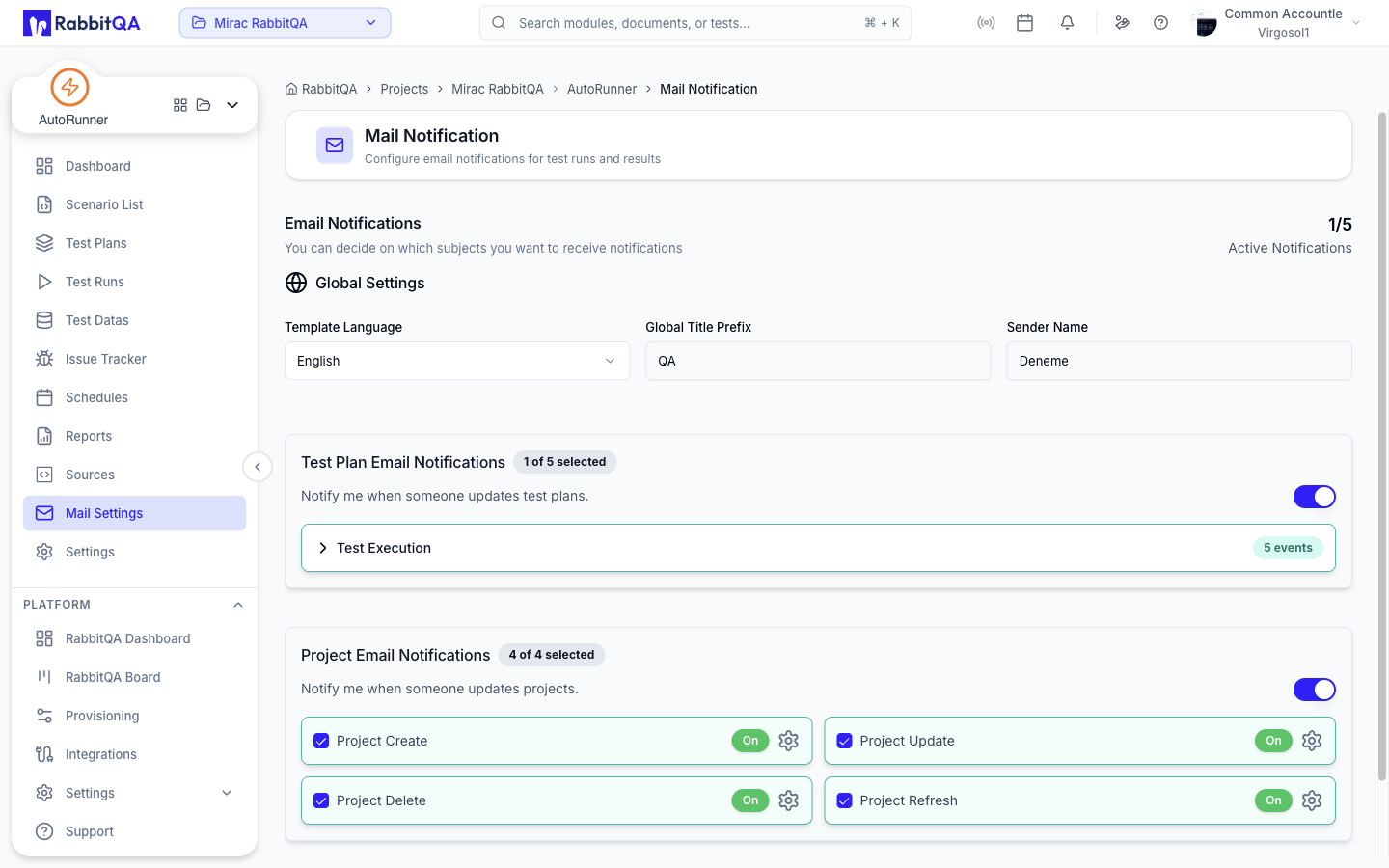
Mail Settings controls which AutoRunner events send email and what those emails say.
The page header reads Mail Notification, and a counter at the top shows how many notifications are currently active out of the total available.
Global Settings
These apply to every notification AutoRunner sends.
| Setting | Notes |
|---|---|
| Template Language | English or Turkish |
| Global Title Prefix | Prefixed to every subject line. Up to 100 characters. |
| Sender Name | The name recipients see. Up to 100 characters. |
Event Groups
Notifications are grouped into two cards, each with a master switch and a badge showing how many events are selected.
| Card | Covers |
|---|---|
| Test Plan Email Notifications | Updates to test plans, organized into collapsible event groups |
| Project Email Notifications | Updates to projects, listed as individual events |
Each event has its own checkbox and an On / Off badge. Turning the master switch off suppresses the whole group without losing your per-event choices.
Editing a Template
The gear icon next to an event opens its template drawer.
| Section | Notes |
|---|---|
| Template Language | The language this template applies to |
| Available Variables | Searchable list of placeholders you can insert |
| Email Subject | The subject line |
| Email Content | The body |
A preview under the fields shows the resolved subject and content. Select Save Template to keep the changes.
Changes are not saved until you use the save action. An unsaved-changes banner appears at the top of the page while edits are pending.
