WCAG Compliance
The Web Content Accessibility Guidelines (WCAG) are international standards for web accessibility. RabbitQA helps you test and achieve compliance with WCAG 2.1 and 2.2.
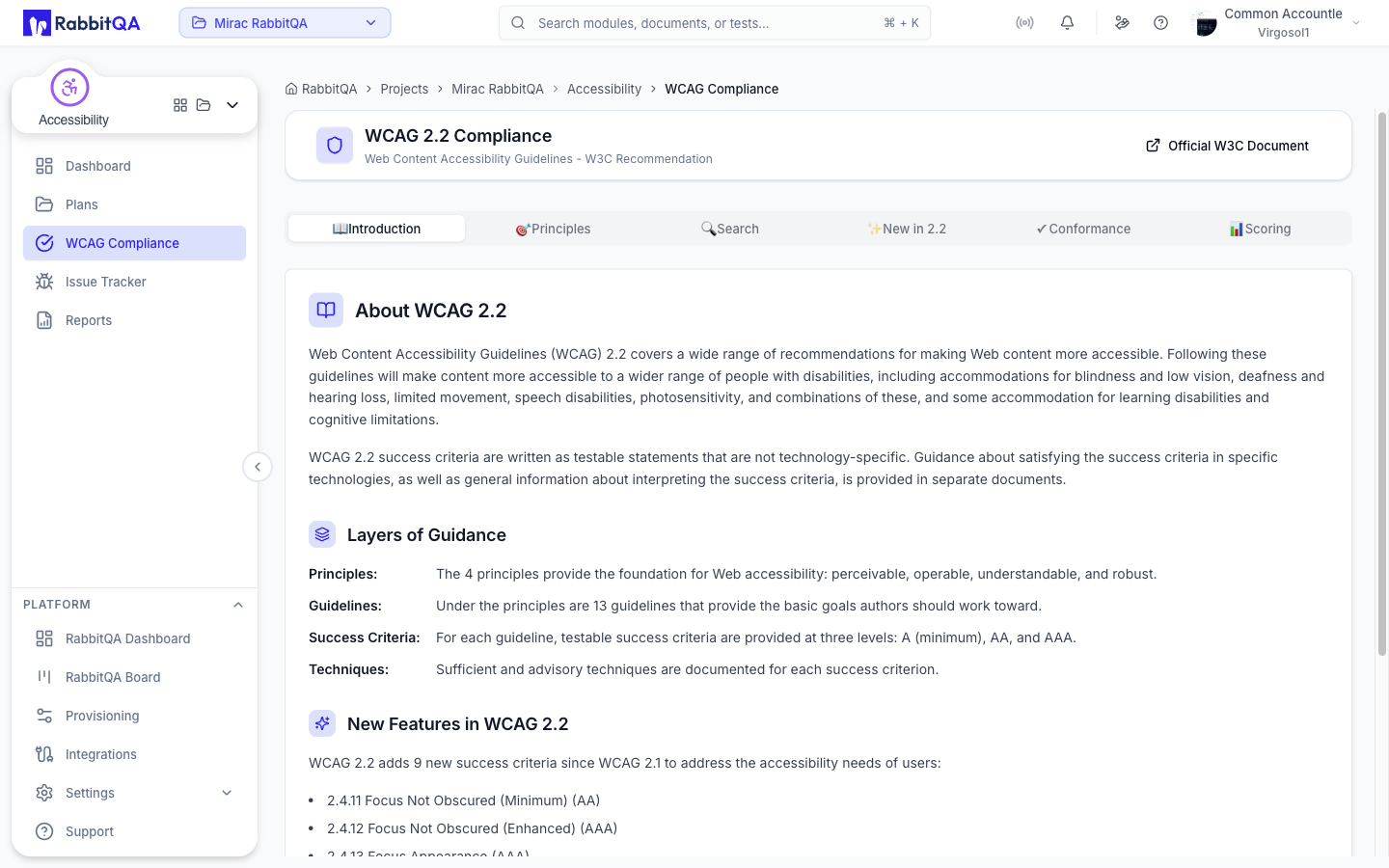
WCAG Versions
WCAG 2.1
The current widely-adopted standard, building on WCAG 2.0 with additional criteria for:
- Mobile accessibility
- Low vision users
- Cognitive disabilities
WCAG 2.2
The latest version (2023) adding criteria for:
- Focus appearance
- Dragging movements
- Target size
- Consistent help
- Redundant entry
- Accessible authentication
Conformance Levels
WCAG defines three conformance levels:
Level A (Minimum)
Basic accessibility requirements that must be met:
- Non-text content has text alternatives
- Captions for audio content
- Content can be presented without losing information
- Color is not the only visual means of conveying information
Level AA (Standard)
The recommended target for most organizations:
- All Level A criteria, plus:
- Captions for live audio
- Audio descriptions for video
- Contrast ratio of at least 4.5:1
- Text can be resized up to 200%
- Multiple ways to find pages
Level AAA (Enhanced)
Highest level of accessibility:
- All Level A and AA criteria, plus:
- Sign language for audio content
- Extended audio descriptions
- Contrast ratio of at least 7:1
- No timing limits
WCAG Browser
RabbitQA includes a WCAG guideline browser:
Accessing the Browser
- Navigate to Accessibility > WCAG Compliance
- Browse guidelines by principle
- Click any criterion for details
Four Principles (POUR)
1. Perceivable
Information must be presentable in ways users can perceive:
- 1.1 Text Alternatives
- 1.2 Time-based Media
- 1.3 Adaptable
- 1.4 Distinguishable
2. Operable
User interface must be operable:
- 2.1 Keyboard Accessible
- 2.2 Enough Time
- 2.3 Seizures and Physical Reactions
- 2.4 Navigable
- 2.5 Input Modalities
3. Understandable
Information and UI must be understandable:
- 3.1 Readable
- 3.2 Predictable
- 3.3 Input Assistance
4. Robust
Content must be robust for various user agents:
- 4.1 Compatible
Testing for Compliance
Automated Testing
RabbitQA's Lighthouse integration automatically tests:
- Color contrast ratios
- Image alt text presence
- Form label associations
- Heading structure
- ARIA attribute validity
- Keyboard accessibility
Manual Testing Required
Some criteria require human verification:
- Quality of alt text descriptions
- Meaningful link text
- Logical reading order
- Cognitive load assessment
Compliance Reports
Generating Reports
- Run an accessibility audit
- Click Generate Compliance Report
- Select the conformance level (A, AA, or AAA)
- Export the report
Report Contents
| Section | Description |
|---|---|
| Summary | Overall compliance status |
| Passed Criteria | Met WCAG requirements |
| Failed Criteria | Non-compliant items |
| Manual Review | Items needing human verification |
| Recommendations | Steps to achieve compliance |
Common WCAG Failures
Level A Failures
| Criterion | Common Issue |
|---|---|
| 1.1.1 | Missing alt text on images |
| 1.3.1 | Missing form labels |
| 2.1.1 | Keyboard inaccessible elements |
| 4.1.2 | Missing ARIA labels |
Level AA Failures
| Criterion | Common Issue |
|---|---|
| 1.4.3 | Insufficient color contrast |
| 1.4.4 | Text cannot be resized |
| 2.4.6 | Non-descriptive headings |
| 2.4.7 | No visible focus indicator |
Best Practices
Start with Level AA
Most legal requirements and best practices target Level AA compliance.
Test Early and Often
Include accessibility testing in your development workflow, not just before launch.
Combine Automated and Manual Testing
Use RabbitQA's automated testing as a first pass, then conduct manual reviews for comprehensive coverage.
Document Exceptions
For criteria that cannot be met, document the reason and any alternative solutions provided.
