WCAG Compliance Reference
Accessibility › WCAG Compliance (/accessibility/compliance) is a reference guide to the WCAG 2.2 standard.
It is static standards reference content, shipped with the product so you can look up a success criterion without leaving RabbitQA.
It is not a compliance result for your site, not a regulation mapping engine, and not a legal conformance scorecard. Nothing on this page is computed from your audits, and nothing you do here changes an audit. Your actual results live in the audit reports.
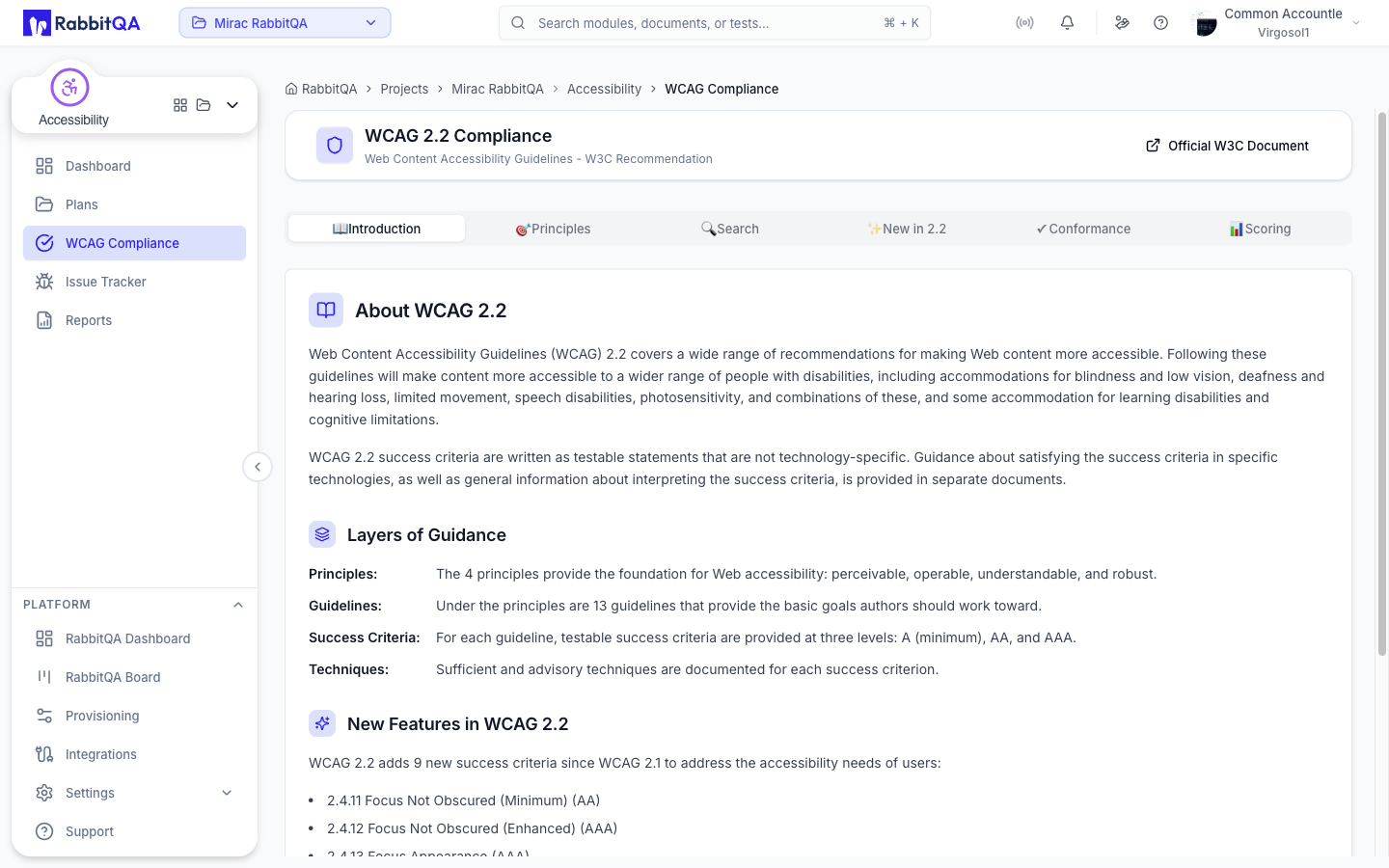 The page header links to the official W3C document at w3.org/TR/WCAG22, which remains the authoritative source.
Tabs
The reference is organized into six tabs.
| Tab | Content |
|---|---|
| Introduction | What WCAG 2.2 covers and how its guidance is layered. |
| Principles | The four principles, their guidelines, and every success criterion. |
| Search | Free-text search across the success criteria. |
| New in 2.2 | The nine criteria added since WCAG 2.1. |
| Conformance | The three conformance levels and the four conformance requirements. |
| Scoring | How the accessibility score is calculated and how each check is weighted. |
Introduction
The Introduction tab explains that WCAG 2.2 success criteria are written as testable, technology-neutral statements, and it describes the four layers of guidance.
| Layer | Description |
|---|---|
| Principles | The four foundations: perceivable, operable, understandable, robust. |
| Guidelines | The 13 basic goals grouped under the principles. |
| Success Criteria | Testable statements at three levels: A, AA, and AAA. |
| Techniques | Sufficient and advisory techniques documented for each success criterion. |
Principles
The Principles tab lists the WCAG 2.2 hierarchy in full: each principle, its guidelines, and each success criterion with its conformance level and description.
Levels are color-coded as A - Minimum, AA - Recommended, and AAA - Enhanced.
| Principle | Focus |
|---|---|
| 1. Perceivable | Information and interface components must be presentable in ways users can perceive. |
| 2. Operable | Interface components and navigation must be operable. |
| 3. Understandable | Information and the operation of the interface must be understandable. |
| 4. Robust | Content must work reliably across user agents and assistive technologies. |
Search
The Search tab filters the success criteria by free text, so you can jump to a criterion by number, title, or wording.
Beside the search box, All Levels, Level A, Level AA, and Level AAA narrow the results further, and a running count of matching criteria sits under the controls.
New in 2.2
WCAG 2.2 adds nine success criteria to WCAG 2.1.
| Criterion | Title | Level |
|---|---|---|
| 2.4.11 | Focus Not Obscured (Minimum) | AA |
| 2.4.12 | Focus Not Obscured (Enhanced) | AAA |
| 2.4.13 | Focus Appearance | AAA |
| 2.5.7 | Dragging Movements | AA |
| 2.5.8 | Target Size (Minimum) | AA |
| 3.2.6 | Consistent Help | A |
| 3.3.7 | Redundant Entry | A |
| 3.3.8 | Accessible Authentication (Minimum) | AA |
| 3.3.9 | Accessible Authentication (Enhanced) | AAA |
One criterion from WCAG 2.0, 4.1.1 Parsing, is obsolete and has been removed.
Conformance
Levels
| Level | Requirement |
|---|---|
| A | The page satisfies all Level A success criteria. |
| AA | The page satisfies all Level A and Level AA success criteria. |
| AAA | The page satisfies all Level A, AA, and AAA success criteria. |
Requirements
Beyond the criteria themselves, WCAG defines four conformance requirements.
- Full pages — conformance is claimed for full web pages only, and cannot be achieved if part of a page is excluded.
- Complete processes — when a page is one of a series in a process, every page in the process must conform at the same level or better.
- Accessibility-supported — only accessibility-supported ways of using technologies may be relied upon to satisfy the criteria.
- Non-interference — technologies used in non-conforming ways must not block access to the rest of the page.
Scoring
The Scoring tab documents how the accessibility score in an audit report is produced.
- The score is a weighted average of the individual accessibility checks.
- Weighting follows axe user impact assessments, so a heavily weighted check moves the score more.
- Each check is pass or fail, with no partial credit; a page that labels some buttons but not others scores zero for that check.
- Manual checks and low-impact best-practice checks are excluded from the score.
The tab includes the full weight table, listing every scored check and its weight.
Quick reference while auditing
The same guideline content is available as a drawer without leaving your results.
Select the WCAG 2.2 button on the audit history table or on an audit report to open it.
