Variables and Environment Input
SmartAPI variables provide reusable values for generated requests, assertions, and scripts. Open View all variables in a generated session to inspect the current set.
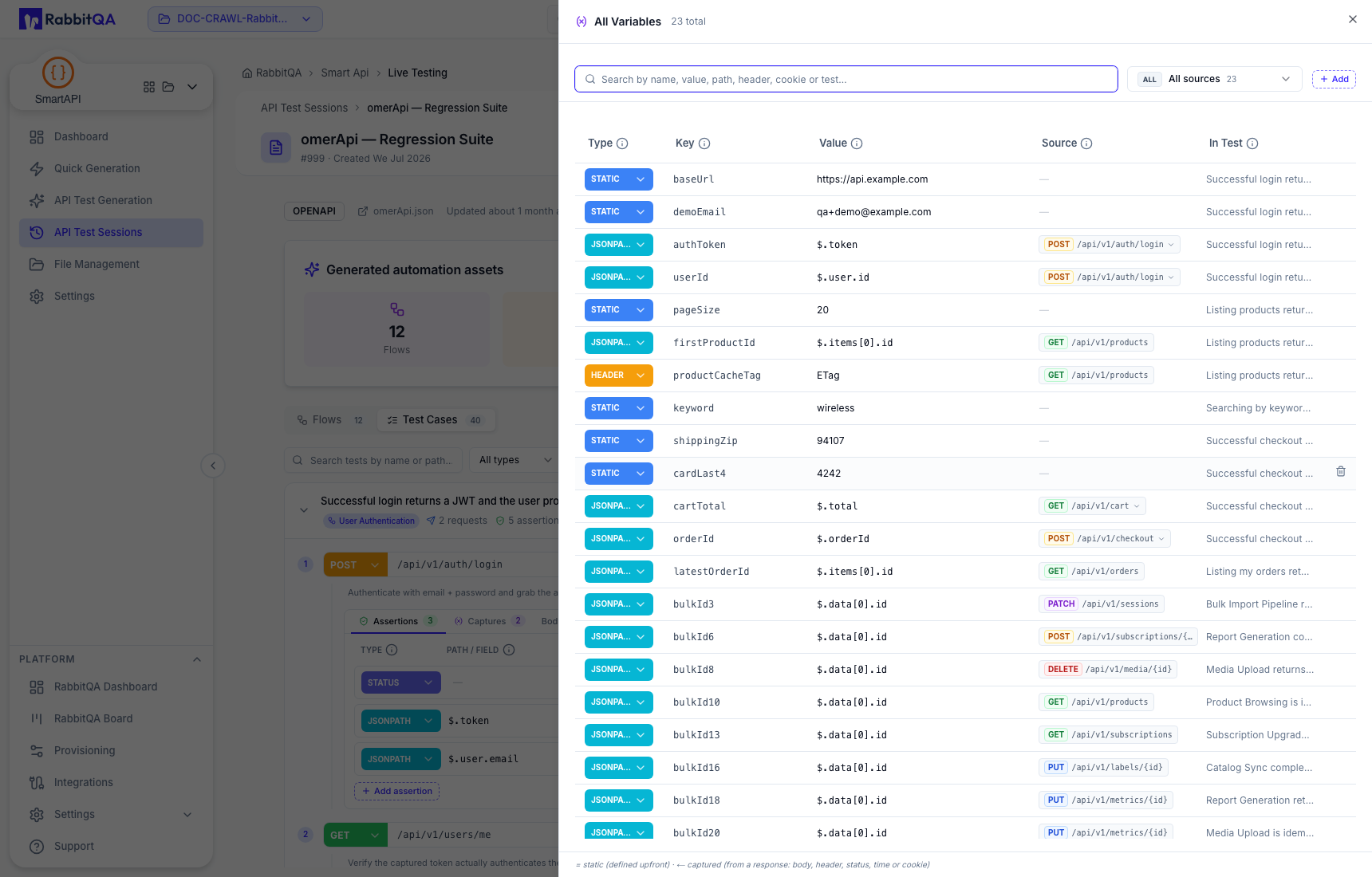
Variable sources
The variable list distinguishes values such as:
- Static values defined before execution;
- JSONPath values captured from a response body;
- Header values captured from a response header; and
- other response-derived types exposed by the editor, such as status, time, or cookie values.
The list can show the variable key, current definition, producing request, and test that uses it.
Scope
A variable can be associated with one generated test or visible across the session. Keep the narrowest scope that still satisfies the request sequence. Reusing the same key for unrelated data can make a transferred collection unpredictable.
Safe variable design
- Store example or non-secret defaults only.
- Supply real credentials through the target execution environment, not the generated session.
- Name response-derived values by purpose, such as
authTokenorcreatedOrderId. - Verify that every captured value is produced before use.
- Avoid static values tied to a single user's data or a short-lived UAT record.
- Check that negative tests cannot overwrite variables required by later positive tests.
Postman environment input
File Management accepts a Postman Environment as a managed source type. This lets SmartAPI parse environment-shaped input for generation and transfer workflows.
The current SmartAPI navigation does not provide a standalone environment-switching workspace. Runtime environment selection, secret injection, and executed values belong to the target AutoRunner project and run configuration.
Before uploading a Postman environment file, replace every secret with a safe placeholder. Review the generated variables again after transfer.
