Accessibility Module
Comprehensive guide for running accessibility audits, tracking WCAG compliance, and generating reports.
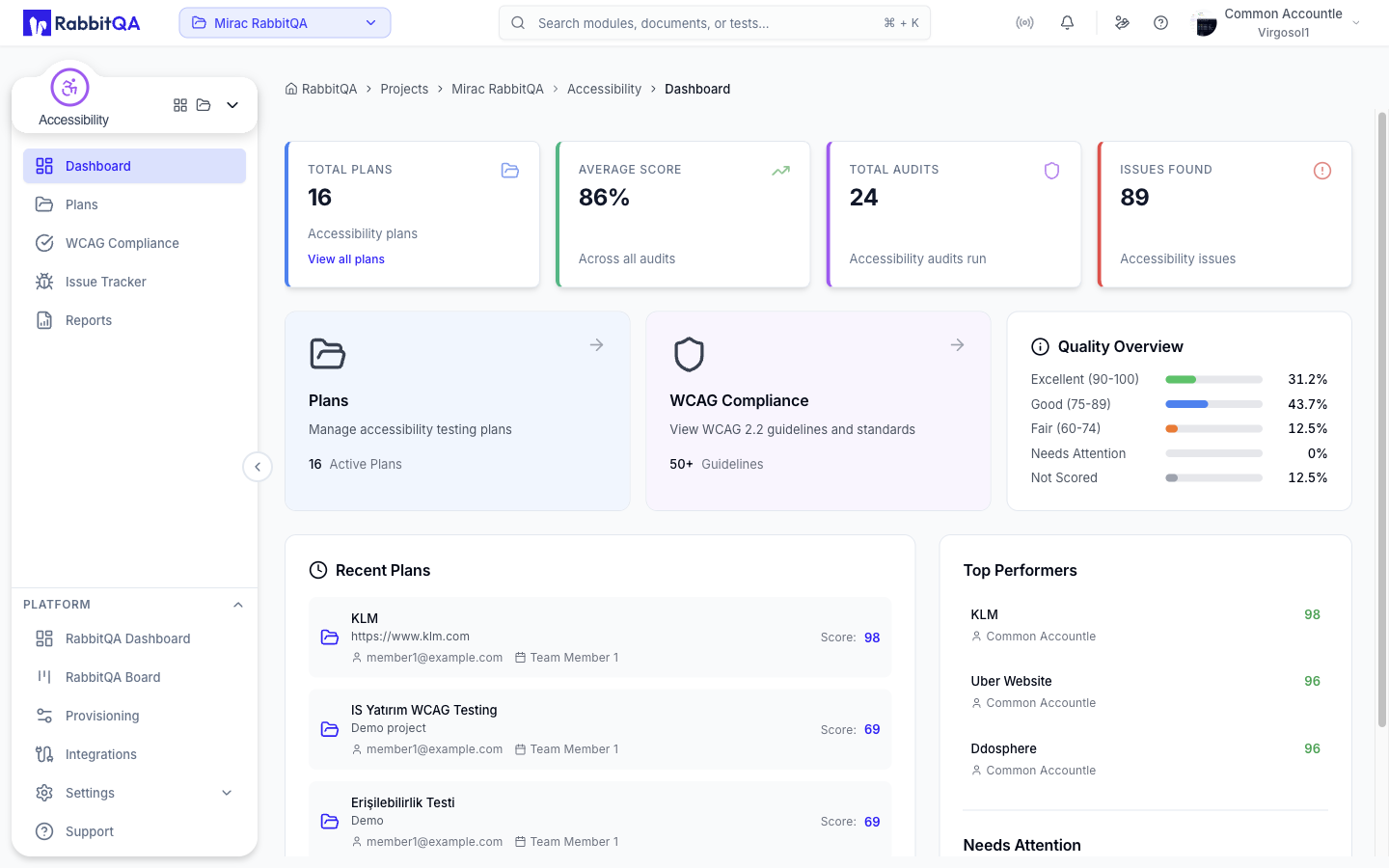
What is Accessibility?
Accessibility is RabbitQA's WCAG compliance module that helps teams ensure their web applications meet accessibility standards. Powered by Google Lighthouse and the PageSpeed Insights API, it runs automated audits against WCAG 2.1 and 2.2 guidelines — then provides detailed reports with visual evidence of failing elements.
Key Capabilities
- Lighthouse-Powered Audits — Google PageSpeed Insights API integration for industry-standard accessibility scoring
- WCAG 2.1 & 2.2 Coverage — Test against Level A, AA, and AAA conformance criteria
- Project-Based Organization — Group audits by project for structured compliance tracking
- Visual Evidence — Screenshot capture and CSS-based cropping of failing elements
- Detailed Reports — Export compliance summaries with issue breakdowns and recommendations
Accessibility Score
The accessibility score is calculated on a 0-100 scale:
| Score Range | Rating | Color |
|---|---|---|
| 90-100 | Excellent | Green |
| 50-89 | Needs Improvement | Yellow |
| 0-49 | Poor | Red |
Audit Categories
Accessibility audits are organized into five main categories:
- Navigation — Keyboard navigation and focus management
- Names & Labels — Proper labeling of interactive elements
- Contrast — Color contrast ratios for text readability
- Semantic HTML — Proper use of HTML elements and ARIA
- Best Practices — General accessibility best practices
For detailed WCAG testing criteria per category, see WCAG Compliance.
Severity Levels
Issues are categorized by severity:
| Severity | Description | Impact |
|---|---|---|
| Critical | Blocks access for users with disabilities | Must fix immediately |
| Serious | Significant barriers to accessibility | High priority |
| Moderate | Issues that affect user experience | Medium priority |
Getting Started
- Create a Project — Use Projects to organize your audits by application or team.
- Run Your First Audit — Follow the Audits guide to scan a web page.
- Review WCAG Results — Browse compliance details in the WCAG Compliance guideline viewer.
- Generate Reports — Export findings using Reports to share with stakeholders.
Integration with Other Modules
The Accessibility module integrates with:
- TestPilot — Include accessibility tests in test runs
- Reporter — Aggregate accessibility metrics in dashboards
- CI/CD — Automate accessibility testing in pipelines
Start by auditing your most visited page. Once you see the compliance score and issue breakdown, expand coverage to other critical pages in your application.
