CaseWriter Settings
Settings in the CaseWriter sidebar opens /casewriter/settings.
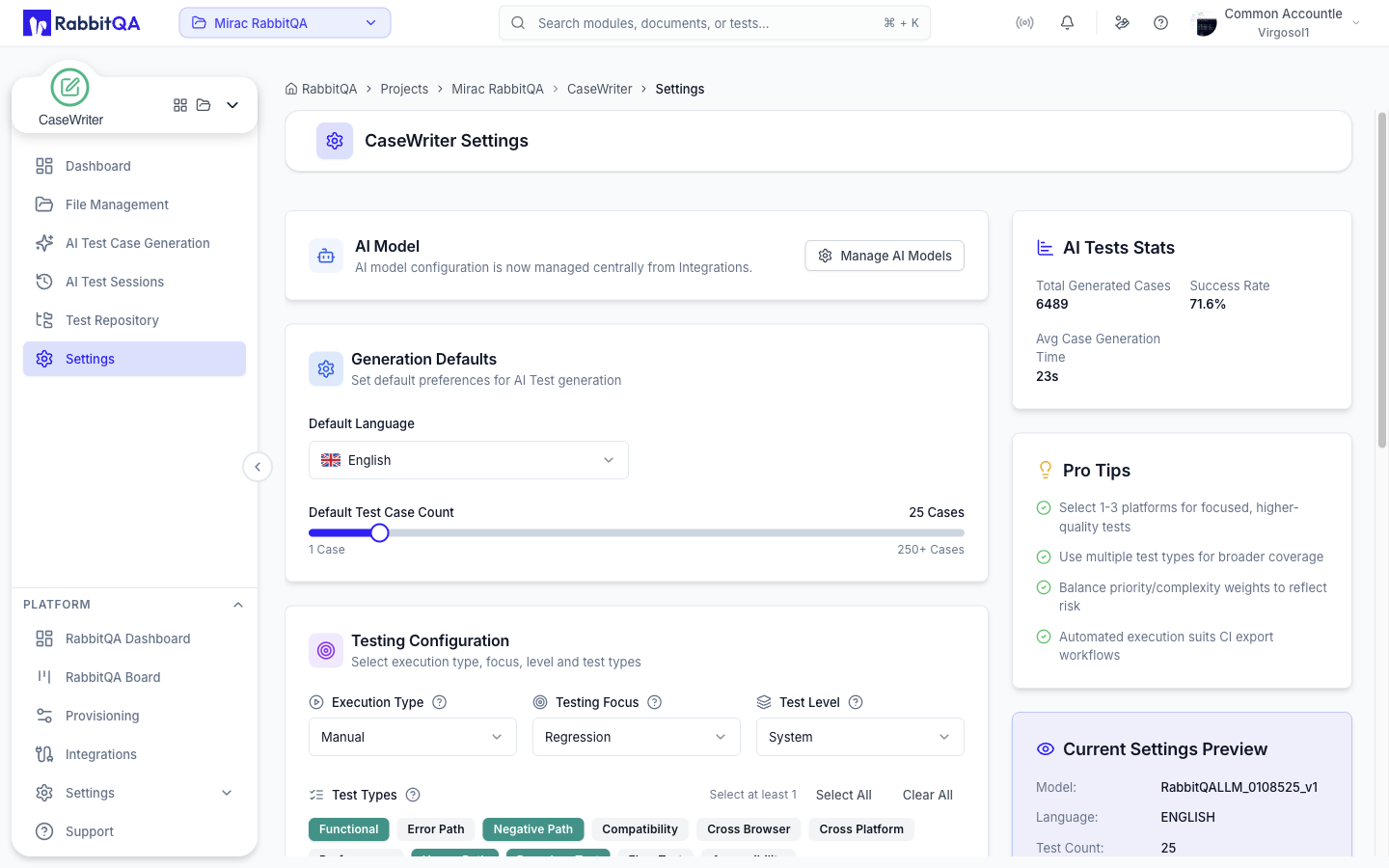
This Is Analyzer's Screen
/casewriter/settings is a Next.js rewrite to /analyzer/settings?tab=ai-tests.
You are looking at Analyzer's settings page, opened on its AI Tests tab, with the CaseWriter sidebar entry still highlighted. The rewrite exists so that changing generation defaults does not switch the shell over to Analyzer.
The generator's own Settings shortcut lands on the same tab.
For the rest of the settings page, see Analyzer Settings.
What the AI Tests Tab Controls
The tab holds the defaults every new generation session starts from.
Generation Defaults
| Setting | Applies to |
|---|---|
| Default Language | The output language for generated cases |
| Default Test Case Count | The starting position of the Test Case Count slider, from 1 to 250 |
Default Platforms sits in its own card below and holds the platforms preselected in the generator.
An AI Model card sits at the top of the tab, but it is informational only: model configuration is managed centrally from Integrations, and the card's Manage AI Models button opens /integrations?tab=ai-models.
Testing Configuration
| Setting | Applies to |
|---|---|
| Execution Type | Manual or automated, as the default |
| Testing Focus | The default focus, for example regression or smoke |
| Test Level | The default level, for example system or integration |
| Test Types | The test types preselected in the generator |
Distribution Weights
Priority Weights and Complexity Weights shape how generated cases are distributed.
Each set must total exactly 100 percent; the form refuses to save otherwise.
Preview and Stats
A Current Settings Preview panel restates the saved configuration in one place.
An AI Tests Stats panel reports totals for the project, including total generated cases, average case generation time, and the success rate.
Saving
Changing a value raises an unsaved-changes bar; the settings are written only when you save.
Saving requires the Analyzer settings update permission.
Presets Are Not Settings
Per-run configurations saved with Save as Preset in the generator are separate from these defaults. A preset marked as default is applied on top of the settings when the generator opens.
Related
- File Management — the other CaseWriter entry that is really an Analyzer screen
- AI Test Case Generation — where these defaults are used
