Files
Manage, upload, and analyze your documents.
What is Files?
The Files page enables you to organize all your documents, upload new files, manage versions, and view analysis results. It offers flexible workflows with both grid and list view options.
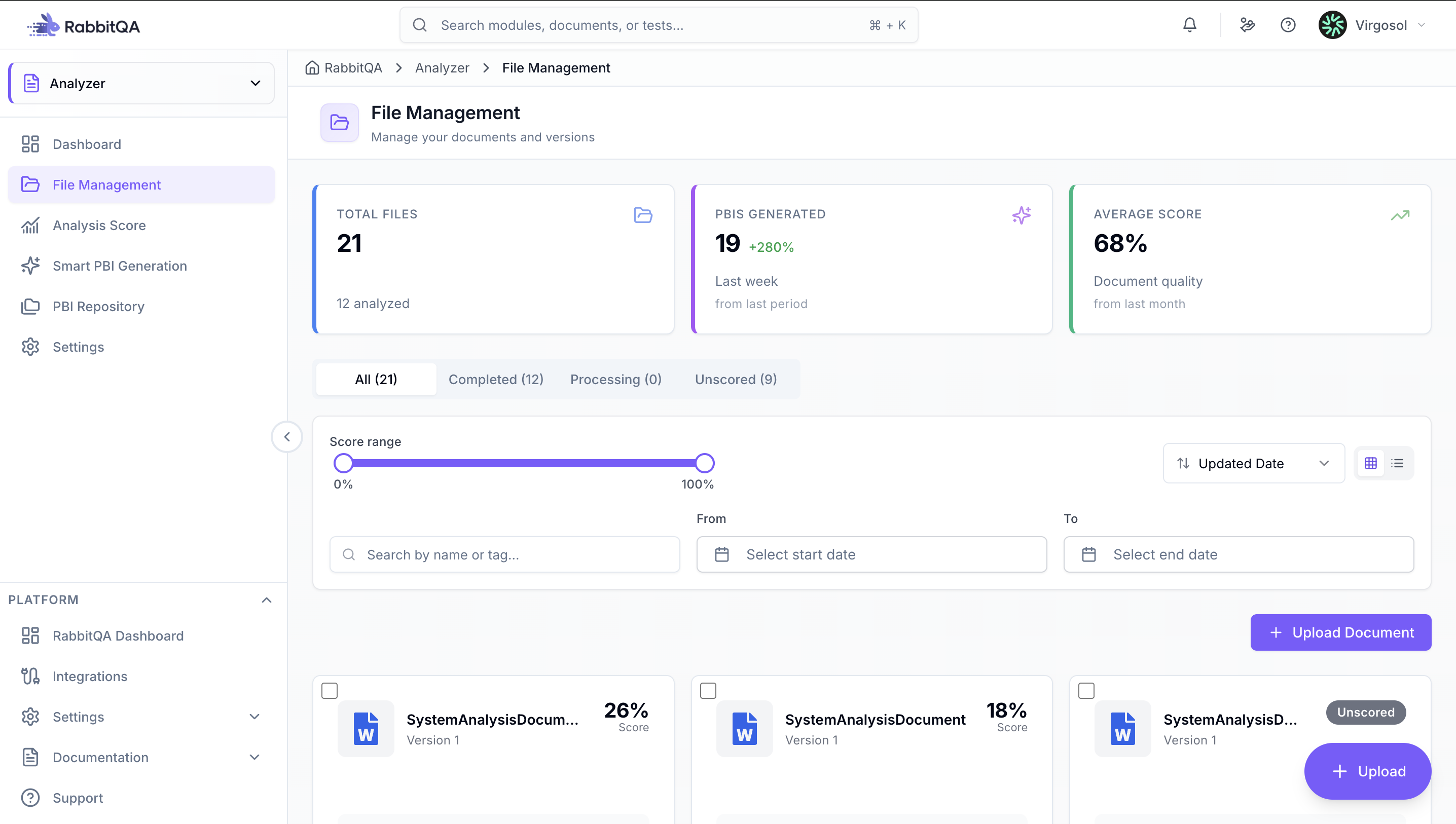
Upload Documents
Click the "Upload Document" button or drag and drop files onto the upload area. Select file (PDF, DOC, DOCX, TXT, MD), add optional tags, and start the upload process. Maximum file size: 10 MB per file.
Supported Formats
| Format | Extension | Max Size |
|---|---|---|
| 10 MB | ||
| Microsoft Word | .doc, .docx | 10 MB |
| Text | .txt | 10 MB |
| Markdown | .md | 10 MB |
| Image | .jpeg, .jpg, .png | 10 MB |
Search and Filtering
Search by file name and tags with full Unicode support. Use status filters (All, Analyzed, Processing, Pending) and advanced filters including score range (0-100 slider) and date range.
Sort by update date, creation date, highest score, or lowest score.
View Modes
Switch between Grid View (card-based display with file preview, basic information, and quick action buttons) and List View (table-based display with compact information, sortable columns, and bulk selection checkboxes).
Version Management
Upload unlimited versions for each file. View version history, compare between versions, and analyze each version independently. Each version is automatically numbered (v1, v2, v3) and analyzed separately.
File Details
Click on any file to view its detail page. The detail page shows file information, version sidebar with all versions, and three main tabs:
- Overview: Quick actions, statistics, and file information
- Analysis Results: Score breakdown, AI recommendations, and benchmark comparison
- History: Chronological version list with scores and notes
Quick Actions
For each file, you can analyze the document, view details, upload new version, view version history, copy file information, download original file, or delete file.
Use bulk operations to select multiple files for bulk delete, bulk export, or bulk tagging.
