CaseWriter Module
Comprehensive guide for test case management and AI-powered test generation.
What is CaseWriter?
CaseWriter is RabbitQA platform's test case management module. With AI support, you can automatically generate test cases, manually add detailed test steps, create test sets, and manage all your test cases in a central repository.
CaseWriter accelerates test case writing, facilitates team collaboration, and improves test quality. With AI-powered test generation, you can create comprehensive test cases from your requirement documents in minutes. Import and export in Excel, CSV, and other formats for easy data exchange.
Key Features
AI Test Generation
Automatically generate test cases from requirement documents using AI technology. Supports text and document input, multiple platform targets, and generates detailed test steps with expected results.
Manual Test Creation
Write manual test cases with detailed test steps, preconditions, priority levels, and complexity ratings for precise control over test scenarios.
Test Repository
Central hub for viewing, searching, and managing all your test cases with tree view organization, advanced search and filtering, drag & drop, and bulk operations.
Test Sets
Organize test cases into logical groups with hierarchical structure, set creation and management, and set-based execution.
Import/Export
Exchange tests in Excel and CSV formats for team collaboration and data portability.
TestPilot Integration
Integration with TestPilot for seamless test execution workflows.
Core Components
Dashboard
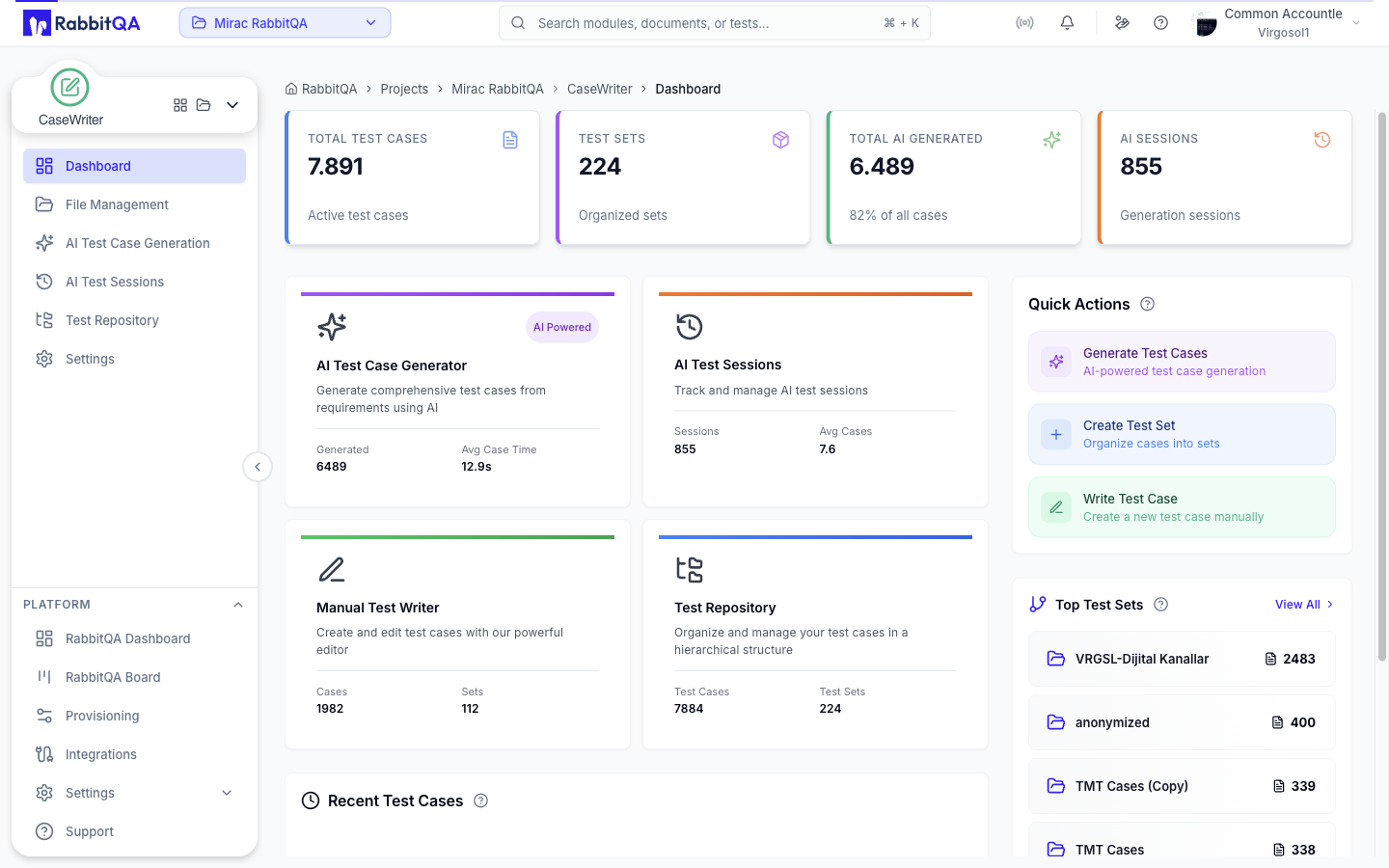
CaseWriter Dashboard provides an overview of your test case activities:
- Total test case count
- Test set statistics
- AI generation metrics
- Quick access buttons
AI Test Generator
Uses AI technology to automatically generate test cases from requirement documents:
- Text and document input
- Multiple platform support
- Detailed test steps
- Review and editing
Test Repository
Central hub for viewing, searching, and managing all your test cases:
- Tree view organization
- Advanced search and filtering
- Drag & drop to move
- Bulk operations
Test Sets Management
Organize test cases into logical groups:
- Hierarchical structure
- Set creation and management
- Test organization
- Set-based execution
Common Use Cases
Rapid Test Generation
- Upload requirement document to AI Generator
- Wait for AI to generate test cases
- Review generated tests
- Save to Test Set and send to TestPilot
Manual Test Writing
- Click "Write Test Case" button
- Define test title, priority, and complexity
- Write preconditions and test steps
- Assign to Test Set and save
Test Organization
- Create test sets in Test Repository
- Move test cases to relevant sets
- Organize with hierarchical structure
- Categorize with labels and tags
Import/Export Operations
- Download Excel or CSV template
- Add your test cases to template
- Upload using import function
- Add to repository after validation
Getting Started
-
Review the Quick Start Guide - Read the Quick Start guide to get started with CaseWriter module.
-
Start with AI Test Generator - Generate automated test cases from your requirement documents.
-
Organize Test Sets - Arrange your test cases into logical test sets.
-
Apply Best Practices - Learn best practices for writing high-quality test cases.
