Provisioning
Provisioning allows you to configure the products and modules that requests can be associated with.
Products Overview
What is a Product?
A product represents:
- An application or system
- A service or platform
- A business domain
Products contain modules that represent features or areas.
Product Dashboard
View all products with:
- Product cards showing key info
- Statistics per product
- Quick actions
Creating a Product
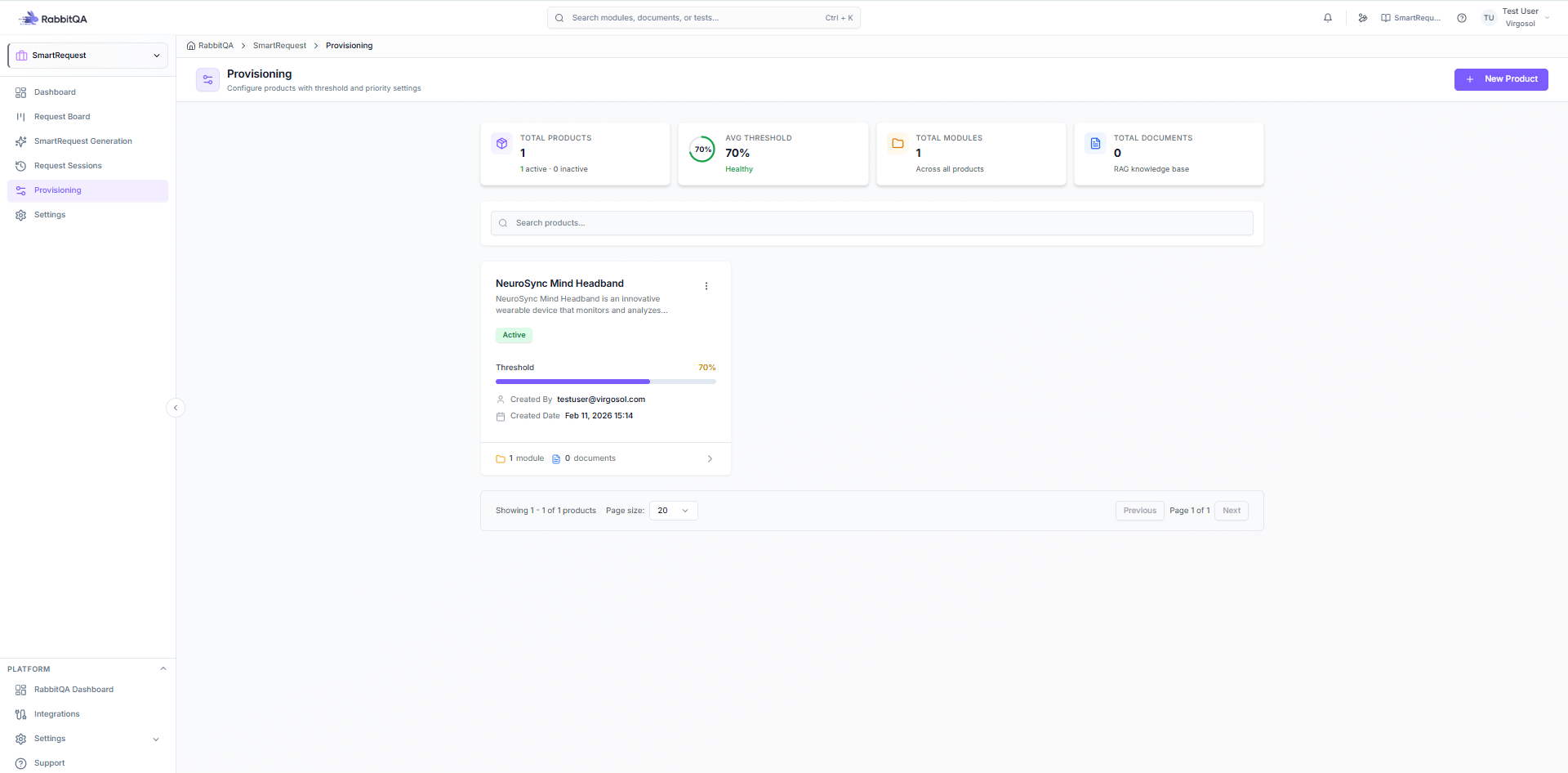
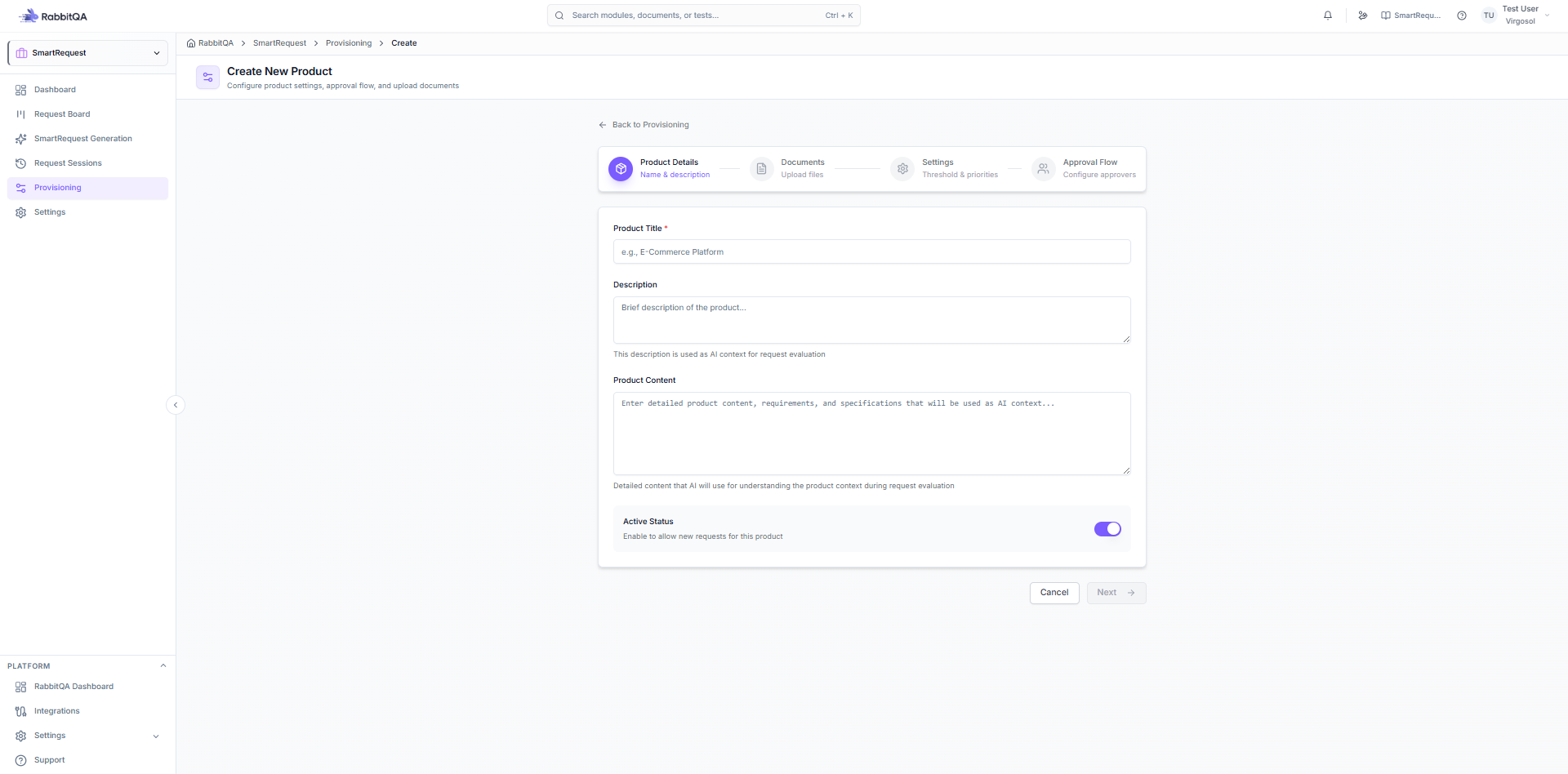
Basic Information
- Click Create Product
- Enter product details:
- Title - Product name
- Description - Brief description
- Product Content - Detailed information
- Active - Enable/disable toggle
Document Upload
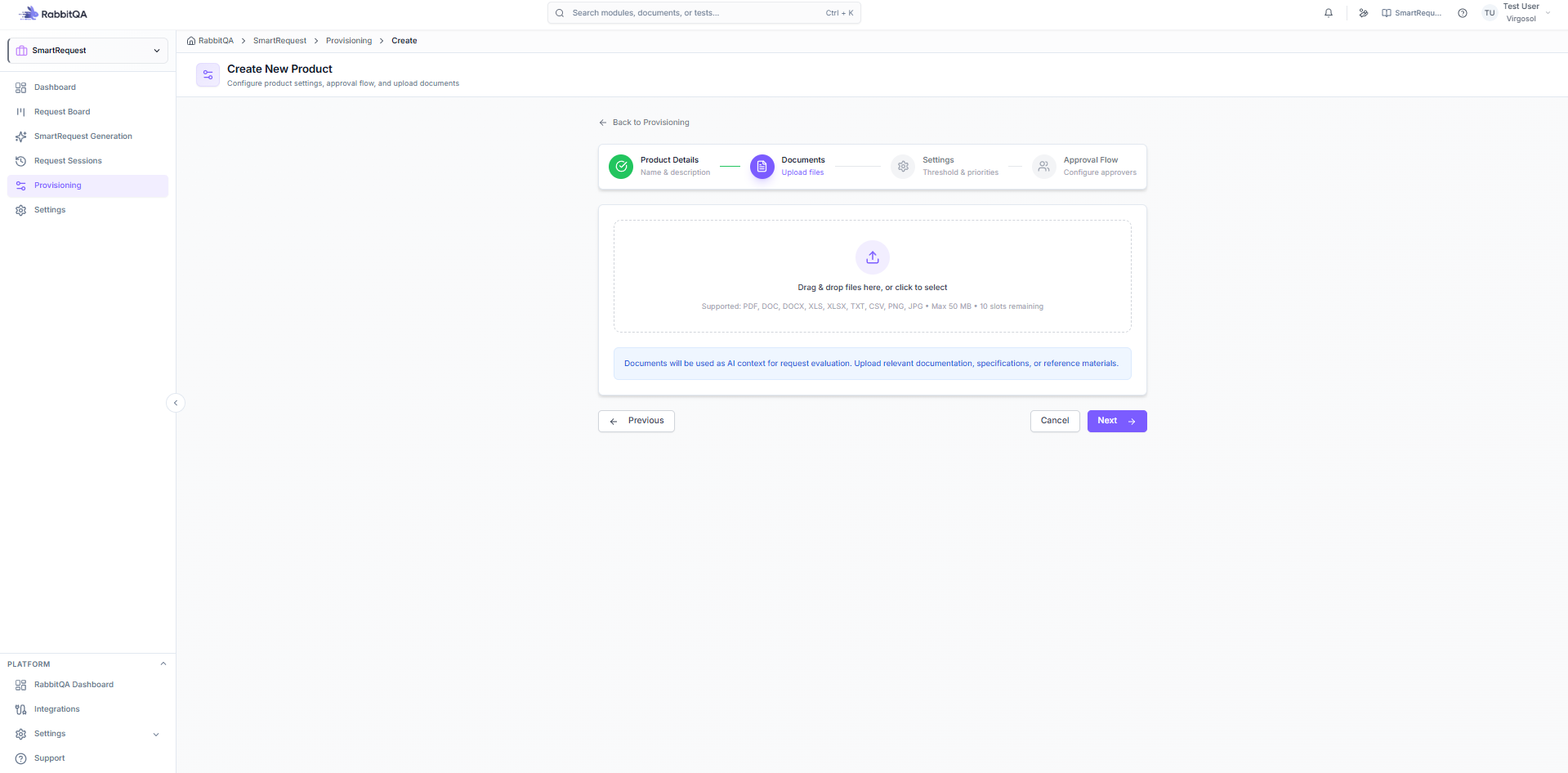
Attach reference documents:
- Requirements documents
- Specifications
- User guides
- Supported formats: PDF, DOC, DOCX, XLS, XLSX
Threshold Configuration
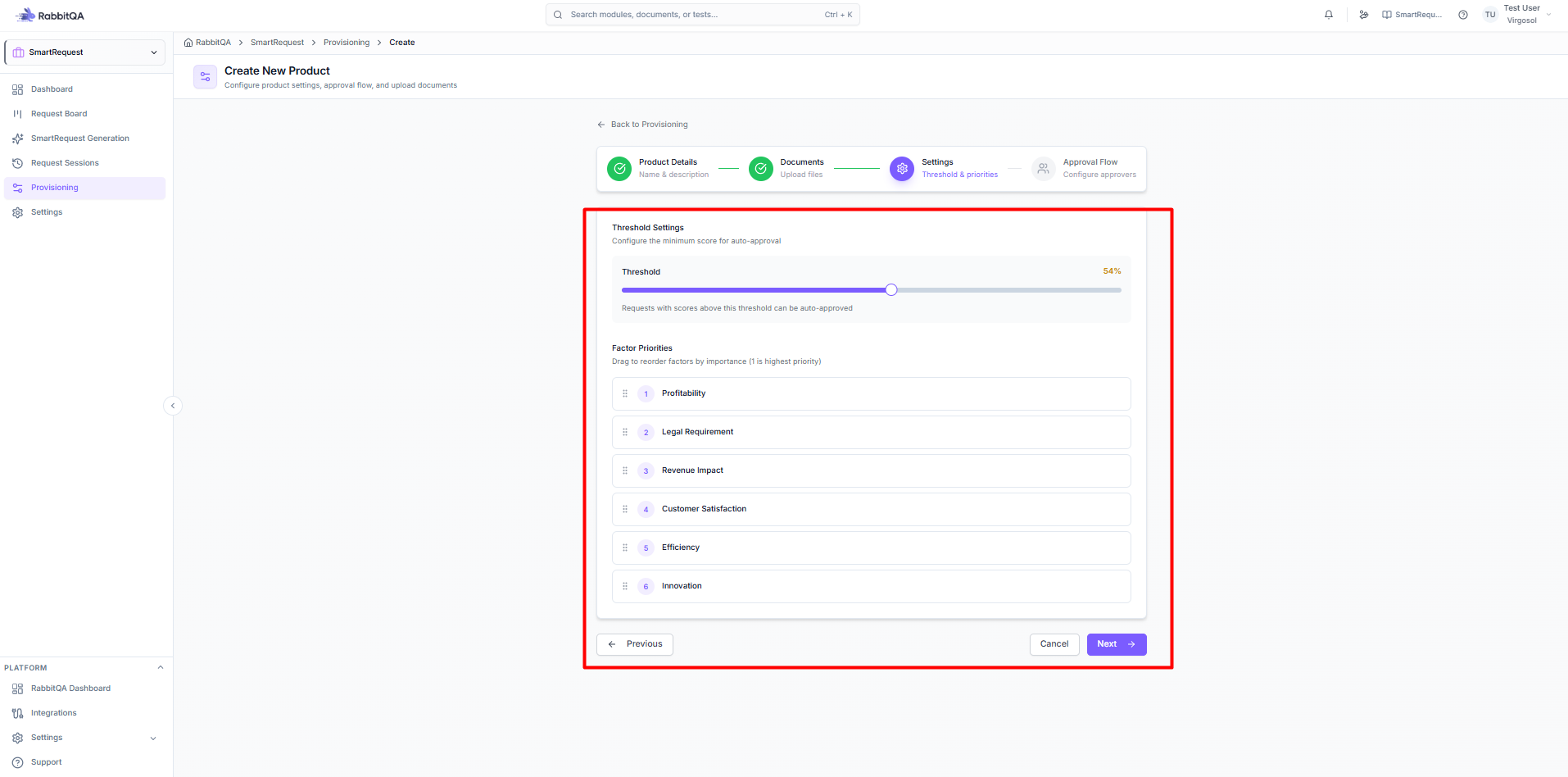
Set the scoring threshold:
- Slider from 0-100
- Requests scoring above threshold get priority
- Below threshold get standard review
Factor Priorities
Configure priority weights for six factors:
| Factor | Description |
|---|---|
| Profitability | Potential for profit generation |
| Legal Requirement | Regulatory compliance needs |
| Revenue | Direct revenue impact |
| Customer Satisfaction | User experience improvement |
| Efficiency | Process optimization |
| Innovation | Strategic/innovative value |
Adjust weights based on product priorities.
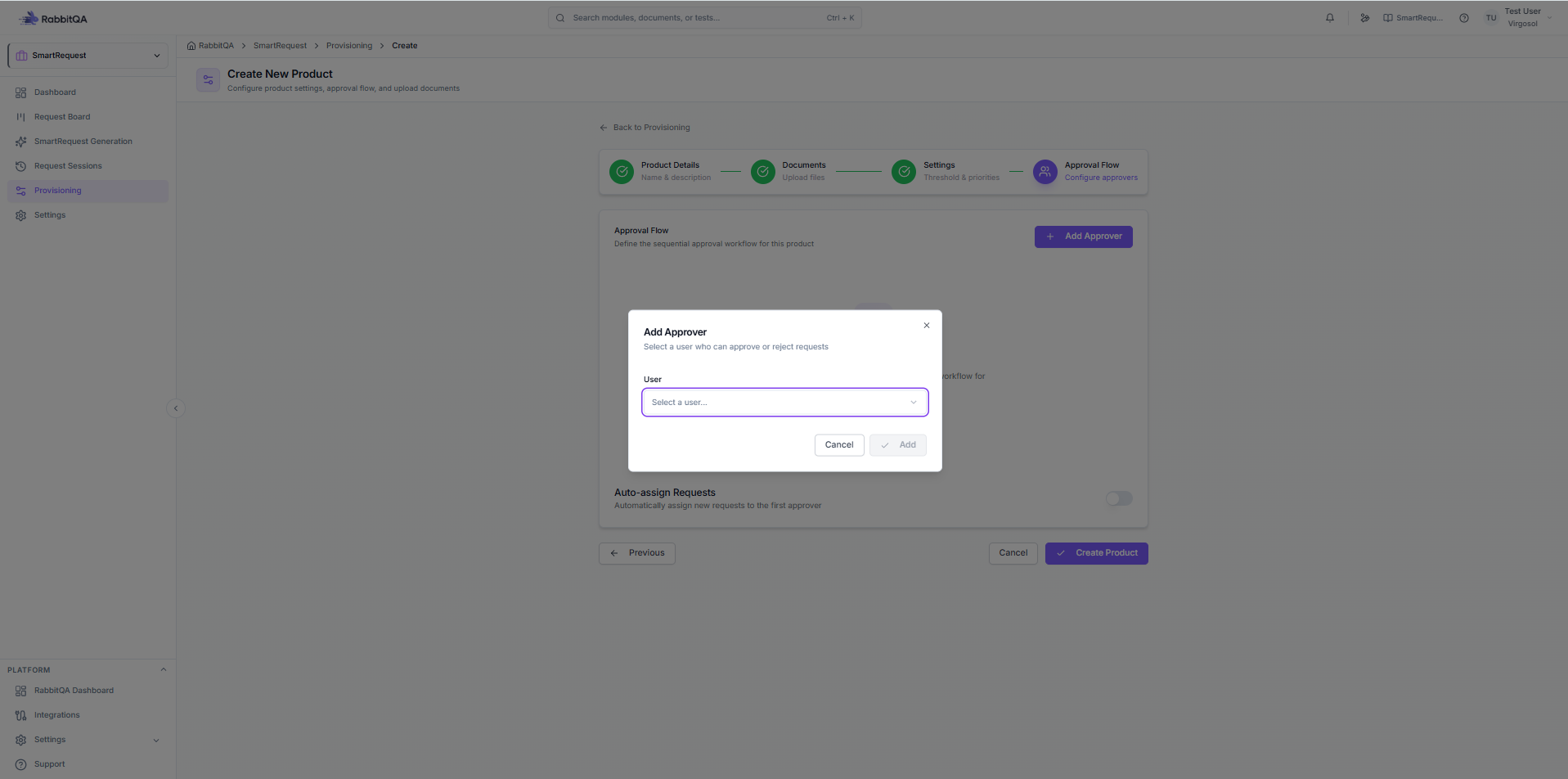
Approval Flow
Configure the approval chain:
- Add Approvers - Select team members
- Set Order - Define approval sequence
- Auto-Assign (optional) - Automatic assignment
Module Management
Module Hierarchy
Modules are organized hierarchically:
Product
├── Module A
│   ├── Sub-module A1
│   └── Sub-module A2
├── Module B
│   ├── Sub-module B1
│   │   └── Sub-sub-module B1a
│   └── Sub-module B2
└── Module C
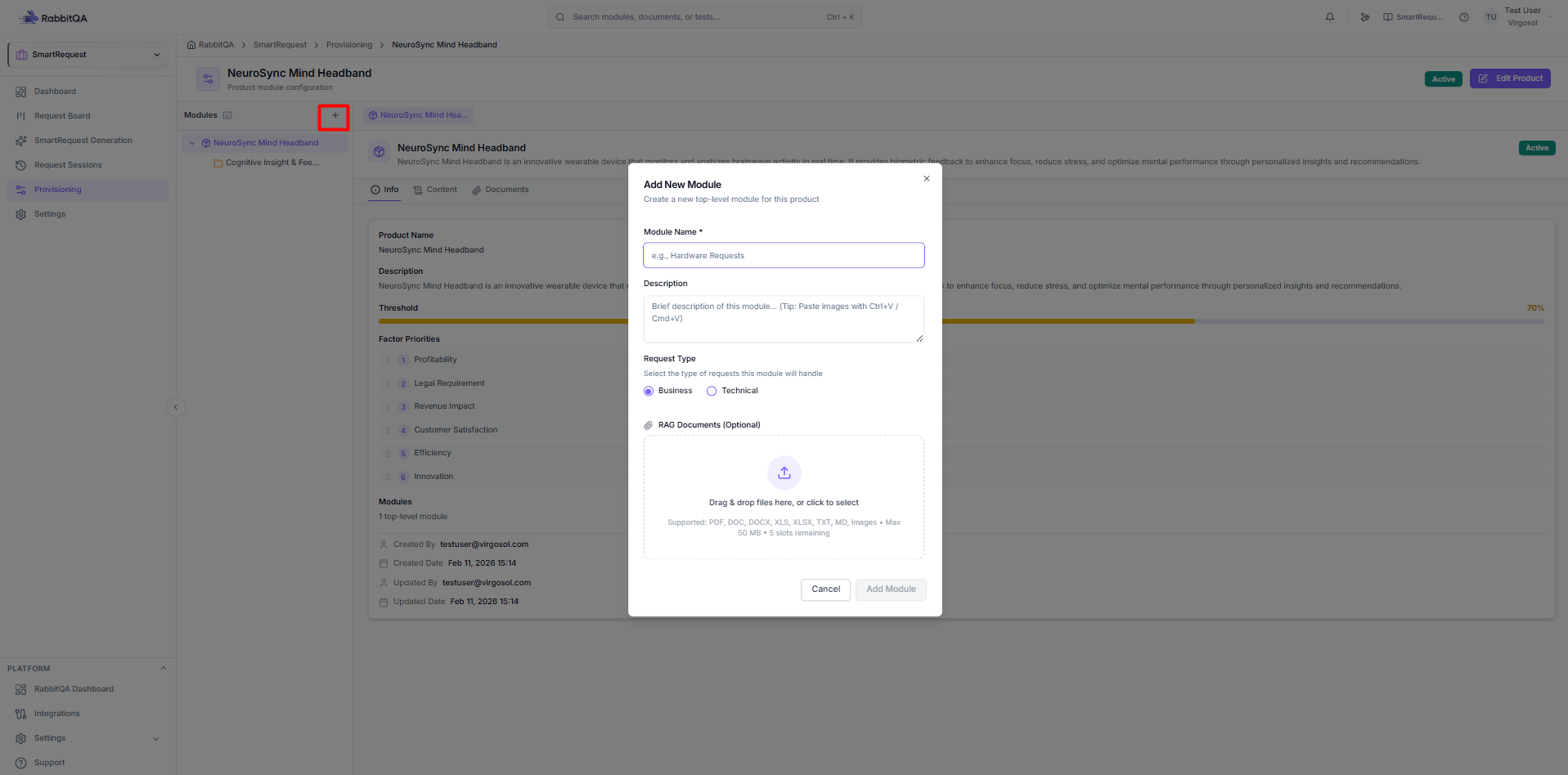
Creating Modules
- Select a product
- Click Add Module
- Enter module details:
- Name - Module identifier
- Description - What this module covers
- Save the module
Creating Sub-modules
- Right-click a module
- Select Add Sub-module
- Enter sub-module details
- Repeat for deeper nesting
Module Explorer
Navigate modules with the tree view:
Tree Navigation
- Expand/Collapse - Click arrows
- Select - Click module name
- Multi-select - Ctrl+Click
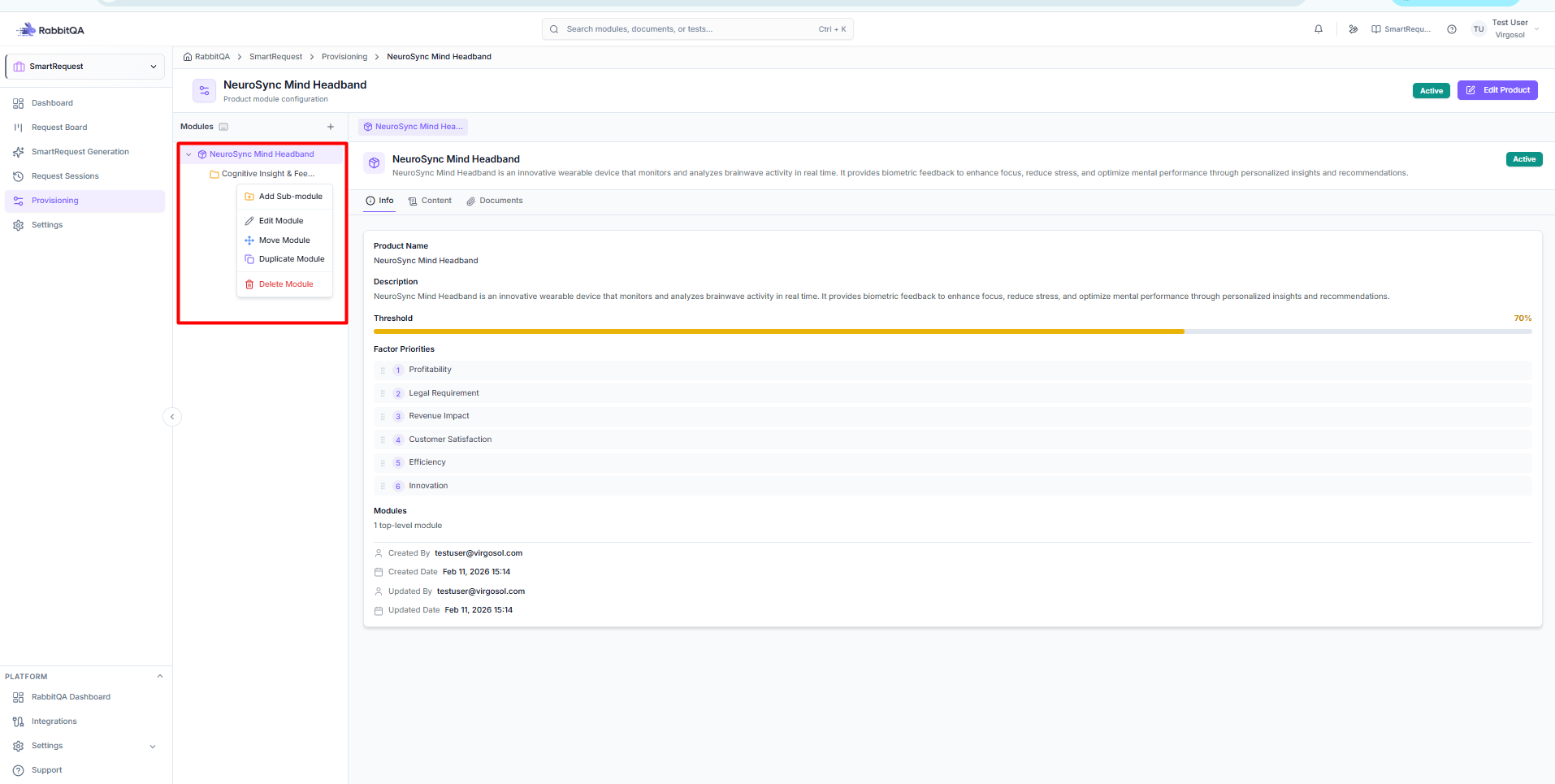
Context Menu
Right-click for options:
- Add Sub-module
- Edit
- Move
- Duplicate
- Delete
Module Details
Each module can have:
Module Info Tab
- Name and description
- Parent module
- Creation/update dates
Custom Fields Tab
Add custom fields for requests:
- Text fields
- Dropdowns
- Checkboxes
- Dates
- File uploads
Documents Tab
Attach module-specific documents:
- Reference materials
- Specifications
- Guidelines
Custom Fields
Field Types
| Type | Description |
|---|---|
| Text | Single line text |
| Textarea | Multi-line text |
| Number | Numeric input |
| Select | Single selection dropdown |
| Multi-select | Multiple selection |
| Date | Date picker |
| Date Range | Start and end dates |
| Checkbox | Yes/no toggle |
| Radio | Single selection buttons |
| File | File upload |
| URL | Website link |
| Email address | |
| Phone | Phone number |
Creating Custom Fields
- Select module's Fields tab
- Click Add Field
- Configure:
- Field name
- Field type
- Required (yes/no)
- Options (for select types)
- Save field
Field Inheritance
- Parent module fields available to children
- Override at any level
- Required fields enforced
Product Statistics
Metrics Dashboard
| Metric | Description |
|---|---|
| Total Requests | All requests for product |
| Pending | Awaiting approval |
| In Progress | Currently active |
| Completed | Successfully done |
| Modules | Number of modules |
Usage Analytics
- Request distribution by module
- Approval rates
- Processing times
- Active contributors
Managing Products
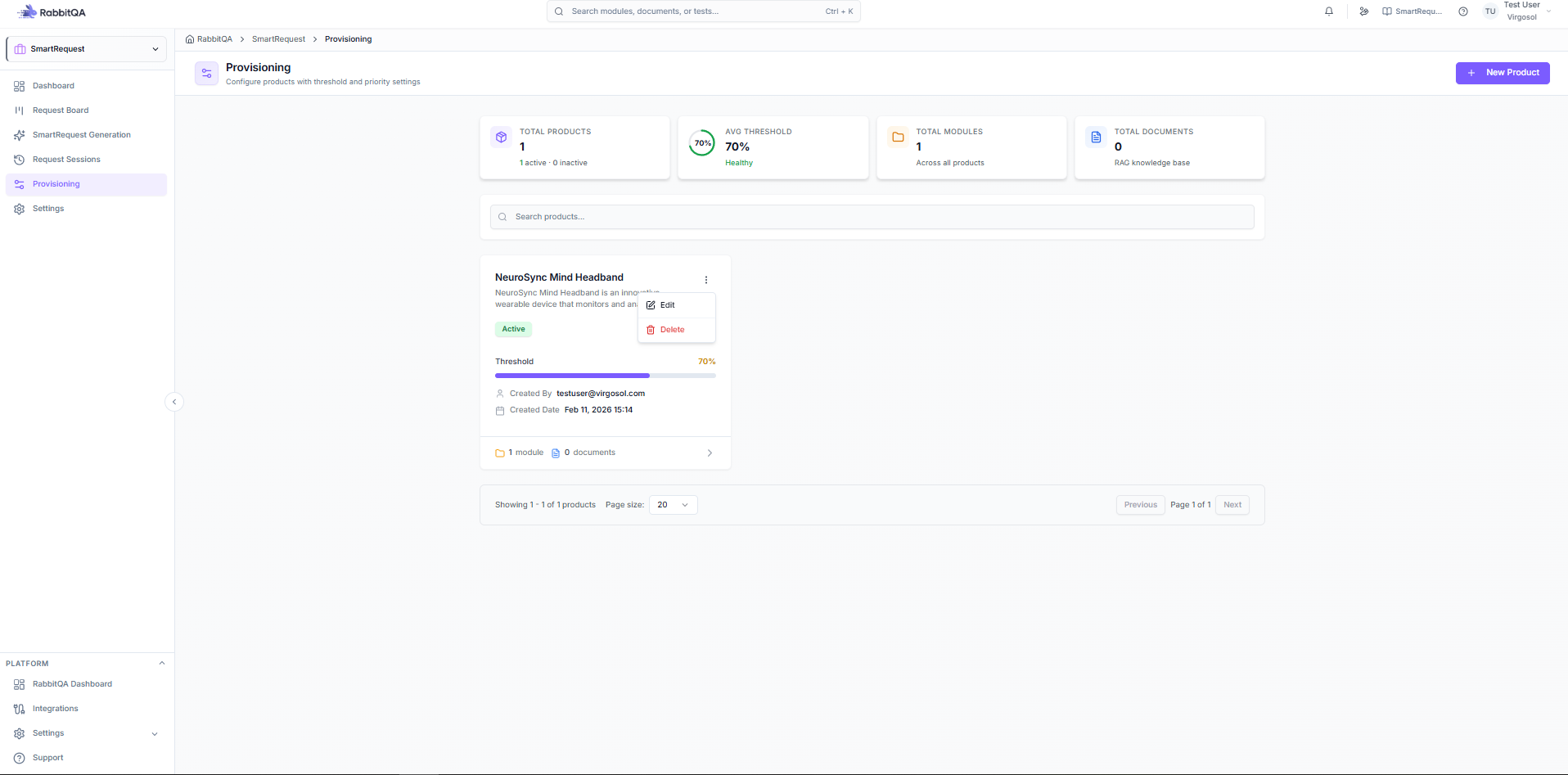
Edit Product
- Click product card
- Select Edit
- Modify details
- Save changes
Archive Product
Deactivate without deleting:
- Edit product
- Toggle Active off
- Product hidden from selection
- Historical data preserved
Delete Product
uyarı
Deleting a product removes all associated modules and affects linked requests.
- Click Delete on product
- Confirm deletion
- Cannot be undone
Best Practices
Product Structure
- Use clear, descriptive names
- Keep product scope focused
- Document thoroughly
Module Organization
- Mirror your system architecture
- Don't nest too deeply (max 4-5 levels)
- Use consistent naming
Custom Fields
- Only add necessary fields
- Use appropriate field types
- Mark truly required fields as required
- Provide helpful descriptions
