File Management
File Management is where the documents Smart PBI generates from are uploaded and kept.
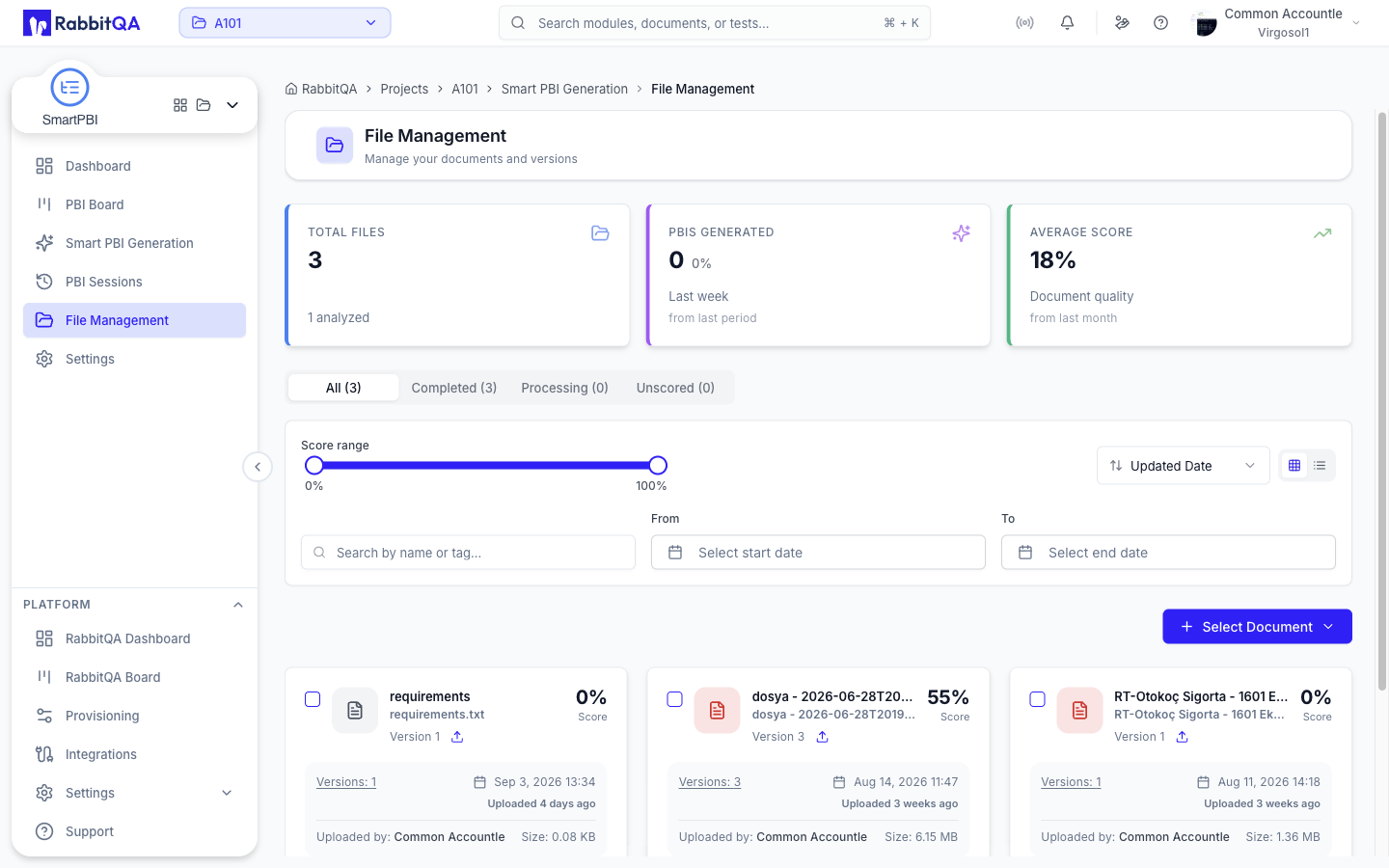
/smart-pbi/files does not have a screen of its own.
It mounts the Analyzer File Management page unchanged, and the file detail page behind it is Analyzer's too.
Everything the screen can do — uploads, versions, quality scores, status tabs, score and date filters, Confluence import — is documented once, in Analyzer.
What is different under Smart PBI
Two things depend on which module's URL you opened the screen from.
Ownership. A document uploaded from /smart-pbi/files is recorded as belonging to Smart PBI.
Later versions of that document stay attached to Smart PBI as well.
A document that belongs to no module stays visible from every module.
Scope of the counts. The metric cards at the top of the screen are scoped to Smart PBI, so Total Files and the status tab counts match the list underneath them rather than reporting every document in the workspace.
How the documents get used
Uploaded documents become selectable sources in the generation wizard's File Selection step, where you pick a document and the version of it to generate from.
You can also upload straight from inside the wizard, without coming to this page first.
The dashboard's Upload Files shortcut opens this page.
Full documentation
See Analyzer for uploading, versioning, filtering, scoring, and the file detail page.
