Files
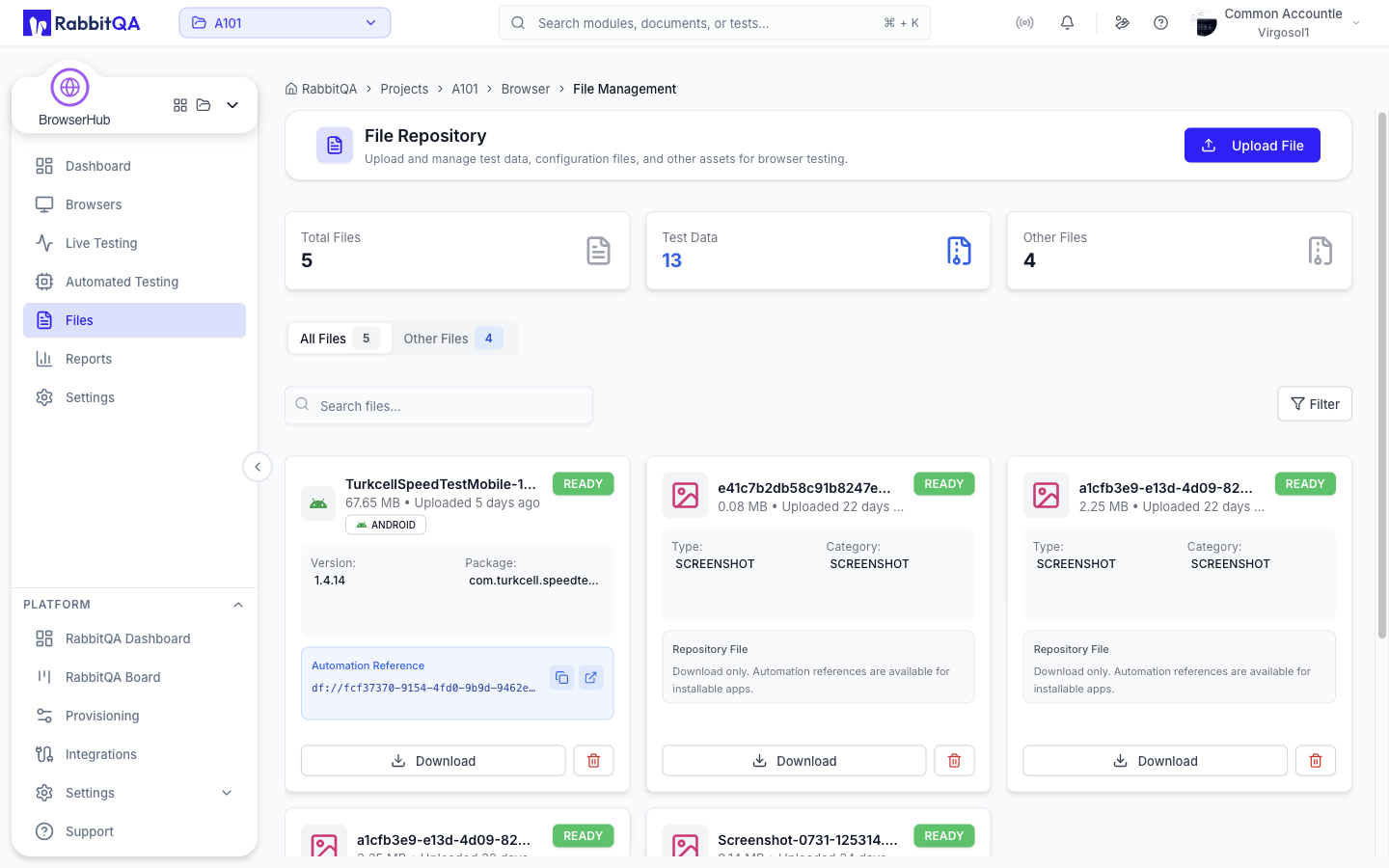
The file repository at /browser/files holds test data, configuration files, and other assets you want available to your browser testing.
This is the MobileHub file repository without the mobile app terminology: there is no APK or IPA handling here. Uploads, downloads, and storage behave the same way in both modules, so see MobileHub for the shared upload mechanics.
Statistics
| Card | Shows |
|---|---|
| Total Files | Every file in the repository |
| Test Data | Files the service categorizes as apps |
| Other Files | Everything else |
Tabs
| Tab | Shows |
|---|---|
| All Files | The whole repository |
| Other Files | Only files in the OTHER category |
Finding a File
- Search matches the file name, description, and tags.
- Filter narrows the list to one or more file types, taken from the types present in the repository. The button shows how many types are selected, and Clear filters removes them.
The list is paged at twenty files per page.
Uploading
Upload File opens the upload dialog. You can also drag a file anywhere onto the page; an overlay confirms the drop and opens the dialog with that file selected.
While an upload is running the dialog reports progress and can be aborted. Failed uploads report the reason in the dialog.
Uploading requires the browserhub:session:create permission.
The upload button is not available without it.
Downloading and Deleting
Each file card offers a download action.
Delete is only offered when you have the browserhub:session:delete permission.
It asks for confirmation and cannot be undone.
When the Repository Is Empty
An empty repository shows an Upload First File action. If a search or filter matches nothing, the empty state offers to clear the filters instead.
If the repository fails to load, the page reports the error and offers Retry.
