Analyzer
AI-powered document analysis and Product Backlog Item generation.
What is Analyzer?
The Analyzer module uses artificial intelligence to analyze your requirement documents, provide quality scores, and automatically generate Product Backlog Items (PBIs).
It transforms your requirements documents into actionable insights, test scenarios, and well-structured PBIs for agile teams.
Key Features
Intelligent Requirement Extraction
Automatically identify and extract functional and non-functional requirements from any document format (PDF, DOC, DOCX, TXT, MD).
AI-Generated Test Scenarios
Create comprehensive test cases directly from analyzed requirements.
Quality Assessment
Evaluate document completeness, clarity, and identify potential gaps with detailed scoring across multiple dimensions.
Smart PBI Generation
Transform requirements into well-structured Product Backlog Items organized as Epics, Features, and User Stories with acceptance criteria and priority levels.
Getting Started
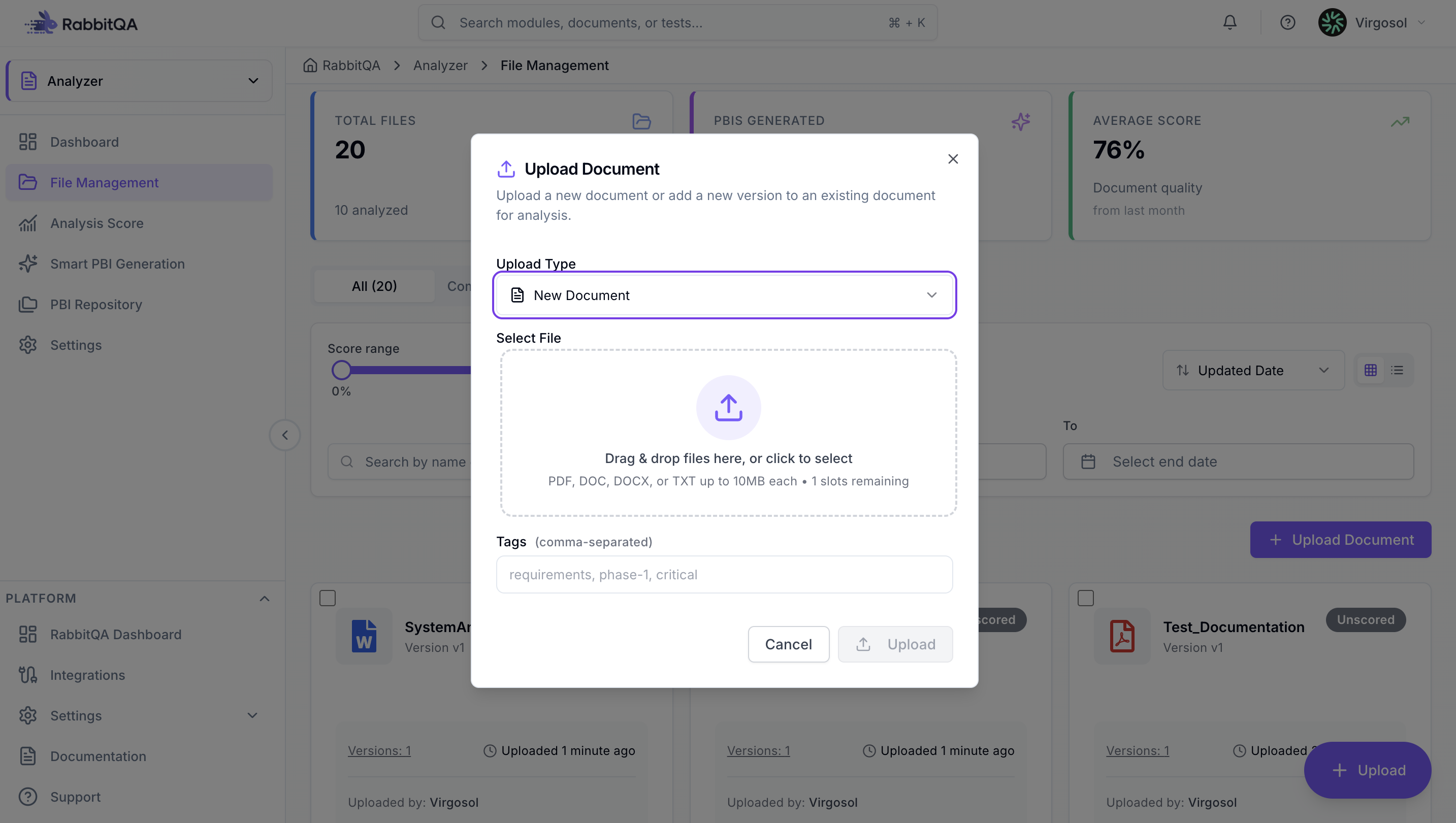
1. Upload Documents
Navigate to the Analyzer module and click "Upload Document" or drag and drop files. Supported formats: PDF, DOC, DOCX, TXT, MD. Maximum file size: 10 MB per file.
2. Review Analysis Results
After the document is uploaded and analyzed, view the analysis results including score breakdown, AI recommendations, and benchmark comparisons.
3. Generate PBIs
Create a PBI session, configure generation settings, and let AI automatically generate Product Backlog Items. Review, edit, and export them to project management tools like Jira or Azure DevOps.
Module Pages
- [Dashboard]./overview) - Overview of analysis activities and metrics
- Files - Manage, upload, and analyze documents
- Analysis Score - AI-powered document quality assessment
- Smart PBI - AI-powered PBI generation from requirements
- PBI Sessions - Manage PBI generation sessions
- Settings - Configure templates, metrics, and preferences
