Accessibility Dashboard
The dashboard at /accessibility/dashboard is the module's landing page.
Opening /accessibility redirects here.
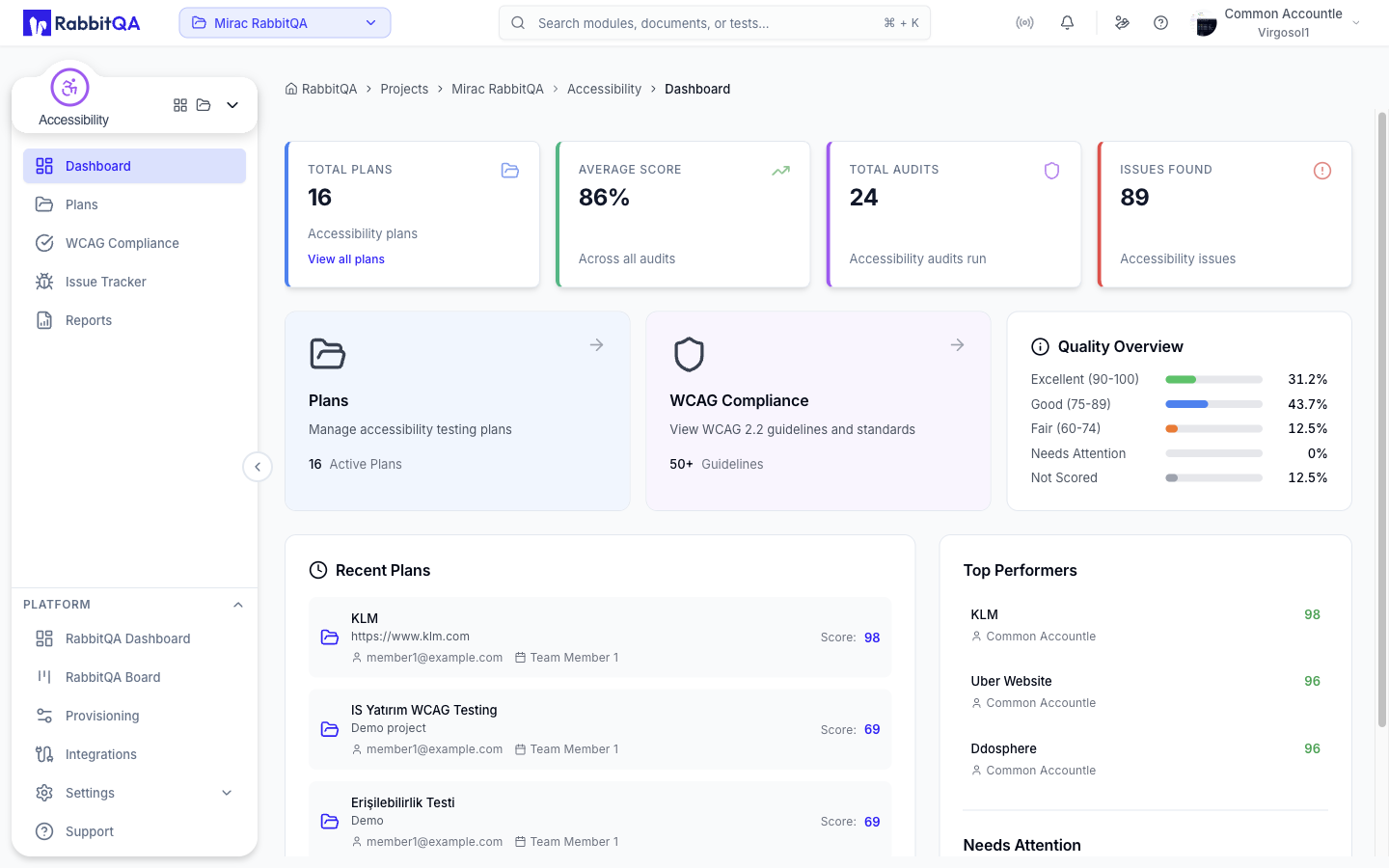
Key metrics
Four cards summarize the whole module.
| Card | Shows |
|---|---|
| Total Plans | Number of accessibility plans. |
| Average Score | Average accessibility score across all audits. |
| Total Audits | Number of audits run. |
| Issues Found | Total accessibility issues identified. |
Total Plans links straight to the plans list.
Shortcut cards
Two cards below the metrics act as entry points.
- Plans — opens the plans list and shows the active plan count.
- WCAG Compliance — opens the WCAG 2.2 reference.
Quality Overview
The Quality Overview panel buckets every plan by its overall score and shows the share of plans in each bucket.
| Bucket | Score range |
|---|---|
| Excellent | 90-100 |
| Good | 75-89 |
| Fair | 60-74 |
| Needs Attention | Below 60 |
| Not Scored | No score yet |
The distribution covers every plan in the module, not only the ones listed under Recent Plans, and each share is a percentage of the total plan count. If no plan has been created yet, the panel shows "No plans yet".
Recent Plans
The Recent Plans list shows the most recently created plans with their description, creator, creation date, and score where one exists.
Selecting a plan opens its audits.
When there are no plans, the panel offers a Create Plan shortcut to the plans page.
Top Performers and Needs Attention
The right-hand column ranks plans by overall score.
- Top Performers — the highest-scoring plans.
- Needs Attention — plans scoring below 60.
Both lists show the plan name, its rounded score, creator, and creation date, and both link to the plan's audits.
If nothing qualifies, the lists show "No scored plans yet" or "No plans need attention".
